Play Cam
Play Cam is an add-on that turns your camera into a full cinematic tool — record smooth, spline-based camera paths, fly freely to place keyframes, and drop live camera presets, all without leaving Minecraft Bedrock.
Timelines & Keyframes
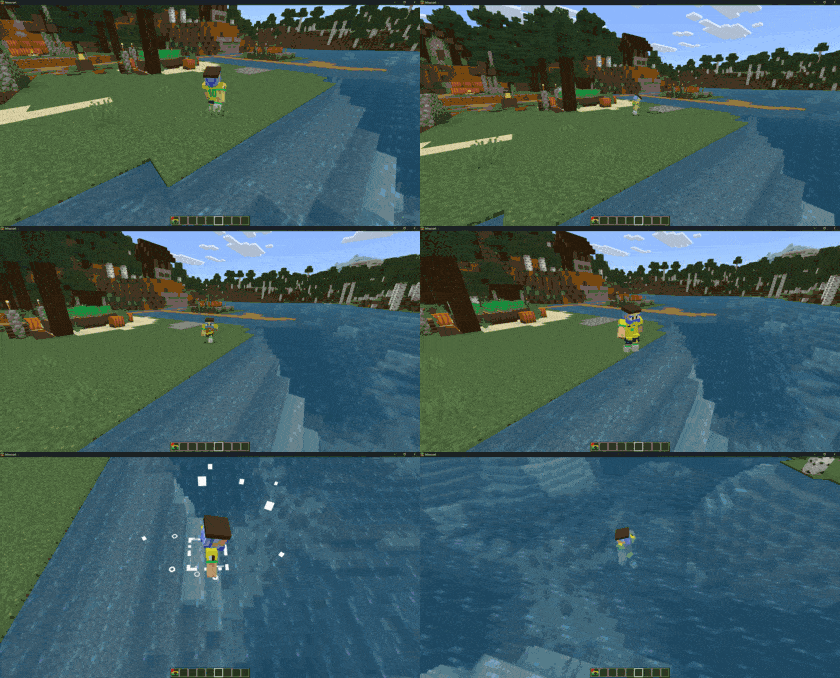
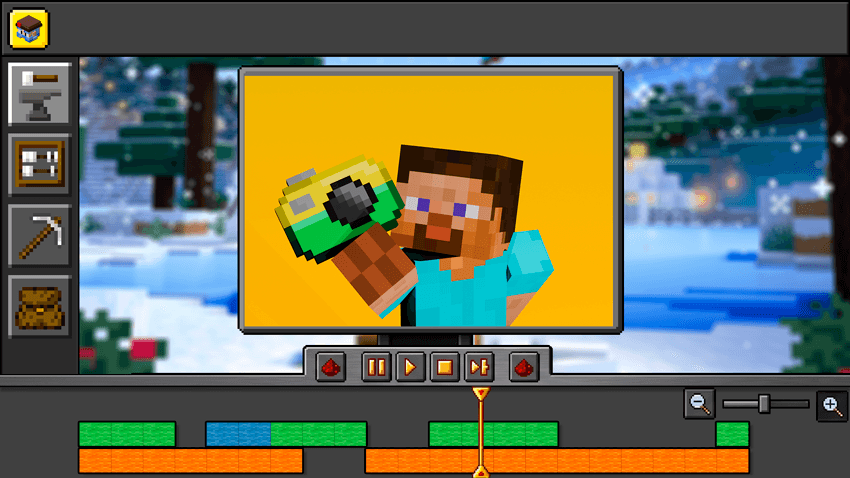
Create as many timelines as you want, and mark up to 20 keyframes per timeline (position + rotation). The camera interpolates between them using a centripetal Catmull-Rom spline with constant-speed motion — no linear "teleport" jumps between points.
- Rename, reorder, insert before, or replace any keyframe individually
- Adjust total animation duration and toggle looping
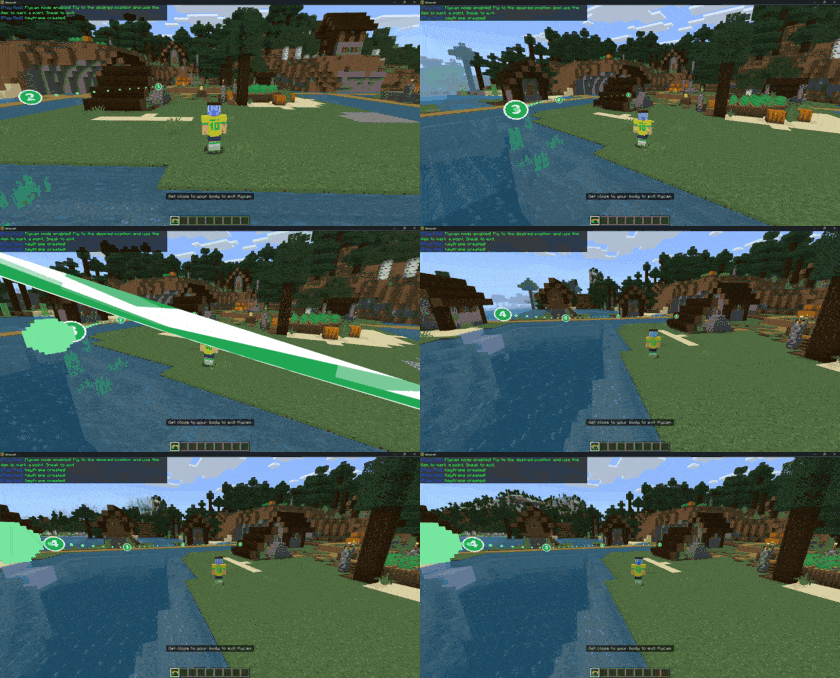
- Numbered particle markers show exactly where each keyframe is, with a live route trail connecting them as you build the sequence
Flycam
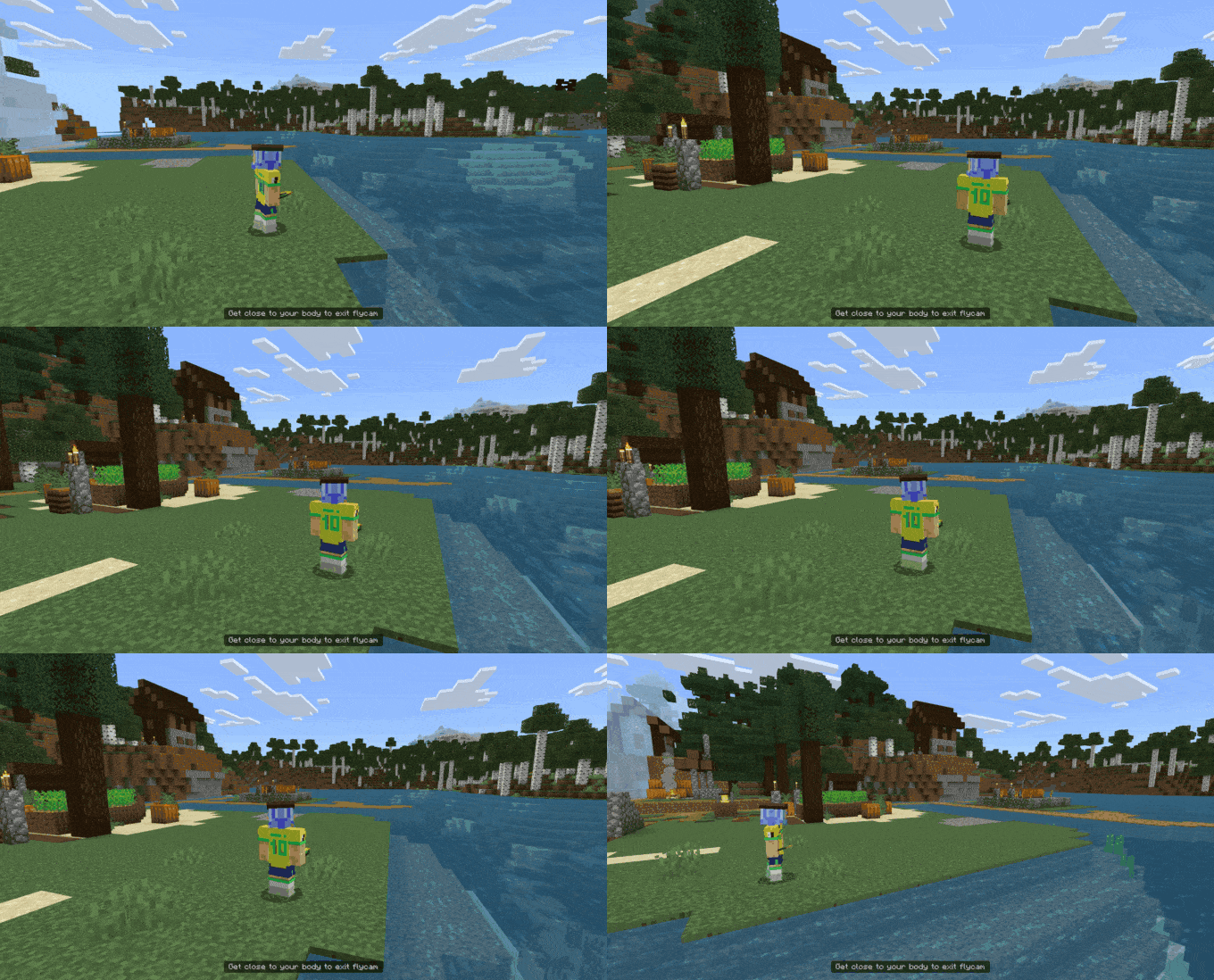
Instead of walking to a spot to record a keyframe, enter Flycam Mode: your body stays completely still while the camera flies freely wherever you point it. Place a keyframe mid-flight without ever landing.
- Built-in collision avoidance keeps the camera from clipping through walls
- Approach your own body to trigger a 5-second return countdown, or crouch for an instant exit
- Works for adding new points, inserting mid-sequence, or replacing an existing one
Playback Controls
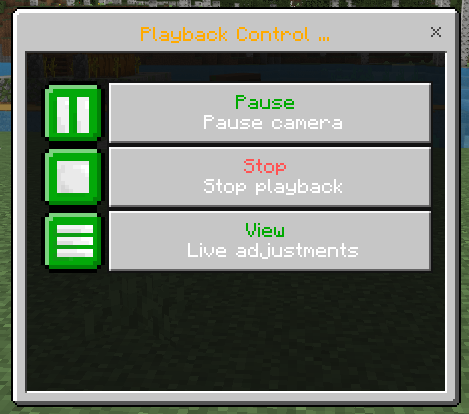
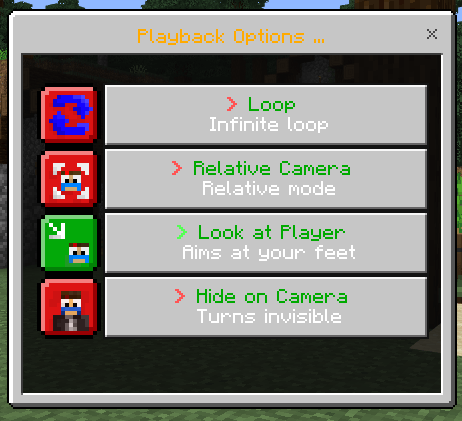
Pause, resume, or stop the recorded animation at any time — and adjust options live, mid-playback, without restarting:
- Loop the animation indefinitely
- Relative camera controls to move around while it plays
- Look at Player — override the recorded rotation so the camera always aims at your feet in real time
- Hide on Camera — turn invisible for the duration of the shot
Camera Presets
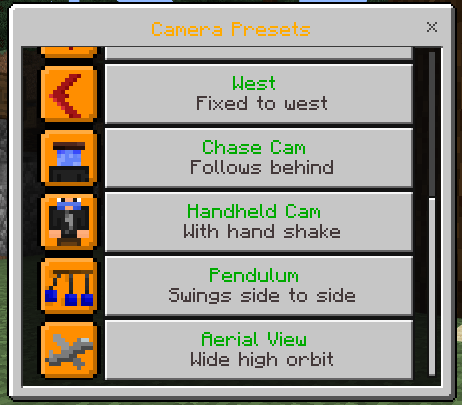
Beyond scripted timelines, Play Cam also includes live, hands-free camera rigs that follow you in real time:
- 360° Orbit — spins continuously around you
- North / East / South / West — fixed cinematic angles
- Chase Cam — classic third-person follow camera
- Handheld — follow cam with organic, documentary-style shake
- Pendulum — sweeps side to side instead of a full spin
- Aerial View — wide, high establishing-shot orbit
Every preset supports adjustable height, distance, and speed, remembered between uses.
Crafting
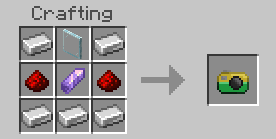
- Build your camera to use in survival mode as well.
Localization
Fully translated into Portuguese (BR), English, Russian, and Spanish (MX) — the menu automatically matches each player's game language.
Other informations
- This add-on does not remove your world achievements.
- This add-on can be used alongside other add-ons.
- Requires no Experimental/Beta APIs — built entirely on stable Bedrock scripting.
Credits
Created by Koro.
Play Cam Team