OTG Backpack
- By
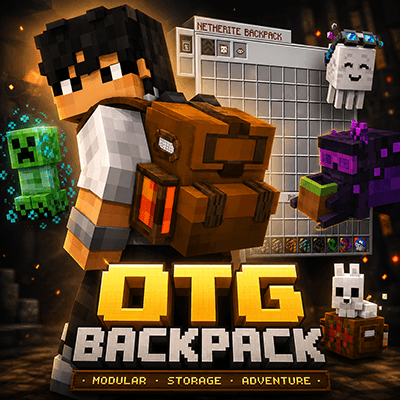
OTG Backpack is a modular Minecraft Bedrock survival backpack with tiered upgrades, 126-slot Netherite storage, Overpack module another 126 slots, fluid tanks, portable workstations, auto-sorting, modules, and tools built for adventures on the go.
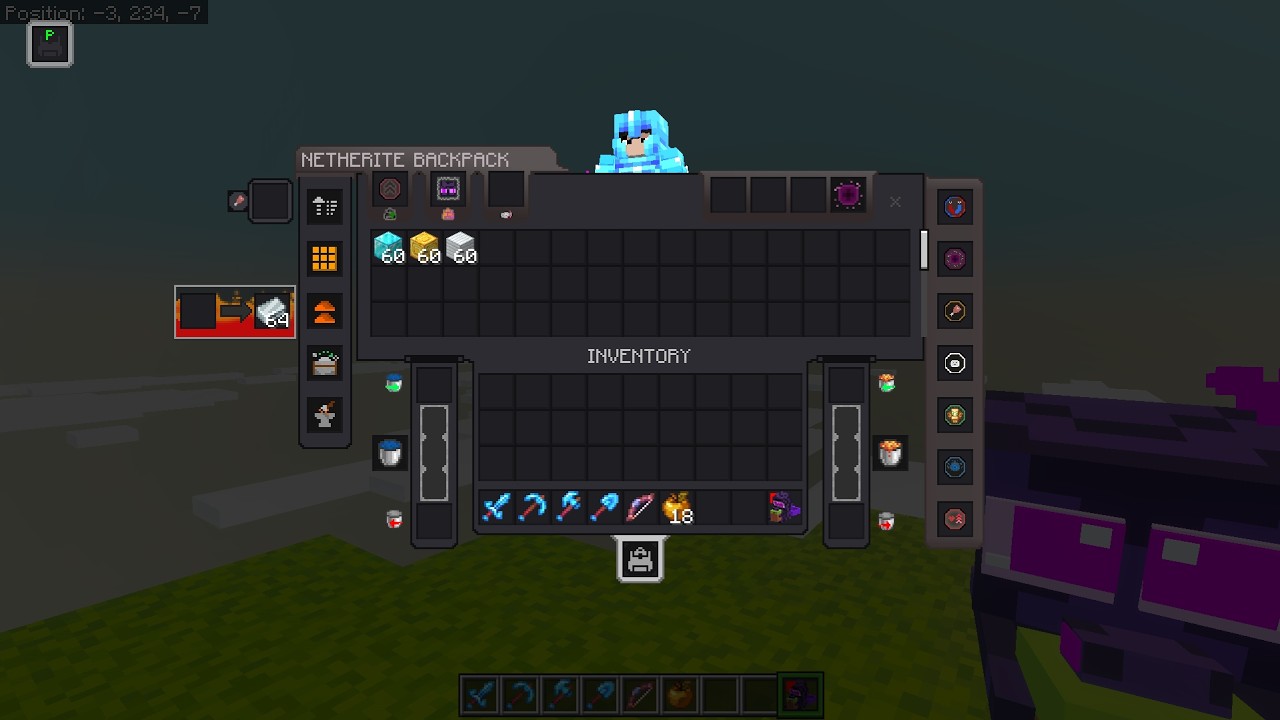
Description
CLASSIC UI
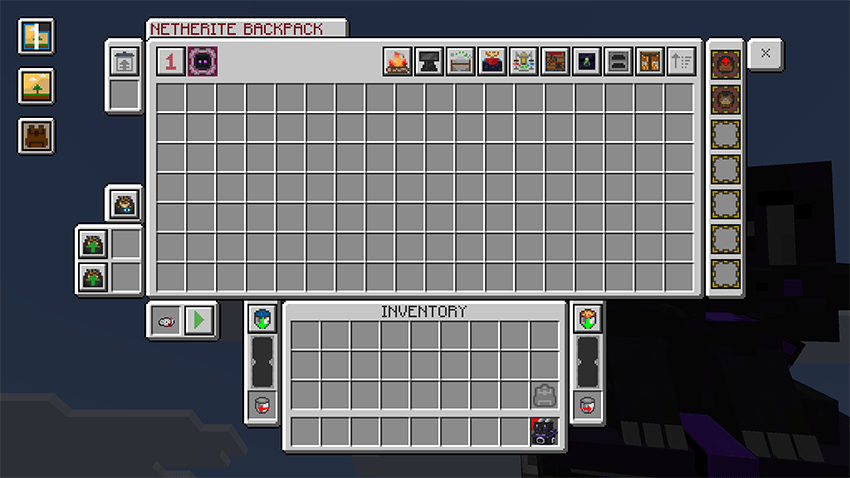
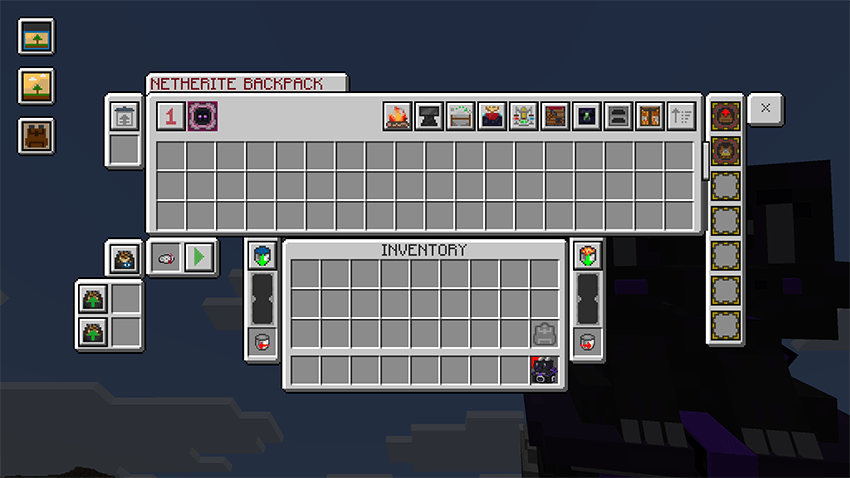
POCKET UI
********************** OTG BACKPACK **********************
OTG Backpack is a modular survival backpack addon for Minecraft Bedrock Edition.
Start with a simple Basic Backpack and upgrade it through multiple tiers as your adventure grows:
Basic > Copper > Iron > Gold > Diamond > Netherite
Each tier increases your storage potential and unlocks more backpack utility, turning the backpack into a portable survival system for exploring, mining, building, traveling, and long-term worlds.
OTG Backpack is designed to be more than just extra storage. It includes portable workstations, fluid tanks, modules, cosmetics, placement support, quick transfer tools, mobile-friendly controls, and world settings for admins.
********************** MAIN FEATURES **********************
Upgradeable Backpack Tiers
Upgrade your backpack through six tiers:
Basic → Copper → Iron → Gold → Diamond → Netherite
Higher tiers provide more storage and unlock additional backpack systems, including:
- Portable workstations
- Fluid tanks
- Built-in crafting and smelting
- Module slots
- Advanced utility features
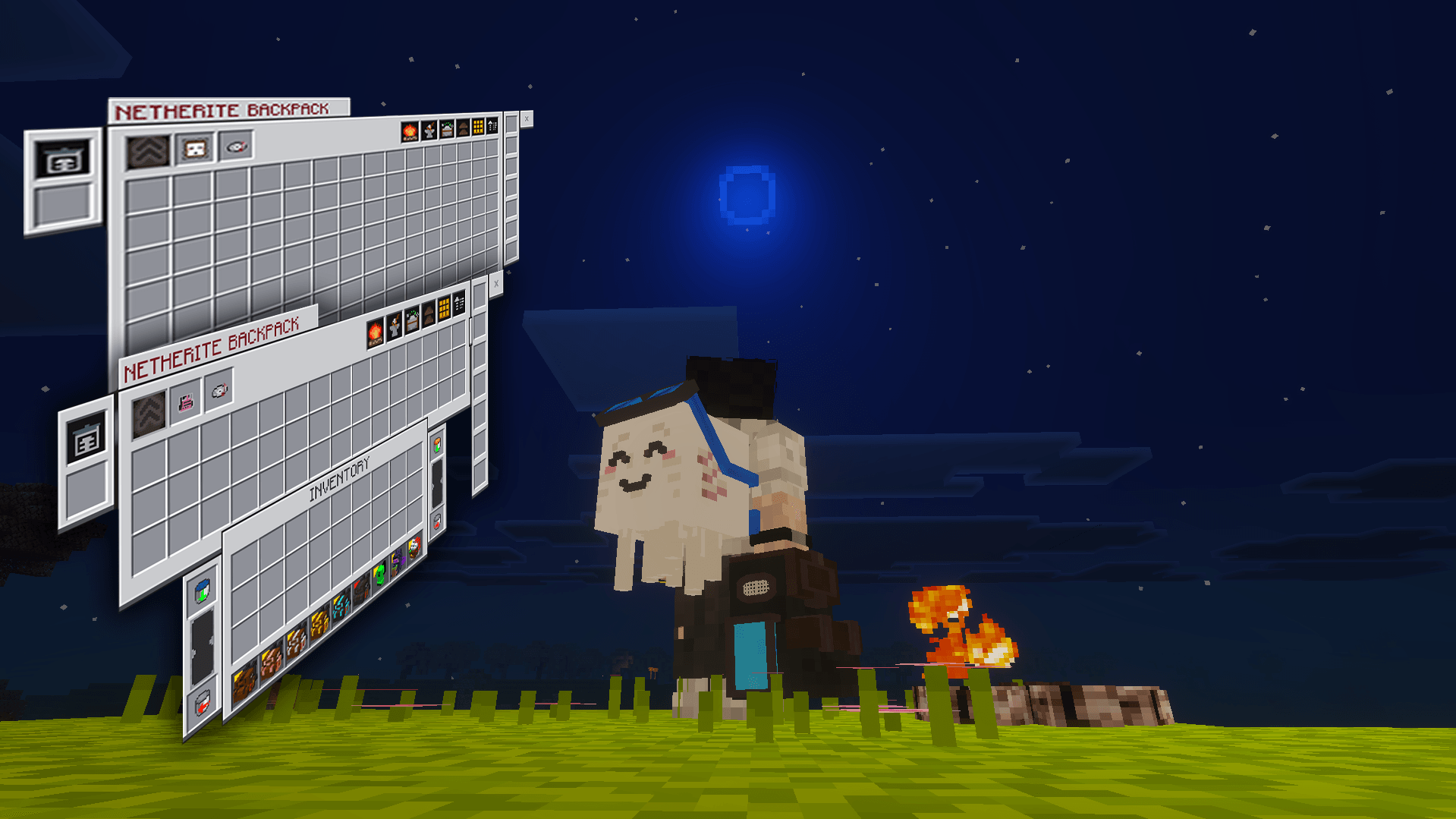
Netherite Backpack
The Netherite Backpack is the highest backpack tier and provides the largest storage capacity.
Netherite features include:
- 126 storage slots
- Support for the Overpack Module
- Access to advanced portable workstations
- Stronger effects from selected modules
- Improved large-storage UI
- Fire resistance when dropped as an item
Overpack Module
The Overpack Module is an endgame upgrade available for Netherite Backpacks.
It adds a second storage page containing another 126 slots, making it useful for:
- Long mining trips
- Large construction projects
- Exploration
- Resource gathering
- Adventure supplies
Page 1 and Page 2 remain separate and can be switched from inside the backpack.
Stockpile Module
The Stockpile Module provides bulk storage separate from normal backpack slots and Overpack Page 2.
Features include:
- Two item filters
- Automatic storage of matching items
- Large virtual item counts
- Individual withdrawal controls
- Magnet compatibility
Stockpile is useful for carrying large amounts of frequently collected resources without filling the main backpack inventory.
Built-in Crafting Table
Craft directly inside your backpack using the built-in 3×3 Crafting Table.
The Crafting panel supports compatible vanilla and OTG Backpack recipes.
You can also deploy a normal Crafting Table into the world when needed.
Portable Workstations
OTG Backpack provides portable workstation access depending on backpack tier, installed modules, and World Settings.
Available utilities include:
- Built-in Crafting Table
- Virtual Furnace
- Stonecutter
- Anvil
- Max Enchanting Setup
- Brewing Stand
- Smithing Table
- Ender Chest
- Rest Campfire
- Sorting
Successful workstation deployment automatically closes the backpack.
If the area is blocked or unsafe, the backpack remains open so you can reposition and try again.
Max Enchanting Setup
Netherite Backpacks can deploy a complete temporary level-30 enchanting station.
The setup includes:
- A functional Enchantment Table
- A complete Bookshelf arrangement
- Maximum enchanting power
- Automatic rotation so the entrance faces the player
Players do not need to carry or spend Bookshelves.
The setup can automatically clear harmless ground cover such as:
- Grass
- Tall Grass
- Flowers
- Ferns
- Snow Layers
- Bushes
- Firefly Bushes
- Leaf Litter
The area must still be flat, supported, and free from solid blocks, liquids, carpets, or other obstacles.
The temporary structure:
- Cannot be mined for free materials
- Does not drop Bookshelves or the Enchantment Table
- Is protected against explosions and pistons
- Disappears when the owner moves too far away
- Disappears after death, teleporting, portal travel, or changing dimensions
- Is replaced when another portable workstation is deployed
Virtual Furnace and Fluid Tanks
Smelt items directly inside your backpack using lava stored in the built-in tank system.
Fluid tank features include:
- Lava storage
- Water storage
- Deposit and withdrawal controls
- Virtual Furnace fuel support
- Optional automatic fluid collection
- Survival and exploration utility
A Furnace Module can also provide faster smelting.
Quick Deposit and Auto-Transfer
Unload backpack contents quickly using Quick Deposit and Auto-Transfer.
These features make it easier to transfer items into nearby chests after:
- Mining
- Farming
- Building
- Exploring
- Resource gathering
When depositing into a chest that already contains items, OTG Backpack can prioritize matching item types.
Backpack Mode and Placement Mode
OTG Backpack supports two main modes:
Backpack Mode
Used for normal portable backpack access.
Placement Mode
Used to place the backpack into the world.
Placed backpacks can be:
- Opened
- Displayed
- Used for storage
- Added to a base, campsite, or travel setup
Only one player can open a placed backpack at a time.
If Placement Mode is activated accidentally, crouch and open the backpack again to return to normal use.
Quick Open and Priority Slots
OTG Backpack supports multiple ways to access your backpack.
Features include:
- Quick Open using the backpack control combination
- Hotbar priority support
- Main inventory priority support
- Offhand support
- Mainhand support
- Personal priority-slot selection
Your preferred priority slot can be changed through Backpack Settings.
Modules
OTG Backpack includes many optional modules that improve survival, exploration, storage, and combat.
Available modules include:
- Magnet Module
- Void Module
- Radiance Module
- Sustenance Module
- Overpack Module
- Auto-Compressor Module
- Vitality / Heart Modules
- Totem+ Module
- Soulbind Module
- Stockpile Module
- Dive Module
- Speed Module
- Jump Boost Module
- Strength Module
- Excavation Module
- Forestry Module
- Furnace Module
Magnet and Void Modules
The Magnet Module pulls nearby dropped items toward the player.
The Void Module can automatically remove unwanted filtered items, including:
- Dirt
- Cobblestone
- Rotten Flesh
- Netherrack
- Other selected junk items
Magnet and Void can work together, allowing filtered items to be collected and removed automatically.
Dive Module
The Dive Module provides underwater breathing support.
Its effect lasts up to approximately two minutes while underwater and clears after returning to the surface.
Movement and Combat Modules
The following modules provide useful status effects:
- Speed Module
- Jump Boost Module
- Strength Module
- Excavation Module
Diamond and lower backpack tiers provide the standard effect level.
Netherite Backpacks provide stronger effects for supported modules.
Excavation Module
The Excavation Module provides Haste for faster mining.
The module uses durability and can be repaired using experience.
Forestry Module
The Forestry Module helps harvest naturally generated trees.
It can remove connected logs and leaves while bringing the drops toward the original tree location.
It is designed for natural trees and does not activate on every player-built wooden structure.
Portable Jukebox
Bring your favorite music discs while traveling.
The Portable Jukebox allows you to:
- Insert supported music discs
- Play music directly from the backpack
- Stop the current disc
- Loop supported music
Only one portable backpack jukebox can play for the player at a time.
Rest Campfire
The Rest Campfire is a portable utility designed for exploration and survival.
It allows players to pass time without:
- Using a bed
- Resetting their spawn point
- Carrying a permanent campsite
Offhand Backpack Display
A personal setting allows players to enable or disable the visual backpack shown in the offhand.
Disabling the visual display does not disable:
- Priority slots
- Quick Open
- Modules
- Normal backpack access
Guidebook
OTG Backpack includes an in-game Guidebook that explains features, controls, modules, and troubleshooting.
The Guidebook covers:
- Quick Start
- Backpack Tiers
- Modules
- Workstations
- Tanks
- Virtual Furnace
- Stockpile
- Rest Campfire
- Cosmetics
- Placement Mode
- Backpack Settings
- Troubleshooting
- Frequently Asked Questions
The Guidebook recipe uses:
- 2 Leather
- 2 Paper
A Book is no longer required.
World Settings
OTG Backpack includes World Settings for world owners and administrators.
Major backpack systems can be enabled or disabled, including:
- Backpack access
- Sorting
- Trash
- Void
- Portable Jukebox
- Workstations
- Rest Campfire
- Fluid Tanks
- Magnet
- Radiance
- Sustenance
- Overpack
- Heart Modules
- Totem+
- Soulbind
- Auto-Compressor
- Stockpile
- Additional utility modules
This makes it easier to balance the addon for:
- Singleplayer worlds
- Multiplayer worlds
- Realms
- Server-style gameplay
- Custom survival experiences
Cosmetics
Customize your backpack with optional cosmetic appearances.
Current cosmetic styles include:
- Creeper Backpack
- Enderman Backpack
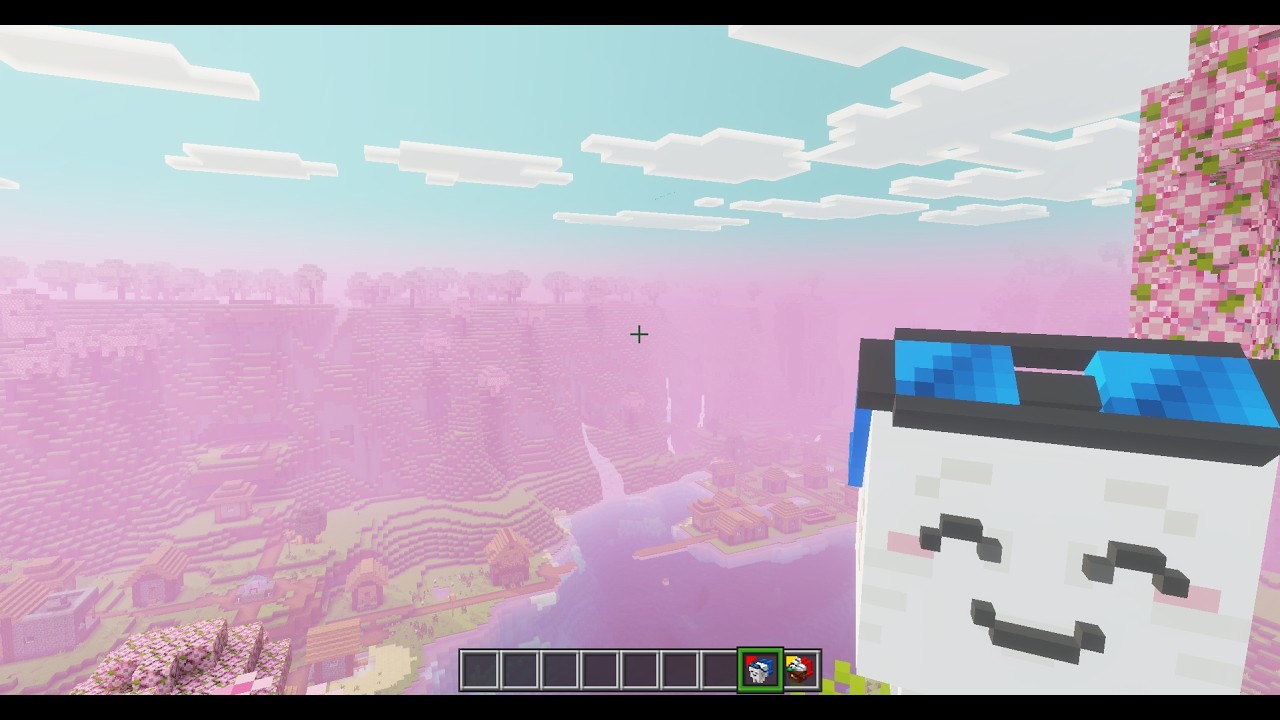
- Ghast Backpack
- Snowfox Backpack
- Ender Dragon Backpack
Some cosmetics may be available only as optional supporter content.
Cosmetics are visual only and provide no gameplay advantage.
Language Support
OTG Backpack currently supports:
- English
- Simplified Chinese
- Traditional Chinese
- Spanish
- Mexican Spanish
- Brazilian Portuguese
Translation Note
Some translations were created with translation tools, so certain wording may not be perfect.
Please report incorrect or unusual translations so they can be improved in future updates.
********************** LATEST VERSION HIGHLIGHTS **********************
OTG Backpack v1.0.7
Version 1.0.7 introduces new modules, more Netherite utilities, a built-in Crafting Table, major storage fixes, and improved portable workstation safety.
New Features
- Built-in 3×3 Crafting Table
- Complete Max Enchanting Setup
- Deployable Brewing Stand
- Deployable Smithing Table
- Deployable Ender Chest
- Stockpile bulk-storage system
- Optional Offhand Backpack Display setting
- New module and upgrade item designs
- Improved module, cosmetic, and upgrade-slot outlines
New Modules
- Dive Module
- Speed Module
- Jump Boost Module
- Strength Module
- Excavation Module
- Forestry Module
- Stockpile Module
- Furnace Module
Backpack Storage Improvements
- Fixed Overpack Page 1 and Page 2 mixing
- Fixed pages appearing reversed after closing on Page 2
- Fixed removed items returning after changing hotbar slots
- Fixed older backpack contents replacing newer changes
- Fixed Mainhand and priority-slot storage problems
- Fixed Quick Access synchronization
- Fixed backpack saving after moving or dropping it
- Improved logout and login storage safety
- Improved Waystone and teleport compatibility
Portable Workstation Improvements
Temporary workstations are now removed safely after:
- Player death
- Portal travel
- Nether or End travel
- Waystone use
- Teleport commands
- Other large teleports
- Moving too far away
- Deploying another workstation
Temporary workstation blocks remain protected and cannot be farmed for free materials.
Deployment Improvements
- Successful workstation deployment now closes the backpack automatically
- Failed deployment attempts keep the backpack open
- Removed unnecessary hidden Furnace and Crafting panel messages
- Visible deployment confirmation remains
Guidebook Improvements
- Guidebook recipe changed to 2 Leather + 2 Paper
- Updated module information
- Updated Stockpile instructions
- Updated workstation information
- Updated Max Enchanting Setup instructions
- Updated Overpack and storage troubleshooting
- Updated Offhand Display information
Important Potion and Tipped Arrow Change
For better multiplayer performance and stability, Potions and Tipped Arrows can no longer remain inside backpack storage.
When placed inside the backpack, they are returned to the player instead.
Players who used older experimental versions containing stored Potions or Tipped Arrows should recover those items before updating.
Known Limitation
Totem+ and Magnet currently check only the active Overpack page.
For example, when the backpack is closed while Page 2 is active, Totem+ and Magnet will check Page 2.
This behavior may be improved in a future update.
Shulker Boxes and Bundles
Shulker Boxes and Bundles are temporarily blocked from being placed inside the backpack.
This is a safety measure designed to prevent nested-container item loss until full support is available.
********************** MOBILE AND UI NOTES **********************
Does OTG Backpack Work on Mobile?
Yes. OTG Backpack has been tested across:
- Windows PC
- Android
- iPhone
- iPad
The backpack includes one-tap button behavior to make touchscreen controls easier.
UI Appears Cut Off
The most common UI issue happens when using Classic UI with a very high GUI scale.
Recommended Fix
Use the backpack’s built-in layout toggle and switch to Pocket Mode.
This helps the backpack fit smaller screens while allowing you to keep your preferred Minecraft interface settings.
For Classic Mode, a GUI scale around 70–80% is generally recommended.
For Pocket Mode, approximately 75–100% is recommended depending on the device.
********************** REALM NOTES **********************
Minecraft Realms can sometimes keep files from an older addon version.
This may result in:
- Outdated behavior
- Broken interfaces
- Missing textures
- Script errors
- Features not updating correctly
Force a Resync
Open your Realm settings and:
- Deactivate the OTG Backpack Behavior Pack.
- Deactivate the OTG Backpack Resource Pack.
- Save the Realm settings.
- Reactivate both packs.
- Rejoin the Realm.
Clear the Download Cache
When updating from an older version, the Realm owner and affected players should clear the Minecraft download cache for previous OTG Backpack versions.
Always Create a Backup
Download a backup of your Realm before installing or updating any addon.
********************** INSTALLATION AND TROUBLESHOOTING **********************
Check Both Packs
Make sure both packs are active:
- OTG Backpack Behavior Pack
- OTG Backpack Resource Pack
Minecraft Bedrock may occasionally fail to activate both automatically.
Clear Old Cached Files
When updating from an older version, remove the old OTG Backpack download cache before joining the world again.
Test for Addon Conflicts
When using several addons, test OTG Backpack in a new world with only OTG Backpack enabled.
If it works correctly in the clean world, another addon may be conflicting with:
- Scripts
- Items
- User-interface files
- Player controls
- Custom entities
Bedrock Reimagined Support
OTG Backpack includes compatibility support for Bedrock Reimagined.
When using both packs, place the:
OTG Backpack Resource Pack above Bedrock Reimagined RP
in the Resource Pack load order.
⚠️ A QUICK HEADS-UP
OTG Backpack is a large addon containing many connected systems.
It is developed and tested by one person, so unexpected bugs or unusual edge cases may still occur.
Please report problems through the official comments or bug-report channels and include:
- Your Minecraft version
- Your device or platform
- Singleplayer, multiplayer, or Realm
- Other installed addons
- Clear steps for reproducing the problem
Every download, comment, bug report, suggestion, and contribution helps the project continue growing.
Thank you for supporting OTG Backpack!
********************** OFFICIAL DOWNLOAD AND USAGE POLICY **********************
⚠️ Official Download Sources
For the safest and most up-to-date version, download OTG Backpack only from my official pages:
- Patreon
- CurseForge
- MCPEDL
I do not upload OTG Backpack to any other websites.
Files from unofficial sources may be:
- Outdated
- Modified without permission
- Missing required files
- Potentially unsafe
Modifications and Permissions
You are welcome to edit or customize the addon for your own private use, including:
- Changing values
- Editing textures
- Adjusting features for a private world
You do not have permission to:
- Re-upload the addon to another website, application, or cloud service
- Publicly distribute a modified version
- Claim the addon or any part of the project as your own work
- Sell or redistribute OTG Backpack without permission
When featuring OTG Backpack in a video, post, Realm, or public project, please link viewers directly to the official CurseForge or MCPEDL download page.
Thank you for respecting the time and effort invested in the project.
☕Support
Support future updates on Patreon: /dinorawrski_
If you enjoy the addon and want to buy me a coffee on Ko-Fi: /dinorawrski,
you can support me by scanning my GCash QR code below! Thank you so much!
OTG Backpack Team

Owner