OreSight Addon/mod, bedrock, achievement on
- By
An operator-only X-ray ore scanner for Minecraft Bedrock. Reveal hidden ores through blocks with customizable outlines, scanning controls, and performance settings. Achievement-friendly and Realm compatible.
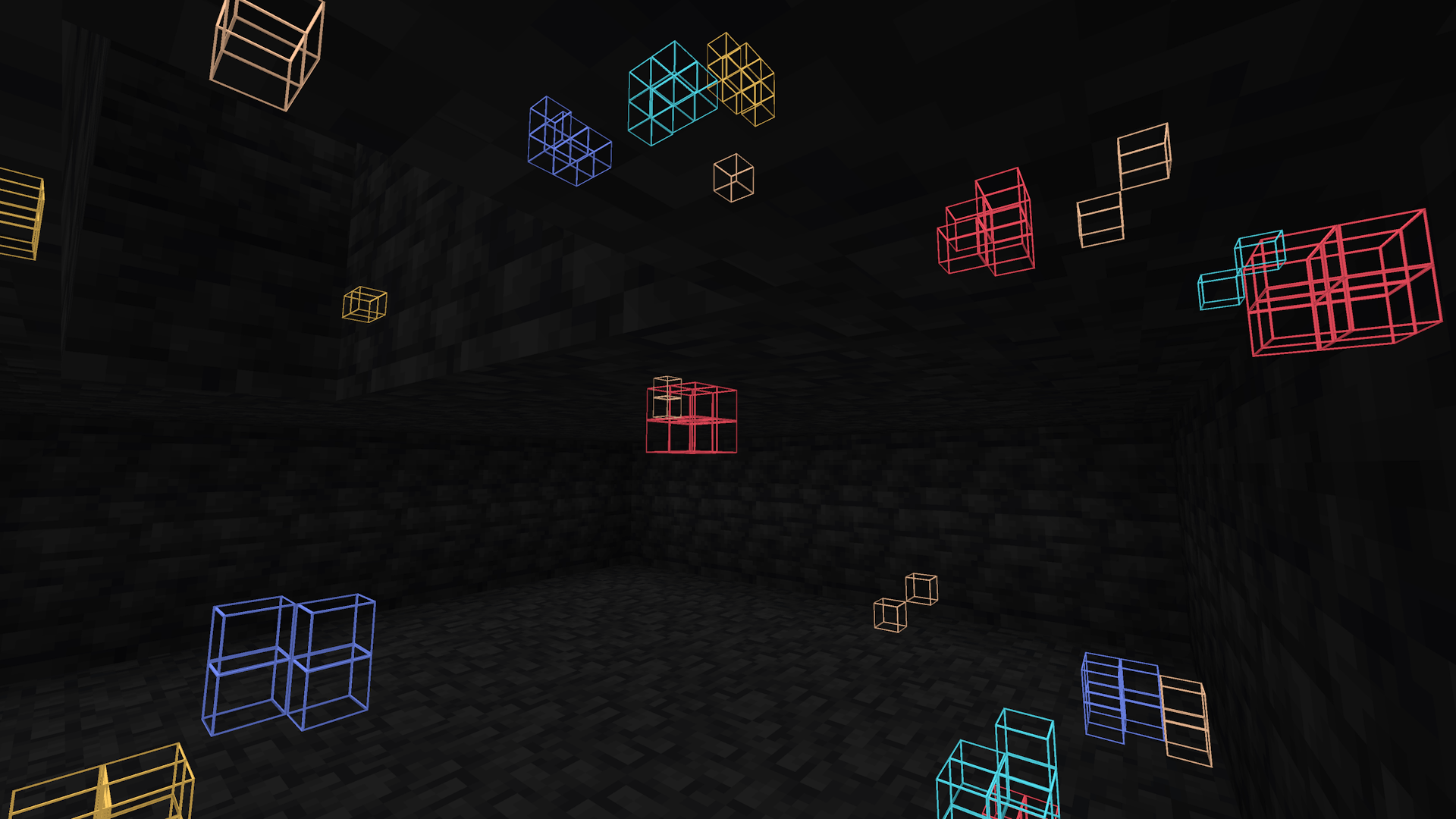
Showcasing what you'll see as you explore mines, caves etc.
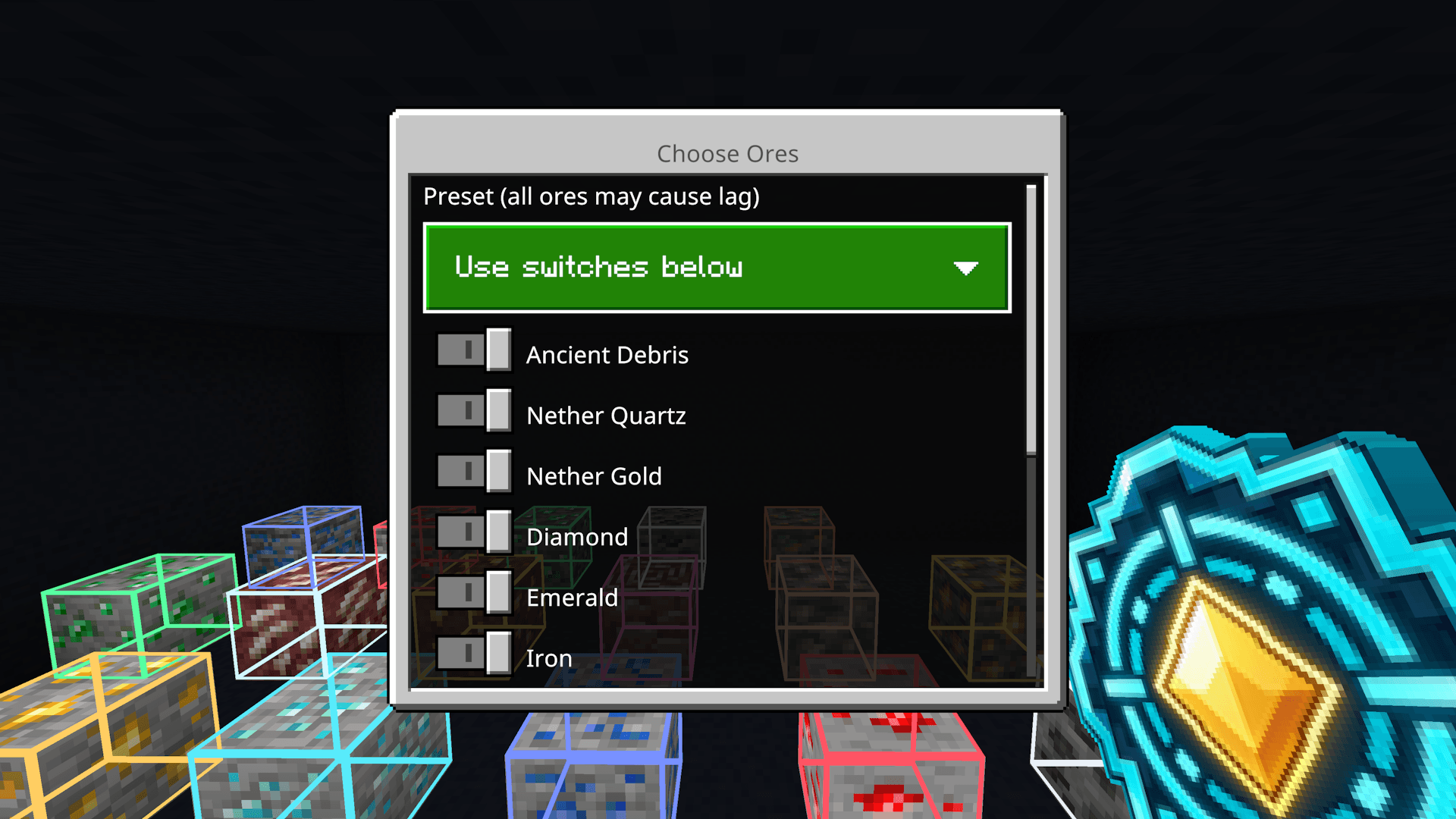
Here you can choose ores, select what ones you want highlighted and hit save! (Or use commands)
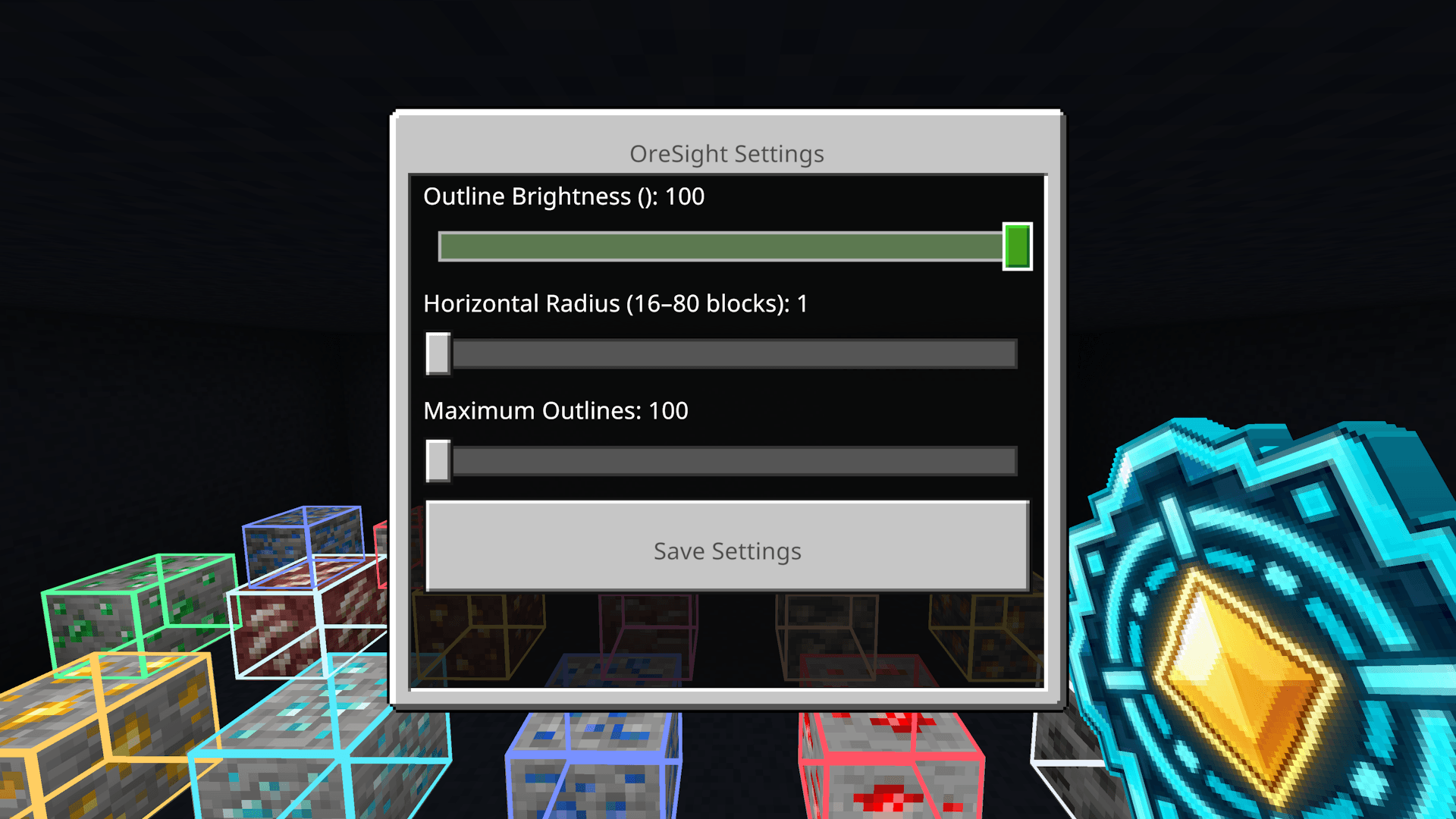
Choose how many chunks the addon reads, How many outlines, and change the brightness of your x ray colors!
Description
ORESIGHT
IMPORTANT: ray tracing is not yet supported.
X-Ray Ore Detection for Minecraft Bedrock
NOW LIVE — Currently in Development, EXPECT BUGS, PLEASE REPORT BUGS OR ISSUES
Find hidden ores. See through blocks. Take control of your scanning.
OreSight is an achievement-friendly Minecraft Bedrock add-on that allows authorized world operators to locate hidden ores using coloured X-ray outlines visible through solid blocks.
Unlike traditional X-ray resource packs, OreSight is installed directly into the world, with operator-restricted access, automatic ore detection, and customizable performance settings.
Achievement Friendly | Operator Only | Multiplayer | Realms
Features
- X-Ray Ore Detection — Reveal hidden ores through solid blocks using coloured outlines.
- Automatic Scanning — Discover ores as you explore in any direction, including above and below you.
- Custom Ore Selection — Choose exactly which ore types you want highlighted.
- Adjustable Brightness — Customize outline brightness from 20% to 100%.
- Horizontal Scan Radius — Adjust scanning distance from 1 to 5 chunks.
- Maximum Outlines — Control the number of active ore outlines from 100 to 500.
- Full-Height Detection — Search accessible, loaded areas vertically, including deep underground.
- Custom Scanner Tool — Obtain the OreSight Lens through the operator menu.
- In-Game Settings — Manage detection, brightness, scanning distance, and performance.
- Custom Commands — Enable, disable, rescan, or toggle specific ores using commands.
- Saved Preferences — Your selections and settings remain saved between sessions.
- Operator Protection — Only players with operator permissions can use OreSight.
Supported Ores
OreSight currently supports 11 ore categories:
- Coal
- Iron
- Copper
- Gold
- Diamond
- Emerald
- Redstone
- Lapis Lazuli
- Ancient Debris
- Nether Quartz
- Nether Gold
Ore variants are supported where applicable.
How It Works
OreSight detects supported ore blocks within accessible, loaded areas of the world and displays coloured X-ray outlines around their locations.
These outlines remain visible through surrounding stone, deepslate, and other solid blocks, making it possible to identify hidden ores without mining through the surrounding terrain.
Example:
You're exploring a cave and have Diamond and Redstone detection enabled.
As you move through the cave, OreSight searches for those ores and highlights their locations, even when they're hidden behind solid blocks.
Each ore category has its own outline colour, allowing you to distinguish between different ores.
The scanner automatically follows your movement and adjusts detection based on your selected settings.
OreSight does not replace vanilla ore textures or require a global X-ray resource pack.
Getting Started
Installation instructions will apply once OreSight is publicly released.
- Install OreSight into your Minecraft Bedrock world.
- Activate the included Behavior Pack and Resource Pack.
- Ensure you have operator permissions.
- Enter
/osin chat to open the OreSight menu. - Select Give OreSight Lens to receive your scanner tool.
- Use the Lens to open the menu whenever needed.
- Choose which ores you want to detect.
- Adjust your brightness, scanning distance, and maximum outline settings.
- Enable OreSight to begin detecting hidden ores.
Important: The OreSight Lens is not automatically given when joining a world. Operators must use /os to access the menu and obtain the tool.
Your preferences are saved between sessions.
Commands
OreSight includes operator-only commands for quickly managing detection.
Main Commands
/os— Open the OreSight main menu./oson— Enable OreSight scanning./osoff— Disable OreSight scanning./osscan— Refresh ore detection./osstatus— Display scanner information.
Ore Selection Commands
/oscoal— Toggle Coal detection./osiron— Toggle Iron detection./oscopper— Toggle Copper detection./osgold— Toggle Gold detection./osdiamond— Toggle Diamond detection./osemerald— Toggle Emerald detection./osredstone— Toggle Redstone detection./oslapis— Toggle Lapis Lazuli detection./osdebris— Toggle Ancient Debris detection./osquartz— Toggle Nether Quartz detection./osnethergold— Toggle Nether Gold detection.
Ore-specific commands toggle their respective ore detection on or off and save the selection.
Commands use the OreSight namespace, with shorter command names available where supported.
Performance & Compatibility
OreSight is designed with configurable performance controls for Minecraft Bedrock worlds and Realms.
- Event-Driven Updates — Supported block changes trigger targeted updates instead of unnecessary full rescans.
- Movement-Based Detection — Lightweight movement checks allow OreSight to automatically discover ores as operators explore.
- Cached Scan Results — Previously detected areas can reuse stored scan information to reduce repeated work.
- Adjustable Scan Distance — Reduce the search radius to limit scanning workload.
- Adjustable Outline Limits — Choose how many highlighted ore blocks can be displayed simultaneously.
- Achievement Friendly — Designed without requiring experimental gameplay features.
- Realm Compatible — Designed for Bedrock multiplayer worlds and Realms.
Performance Notice
OreSight can cause noticeable lag when configured with high scanning distances, large outline limits, or multiple ore types enabled simultaneously.
For smoother gameplay, especially on Realms and lower-end devices, it is recommended to:
- Enable only the ore types you need.
- Use a smaller scan radius when possible.
- Lower the maximum outline limit if performance drops.
Higher settings provide broader detection but require more processing and rendering resources.
Performance may vary depending on the world, device, and number of active outlines.
Security & Operator Access
OreSight is NOT a global X-ray resource pack.
The add-on must be installed directly into the world, Realm, or server where it is being used.
Players cannot simply download OreSight onto their own devices to gain X-ray abilities in someone else's world.
Operator permissions are required to access and control OreSight.
Regular players without operator access cannot activate its scanning features or obtain the scanner through its operator menu.
This ensures OreSight remains a controlled utility for authorized world operators rather than an unrestricted client-side X-ray.
Release Status
COMING SOON
OreSight is currently undergoing final development, testing, and performance optimization before its first public release.
The add-on is not yet available for download.
Future updates and improvements may include additional customization, performance optimizations, and new scanning features.
Follow this CurseForge project to stay updated on its development and upcoming release.
Support & Community
Have a suggestion, found a bug, or want to follow OreSight's development?
Join the NoctCraft Addons Discord
Stay connected for development updates, feature announcements, and future releases.
Developed by NoctCraft Addons.
Permissions
OreSight is intended for authorized use in personal worlds, multiplayer servers, and Realms.
Unauthorized redistribution, reuploads, resale, modification for redistribution, or claiming this add-on as your own is not permitted without permission.
All Rights Reserved.
OreSight Addon/mod, bedrock, achievement on Team