OpenBlocks Elevator (Realms and Server Support)
- By
This addon adds 16 new elevators made of wool and ender pearls. Use it to go faster to great heights or go down to the depths. And they can be camouflaged with 100+ vanilla blocks.
OpenBlocks Elevator is an unofficial port of a Java Mod that adds teleportation-based elevators to your world. You can camouflage the elevators with certain blocks, customize their facing direction, and restrict their use to other players.
To understand how elevators work, watch the video below or keep reading.
How to go up and down?
To go up you just have to jump

To go down you just have to crouch

CAMOUFLAGE
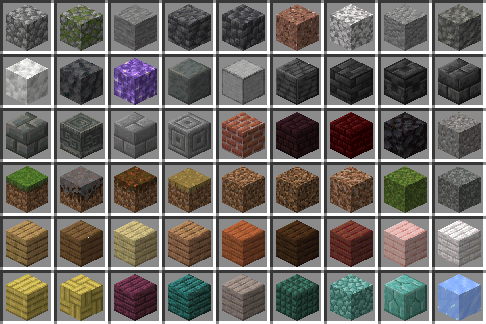
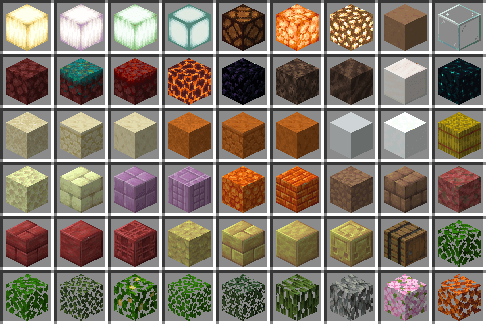
You can camouflage your elevators with some blocks. The elevator will behave just like that block, including its sounds.

Elevator Options
By interacting with the elevator (with the empty hand), you will be able to access the block interface.
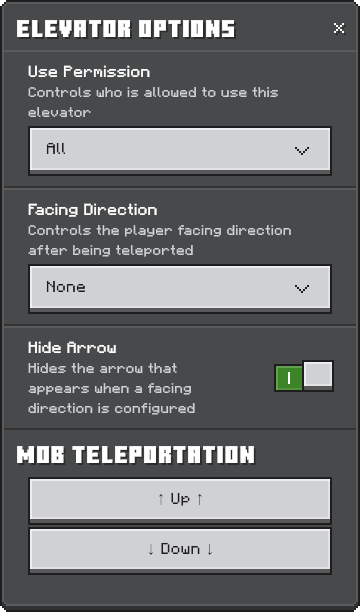
User Permission:
This option will display a list of 2 options:
- All
- Private
“All” will allow any player to use the elevator
"Private" only allows the player who placed the elevator to use it
The term “Use the elevator” includes teleporting and interacting with the elevator
Directional Teleportation:
This option will display a list of 5 options:
- None
- North
- South
- West
- East
This means the direction your character will face when you teleport to this block.
Once you activate any option (except "None"), an arrow will appear on the block pointing in the direction you chose:

This is where the next interface option comes in: “Hide Arrow”
If you activate this option, the arrow will disappear, but the directional teleport will still be active.
Remember that the directional teleport only allows you to customize the direction in which the player's camera will look when it is teleported.
Mob Teleportation:
A new option has been added to elevators that allows you to teleport any mob standing on top of them. This option is available in each elevator's settings menu. If Require XP is enabled, teleporting mobs will also consume XP.
Addon Configuration:
The addon adds a new command that can only be used by admins (Do not require cheats). This command allows you to customize the addon settings such as Elevator Teleport Distance and Prioritize Color When Teleporting. Any change will be applied to all elevators.
/obeconfig
or
/elevator:obeconfig
When you run the command it will display the Settings GUI:
The Teleport Distance default value is 128, min 3, max 256.
The Prioritize Color default value is false. You can turn it on.
The Teleport Require XP default value is false. You can turn it on and assign the amount of XP points.
If you think there should be more settings, please mention it in the comments.
Crafting:

The recipe is the same for all elevator variants
Experiments:
No experiments are needed for this addon
Permission
Original Mod created by VsnGarcia
This addon is a port of the java mod ported by @VsnGamer
Original page of the mod: https://www.curseforge.com/minecraft/mc-mods/openblocks-elevator
Thanks to him for giving me permission to bring it to Minecraft Bedrock:

OpenBlocks Elevator (Realms and Server Support) Team

Owner