


Mob Detector
- By

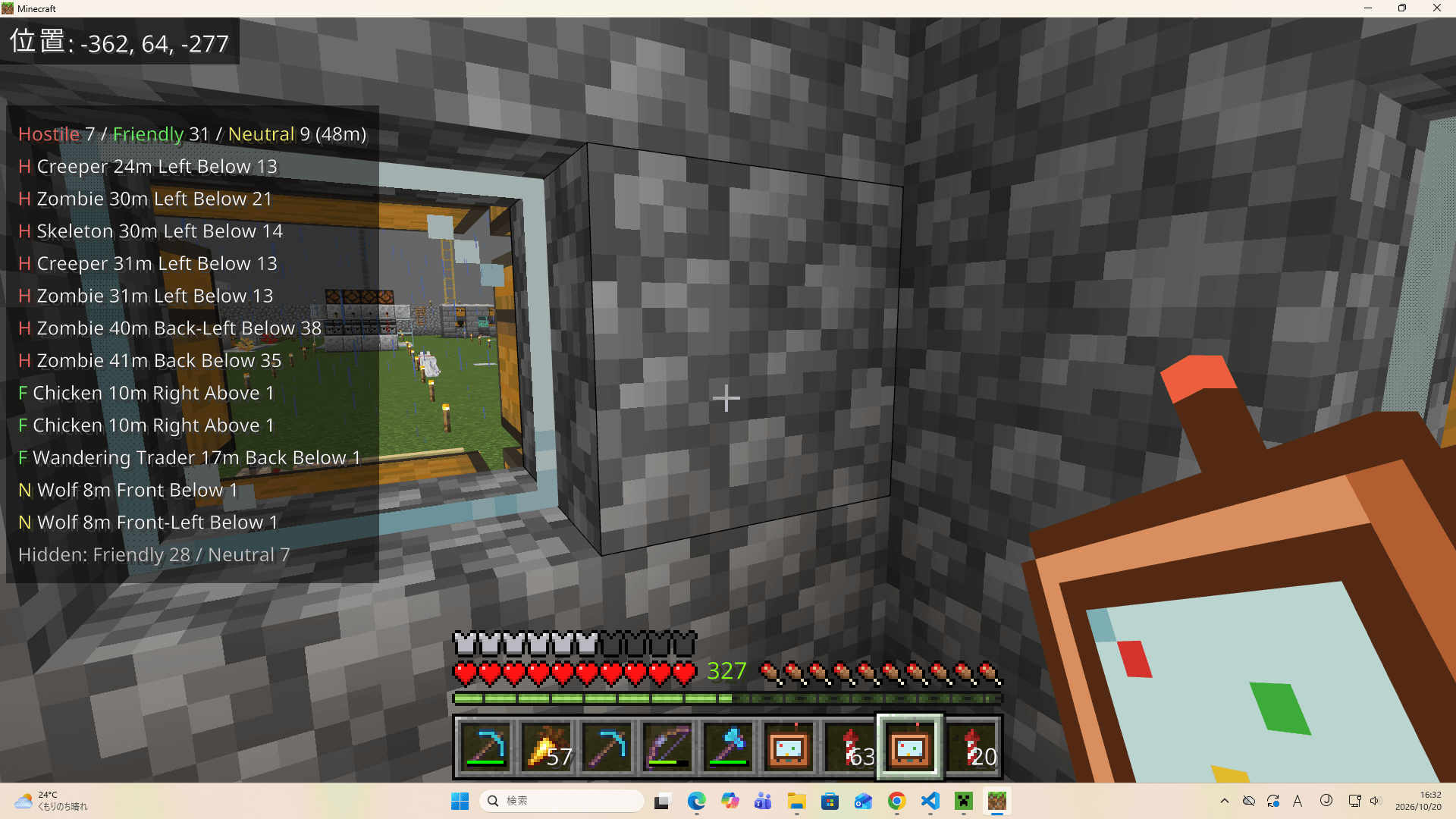
The Mob Detector HUD displays nearby hostile, friendly, and neutral mobs within 48 blocks. It shows each mob's name, distance, relative direction, and height difference. When many mobs are nearby, additional entries are summarized as hidden counts.
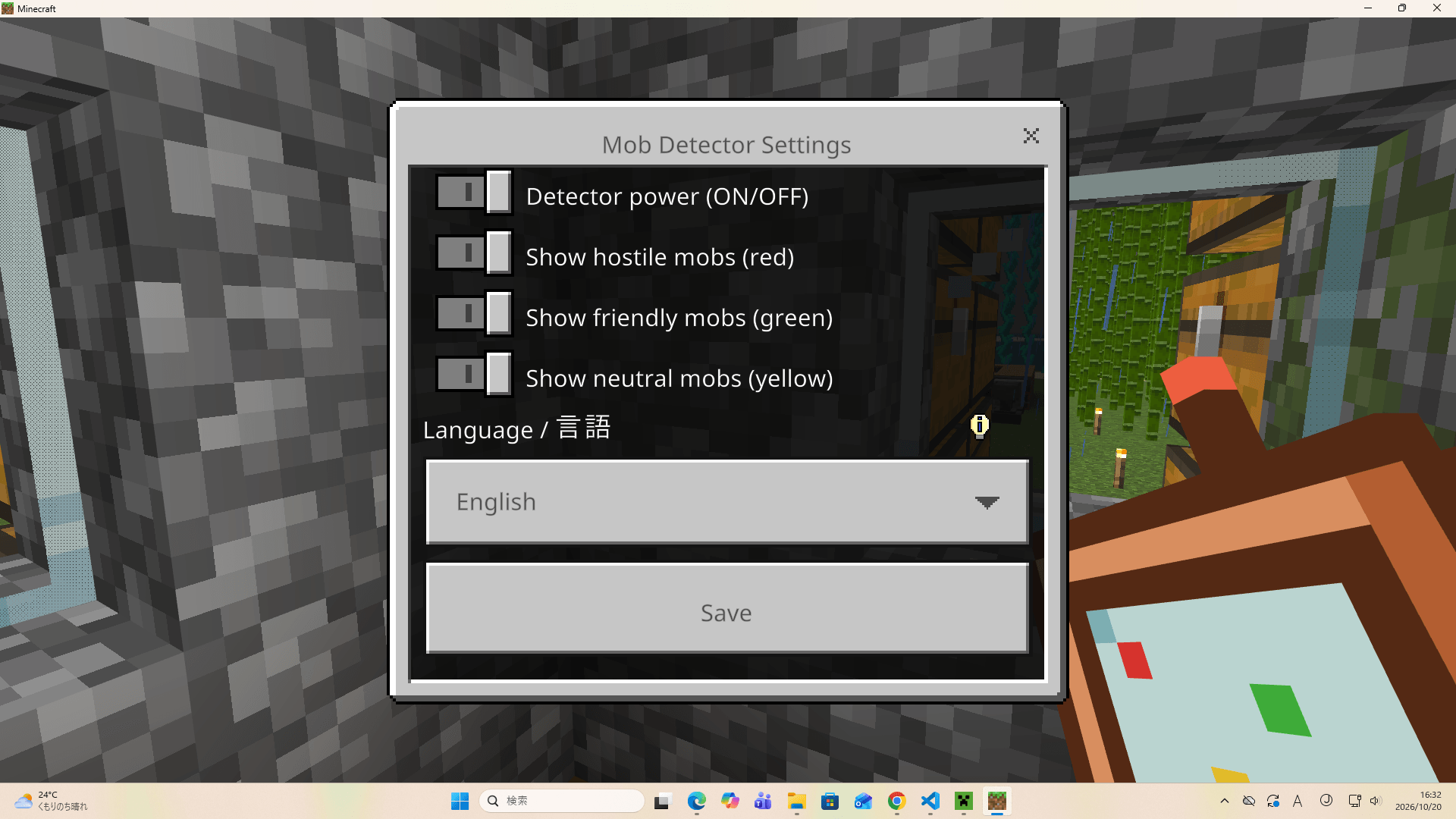
The Mob Detector settings screen in English. Turn the detector on or off, choose which mob categories to display (Hostile, Friendly, and Neutral), and select your preferred language. Settings are saved between game sessions.
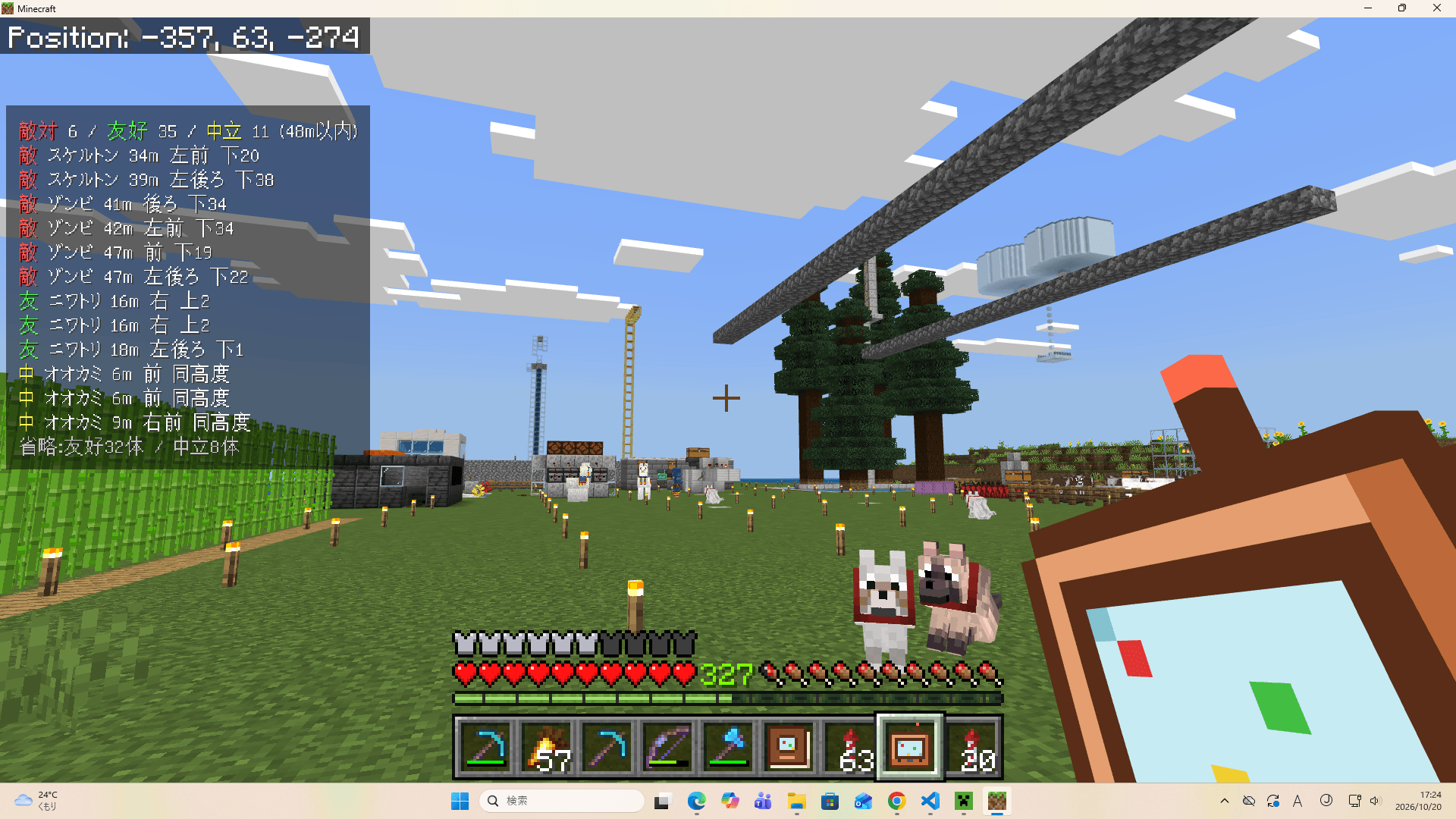
The Mob Detector HUD in Japanese. Nearby mobs are categorized as hostile (red), friendly (green), and neutral (yellow). The HUD displays mob names, distances, directions, and height differences in Japanese.
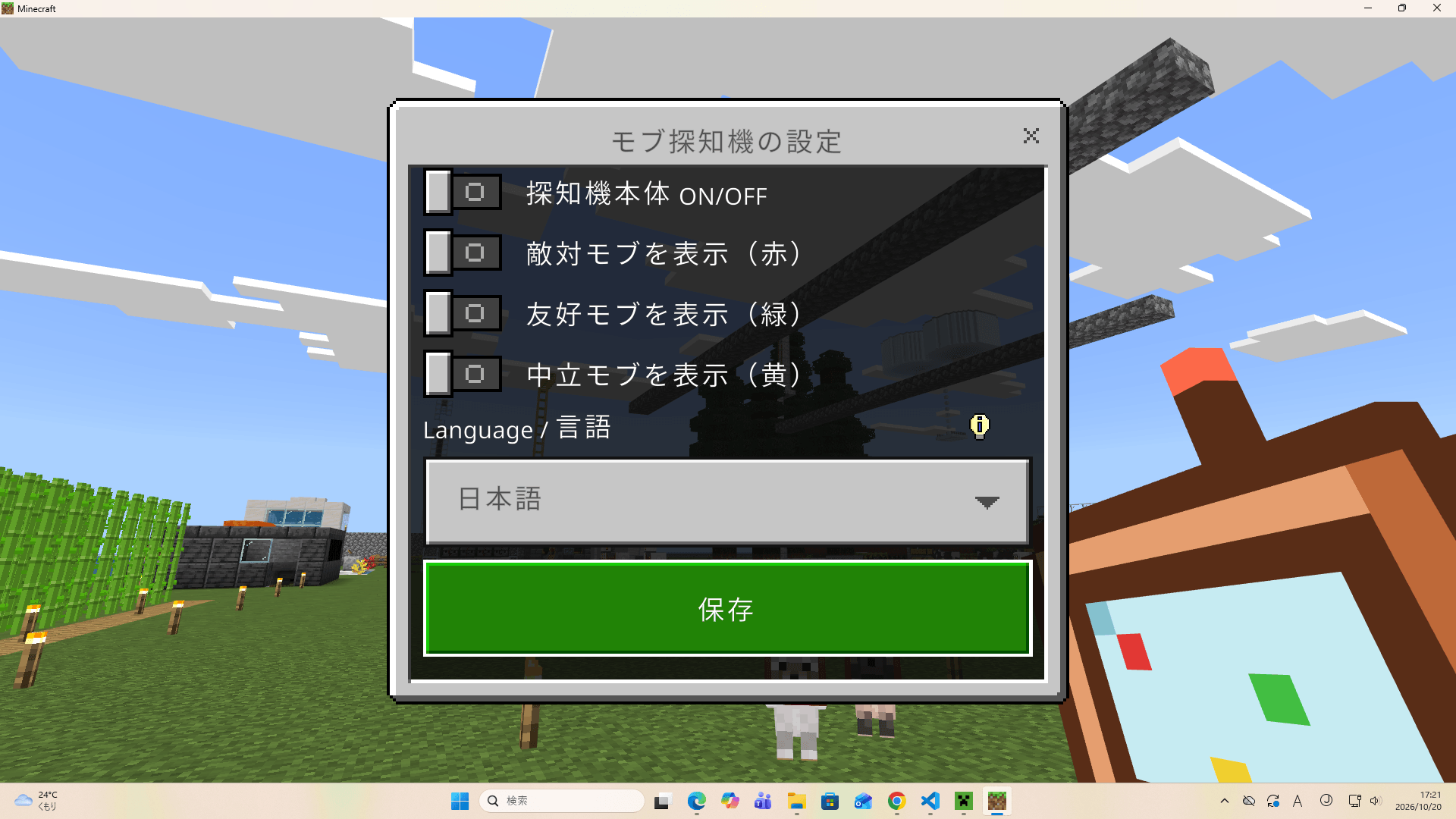
The Mob Detector settings screen in Japanese. Enable or disable the detector, choose which mob categories to display (Hostile, Friendly, and Neutral), and switch between Japanese and English. Your settings are saved and retained when you rejoin the world.
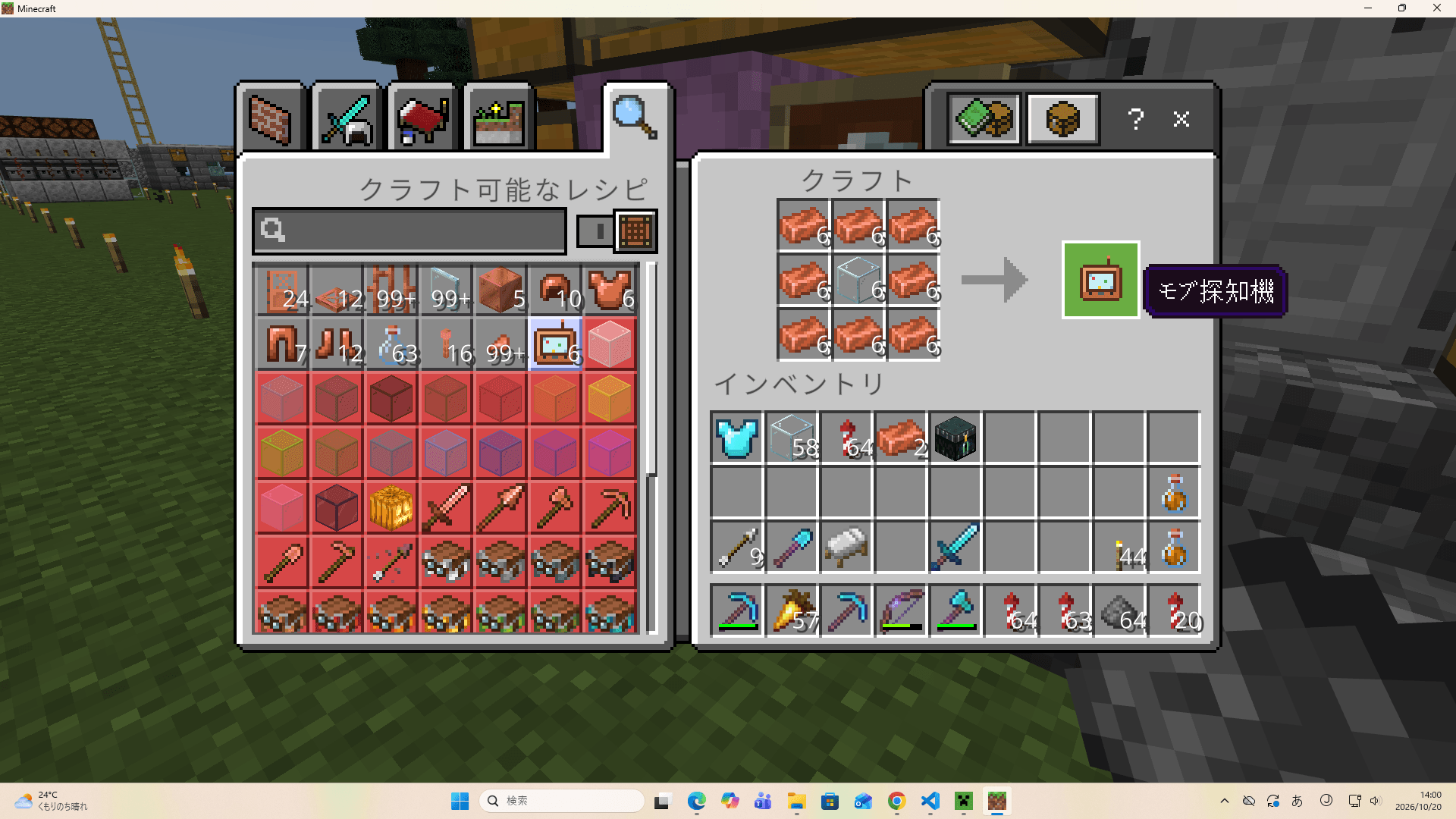
Mob Detector Crafting Recipe