Drop an item, or break a block, and the item just stays where it fell. It does not fly into your inventory. Right-click (or tap) it and the stack goes in with a small pop sound.
If your inventory is full, the item stays on the ground. If only part of the stack fits, the rest stays there too.
No items, no settings, no commands. Just install it and play.
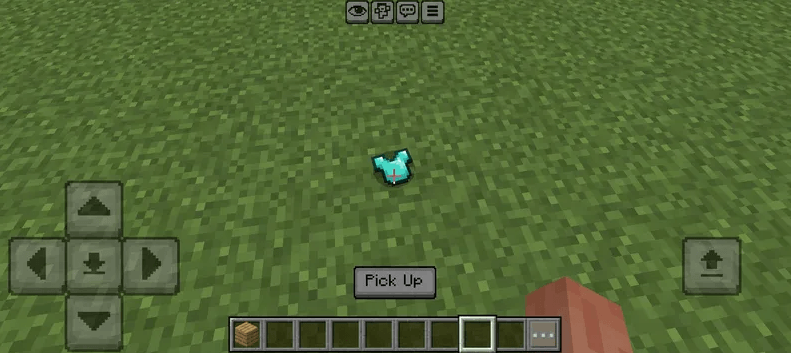
Every item has a model
Almost every item in the game, about 1,600 of them, shows up as a small model on the ground.
Blocks are little cubes with the right texture on every side. Slabs, stairs and trapdoors have their own shape. Flat items like tools, food and materials are built from their sprite, so they have a bit of thickness instead of being a flat paper cut-out.
Each item faces a random direction, so a pile of items doesn't look like it was placed with a ruler.
Good to know
- [No Beta APIs or experiments needed] it does not disable achievements.
- Items that are not on the list keep their vanilla look (banner, shield, shelf mushroom).
- Shapes other than cubes, slabs, stairs and trapdoors (fences, walls, panes, carpets, buttons, lanterns...) still show up as a full cube. A few plants and leather items show up as a flat slab.
- Items don't burn in lava, and explosions don't destroy them. They despawn after 5 minutes, like vanilla.
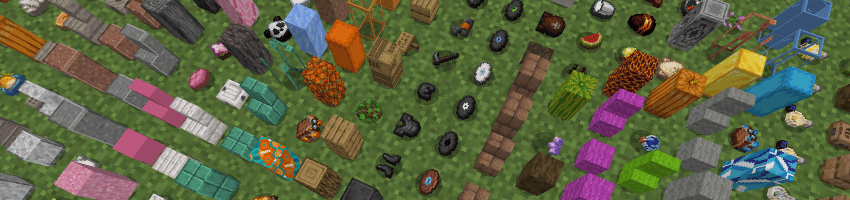
- If you have cheats on, /scriptevent mpstatic:spawn puts one of every item in a row in front of you, so you can look at all the models
What's next
Fences, walls, panes, carpets and the rest of the shapes don't have their own models yet. For now they show up as a full cube, and may get their own models in future updates.