Lilium Backpacks
- By
Lilium Backpacks is a vanilla-friendly, standalone addon that introduces fully functional, dyeable, upgradeable, and placeable 3D backpacks to dynamically expand your inventory in Minecraft Bedrock Edition.

Lilium Backpacks - Bedrock Edition (V1.3.0)
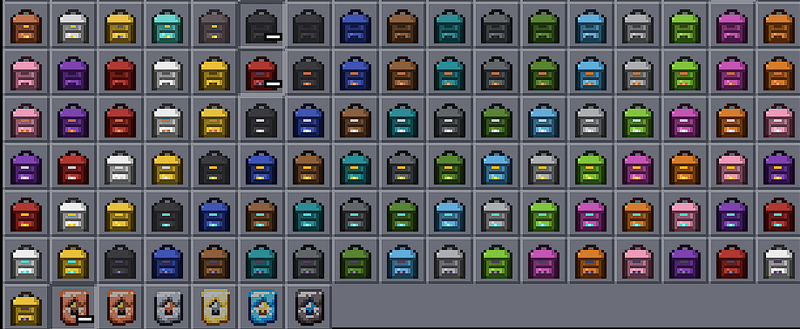
Lilium Backpacks is a feature-rich, standalone addon for Minecraft Bedrock Edition that introduces fully functional, wearable, dyeable and placeable backpacks with expandable storage tiers from 9 to 54 slots, in 102 variants.

✅ Features
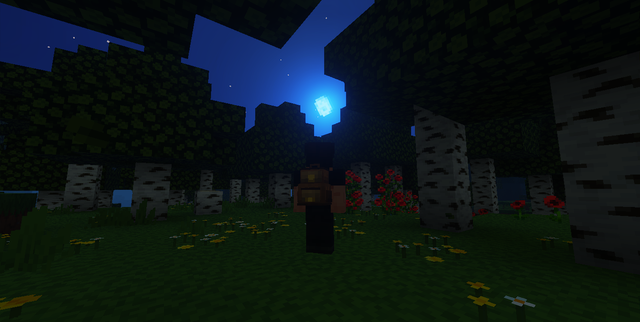
- 102 Unique Backpack Variants: The default leather backpack and 5 mineral upgrade tiers (Copper, Iron, Gold, Diamond, Netherite), each available undyed or in any of 16 vibrant colours, every pairing with its own hand-drawn item icon and worn model texture.
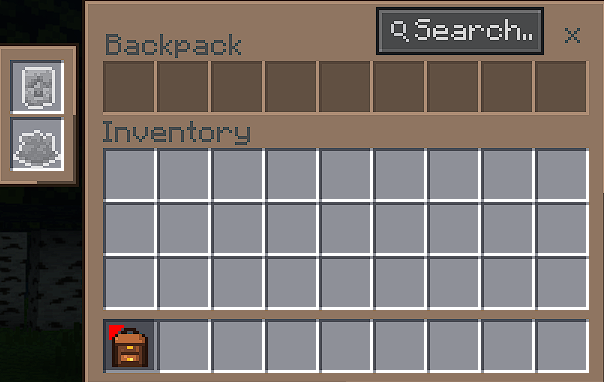
- Expandable Storage Tiers: Progress from a basic 9-slot backpack up to a massive 54-slot Netherite storage chest using upgrade kits in Survival.
- Wearable & Held 3D Renderings: Custom 3D geometric models (
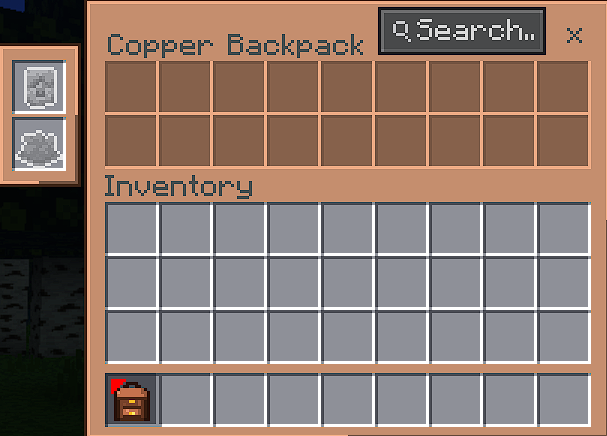
geometry.backpack) with 1st-person, 3rd-person hand, and 3rd-person back alignment animations powered by Molang. - Material-Themed Interface: Every tier opens with its own colour scheme, from leather brown through copper, iron, gold and diamond to near-black netherite, using custom nine-slice panel and slot textures.
- Item Search: A search field in every backpack's title row dims the items that do not match what you type, so a full Netherite backpack stays readable at a glance.
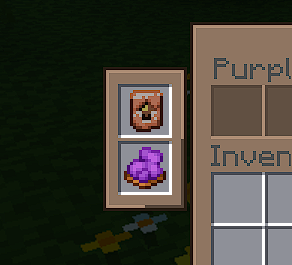
- In-Interface Upgrade & Dye Slots: Every backpack interface carries two dedicated slots on the left. Drop an upgrade kit or a vanilla dye into them and the change is applied the moment you close the backpack.
- 16-Colour Dyeing System: Colour any tier by dropping a vanilla dye into the backpack's dye slot. The dye is not consumed: it stays in the slot as the colour marker, so taking it back out returns the backpack to its undyed look at any time.
- Adaptive Chest Screen UI: Dynamically adapts the in-game chest interface layout (
chest_screen.json) to display 9, 18, 27, 36, 45, or 54 slots depending on the opened backpack tier. - Crash-Safe Structure Persistence: Uses native
world.structureManagersnapshotting to save full inventory contents and NBT data safely without losing items. - Ownership Security Guards: Built-in security prevents unauthorized players from opening or picking up backpacks owned by other players.
- No Experiments Required: Works out of the box in standard Survival worlds, Multiplayer, and Realms without needing experimental toggles.
🖼️ Feature Showcase
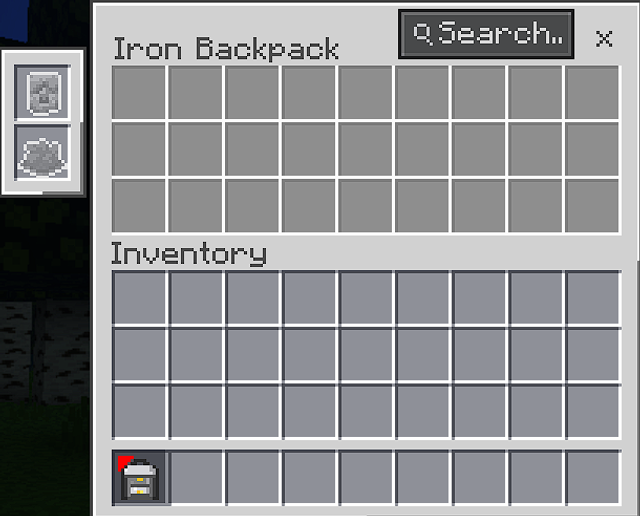
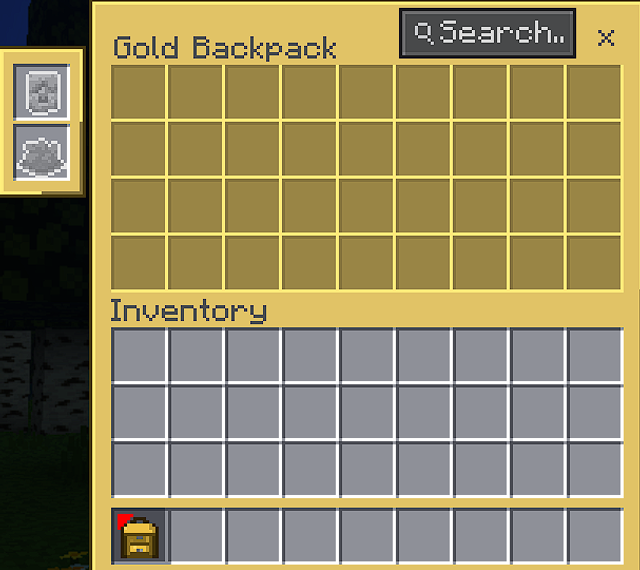
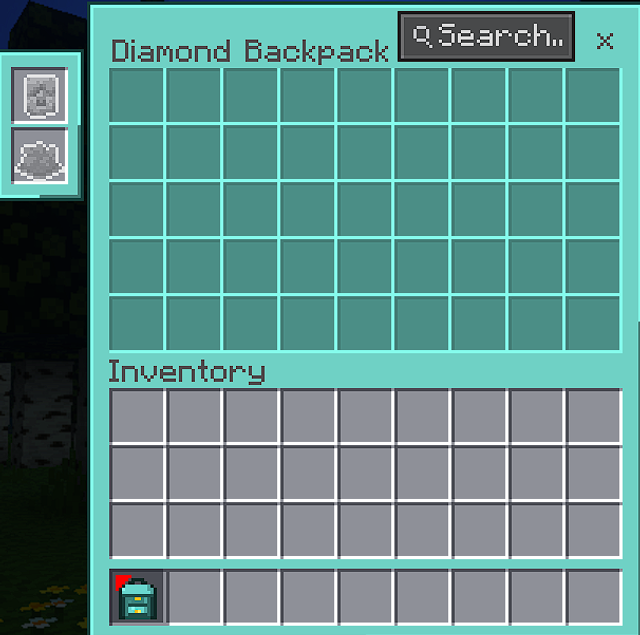
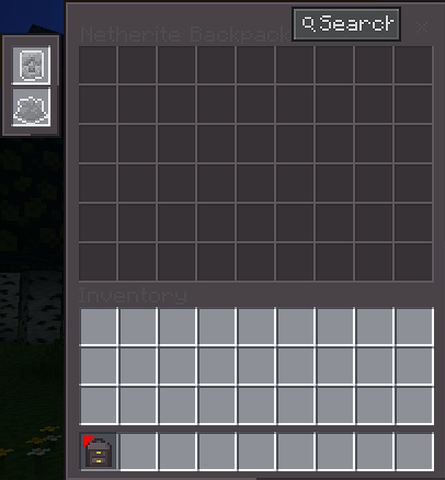
🎒 Backpack Variants & Storage Tiers
| Tier / Variant | Storage Size | Item Identifier | Description |
|---|---|---|---|
| Default Backpack | 9 Slots | lb:backpack |
Starter leather backpack crafted with Leather and a Chest. |
| Copper Backpack | 18 Slots | lb:copper_backpack |
Upgraded with Copper Kit for 2-row storage. |
| Iron Backpack | 27 Slots | lb:iron_backpack |
Upgraded with Iron Kit for 3-row storage. |
| Golden Backpack | 36 Slots | lb:golden_backpack |
Upgraded with Golden Kit for 4-row storage. |
| Diamond Backpack | 45 Slots | lb:diamond_backpack |
Upgraded with Diamond Kit for 5-row storage. |
| Netherite Backpack | 54 Slots | lb:netherite_backpack |
Ultimate tier upgraded with Netherite Kit for double-chest capacity. |
| Dyed Backpacks (16 Colours) | Same as its tier | lb:\*\_backpacklb:<tier\>\_\*\_backpack |
Any tier dyed with a vanilla dye (Red, Blue, Black, Lime, White, etc.). Dyeing is purely cosmetic and never changes storage size. |
🏷️ Crafting & Upgrade Progression
📦 Base Backpack Recipe
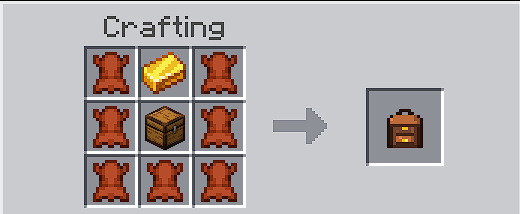
Craft the default backpack on a standard 3x3 Crafting Table:
| Leather | Gold Ingot | Leather |
| Leather | Chest | Leather |
| Leather | Leather | Leather |
- Ingredients: 7x Leather (
minecraft:leather) + 1x Gold Ingot (minecraft:gold_ingot) + 1x Chest (minecraft:chest). - The gold ingot sits directly above the chest; the remaining seven slots are leather.
🛠️ Upgrade Kits (lb:upgrade_\*_kit)
Subsequent tier upgrades require crafting an upgrade kit, placing it in the backpack's upgrade slot, and closing the backpack:
| Upgrade Kit | Recipe Requirements | Progression |
|---|---|---|
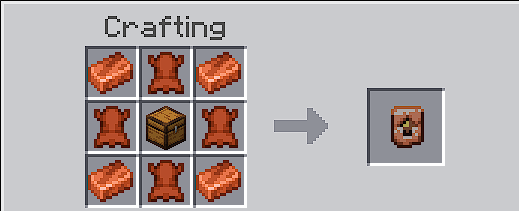
| Copper Upgrade Kit | 4x Copper Ingots + 4x Leather + 1x Chest | Default → Copper |
| Iron Upgrade Kit | 4x Iron Ingots + Copper Kit | Copper → Iron |
| Golden Upgrade Kit | 4x Gold Ingots + Iron Kit | Iron → Gold |
| Diamond Upgrade Kit | 4x Diamonds + Golden Kit | Gold → Diamond |
| Netherite Upgrade Kit | 1x Netherite Ingot + 7x Netherrack + Diamond Kit | Diamond → Netherite |
🛠️ Addon Specifications (Bedrock)
- No Experiments Needed: Operates completely within standard Bedrock APIs without requiring experimental gameplay toggles.
- Compatible Version: Supports Minecraft Bedrock 1.26.50 and above.
- Vanilla Friendly: Does not overwrite or alter vanilla blocks, items, or mob components.
- Script Engine: Powered by
@minecraft/serverv2.10.0, split into anapi/framework layer and onemodules/file per domain. - Localization Support: Fully localized in 13 languages (
en_US,es_ES,es_MX,de_DE,fr_FR,it_IT,ja_JP,ko_KR,pl_PL,pt_BR,ru_RU,tr_TR,zh_CN).
⚠️ Bedrock Usage Notes
- Opening a Backpack: Hold the backpack in your main hand and right-click to open it.
- Upgrade Slot: The upper slot on the left accepts upgrade kits only. Put in the kit matching your current tier and close the backpack; the kit is consumed and the backpack, along with the item in your hand, becomes the next tier.
- Dye Slot: The lower slot on the left accepts vanilla dyes and works on every tier. Close the backpack to apply the colour. The dye stays in the slot, so remove it and close again to go back to undyed.
- Ownership Protection: A backpack can only be opened or modified by the player who owns it.
- Placing a Backpack: Right-click the ground with a backpack to place it. The placed backpack keeps its contents, its owner and its colour, shows its own texture as a block, and right-clicking it opens the same interface it has in your hand. Sneak and right-click to break it and get the backpack back with everything inside.
- Upgrading and Dyeing a Placed Backpack: Open it and use the upgrade and dye slots, exactly as you would while holding it. Placing a backpack is only a way to leave it somewhere, never a requirement for anything.
Lilium Backpacks Bedrock Edition | Developed by Lilium Studio
Lilium Backpacks Team

Owner