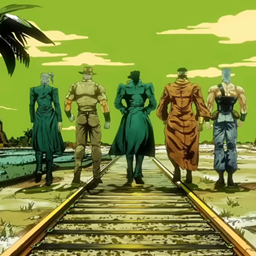
Kore wa Requiem da.

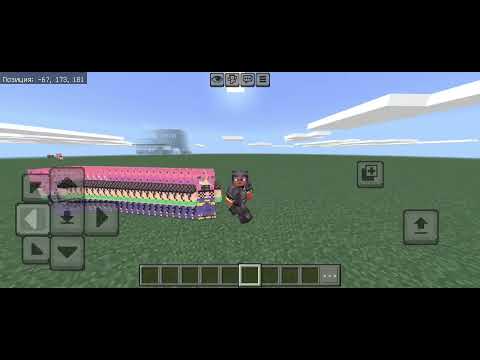
Time Requiem creates temporary clones that replay your past movements with a short delay. Customize their appearance with your own 64×64 skin and create your own version of the Requiem.
video thumbnail

Description

Time Requiem


Time Requiem adds a time-based clone system to Minecraft Bedrock.


As you move, the addon records your position and rotation. After a short delay of 5 ticks (0.25 seconds), a temporary clone appears where you were before, creating a visual trail of your past movements.


Features


- Temporary clones follow your previous movements.

- Clones preserve the direction you were looking.

- Up to 30 clones can exist for each player at once.

- The oldest clone is automatically removed when the limit is reached.

- Clones do not interfere with movement or gameplay.

- Clones disappear when the player leaves the world.

- Works across different dimensions.


Customize Your Clones


Don't like the default clone appearance? You can use your own skin!


Simply replace the clone texture in the resource pack with your own 64×64 Minecraft skin. This allows you to create a completely custom version of Time Requiem with any appearance you want.


Whether you want a personal skin, an original character, a different player model, or your own Requiem design, you can customize the clones however you like.


Possible Uses


Time Requiem can be used for:


- Time-based abilities

- Speed effects

- Visual movement trails

- PvP abilities

- Cinematic scenes

- Custom maps and minigames

- Time manipulation concepts

- JoJo-inspired abilities


Create your own version of the Requiem and let the past follow you.

Kore wa Requiem da. Team

profile avatar
  • 2
    Followers
  • 22
    Projects
  • 1.4K
    Downloads

Кто я

More from Anonim_chatGPTView all

  • EchoHUD1 project image

    EchoHUD1

    This addon adds echolocation to Minecraft, letting you detect your surroundings without sight! Red = hostile mobs, green = passive mobs, blue = players, orange = explosions. N'Doul's Staff increases the range to 200 blocks!

    • 3
    • October 12, 2026
  • EchoHUD project image

    EchoHUD

    EchoHUD adds echolocation to Minecraft Bedrock! Detect nearby mobs, players and explosions using colored directional indicators while blindness and darkness challenge your senses.

    • 6
    • October 12, 2026
  • Compass HUD project image

    Compass HUD

    An on-screen compass displaying cardinal directions, your viewing angle, and the name of your current biome. Navigate without carrying any items. The addon is entirely in Russian, for the balance of the universe.

    • 6
    • October 11, 2026
  • Biome Seeker project image

    Biome Seeker

    Compass for finding biomes. Right-click compass → select biome, shows direction and distance. Search radius ~4000 blocks. Some biomes may not be found. Fully in Russian for the balance of the universe

    • 9
    • October 10, 2026
  • EchoHUD1 project image

    EchoHUD1

    This addon adds echolocation to Minecraft, letting you detect your surroundings without sight! Red = hostile mobs, green = passive mobs, blue = players, orange = explosions. N'Doul's Staff increases the range to 200 blocks!

    • 3
    • October 12, 2026
  • EchoHUD project image

    EchoHUD

    EchoHUD adds echolocation to Minecraft Bedrock! Detect nearby mobs, players and explosions using colored directional indicators while blindness and darkness challenge your senses.

    • 6
    • October 12, 2026
  • Compass HUD project image

    Compass HUD

    An on-screen compass displaying cardinal directions, your viewing angle, and the name of your current biome. Navigate without carrying any items. The addon is entirely in Russian, for the balance of the universe.

    • 6
    • October 11, 2026
  • Biome Seeker project image

    Biome Seeker

    Compass for finding biomes. Right-click compass → select biome, shows direction and distance. Search radius ~4000 blocks. Some biomes may not be found. Fully in Russian for the balance of the universe

    • 9
    • October 10, 2026