Item Holograms | Dropped Item Names
- By
Shows localized names and live stack counts above dropped items, with multiplayer-friendly distance, size, and visibility settings for Minecraft Bedrock.
Description
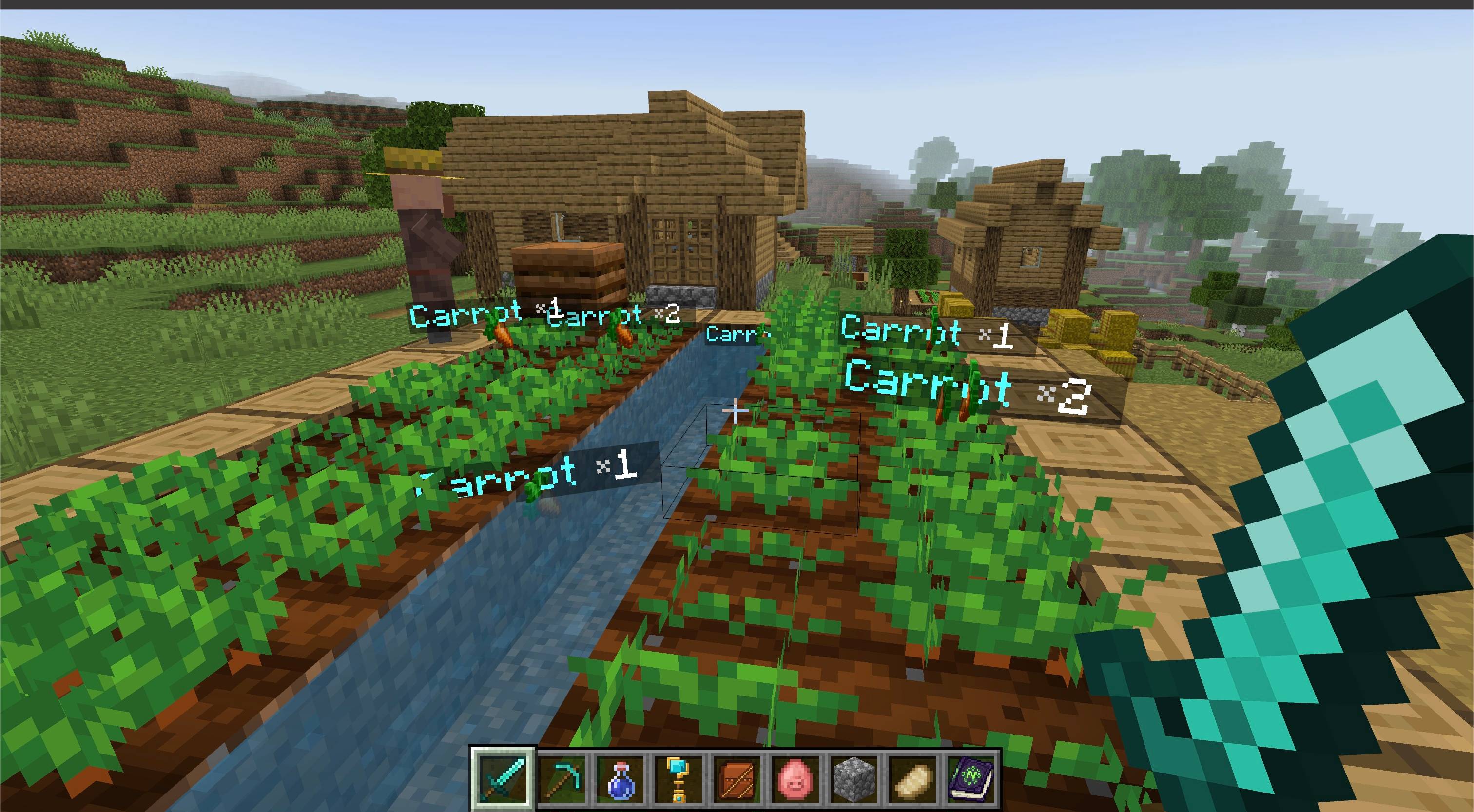
Identify dropped items instantly without relying on their tiny spinning textures.
Item Holograms places a readable world-space label above every nearby dropped item. Each label uses the player's language, follows the item as it moves, and updates when stacks merge or their amount changes.
Features
- Localized item names — vanilla and compatible add-on item names are translated for each player's selected language.
- Live stack counts — labels update when dropped stacks merge or their amount changes.
- Custom-name support — renamed items keep their custom display names.
- Natural visibility — optionally hide labels behind blocks and entities.
- Per-player distance — each client hides holograms beyond the configured range.
- Adjustable text size — choose a compact or more visible presentation.
- Modern settings menu — configure the add-on through a Data-Driven UI with automatic saving.
- Multiplayer friendly — labels render for each player without modifying
player.json. - Localized interface — includes English and Russian settings text.
- Vibrant Visuals compatible — the included Resource Pack declares PBR capability.
How to use
- Import the
.mcaddonfile into Minecraft Bedrock. - Activate both the Item Holograms Behavior Pack and Resource Pack for your world.
- Enter the world and drop an item. Its name and stack count appear automatically.
- As a Game Director, run
/ztp:item-hologramsor/ztp:ihto open settings.
The settings screen lets you enable or disable holograms, show or hide stack counts, choose a display distance from 4 to 64 blocks, adjust text size, and control whether labels remain visible through obstacles.
Notes
- Settings are stored per world and save automatically.
- Add-on items display their localized names when their own Resource Pack provides a valid localization key.
- Opening the settings screen requires Game Director permission because its options apply to the whole world.
- No
player.jsonchanges are used.
Requirements
- Minecraft Bedrock Edition 1.26.50 or newer
- Item Holograms Behavior Pack and Resource Pack must both be active
- No experimental toggles required
- No external add-on dependencies required

The Item Holograms | Dropped Item Names Team


Owner