Inventory Management
- By
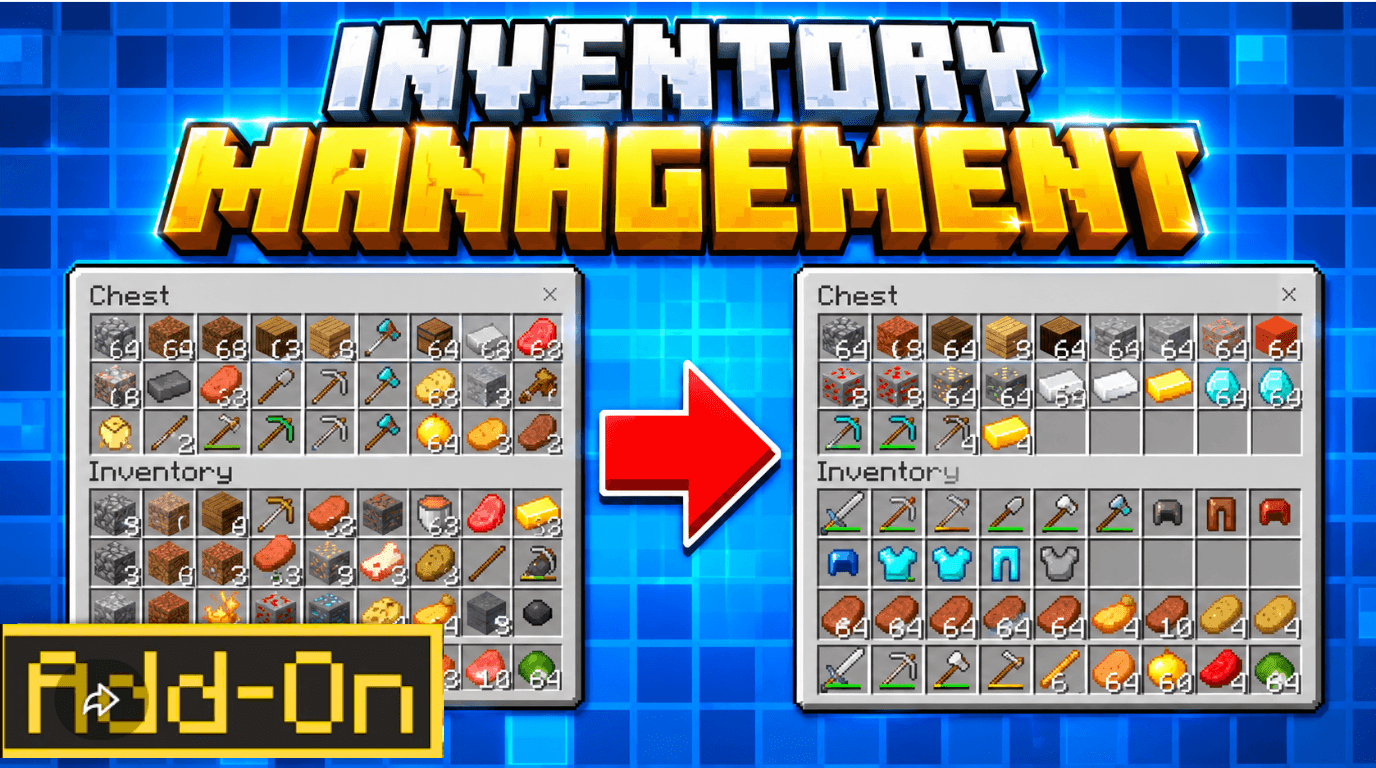
A free, original Minecraft Bedrock Edition add-on for inventory organization. Sort chests, barrels, shulker boxes, and your personal inventory with Color, Alphabetical, and Generic Sorters. Includes a Hot Deposit block to quickly store items ....
mcpedl
Description
inventory management is a completely original, free quality-of-life add-on for Minecraft Bedrock Edition designed to solve your storage chaos. Sort chests, barrels, shulker boxes, and even your own inventory with just a few clicks. No complex menus, no paywalls — just craft, use, and organize.
Created by lifeigniter, this add-on brings smooth inventory organization to survival worlds, realms, and multiplayer servers.
✨Features
| Feature | What It Does |
|---|---|
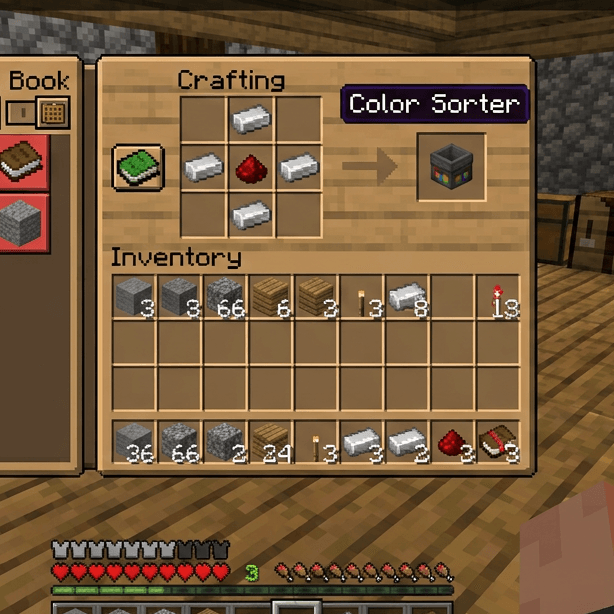
| Color Sorter | Sort items by color category (red, blue, green, yellow, etc.) |
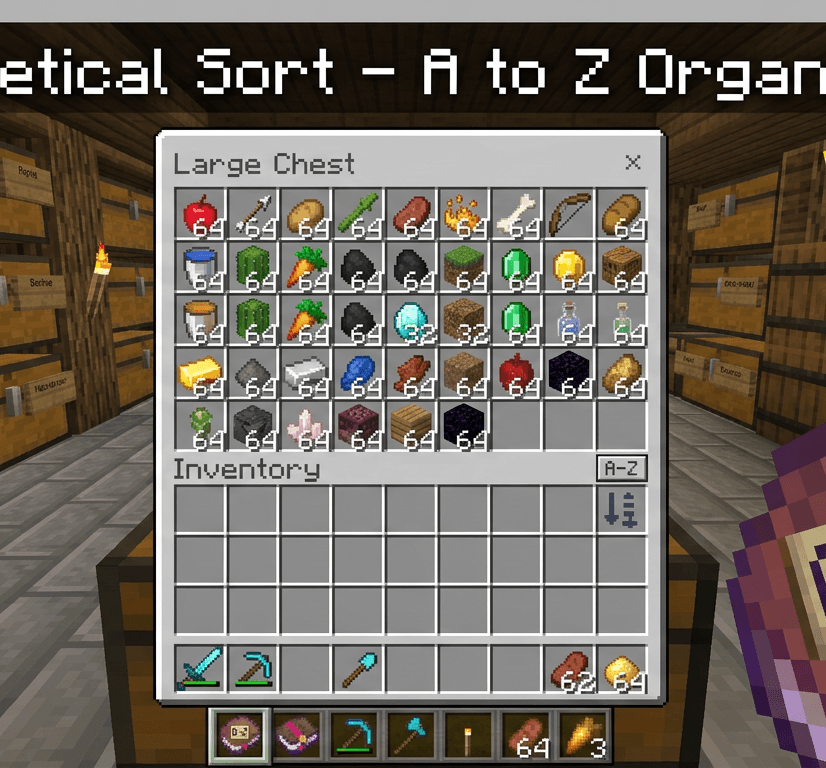
| Alphabetical Sorter | Sort items A–Z by item name |
| Generic Sorter | Sort by item category (tools, armor, food, blocks, ores, etc.) |
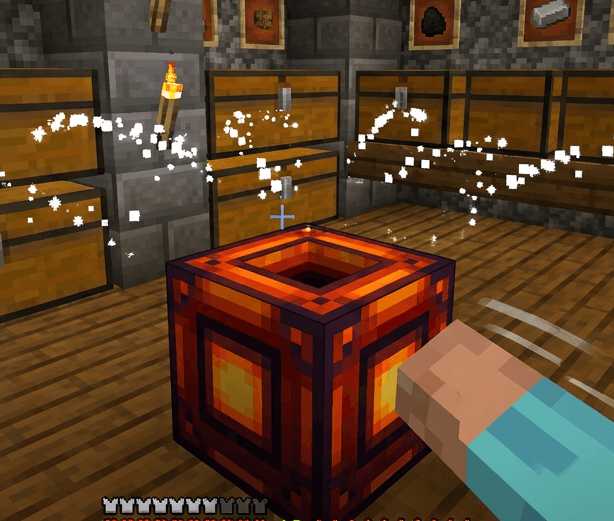
| Hot Deposit Block | Punch to deposit matching items from your inventory into nearby chests (6-block range) |
| Double-Interact | Interact twice quickly with any Sorter to sort your own inventory |
| Starter Kit | Get all Sorters + 3 Hot Deposit Blocks when you first join a world |
| Survival Craftable | All items and blocks are craftable in survival mode |
🎮How to Use
1. Get the Items
Craft them using the recipes below, or receive the starter kit automatically when you join a world for the first time.
2. Sort a Container
Hold any Sorter and interact (right-click / tap) with a chest, barrel, or shulker box. The contents will be sorted instantly.
3. Sort Your Own Inventory
Hold any Sorter and interact twice quickly. Your personal inventory will be sorted using the currently selected style.
4. Change Sort Style
Sneak + Interact with a Sorter to cycle between Color → Alphabetical → Generic.
5. Hot Deposit
Place a Hot Deposit Block and punch it. All matching items from your inventory will be deposited into nearby storage containers within 6 blocks.
🛠Crafting Recipes
Color Sorter
Alphabetical Sorter
Generic Sorter
Hot Deposit Block
📥 Installation
- Download the
.mcpack/.mcaddonfile. - Open it — Minecraft Bedrock will import it automatically.
- Create a new world.
- Go to World Settings → Behavior Packs and activate inventory management.
- Go to World Settings → Resource Packs and activate inventory management.
- Play! You will receive a startup chat message and starter kit.
⚠ Requirements
- Minecraft Bedrock Edition 1.20.0 or newer
- Scripting enabled in World Settings → Experiments (if required by your version)
- Works on Pocket Edition (Android/iOS), Windows, Xbox, PlayStation, Nintendo Switch
Credits
This add-on is 100% original content created by lifeigniter.
All code, textures, and recipes are original — no assets from Mojang, Mythicus, or any other creator are used.
Inventory Management Team