Improved Campfire Smoke
- By
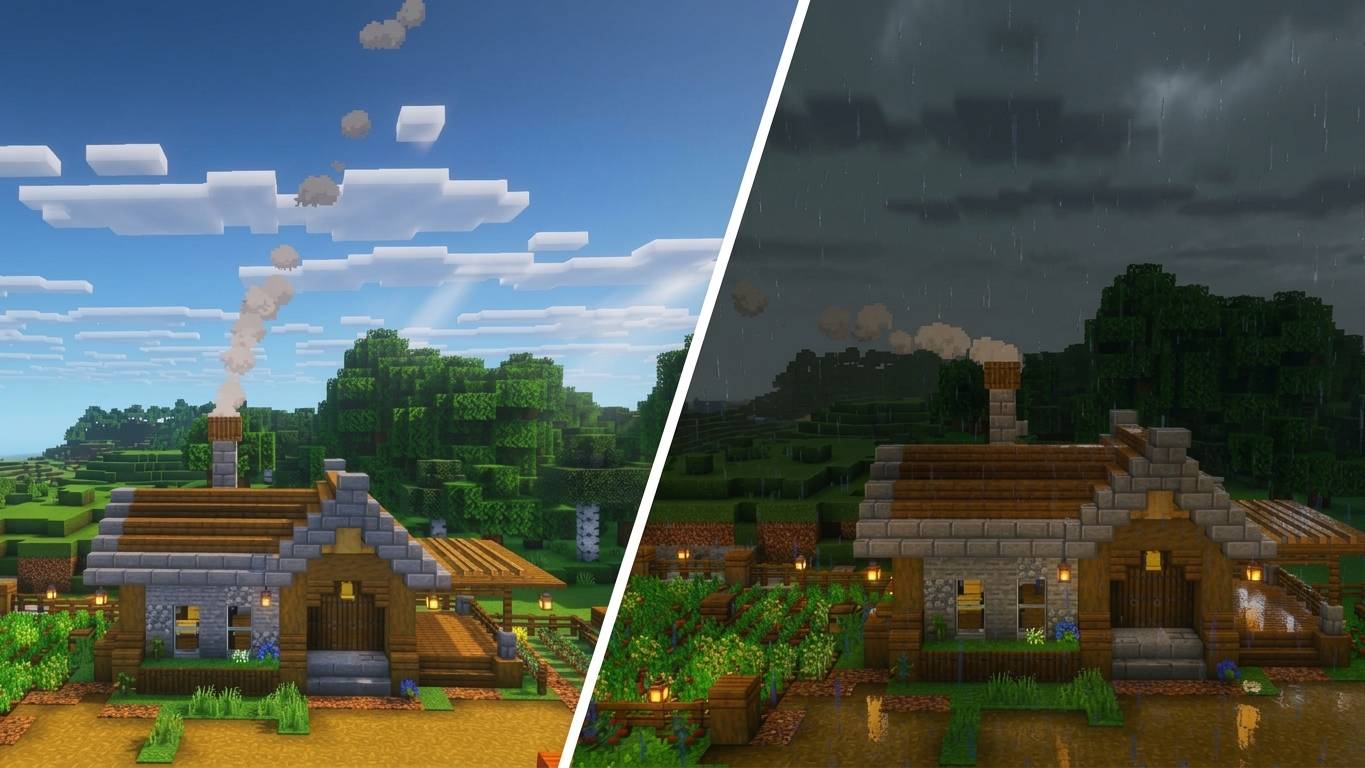
Campfire smoke you can see from far away. It changes direction as the wind shifts every 10 minutes, bends more in rain, and lies almost flat in thunderstorms. Works with campfires and soul campfires.
Gemini_Generated_Image_gsatxgsatxgsatxg.jpg
Description
IMPROVED CAMPFIRE SMOKE (WIND & STORMS)
Have you ever built a beautiful camp or village, only to see the campfire smoke vanish a few blocks away? This add-on fixes that. It makes campfire smoke visible from much farther and gives it a natural, living look with changing wind and weather.
FEATURES
Long-range smoke Campfire smoke stays visible as far as your simulation distance reaches, instead of disappearing after a short distance.
Dynamic wind The wind direction and strength change every 10 minutes. The smoke leans and drifts toward the wind for a while, then slowly turns toward the new direction. Some periods are almost calm and others are windy, so it never looks the same twice.
Rain and thunderstorms The smoke reacts to the weather:
- Clear weather: tall, dense smoke that rises high.
- Rain: the smoke rises less and the wind bends it more.
- Thunderstorm: the smoke stays low, rising only a few blocks, and is pushed almost horizontally by the wind. The change between weather types is gradual, with no sudden jumps.
Denser, taller smoke Bigger puffs that last longer than vanilla smoke, so campfires are easier to spot from far away.
Clean look The original campfire smoke is hidden, so you never see two smoke columns at the same time when you get close.
Works with campfires and soul campfires.
HOW IT WORKS Vanilla campfire smoke is generated by the game itself and is cut off at a short distance. This add-on generates the smoke with a script instead, which is why it can be seen from farther away. Only campfires and soul campfires are affected. Other particles, like geysers or other smoke sources, are not modified.
INSTALLATION
- Download the .mcaddon file.
- Open it. Minecraft will import both packs (Behavior Pack and Resource Pack) automatically.
- Create a new world or edit an existing one.
- Activate both the Behavior Pack and the Resource Pack.
- Place a campfire and watch the smoke.
IMPORTANT NOTES
- Campfires placed BEFORE installing the add-on are not detected. Break them and place them again to use the new smoke.
- The maximum distance depends on your simulation distance. A higher simulation distance means the smoke can be seen from farther away.
- The add-on replaces the vanilla campfire smoke particles, including the tall smoke produced when a campfire is placed on a hay bale. Other packs that also modify campfire smoke may conflict with this one.
- To change how strong the wind is, edit the FUERZA_MAX value at the top of the script file (scripts/main.js) inside the Behavior Pack.
Improved Campfire Smoke Team