![Hostile Mob Radar & Alert [Achievement Friendly] logo](https://media.forgecdn.net/avatars/thumbnails/2020/40/64/64/639238221017191473.png)
Hostile Mob Radar & Alert [Achievement Friendly]
- By
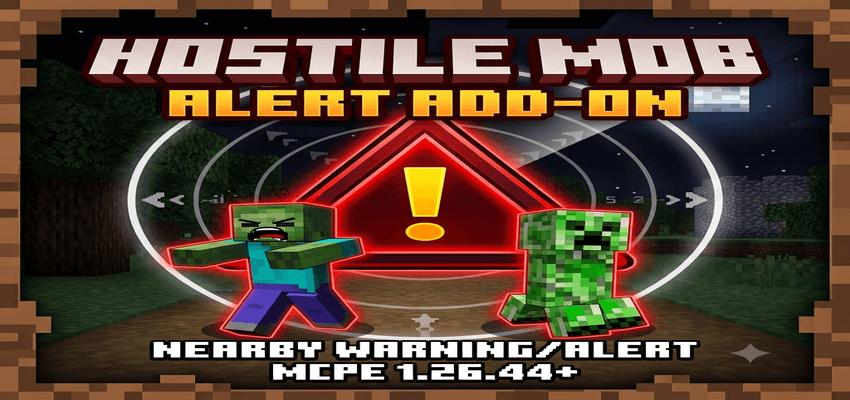
Real-time hostile mob radar with live distance, 3D direction arrows, elevation tags, and crisp audio alerts for Bedrock!
Description
🚨 Hostile Mob Radar & Alert [Achievement Friendly]
Never get sneak-attacked by a Creeper or ambushed by a Skeleton again!
Hostile Mob Radar & Alert is an ultra-lightweight, high-performance survival utility add-on designed specifically for Minecraft Bedrock Edition (1.26.44+). Powered by the native Bedrock Scripting API, it monitors your surrounding environment in real-time and alerts you the exact instant a hostile monster steps inside aggro range (16 blocks).
Runs natively with zero lag, displaying real-time target data directly on your Action Bar paired with a crisp, mobile-friendly audio ping!
🌟 Key Features
- 🎯 Live 3D Distance Tracking: Updates continuously as you or nearby mobs move across the terrain.
- 🧭 Dynamic Directional Radar: Real-time 8-way directional arrow relative to your crosshair/camera view.
- ⛰️ Vertical Elevation Detection: Instant height indicators show if threats are above (
▲) on ledges or lurking in caves below (▼). - 🏷️ Mob Identification: Cleanly displays the name of the nearest threat (including custom name-tagged mobs).
- 🔊 Speaker-Optimized Sound: Uses a crisp high-frequency chime easily audible on mobile phone speakers without headphones.
- 👥 Threat Counter: Displays how many additional hostile mobs are lurking in the area
(+Count). - ⚡ Zero Lag Architecture: Built with native JavaScript Scripting API for maximum FPS and smooth performance.
- 🏆 Survival Friendly: Clean UI that doesn't clutter chat or fill your inventory.
🖥️ Action Bar HUD Breakdown
When a hostile mob enters your 16-block aggro radius, a clean alert appears at the bottom of your screen:
⚠ [Mob Name] 8m [ ↑ ] [▲ +4m] (+2) ⚠
- 🔹
⚠ [Mob Name]➔ Identifies the closest hostile entity (Creeper, Zombie, Skeleton, Witch) - 🔹
8m➔ Exact real-time 3D distance in blocks - 🔹
[ ↑ ]➔ Dynamic 8-way relative direction arrow based on your crosshair view - 🔹
[▲ +4m] / [▼ -6m]➔ Vertical elevation tag showing relative Y-axis height difference - 🔹
(+2)➔ Count of additional hostile monsters within aggro range
🧭 8-Way Directional Radar Guide
The radar arrow dynamically tracks the mob's relative position based on where you are currently looking:
↑Ahead: Threat is directly in front of you.↗Front-Right: Threat is ahead to your right side.→Right: Threat is directly to your right.↘Behind-Right: Threat is approaching from your rear right.↓Behind: DANGER! Threat is directly behind your back!↙Behind-Left: Threat is approaching from your rear left.←Left: Threat is directly to your left.↖Front-Left: Threat is ahead to your left side.
📐 Vertical Elevation Guide
Never get surprised by mobs falling from above or hiding in ravines:
§b[▲ +Ym](Cyan): Mob is ABOVE you (on a roof, tree, hill, or cliff ledge).§d[▼ -Ym](Magenta): Mob is BELOW you (underground, inside a cave, or beneath the floor).- (No vertical tag appears if the mob is on the same ground level as you).
❓ Frequently Asked Questions (FAQ)
❓ Does this cause any lag on low-end mobile devices?
- 💡 No! The script runs on an optimized interval system and only queries entities in a 16-block radius around active players with zero FPS drop.
❓ Does it work in Multiplayer / Realms / Dedicated Servers?
- 💡 Yes! Every player gets independent radar alerts and directional calculations based on their own personal view angle.
❓ Will it detect mobs through walls and caves?
- 💡 Yes, it detects any monster within the 16-block 3D sphere regardless of line-of-sight.
⚙️ Installation & Setup Guide
- Download the
.mcpackfile from the Files tab. - Tap or double-click the downloaded file to automatically import it into Minecraft.
- Edit your World Settings ➔ Navigate to Behavior Packs ➔ Activate Hostile Mob Radar & Alert.
- In World Settings ➔ Experiments, ensure Beta APIs is toggled ON.
- Launch your world and survive with confidence!
📜 Credits & Guidelines
- Author / Developer: PlayZerMc (PawanBhai333519)
- Target Version: Minecraft Bedrock Edition (v1.26.44+)
- Category: Utility / Survival / Add-on
Creator Notice: If you showcase this add-on in a YouTube video, TikTok, or review, please provide a direct link to this official page. Re-uploading the
.mcpackfile to unauthorized websites or monetization shorteners is strictly prohibited.
Hostile Mob Radar & Alert [Achievement Friendly] Team

Owner