Hands-On Crafting replaces the screens of the crafting table, furnace, blast furnace, smoker, brewing stand, anvil, smithing table, grindstone and enchanting table with in-world interaction
Hands-On Crafting takes the screens away from the crafting table, furnaces, brewing stand, anvil, smithing table, grindstone, enchanting table, stonecutter and your storage blocks. Walk up to the block, put your items into the glowing slots on it, watch the result appear above the table, and take it. The block does what it always did. You just never open a menu again.
What works hands-on
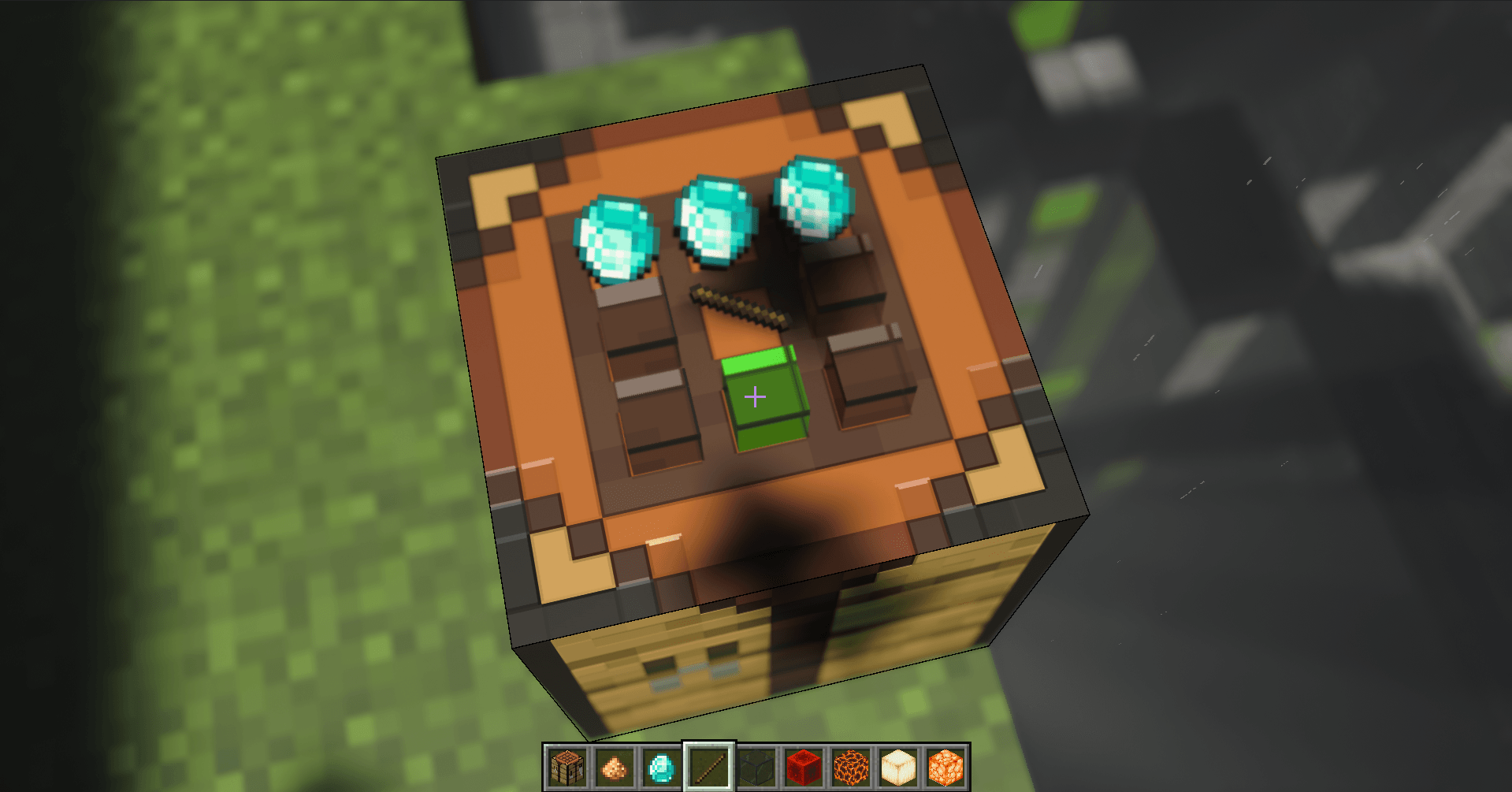
Crafting table: a 3x3 grid on the table top that turns to face you. Every vanilla recipe, all 1,281 of them, plus beds, bed dyeing, item repair, map copying, tipped arrows and the decorated pot. The result spins above the table; use it to craft once, sneak and use to craft a stack.
Furnace, blast furnace, smoker: input and fuel on the front, the finished item floating above. Only real fuel goes in the fuel slot. You get the smelting experience when you take the result.
Brewing stand: three bottles, the ingredient and blaze powder, right on the stand. Every vanilla potion, and the bottles show what they hold while they brew.
Anvil: item on the left, material or enchanted book in the middle, result on the right with its glint. Costs follow the real anvil rules and a "Levels Needed" label shows the price.
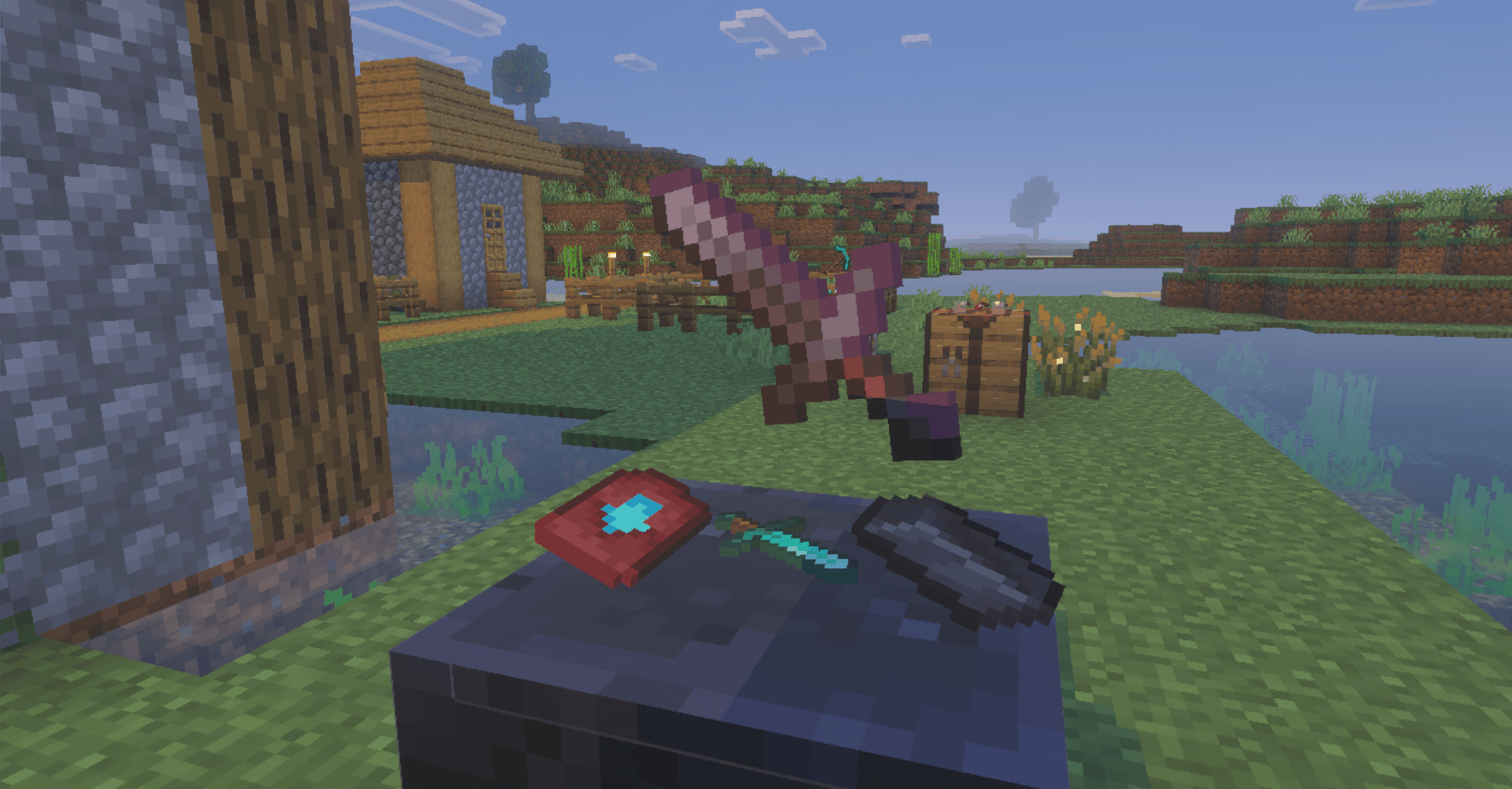
Smithing table: template, item and material in a row, netherite upgrade spinning above. Enchantments, damage and names carry over.
Grindstone: one item to disenchant it, two of a kind to repair them, result above the wheel, experience included.
Enchanting table: place the item above the table and the three offers float around it. Look at one to read "Sharpness I . . . ?", use it to enchant. Bookshelves, lapis and level costs work exactly like the real table.
Stonecutter: drop a block into the slot and every cut it can make fans out above the saw, all 356 of them across the game's blocks. Use a cut to make one, sneak and use to cut the whole stack.
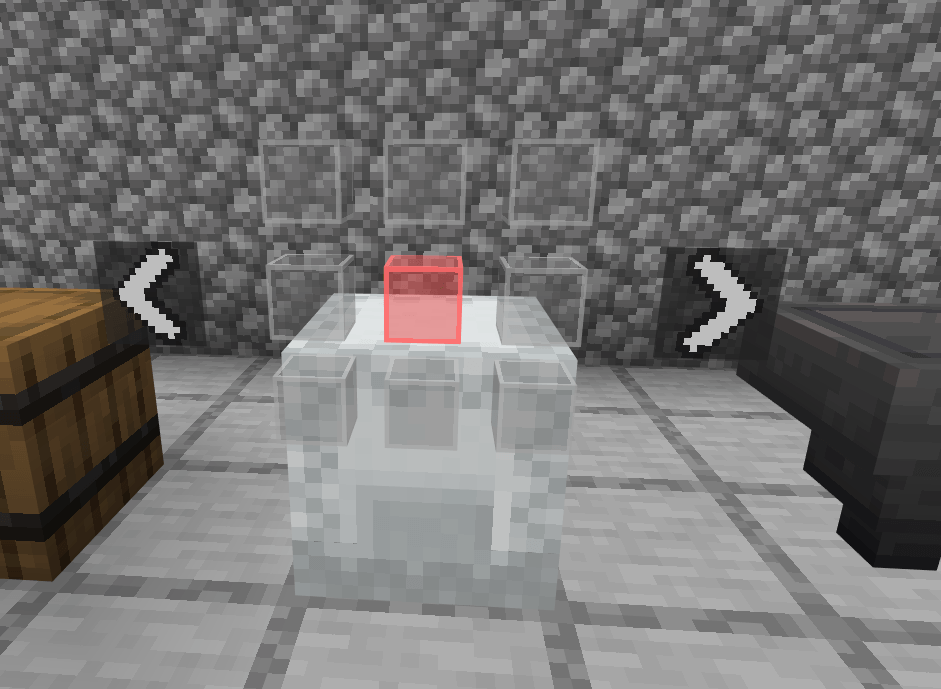
Chests, trapped chests, barrels, shulker boxes, hoppers, dispensers, droppers and ender chests: use the block and its contents open above it as a page of slots, like a book. Arrows on either side turn the pages, a counter shows where you are, a double chest reads as three wide pages, and the barrel lid really opens. Put items in and take them out straight from the page, item counts included. Opening another storage block closes the one you had open. Ender chests show only your own items, and only to you.
How to use it
Use a slot (right-click, trigger or tap) to put one item in. Use it with an empty hand to take the items back.
Sneak and use to move a whole stack.
Hold use and sweep across slots to fill several at once.
An empty slot turns green when the item in your hand fits and red when it does not.
Using the block outside its slots still opens the normal screen, so nothing from the game is lost. On storage blocks, sneak and use opens the normal screen.
Items you leave in a block come back to you when you walk away. Storage pages close by themselves when you leave.
Settings
Type /hoc:config in chat for your own settings: which blocks are hands-on, what sneaking does, slot markers (edged cubes, clear cubes, outlines or none) and their colours, text size, spinning results and more. Changes apply as you make them. Operators get /hoc:server for the whole world, plus /hoc:disable and /hoc:enable for individual players.
Works on
Minecraft Bedrock 1.26.50 or newer, Windows, Android and iOS.
Mouse and keyboard, controller, and touch, including tap-to-interact.
Vibrant Visuals compatible: the pack keeps Vibrant Visuals on.
Multiplayer and Realms: everyone sees the items; highlights, offer texts and ender chest contents are only shown to the player looking.
Hoppers, comparators and redstone keep working on hands-on storage, because the items stay in the block's own inventory.
No experiments needed. Stable script API only.
Good to know
Fireworks, banner patterns, shields with banners, dyed shulker boxes and bundles, pots with sherds and book copies are not made on the hands-on grid; their crafting screen still works.
Armor trims and netherite armor upgrades use the smithing table screen.
The crafter keeps its normal screen.
A shulker box will not go into another shulker box, just like in the game.
Recipes added by other add-ons are not shown in the grid or above the stonecutter.
Credits
Inspired by ImmersiveMC by hammy275, the Java Edition mod that first put crafting slots onto the blocks themselves. Hands-On Crafting is a separate project for Bedrock and is not affiliated with ImmersiveMC.