Enchantment Transfer BP
- By
This add-on lets you move individual enchantments from one tool, weapon, or piece of gear to another — across different material tiers
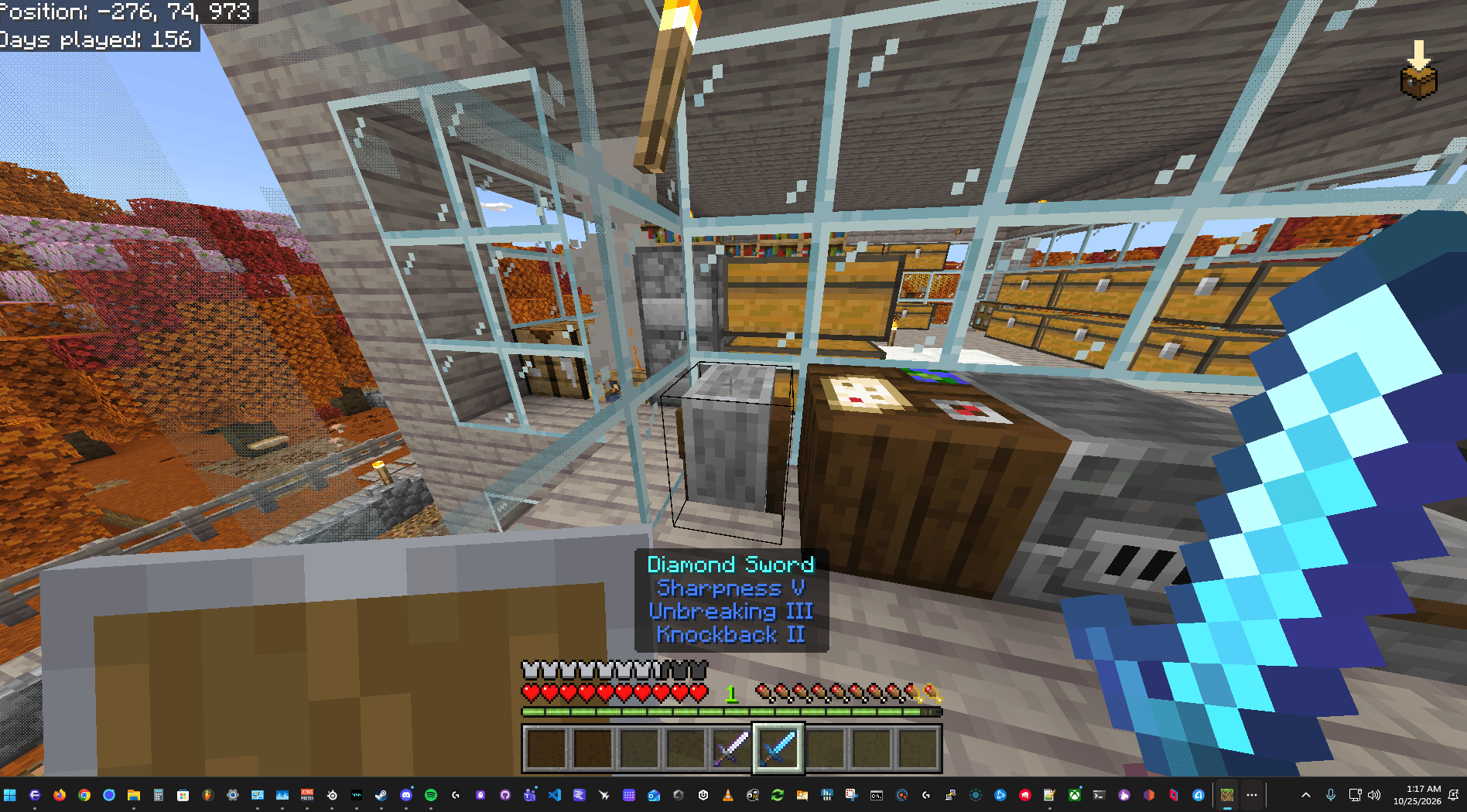
Screenshot 2026-10-25 011735.png
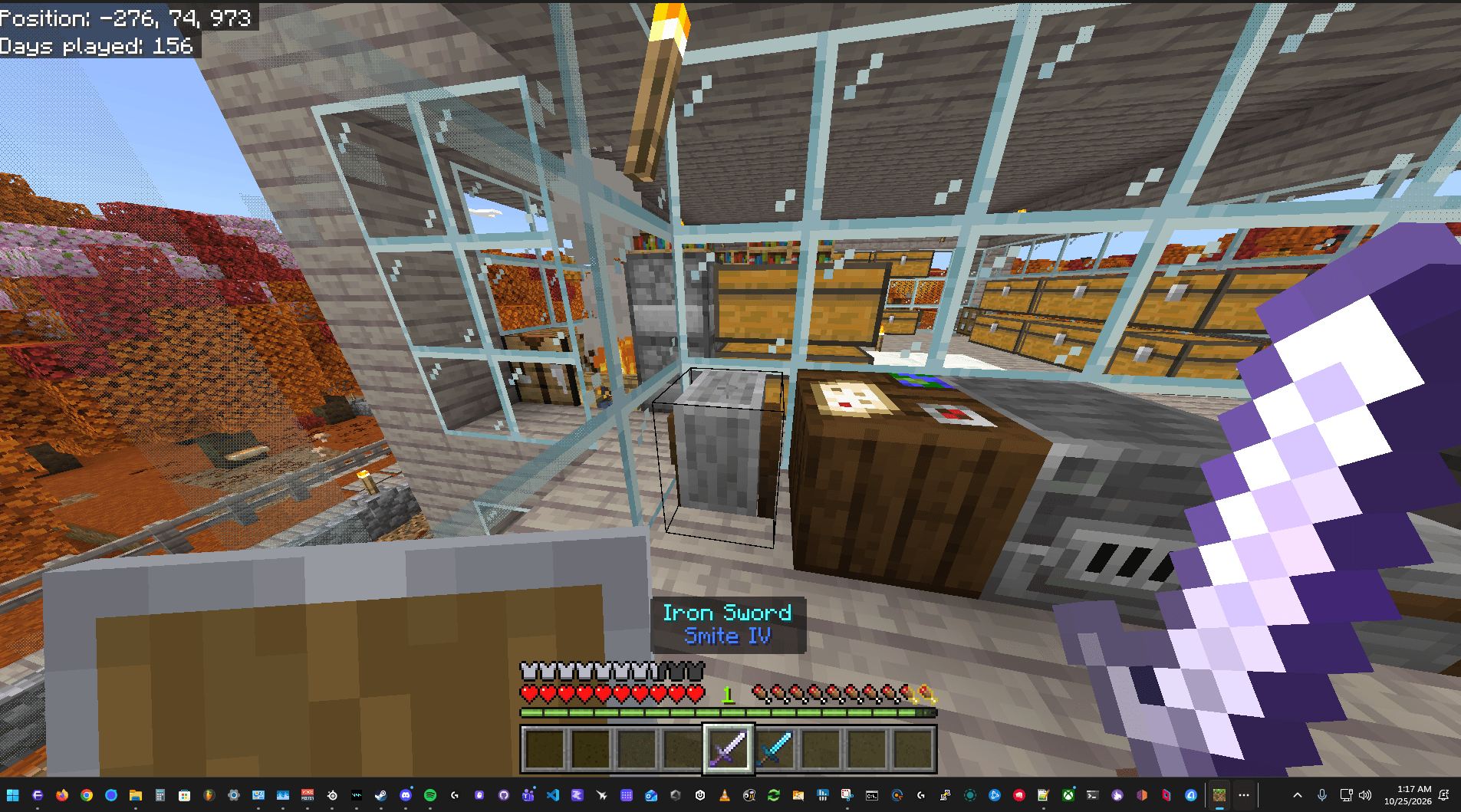
Screenshot 2026-10-25 011746.png
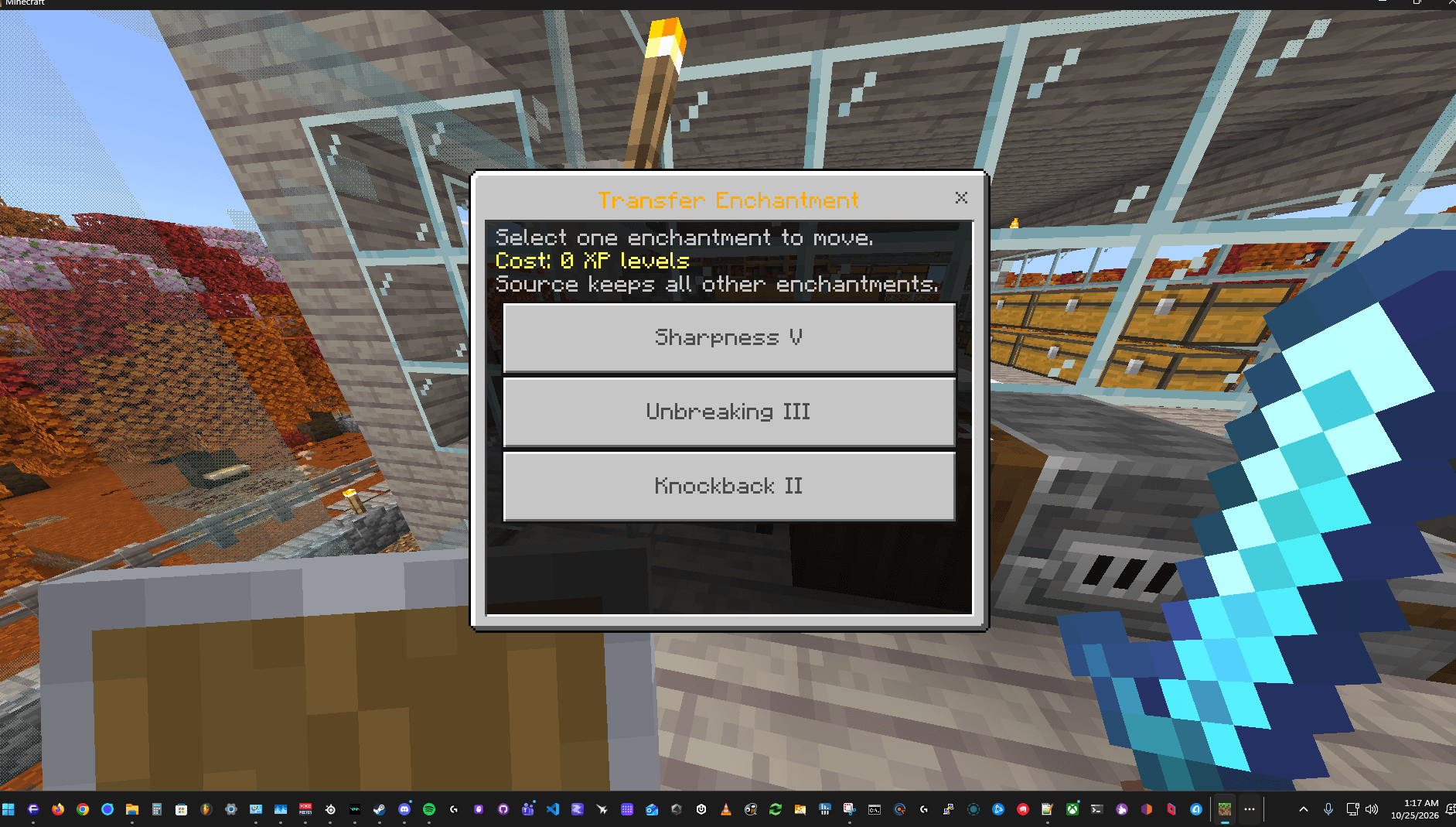
Screenshot 2026-10-25 011759.png
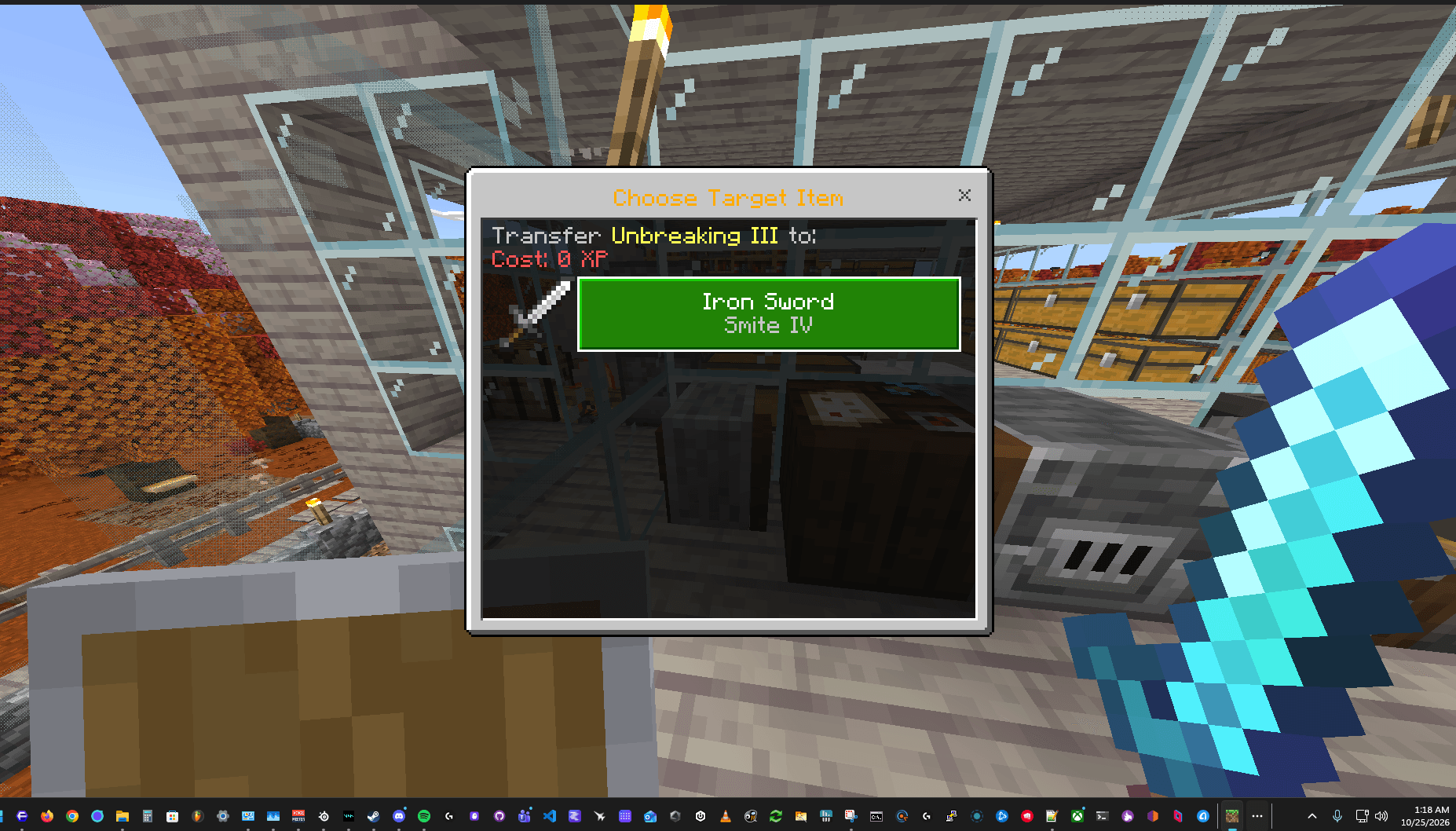
Screenshot 2026-10-25 011819.png
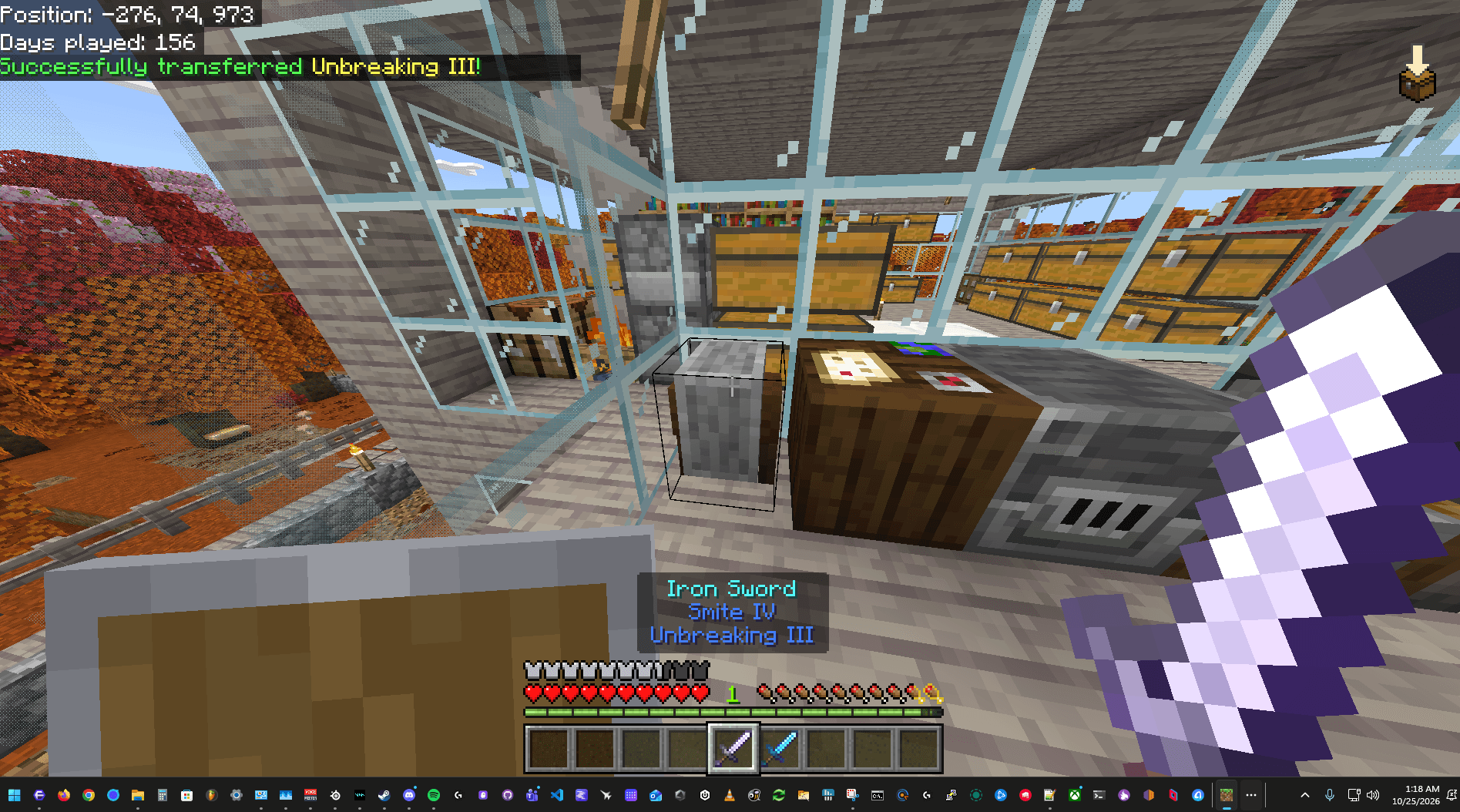
Screenshot 2026-10-25 011844.png
Description
TechFreq Enchantment Transfer
Minecraft Bedrock Edition | Behavior Pack | V1.0
Tired of grinding for the perfect enchantments only to have them stuck on the wrong tool? Meet Enchantment Transfer!
This add-on lets you move individual enchantments from one tool, weapon, or piece of gear to another — across different material tiers — while keeping the rest of the enchantments on the source item. Simply sneak and right-click a Grindstone while holding the enchanted Source item and then select your Target item and boom transfered! (does not stack enchantments just transfers).
Three versions are included so you can choose the XP cost that fits your world:
- 0 XP (Free)
- 5 XP uses 5 xp if you prefer
- 10 XP uses 10 xp if you prefer
Key Features:
- Selective Enchantment Transfer — Choose one enchantment at a time to move.
- Source Keeps Other Enchantments — Only the selected enchantment is removed from the original item.
- Cross-Tier Support — Transfer between different material tiers (e.g. Diamond Sword → Iron Sword, Netherite Pickaxe → Stone Pickaxe).
- Vanilla Compatibility — Respects normal enchantment rules and conflicts (Sharpness/Smite/Bane, Fortune/Silk Touch, Infinity/Mending, etc.).
- Clean UI — Easy-to-use menus for selecting the enchantment and the target item, with item icons.
- Grindstone Activation — Sneak + right-click a Grindstone while holding the source item.
- Achievement Friendly — Designed to work without cheats or experimental features.
- Three XP Cost Options — Pick the balance you prefer.
## How to Use
1. Hold the **source item** (the one that currently has the enchantment) in your main hand.
2. Make sure the **target item** is in your inventory.
3. **Sneak + right-click** a **Grindstone**.
4. Select the enchantment you want to transfer from your source item.
5. Select the target item from the list.
6. The enchantment is moved. The source keeps all of its other enchantments.
### Notes
- The target item must be compatible with the enchantment.
- Conflicting enchantments are blocked (you will get a clear message).
- Only one version of the pack (0 XP, 5 XP, or 10 XP) should be active at a time.
## Versions Included
| Version | XP Cost | Filename |
| Free | 0 XP | `Enchantment_Transfer_0XP.mcaddon` |
| Balanced | 5 XP | `Enchantment_Transfer_5XP.mcaddon` |
| Standard | 10 XP | `Enchantment_Transfer_10XP.mcaddon` |
## Installation
- Download the `.mcaddon` file for the XP cost you want.
You can also extract the Behavior Pack into your Minecraft behavior_packs folder for manual installation.
2. Double-click the file to import it into **Minecraft Bedrock Edition**.
3. Open your world’s settings.
4. Enable **Enchantment Transfer (0 XP)**, **Enchantment Transfer (5 XP)**, or **Enchantment Transfer (10 XP)** under **Behavior Packs**.
(ONLY ONE can be used, if another is used you have to remove it from the world then add the other pack instead)
5. Enter your world and start transferring enchantments!
V1.1 UPDATE! adds multiplayer support
its the V1.1 fpor 0xp 5xp and 10xp version! which adds multiplayer support!
Updated for multiplayer. Here’s what changed:
Multiplayer fixes
- Each player is handled independently (uses player ID so forms open for the correct person)
- Stronger error protection so one player’s issue doesn’t break the pack for everyone
- Cleaner event handling so the menu should appear for both host and joining players
- Kept the item-swap method that fixed the delayed enchantment appearance
## Compatibility & Important Notes
- Designed for **Minecraft Bedrock Edition**.
- Uses Minecraft Bedrock Script API.
- Works with tools, weapons, armor, bows, crossbows, tridents, maces, and more.
- Achievement Friendly.
- Only activate one XP version at a time.
Support TechFreq ❤️
Thanks for downloading and supporting my Minecraft add-ons and modpacks! I really appreciate everyone who tries my projects. Feel free to check out my other mods, follow my socials, or send over a cup of coffee if you'd like — totally optional, of course! ☕
Everything TechFreq:
[https://beacons.ai/TechFreq](https://beacons.ai/TechFreq)
PayPal — Optional Support
[https://paypal.me/TechFreq](https://paypal.me/TechFreq)
More Mods on CurseForge
[https://www.curseforge.com/members/techfreq/projects](https://www.curseforge.com/members/techfreq/projects)
More Mods on Nexus Mods:
[https://www.nexusmods.com/profile/TechFreq](https://www.nexusmods.com/profile/TechFreq)
Made by TechFreq — Happy Enchanting! ✨⚔️
Enchantment Transfer BP Team