Effortless Structure Bedrock
- By
A lightweight Minecraft Bedrock addon that improves building speed and efficiency with a smooth and optimized experience.
1000080770.jpg
1000080772.jpg
Description
Effortless Structure
Minecraft Bedrock Edition Addon — Version 3.6 By FrontEvill | t.me/ModsFront | BedrockZone.com
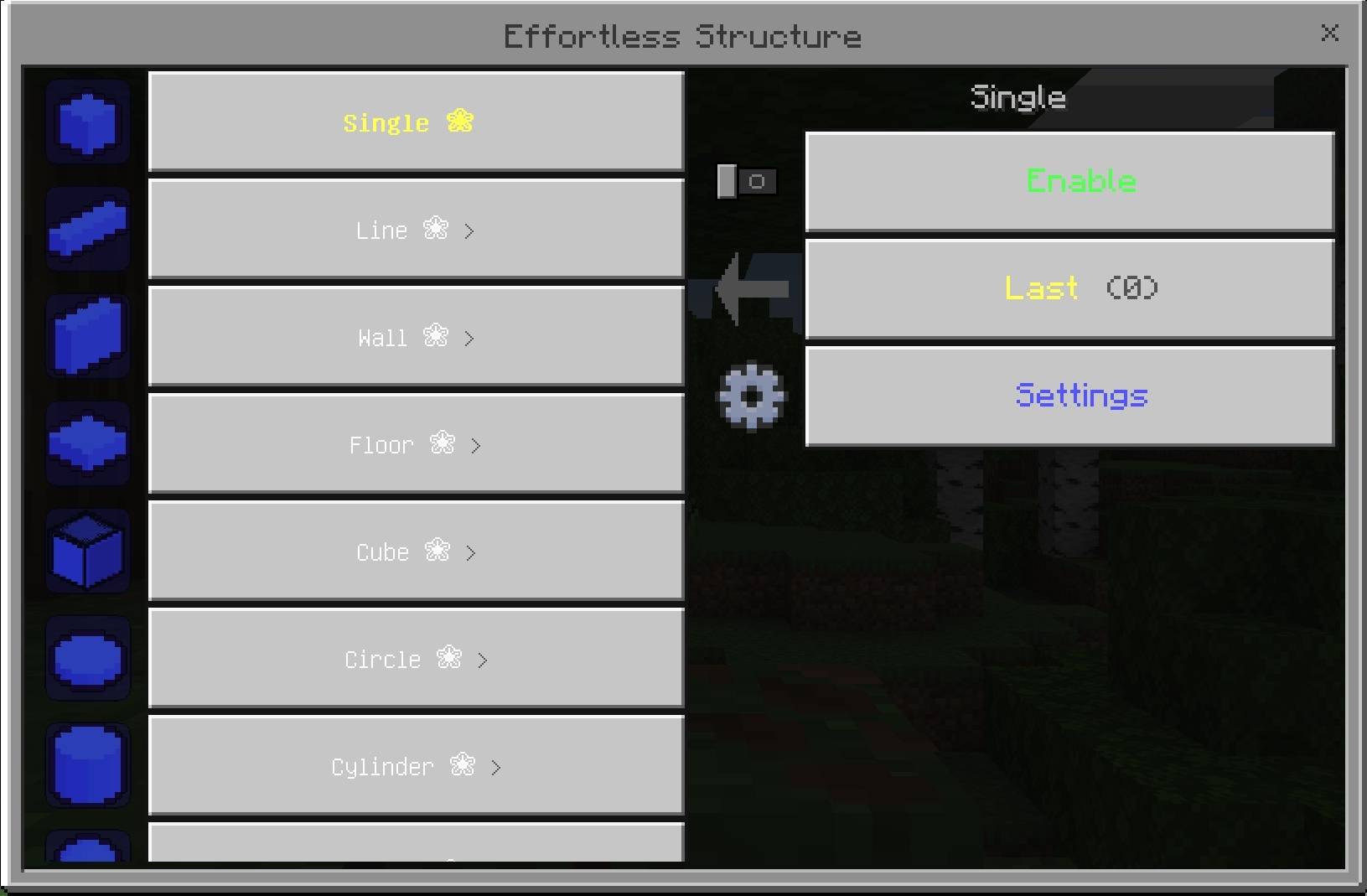
Effortless Structure is an advanced building tool for Minecraft Bedrock. It lets you place blocks in complex geometric shapes with a single click — spheres, cylinders, pyramids, domes, staircases, and much more. No commands needed, just point and build.
Requirements
- Minecraft Bedrock Edition 1.21.100 or newer
- Works on Android, iOS, Windows, and Console
- Beta APIs must be enabled in your world settings
Getting Started
- Open your world and go to World Settings → Experimental
- Enable Beta APIs
- Hold a Paper item — this is the main control tool
- Right-click with the Paper to open the main menu and pick a shape
- Right-click a block in the world to place your first anchor point, then right-click again to confirm the second point
How Placement Works
Most shapes require two anchor points. A few shapes (Cube, Hollow Cube, Dome) need three points. The Move tool also uses three steps: select the region, confirm the selection, then pick the destination.
A live wireframe preview appears between clicks so you can see exactly what will be placed before you confirm.
Available Shapes
Basic
- Single — place one block at a time
- Line — straight or diagonal line between two points
- Wall — flat vertical wall, filled or frame only
- Floor — flat horizontal surface, filled or frame only
Box Shapes
- Cube — solid filled box
- Hollow Cube — six-sided hollow box
- Frame Cube — edges only, skeleton structure
Curved Shapes
- Circle — flat horizontal disc, filled or hollow ring
- Cylinder — vertical cylinder, filled or hollow
- Sphere — full 3D ball, filled or hollow shell
- Ellipse — flattened horizontal oval
- Diamond — diamond outline
Semicircular Shapes
- Semicircle — flat half-disc
- Arch — vertical half-circle arch
- Dome — upper hemisphere, filled or hollow shell
Additional Shapes
- Pyramid — four-sided pyramid, filled or hollow
- Staircase — automatic staircase between two points
- Ring — 3D torus ring
- Cross — cross pattern
- Triangle — triangular outline
- Checkerboard — alternating block pattern
- Diagonal Wall — angled wall
- Slope — smooth ramp surface
Special Tool
- Move — select a region and relocate it to a new position without duplicating
Settings
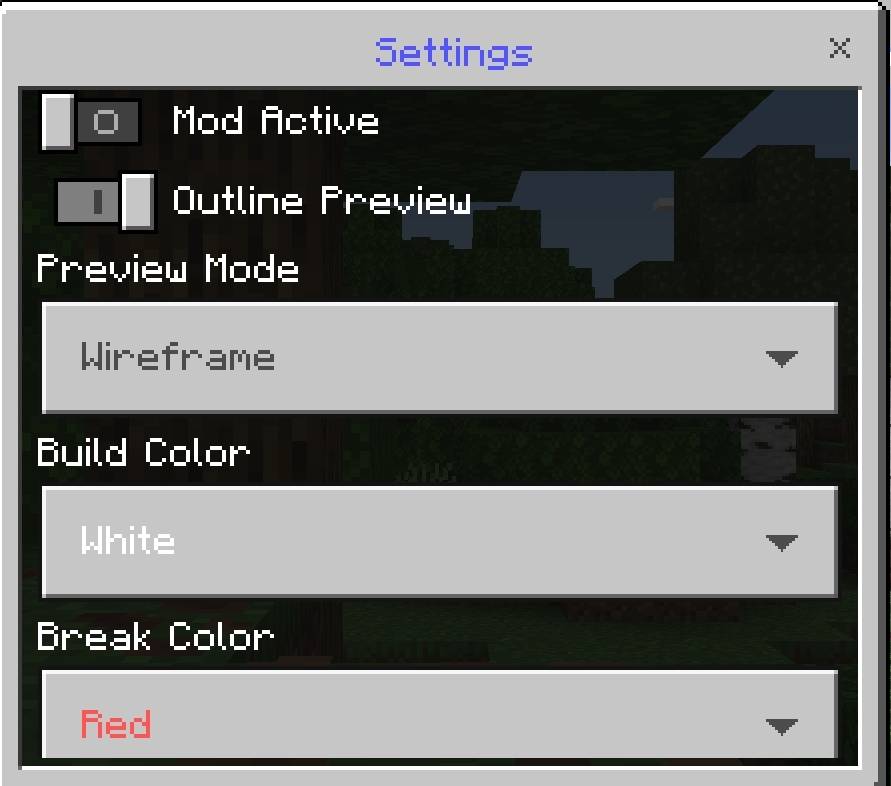
Open the main menu and tap the gear icon to access settings.
Building
- Build Speed — how many blocks are placed per tick (1 to 20)
- Max Distance — maximum reach distance for anchors (4 to 32 blocks)
- Max Build Limit — maximum blocks allowed per operation, up to 50,000
- Hollow — toggle hollow mode for supported shapes
- Replace All — replace existing blocks while building
Breaking
- Auto Collect — automatically add broken blocks to your inventory
- Silent Drop — prevent item drops when breaking blocks
- Clear Plants — remove plants automatically during building
- Magnet Pull — pull dropped items toward you
- Toolless Mode — build and break without requiring the correct tool
Preview
- Preview Mode — switch between full wireframe outline or corner-only markers
- Build Color — particle color for placement preview
- Break Color — particle color for breaking preview
Undo and Redo
Every operation is recorded. Use the Undo button in the menu to reverse your last build or break. Redo re-applies it. History is kept for the entire play session.
Build Queue
You can queue up to 10 build operations and execute them in sequence. Useful for large projects that need multiple shapes placed one after another.
Saved Regions
Capture a region of your world and save it for later. You can store up to 5 named regions per session and paste them anywhere.
- Maximum region volume is 50,000 blocks
- Paste respects block states and orientations
Statistics
The mod tracks your session activity automatically: total blocks placed, total blocks broken, number of operations completed, and the last action performed.
Permissions
By default the mod is open to all players. Operators can switch it to whitelist mode so only approved players can use the tool.
Technical Info
- API modules: @minecraft/server 2.0.0 and @minecraft/server-ui 2.0.0
- Scripts use ES Modules (JavaScript)
- Max build distance: 32 blocks
- Max blocks per operation: 50,000
- Build queue size: 10 operations
- Saved regions per session: 5
by by :>
Effortless Structure Bedrock Team