Crown
- By
Hide Armor is a Minecraft Bedrock resource pack that hides all armor visuals while keeping protection, enchantments, durability, and achievements fully functional. Perfect for players who want to show their skins without sacrificing armor benefits.
1000080585.jpg
1000080587.jpg
1000080589.jpg
1000080591.jpg
Description
Crown & Boots - Minimal Armor
A Minecraft Bedrock resource pack that turns your helmet into a crown, gives your boots a clean minimal look, and lets you choose exactly how much of your armor stays visible — all without touching armor protection or stats.
Features
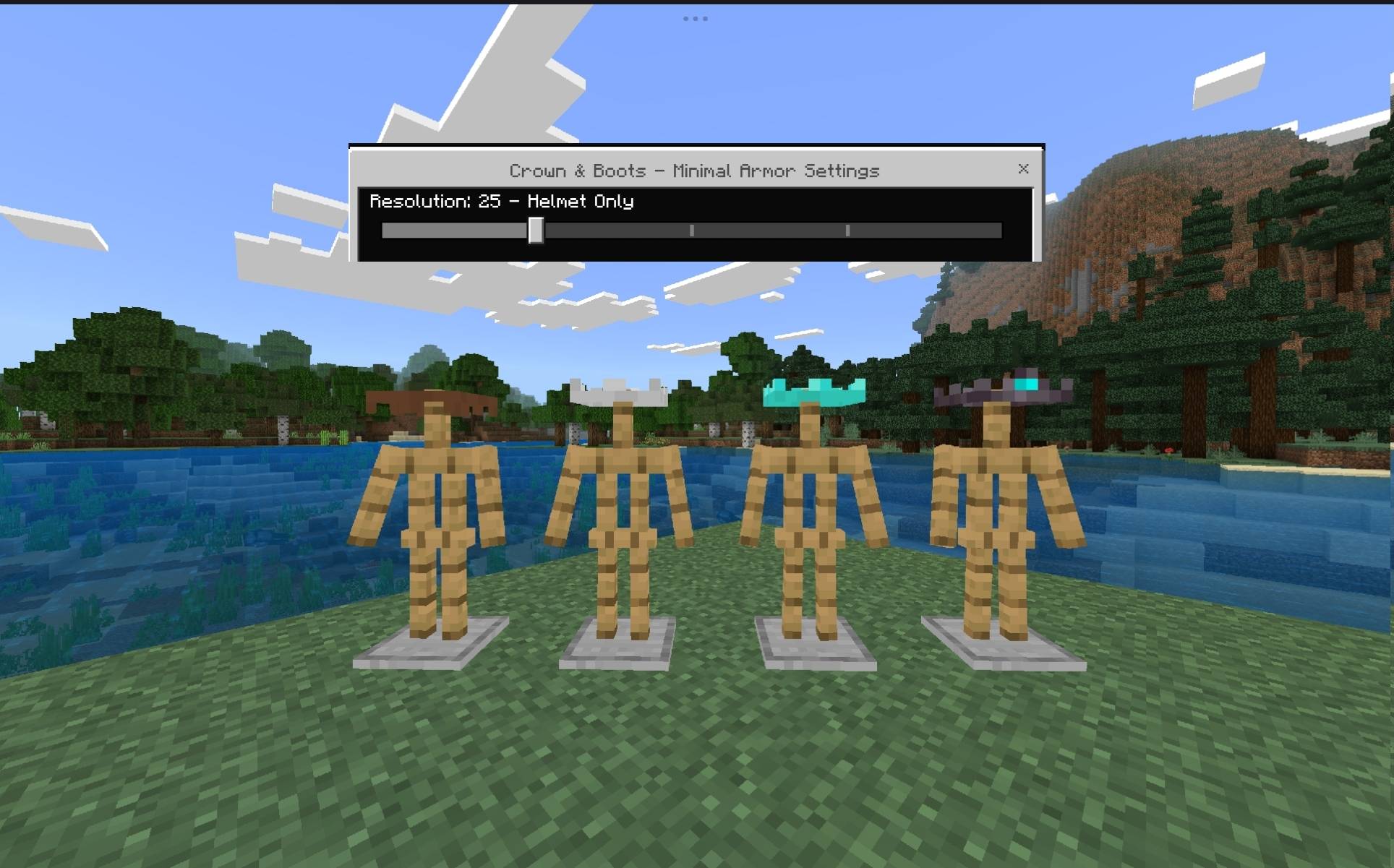
- Crown Helmet — every helmet material (leather, chainmail, gold, iron, diamond, netherite, turtle shell) is replaced with a sleek crown-style design instead of the bulky default helmet.
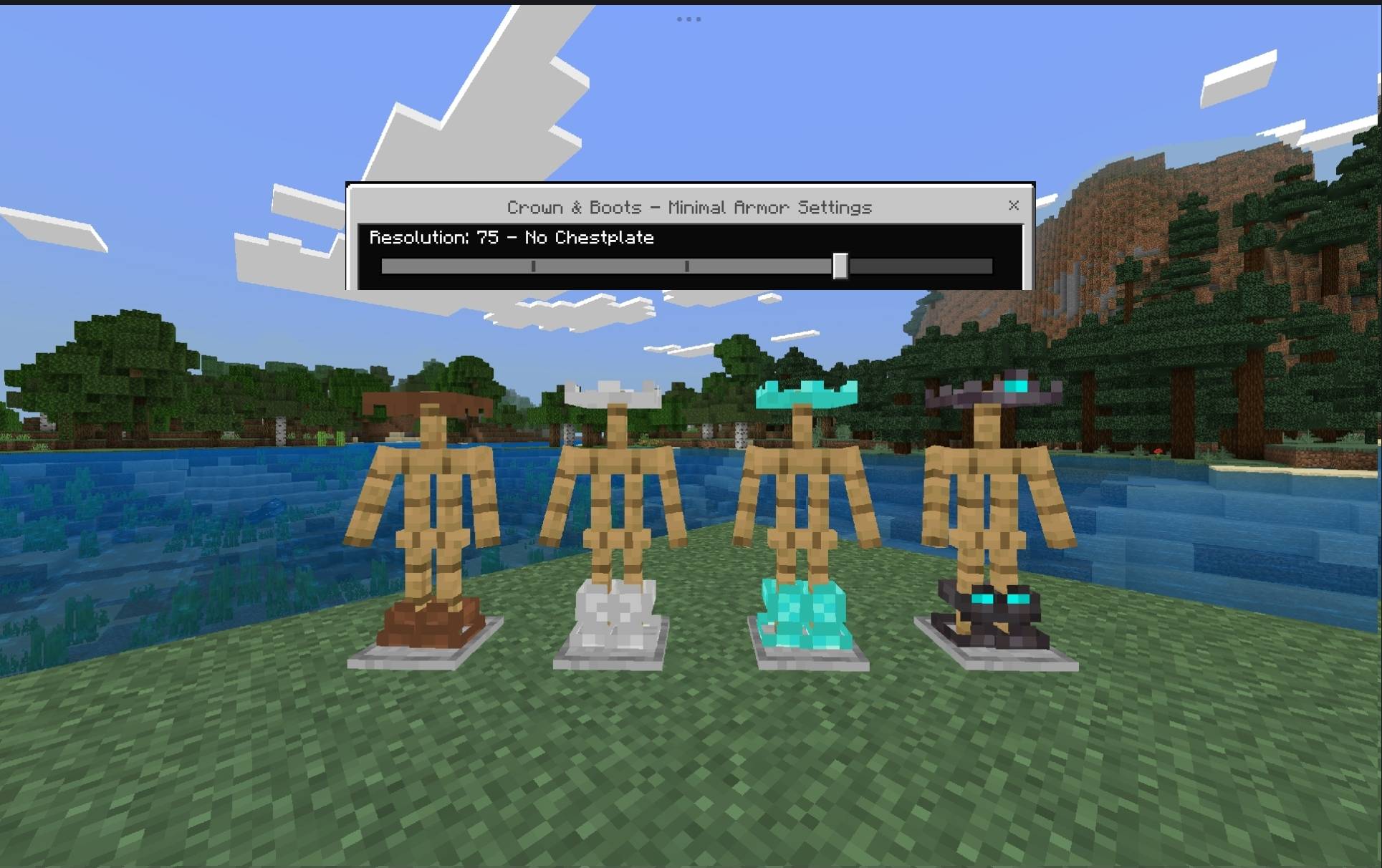
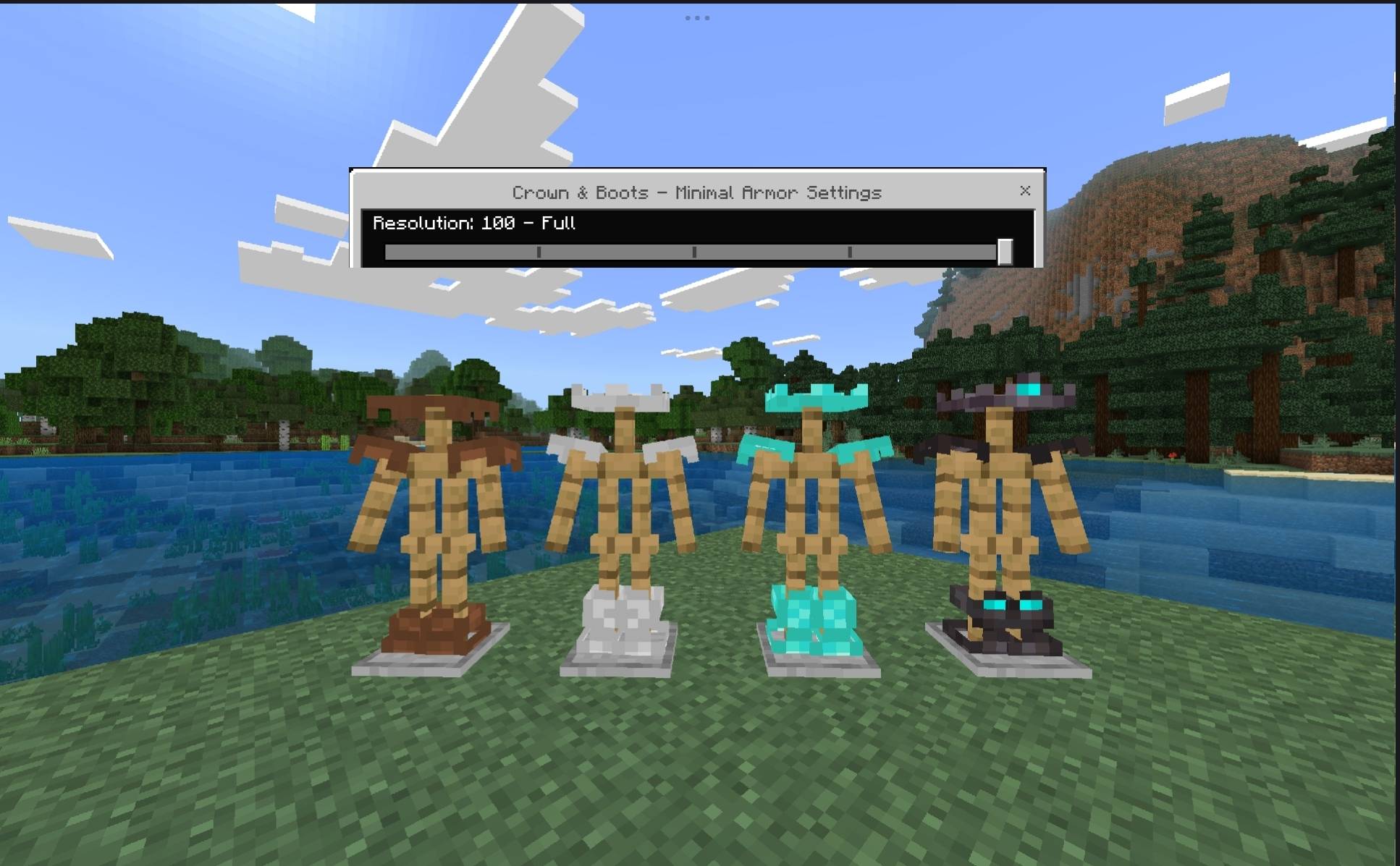
- Minimal Boots — boots get a small, clean accent design instead of the full chunky boot model.
- Hidden Chestplate & Leggings — the chestplate and leggings are hidden by default, keeping your skin clean and visible.
- Zero Gameplay Impact — this is a resource pack only. Armor points, enchantments, durability, and protection all work exactly as in vanilla Minecraft. Only the look changes.
- 5 Adjustable Visibility Levels — pick exactly which pieces show, using Minecraft's built-in pack settings slider (no extra app or mod needed).
- Works for every armor material: Leather, Chainmail, Gold, Iron, Diamond, Netherite, Turtle Shell. (Copper is currently unsupported — see Known Limitations below.)
Visibility Levels
The pack ships with 5 levels, controlled by a single slider. Each level builds on the last, hiding one more piece as you go down:
| Level | Helmet | Chestplate | Leggings | Boots |
|---|---|---|---|---|
| 100 — Full | Crown | Minimal accent | Minimal accent | Styled |
| 75 — No Chestplate | Crown | Hidden | Minimal accent | Styled |
| 50 — Helmet + Boots | Crown | Hidden | Hidden | Styled |
| 25 — Helmet Only | Crown | Hidden | Hidden | Hidden |
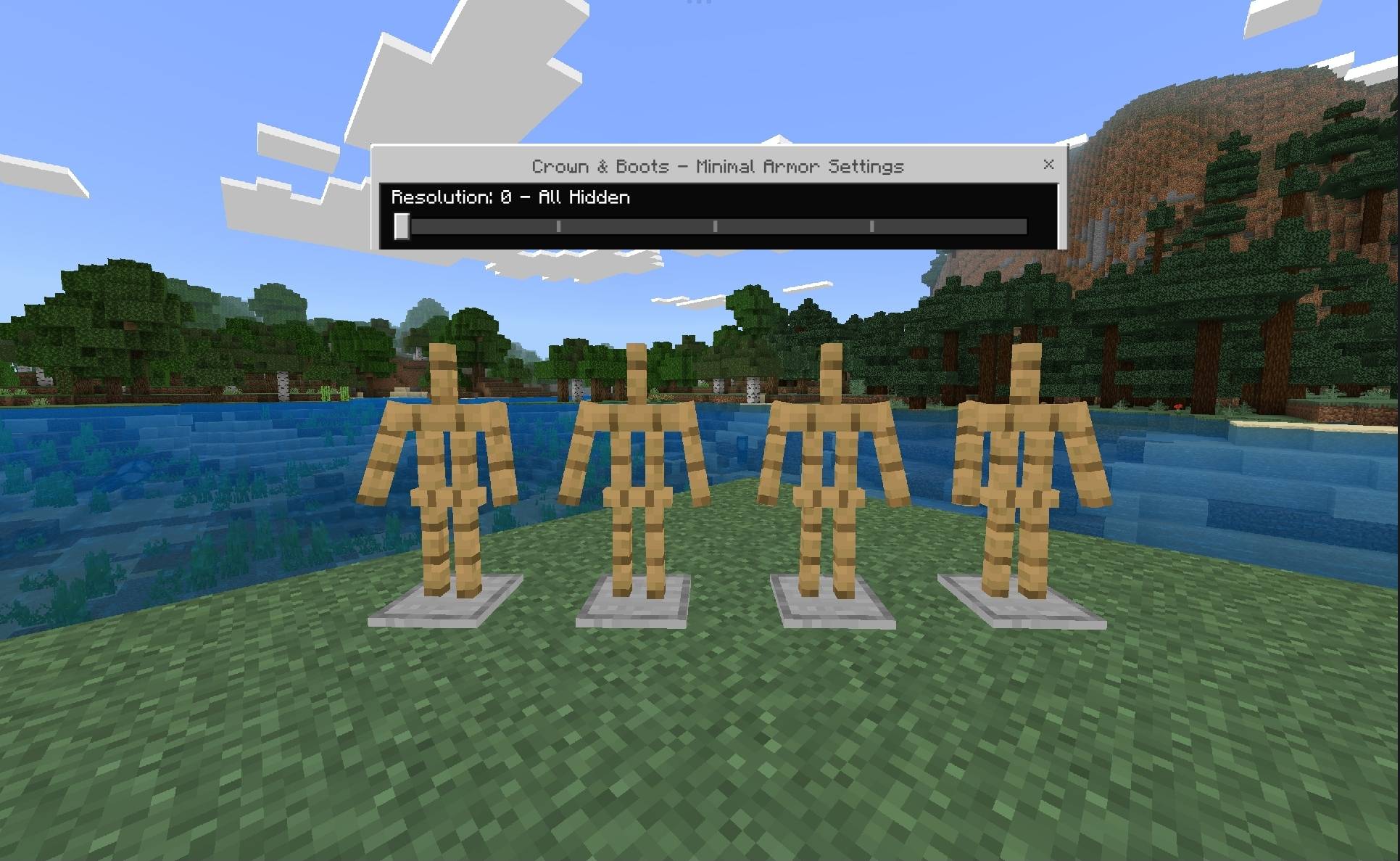
| 0 — All Hidden | Hidden | Hidden | Hidden | Hidden |
How to switch levels in-game
- Go to Settings → Global Resources (or your world's resource pack list).
- Find Crown & Boots - Minimal Armor in your Active packs.
- Tap the gear icon next to the pack name.
- Drag the slider to your preferred level (0 / 25 / 50 / 75 / 100).
The pack also shows an info panel (tap the pack for details) summarizing what each level does — handy if you forget which is which.
Installation
- Download the
.mcpackfile. - Open it directly — Minecraft will import it automatically into your Resource Packs.
- If it doesn't auto-open, go to Settings → Storage → Resource Packs → Import, or drag the file into:
games/com.mojang/resource_packs/(ordevelopment_resource_packs/for testing).
- If it doesn't auto-open, go to Settings → Storage → Resource Packs → Import, or drag the file into:
- Activate the pack from Global Resources, or attach it to your world from World Settings → Resource Packs.
- (Optional) Set your preferred visibility level using the gear icon, as described above.
Compatibility
- Platform: Minecraft Bedrock Edition (Windows, Android, iOS, consoles)
- Minimum Engine Version: 1.26.0
- Type: Resource Pack (cosmetic only — no behavior pack or scripting required)
- Safe to use on Realms and servers that allow custom resource packs (clients will be prompted to download it).
Known Limitations
- Copper Armor is not yet supported with the crown/boots design and will always remain fully hidden at every level, since no source design exists for it yet.
- The in-pack "Pack Settings" screen (accessible via pack info) includes a slider/label for reference only — it explains the system but does not itself switch textures. The actual switch happens through the gear-icon slider described above, which is Minecraft's native mechanism for swapping bundled texture sets.
Download if your have ane probleam: click here
The Crown Team