Economy Coin Reward System
- By
A complete Minecraft Bedrock economy system with coins, tokens, bank, shop, auctions, jobs, quests, rewards, transfers, taxes and admin tools.
Economy-Coin-Reward-System-CurseForge.png
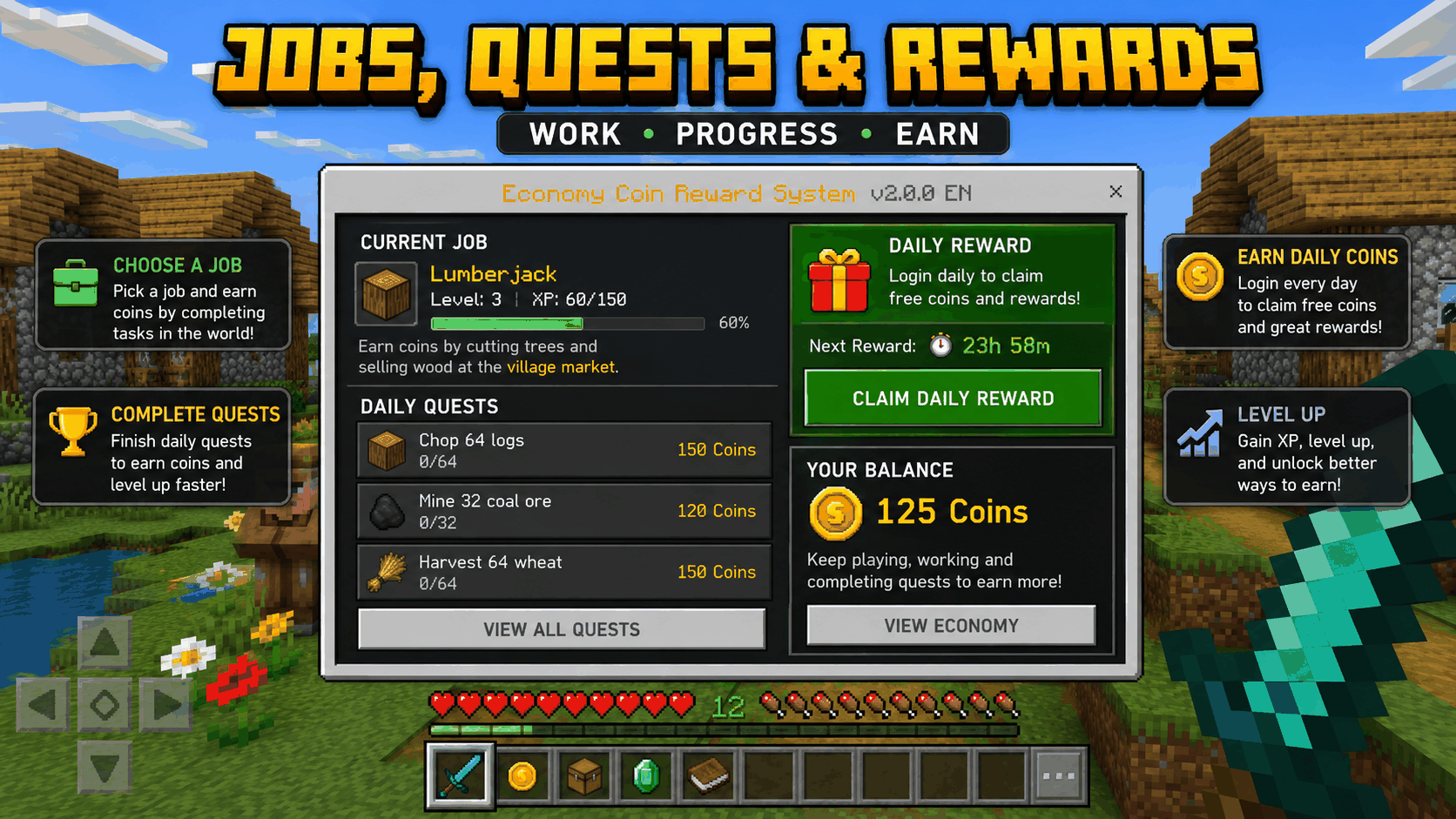
Economy Coin Reward System A complete economy system for Minecraft Bedrock featuring wallets, banks, shops, jobs, auctions, rewards and extensive administration tools.
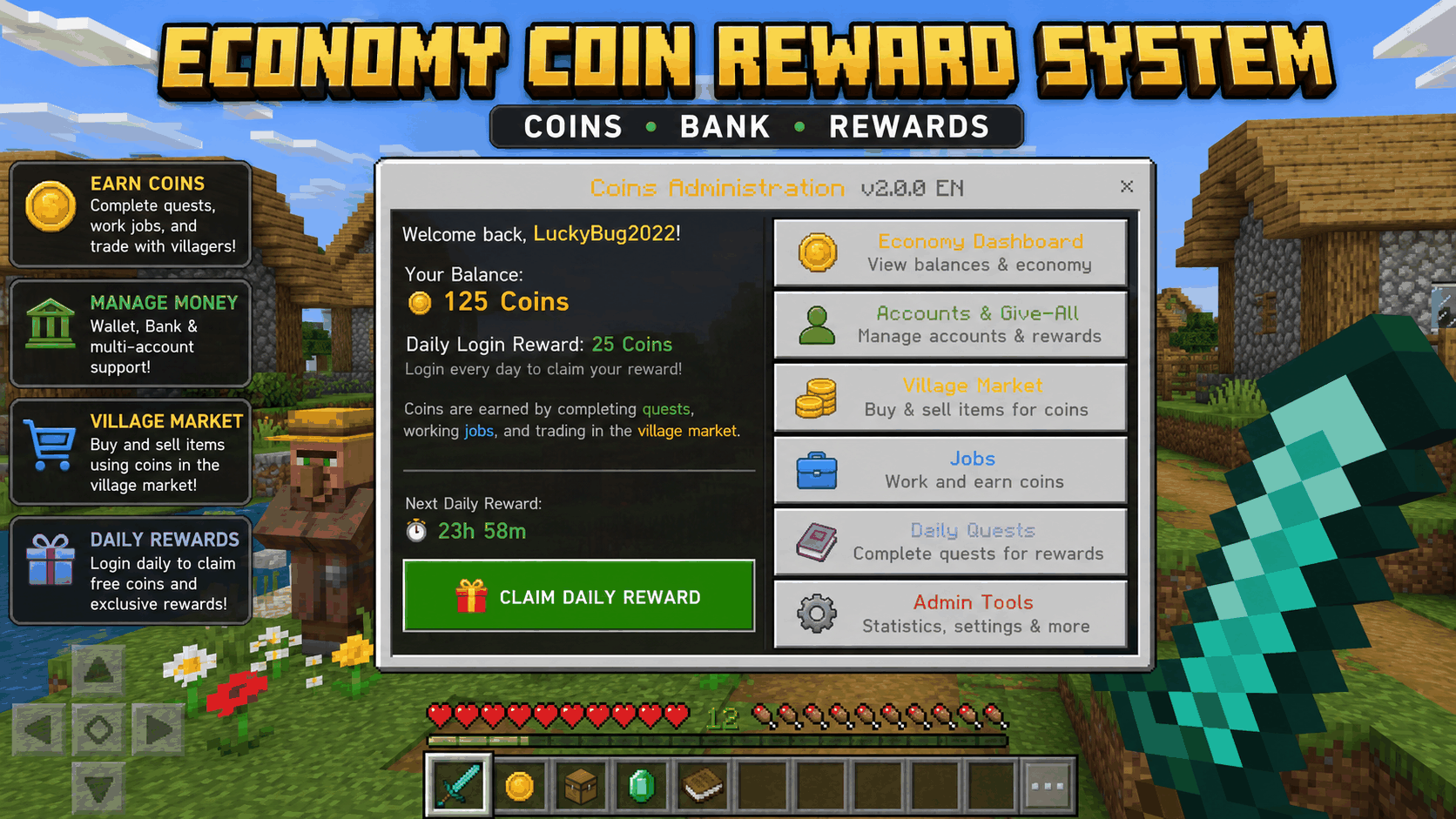
01-Economy-Coin-Reward-System-Overview.png
02-Village-Market-Server-Shop.png
03-Admin-Dashboard-Statistics.png
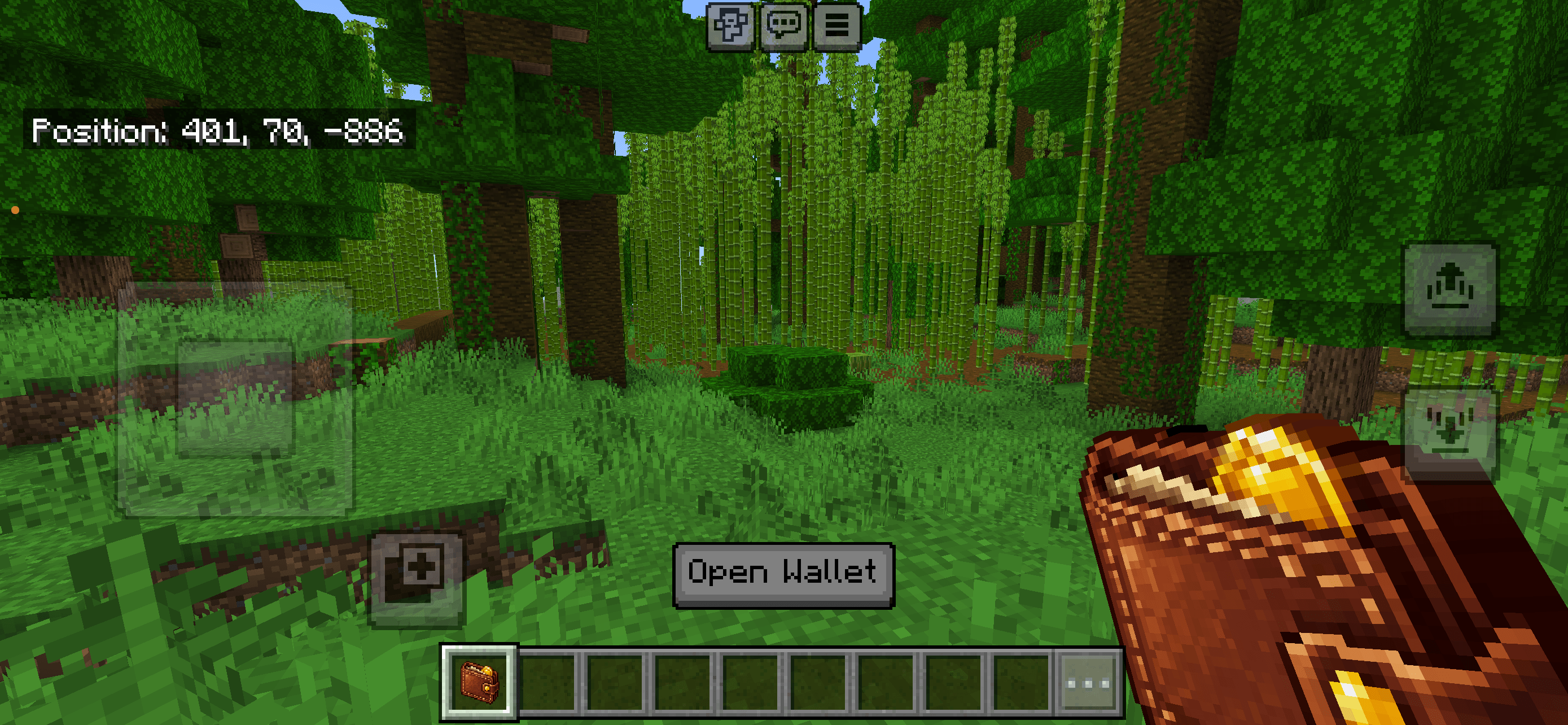
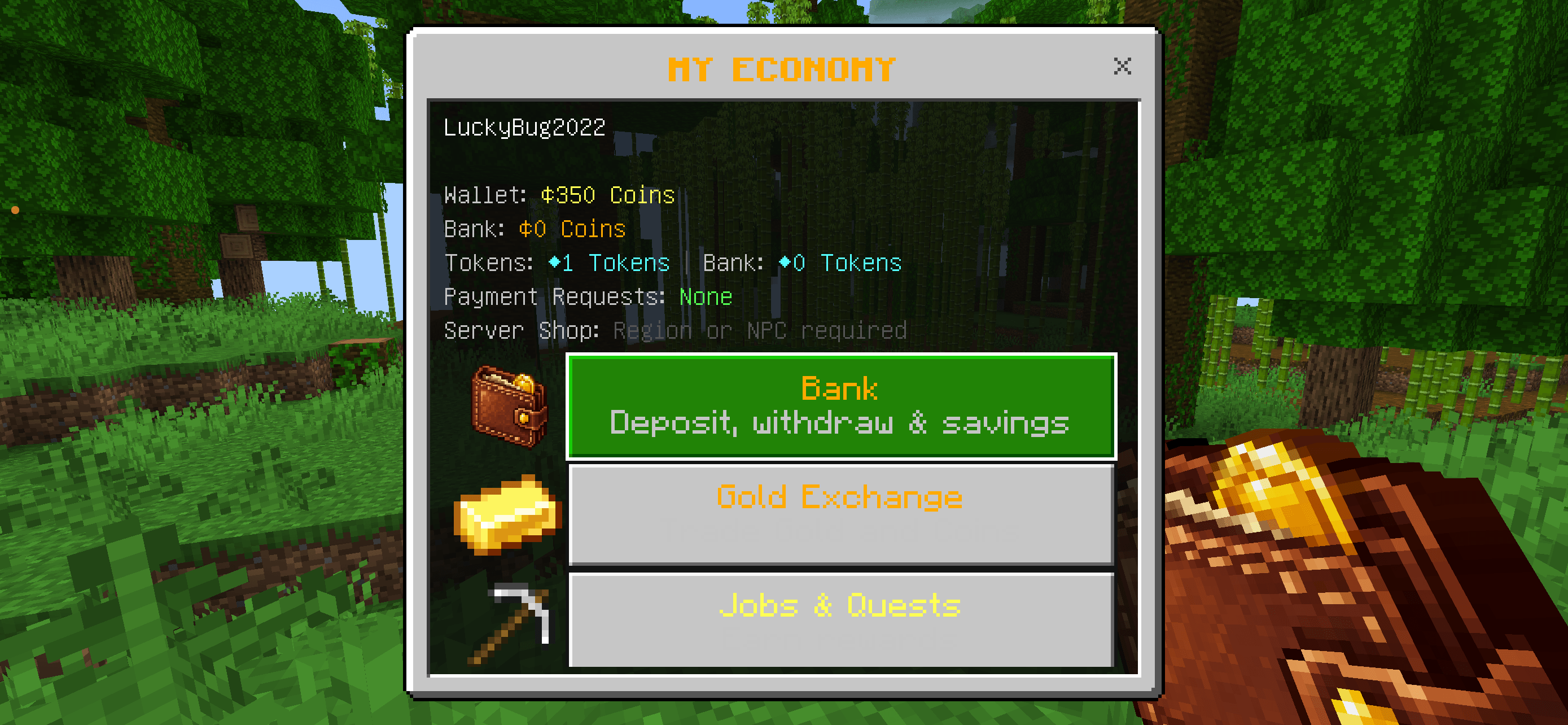
Instant Wallet Access Every player automatically receives a Wallet item. Use it to open the complete economy menu without entering commands.
Description
Economy Coin Reward System
Economy Coin Reward System is a complete economy and reward addon for Minecraft Bedrock Edition.
It adds player balances, banking, shops, auctions, jobs, quests, rewards, taxes, tokens, statistics and powerful admin controls to your world or Bedrock Dedicated Server.
The system is designed for both small multiplayer worlds and larger survival servers.
/function coins/admin
Opens the Economy Admin Menu.
NEW UPDATE
Wallet Item – No Commands Required
Every player now automatically receives a personal Wallet item in their inventory.
Simply use the Wallet to instantly open the complete Economy Coin Reward System menu.
- Automatically added to every player’s inventory
- Opens the complete player economy menu
- No commands required
- Fast and user-friendly access
- Available after joining the world or server
Main Features :
- Player Coin balances
- Secondary Token currency
- Bank accounts
- Coin deposits and withdrawals
- Configurable bank interest
- Player-to-player transfers
- Offline player transfers
- Payment requests
- Player Shops
- Server Shop
- Auction House
- Jobs and progression
- Daily Quests
- Daily Rewards
- Weekly Rewards
- Login Streak bonuses
- Player Bounties
- Promo Codes
- Mob Kill Rewards
- Gold ↔ Coins exchange
- Coins ↔ Tokens exchange
- Dynamic shop prices
- Taxes and server Treasury
- Player economy statistics
- Richest Player Leaderboard
- NPC Shops
- Region Shops
- Economy backups
- Admin Economy Dashboard
- Multiplayer and Dedicated Server support
Coins & Tokens
Every player has their own economy account.
The system supports:
- Wallet Coins
- Bank Coins
- Tokens
Admins can customize the currency names and symbols.
Coins can be earned through rewards, jobs, quests, mob kills, selling items and other economy activities.
Tokens can be used as a secondary premium or special-event currency.
Bank System
Players can store Coins in their personal bank account.
Bank features include:
- Deposit Coins
- Withdraw Coins
- Separate Wallet and Bank balances
- Configurable bank interest
- Admin balance management
This allows servers to separate normal spending money from saved funds.
Player Transfers
Players can send Coins directly to other players.
Features include:
- Online transfers
- Offline transfers
- Configurable transfer limits
- Optional transfer tax
- Transaction history
Players can also send Payment Requests that the receiving player can accept or decline.
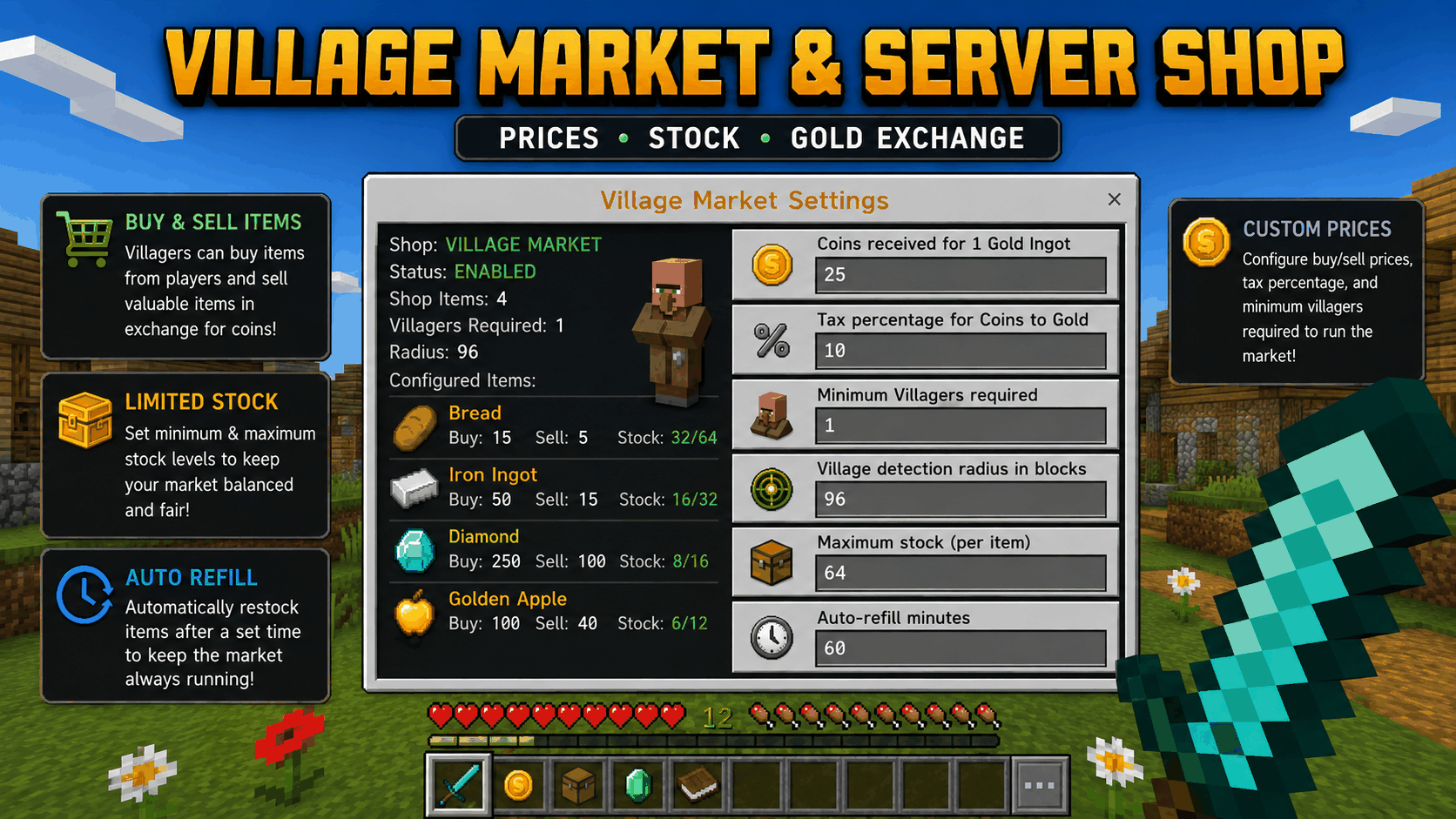
Server Shop
The integrated Server Shop allows players to buy and sell items using Coins.
Features include:
- Buy prices
- Sell prices
- Shop categories
- Limited or unlimited stock
- Automatic stock refill
- Large multi-stack purchases
- Dynamic prices
- Purchase limits
- Sell limits
Large purchases are automatically split into valid Minecraft inventory stacks.
Player Shops
Players can create their own shop offers.
Players can:
- Choose an item
- Choose an amount
- Set a price
- List items for other players
- Buy from other player shops
This allows a real player-driven economy without requiring manual item trading.
Auction House
Players can list items in the Auction House.
Auction features include:
- Starting price
- Bidding
- Buyout price
- Auction expiration
- Automatic winner handling
- Item delivery
- Auction taxes
Items and Coins are handled automatically when the auction ends.
Jobs
Players can choose economy jobs and earn Coins through normal gameplay.
Available jobs include:
- Miner
- Farmer
- Hunter
- Fisher
Jobs include progression with:
- Job XP
- Job levels
- Rewards
Daily Quests
Players can complete daily tasks for additional rewards.
Quests can include objectives related to normal survival gameplay.
Completing quests rewards players with Coins and helps provide additional progression beyond normal Minecraft gameplay.
Rewards
The addon includes multiple reward systems:
- Daily Rewards
- Weekly Rewards
- Login Streak Rewards
- Mob Kill Rewards
- Job Rewards
- Quest Rewards
- Promo Codes
Admins can configure reward values through the economy settings.
Mob Rewards & Anti-Farm Protection
Players can earn Coins for killing mobs.
The system includes anti-farm protection to reduce excessive Coin generation from automated farms.
Admins can configure:
- Mob rewards
- Reward cooldowns
- Reduced rewards after repeated kills
- Disabled rewards for selected mobs
Player Bounties
Players or admins can place Coin rewards on other players.
When the target is defeated, the bounty can be paid to the successful player.
This can be used for PvP servers, survival communities or special events.
Dynamic Economy
The Server Shop can automatically adjust prices based on activity.
High demand can increase prices, while increased supply can reduce them.
This helps prevent the economy from remaining completely static.
Taxes & Treasury
Server owners can configure economy taxes for:
- Player transfers
- Shop transactions
- Auctions
Collected taxes are stored in the server Treasury.
Taxes can also be disabled completely.
Leaderboard
Players can view the richest players on the server.
The leaderboard uses player economy balances to rank accounts.
This gives servers an optional competitive economy element.
Player Statistics
Economy Coin Reward System tracks player economy activity such as:
- Coins earned
- Coins spent
- Transfers
- Shop activity
- Rewards
- Economy progression
Admins can use these statistics to understand how the server economy is being used.
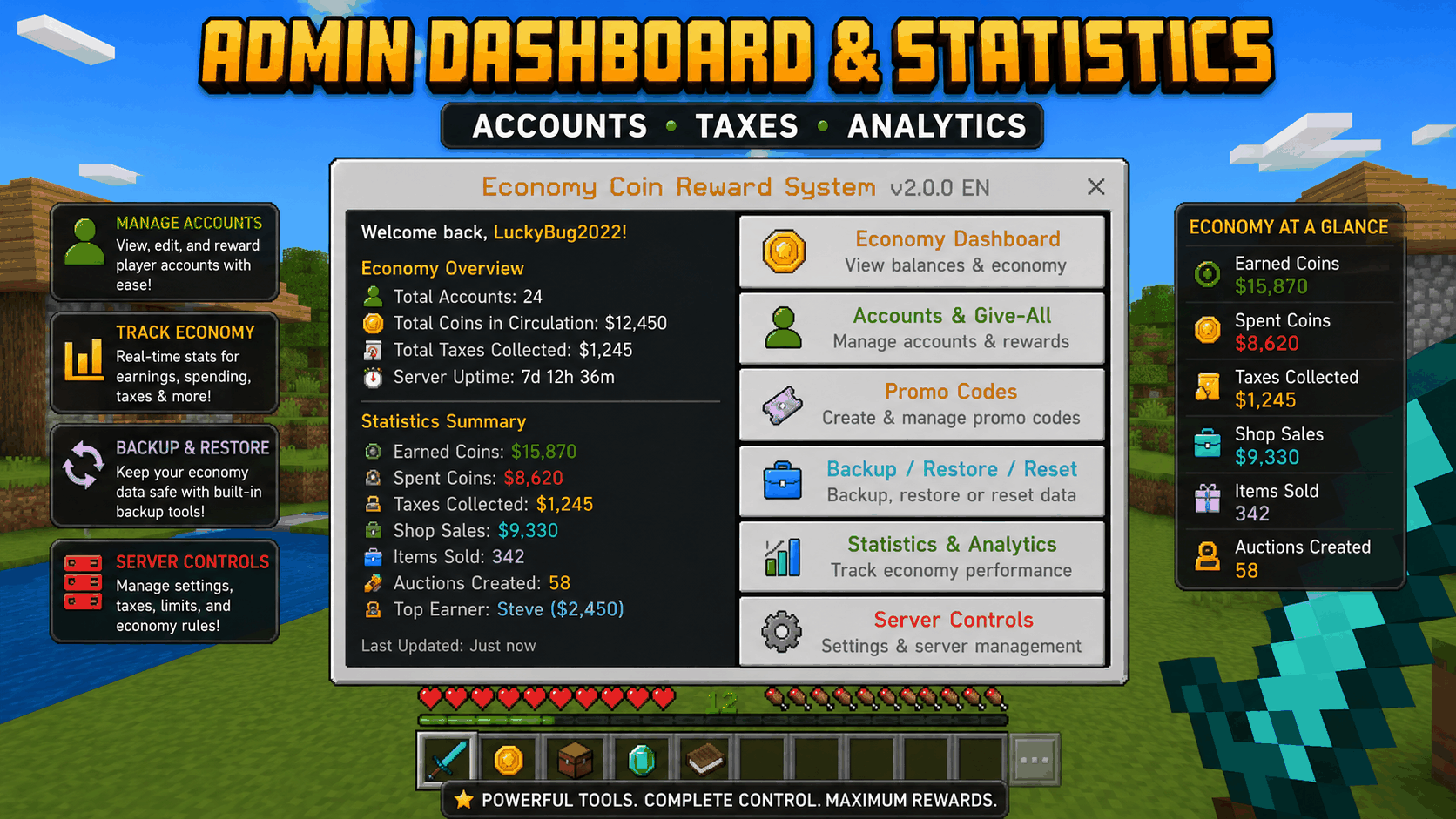
Admin Dashboard
The Admin Menu provides central control over the economy.
Admins can manage:
- Player accounts
- Wallet balances
- Bank balances
- Token balances
- Server Shop
- Mob Rewards
- Jobs
- Rewards
- Taxes
- Economy limits
- Treasury
- Promo Codes
- Player statistics
- Transactions
- Economy backups
- Economy reset
Admins can also give Coins or Tokens to all online players.
NPC & Region Shops
Different shops can be connected to specific NPCs or world locations.
This allows servers to create different trading areas such as:
- Farming Shop
- Mining Shop
- Weapons Shop
- Rare Item Shop
- Village Market
- Special Event Shop
Region Shops can use a configurable radius around a location.
Backup & Restore
Admins can create backups of important economy data.
Available tools include:
- Create Economy Backup
- Restore Economy Backup
- Full Economy Reset
A backup can be created before resetting the economy.
Gold Exchange
Players can exchange Minecraft Gold for Coins.
The exchange system can be used as an additional way to connect the economy with normal Minecraft survival resources.
Coin & Token Exchange
Coins and Tokens can also be exchanged through the economy system.
This allows servers to use Tokens for special shops, rewards or events while keeping Coins as the normal currency.
Player Feedback
Optional feedback features include:
- Economy sounds
- Balance messages
- Action Bar balance display
These options can be enabled or disabled depending on the server setup.
Commands
Player Economy Menu
/function coins/menu
Opens the main Economy Coin Reward System menu.
Players can access their balance, bank, transfers, shops, auctions, jobs, rewards and other economy features from here.
Server Shop
/function coins/shop
Opens the Server Shop directly.
Admin Menu
/function coins/admin
Opens the Economy Admin Menu.
This menu is intended for server administrators/operators.
Installation
- Download the
.mcaddonfile. - Open it with Minecraft.
- Import the addon.
- Activate the Behavior Pack in your world.
- Make sure cheats are enabled if you want to use the admin commands.
- Start the world.
- Open the player menu with:
/function coins/menu
Admins can open the configuration menu with:
/function coins/admin
Compatibility
- Minecraft Bedrock Edition
- Singleplayer
- Multiplayer
- Realms-compatible environments where scripting is supported
- Bedrock Dedicated Server
The addon uses a minimum supported Bedrock version rather than a fixed maximum version, helping avoid unnecessary compatibility warnings when newer Bedrock versions are released.
Updating from v1.9.x
Existing Coin balances and Server Shop data from the previous v1.9.x releases are designed to remain available after updating to v2.0.0.
New economy systems use additional saved data without intentionally resetting existing player balances.
Support Future Development ❤️
Do you enjoy this addon? You can support my work through Buy Me a Coffee.
Every donation helps me dedicate more time to creating new addons, improving existing projects, fixing issues and responding to community suggestions more quickly.
Support is completely optional. Feedback, ideas and feature requests are always welcome and help make future updates even better.
Click here for Buy Me a Coffee
Thank you for supporting Lightscribe and the development of more Minecraft Bedrock content! 🙏
Economy Coin Reward System Team