Cyberwares | Cybernetic Implants
- By
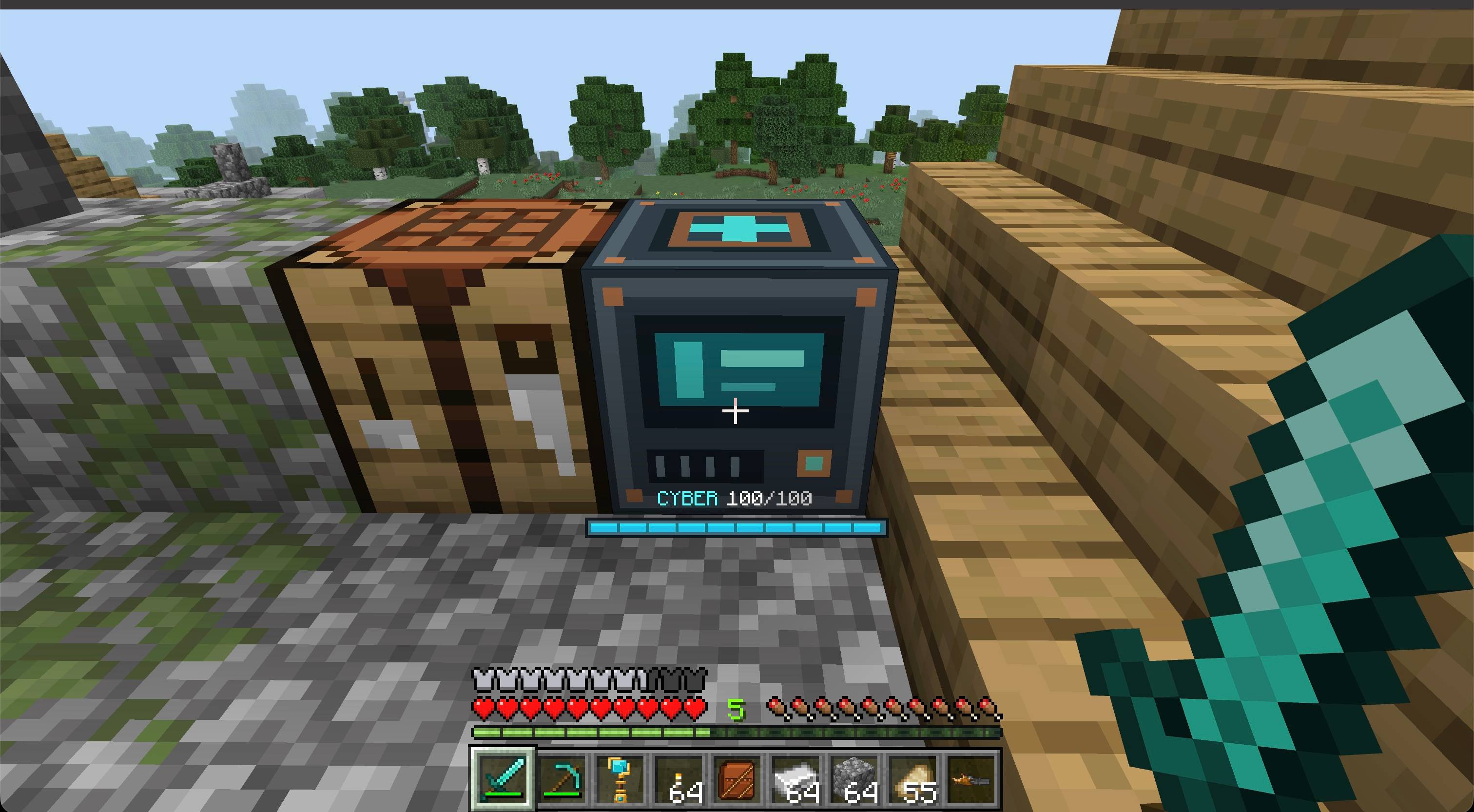
Craft five cybernetic implants, install them at a Cyberware Station, and power new abilities with a rechargeable energy bar.
Screen 1.jpg
Screen 2.jpg
Screen 3.jpg
Screen 4.jpg
Description
About
Cyberwares adds five cybernetic implants to Minecraft Bedrock, powered by a shared rechargeable battery.
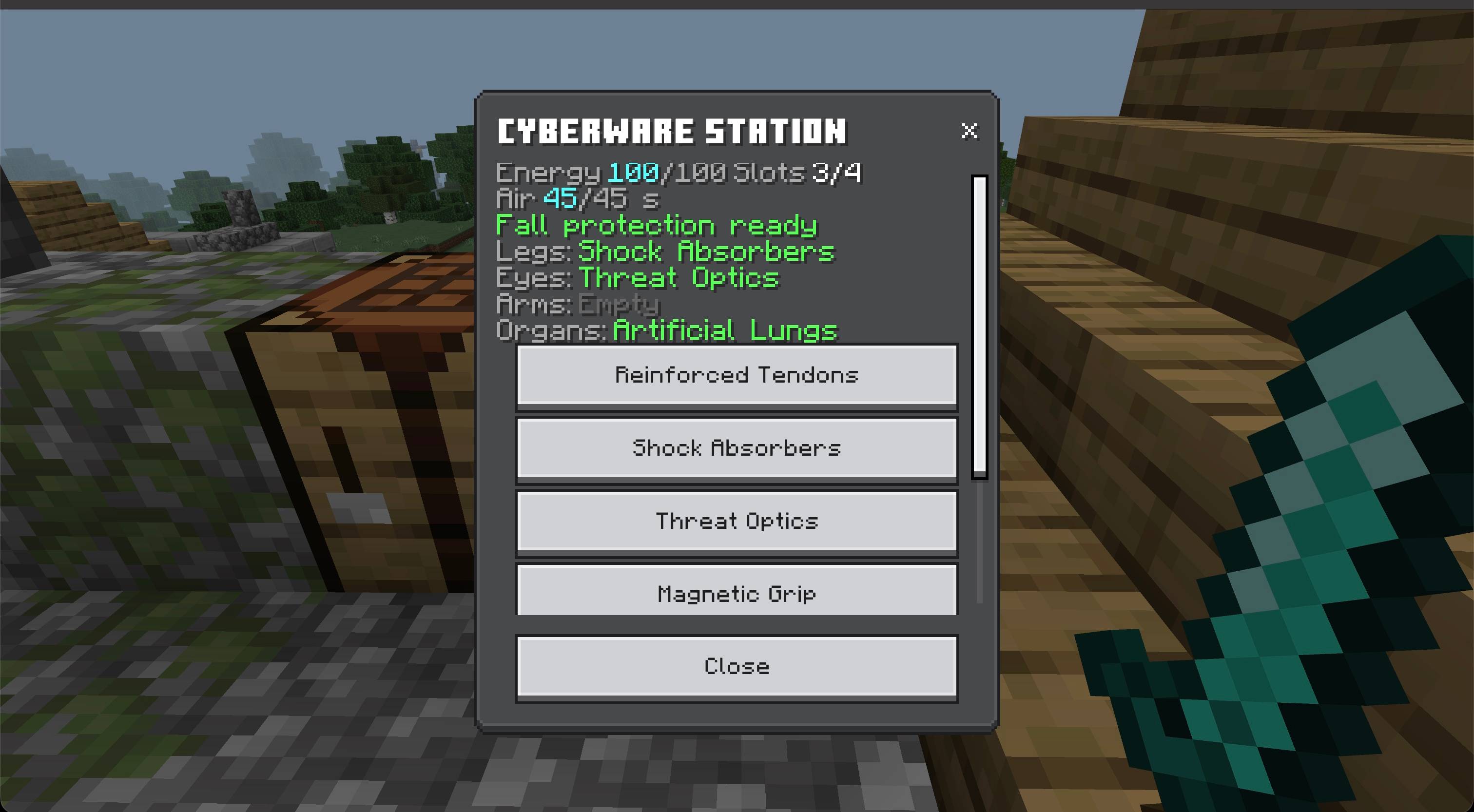
Build a Cyberware Station to craft, install and remove implants. Choose upgrades for your legs, eyes, arms and organs without replacing your armor.
Features
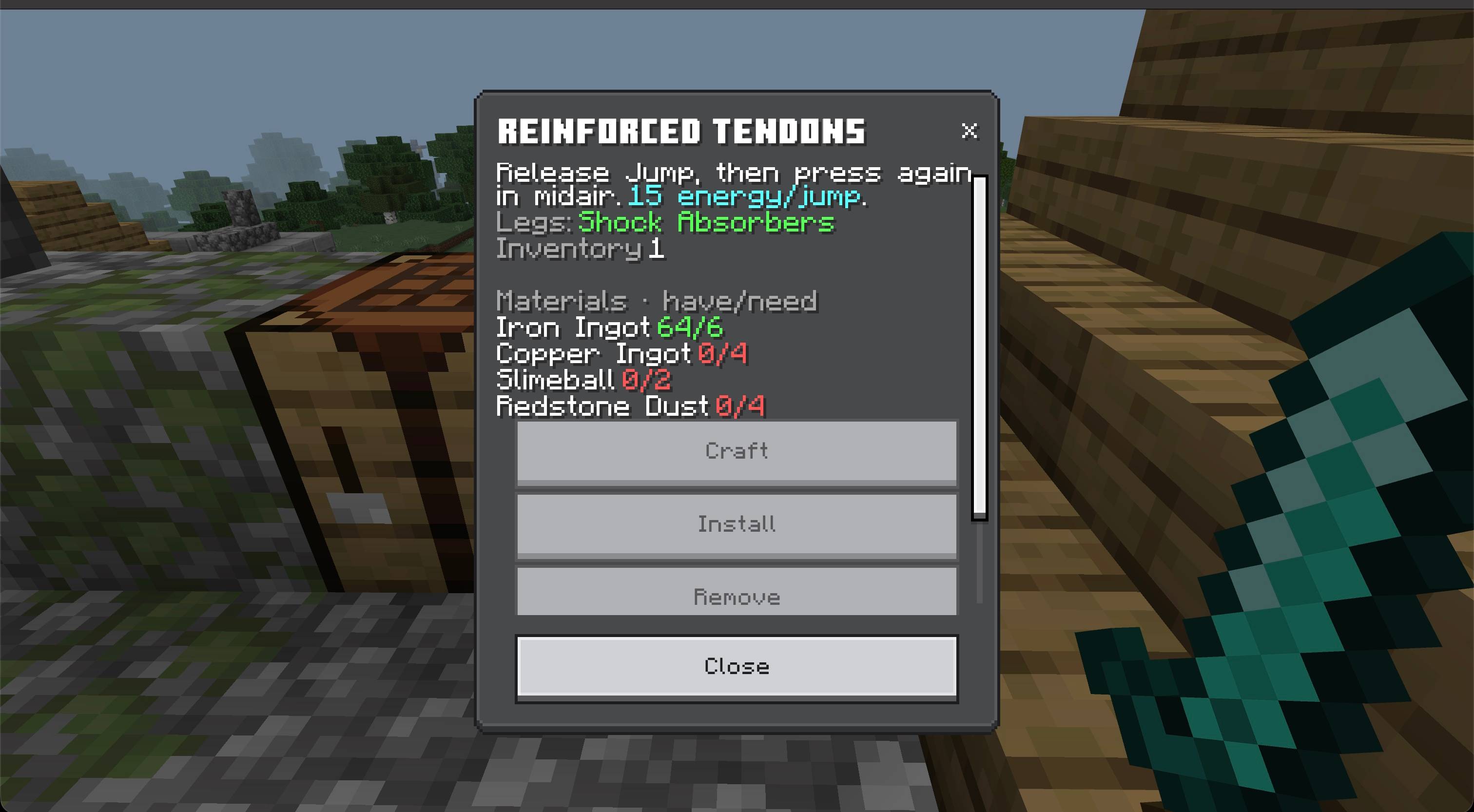
- Reinforced Tendons: one extra midair jump. Release Jump after takeoff, then press it again. Costs 15 energy.
- Shock Absorbers: cancels fall damage when at least 25 energy is available, including otherwise lethal falls.
- Threat Optics: personal colored markers and a nearby mob summary within 16 blocks. Red means hostile species, yellow means neutral, green means peaceful, and grey means unknown.
- Magnetic Grip: pulls visible dropped items from up to 5 blocks away when your inventory has room.
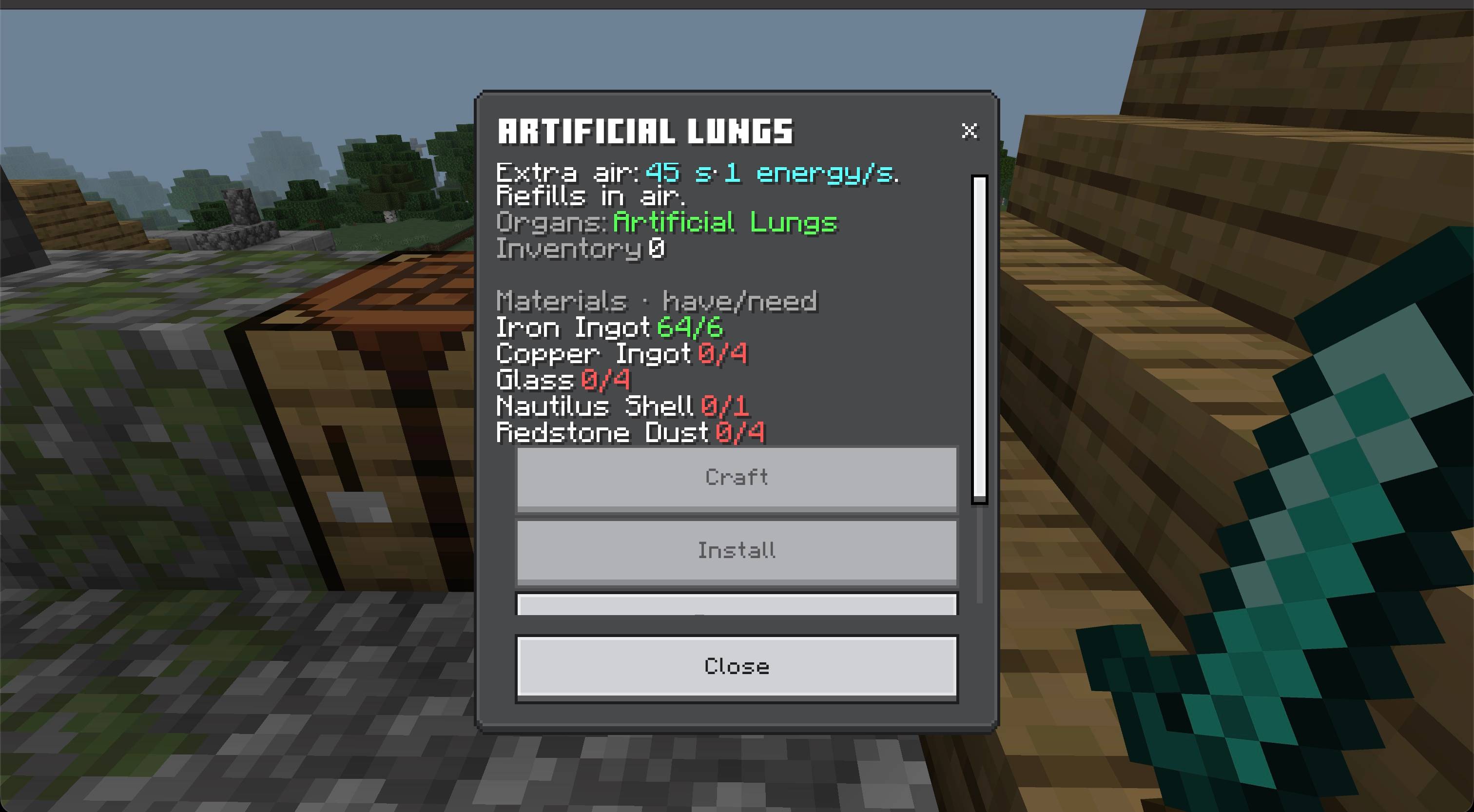
- Artificial Lungs: up to 45 seconds of extra underwater breathing, powered by energy and a refillable air reserve.
- A compact cyan energy bar, with red low-charge warning and relevant implant indicators.
- Live station menus in English and Russian, plus free crafting in Creative.
How to use
- Craft and place a Cyberware Station.
- Interact with it to view your energy and installed implants.
- Choose an implant, check its materials, then craft and install it.
- Return to the station to remove or replace implants. Removal returns the implant item for free.
Each body area holds one implant. Reinforced Tendons and Shock Absorbers share the leg slot, so choose one. Installed implants stay installed after death and reconnecting. Loose items follow normal inventory rules.
Your battery holds 100 energy. It regenerates while standing on the ground outside water, and charges faster while using the station. Active jumps and fall protection briefly pause charging. When Shock Absorbers are installed, automatic systems preserve the final 25 energy for a fall. An empty battery does not provide fall protection.
Artificial Lungs refill their air reserve above water. Threat markers require line of sight; the radar summary may include nearby mobs behind walls. Mob colors describe species, not their current aggression.
Crafting
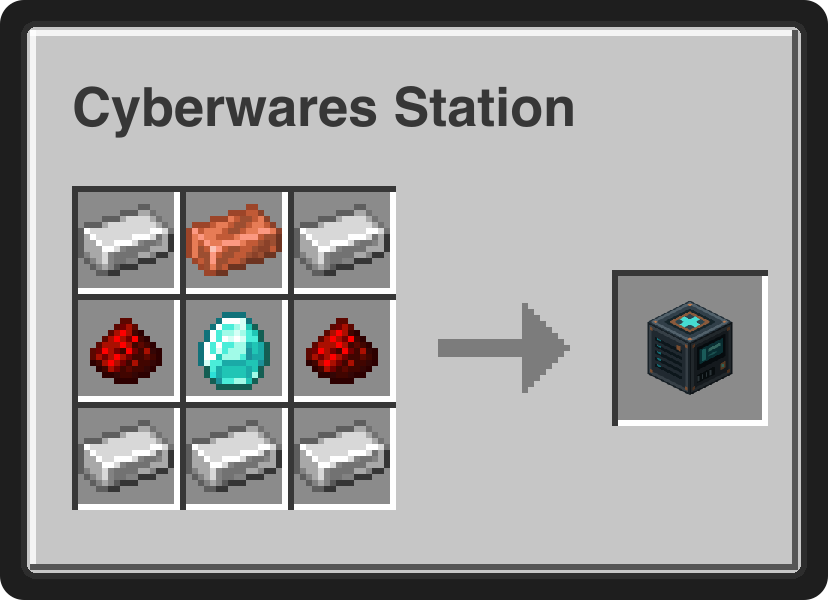
The station uses 5 iron ingots, 1 copper ingot, 2 redstone dust and 1 diamond at a crafting table.
Implant materials
Craft implants through the Cyberware Station menu. These materials make one implant; no crafting-table arrangement is needed.
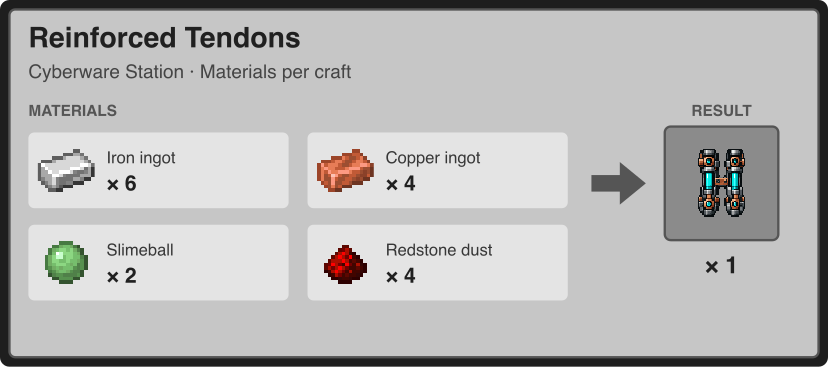
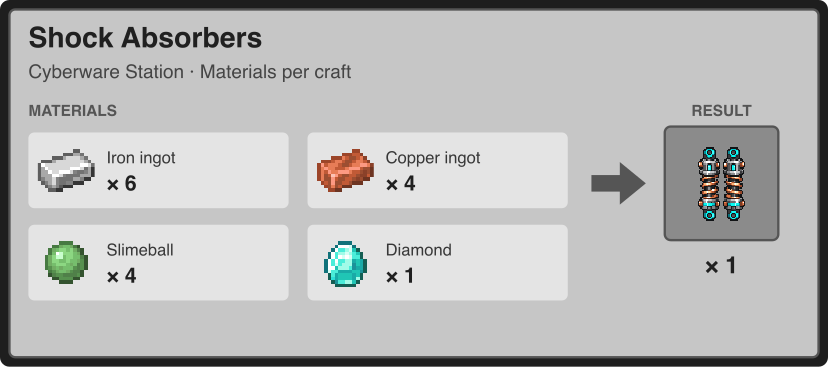
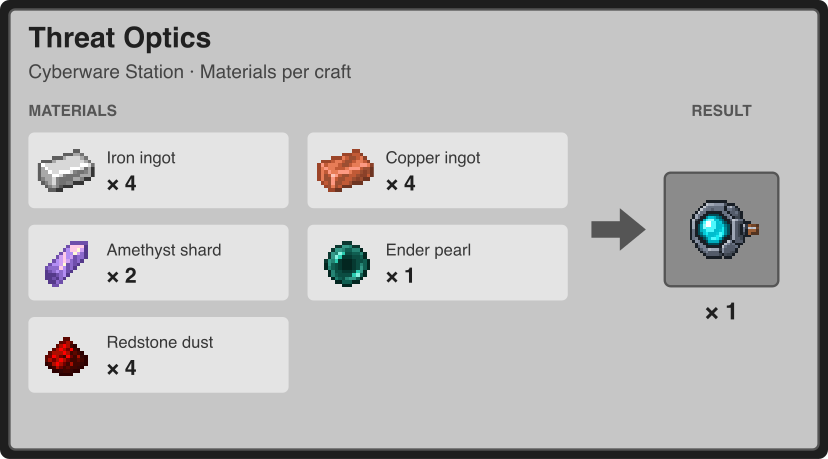
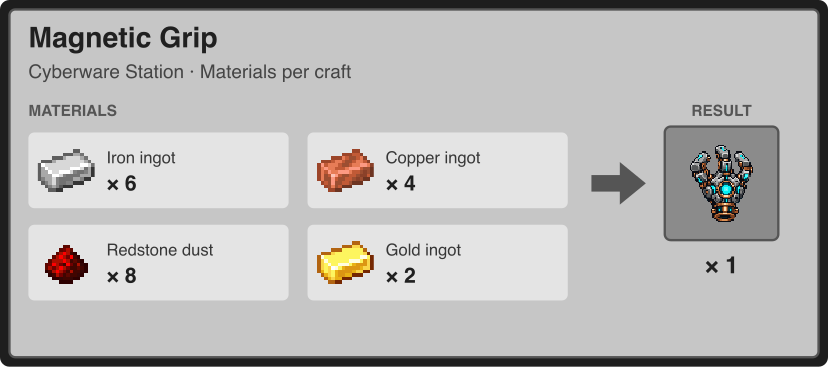
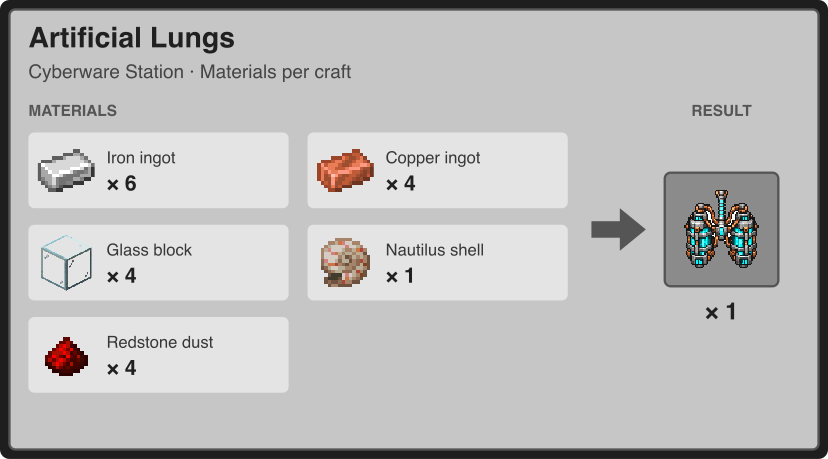
The station shows how many materials you have and what is missing. In Creative, crafting needs no materials. Crafting and removal require an empty inventory slot. Installing an already-crafted implant costs no additional materials, and removal returns the implant item for free.
Compatibility
The Behavior Pack and Resource Pack are both included and must be enabled. No separate add-on is required.
If you also use Cloud in a Bottle, Lucky Horseshoe or Magnet Charm from Terraria Accessories, the corresponding accessory takes precedence to avoid duplicate effects. Other packs that replace the action-bar HUD may affect the energy display depending on pack order.
Requirements
- Minecraft Bedrock Edition 26.50 or newer.
- Both included packs enabled.
- No experimental toggles required.

Cyberwares | Cybernetic Implants Team

Owner