

Colorful Armor Bar

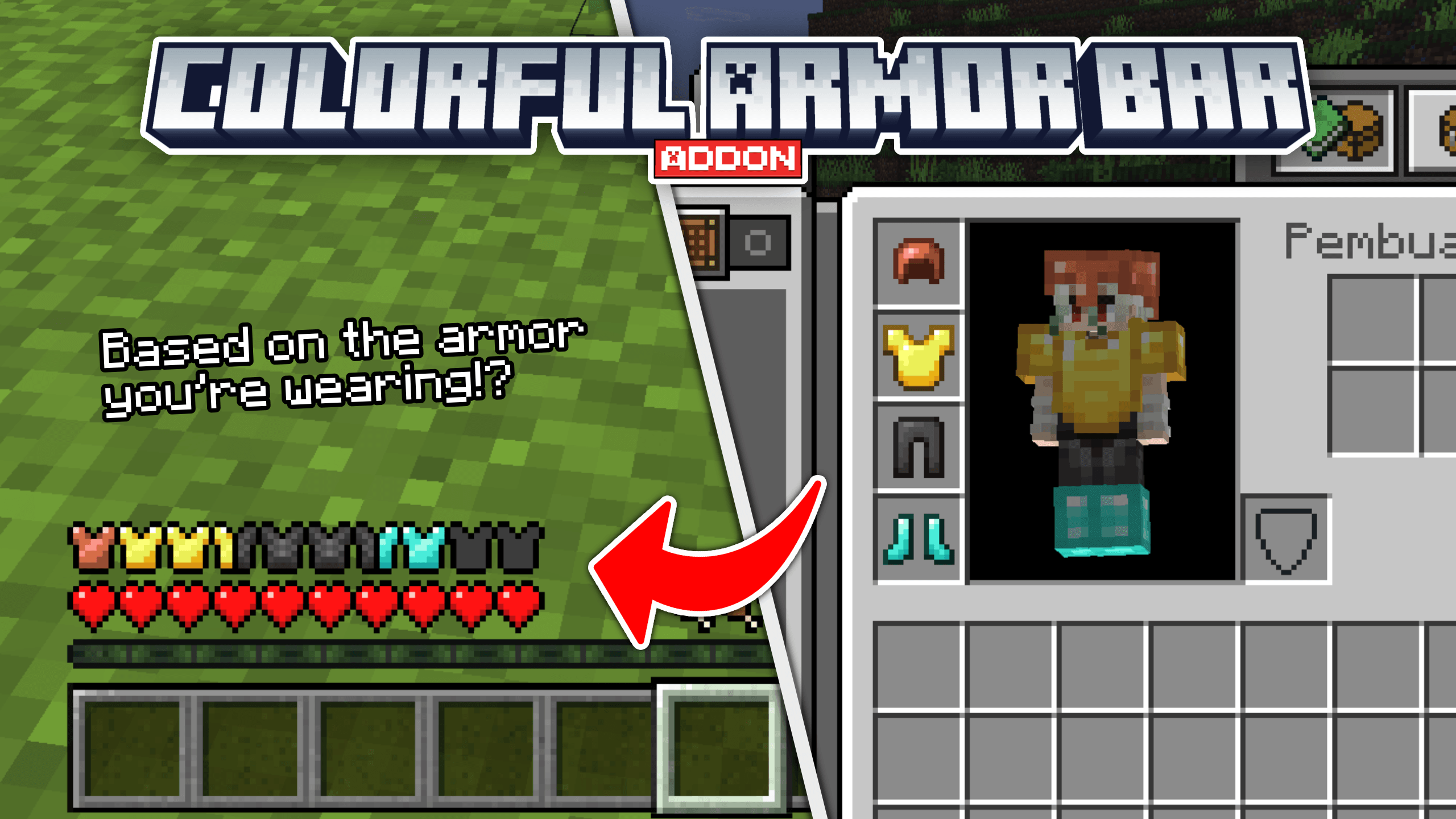
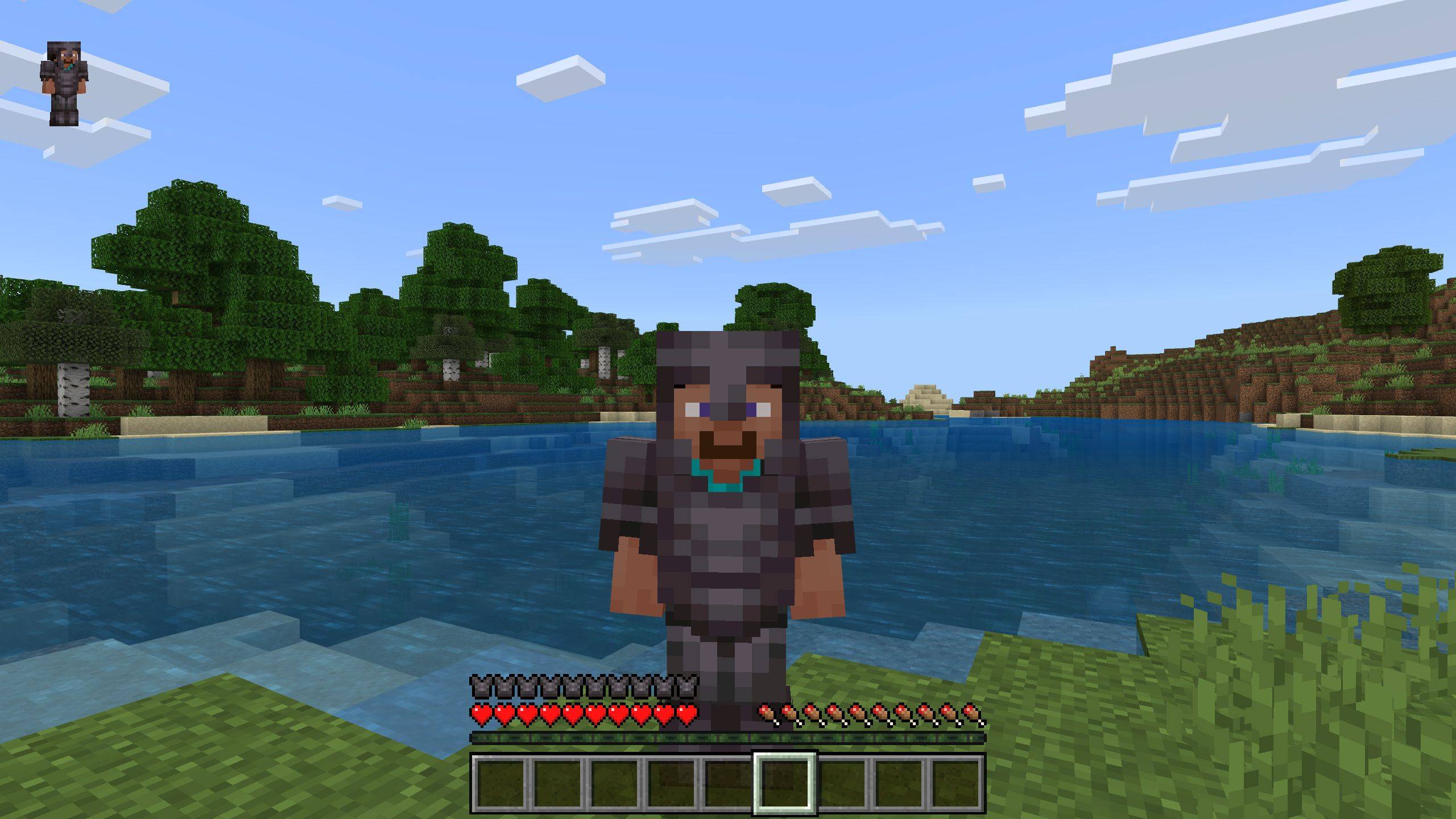
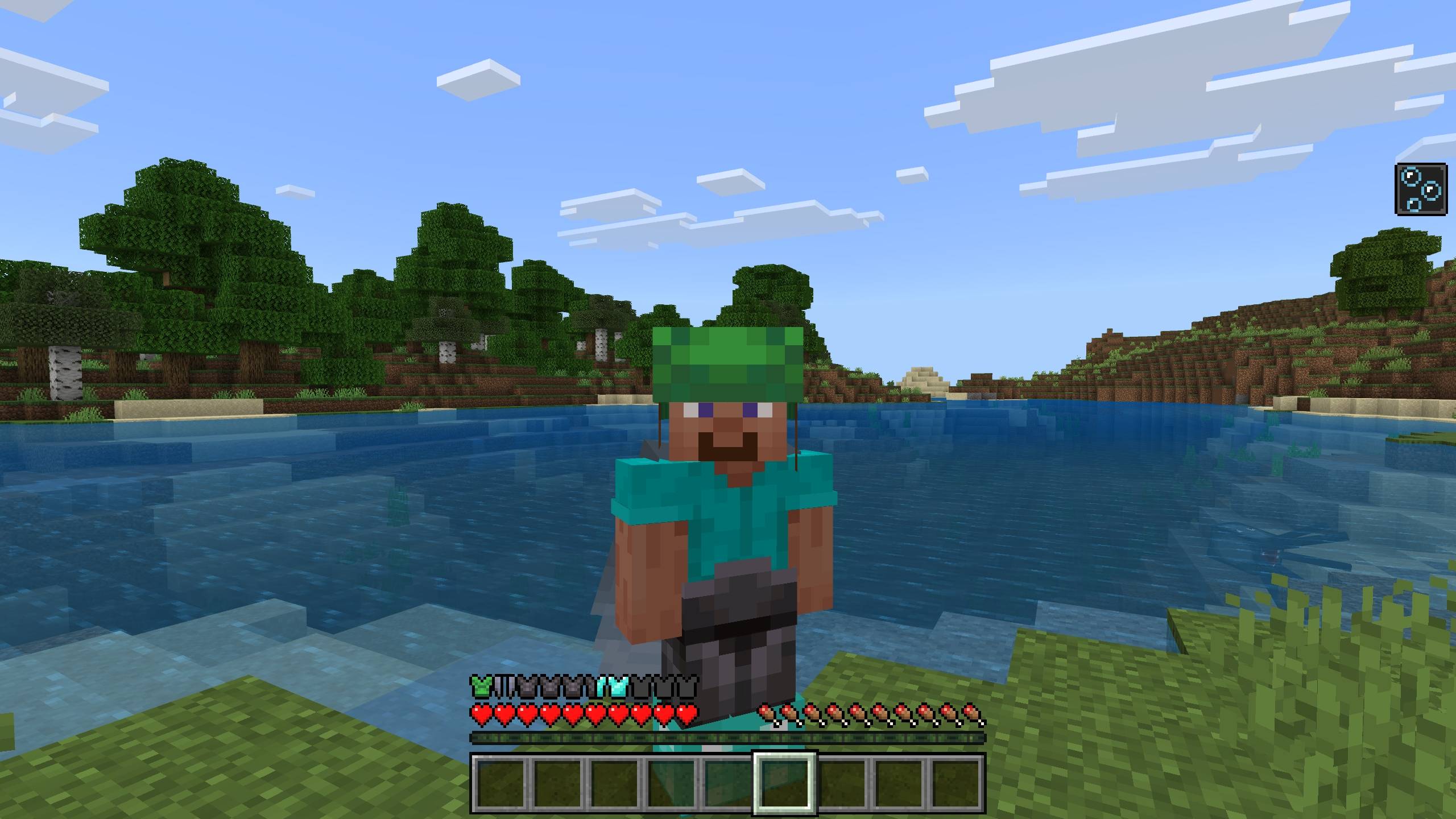
Change the armor bar based on the armor you’re wearing! [Achievement friendly]
cab.png

cab.png

Screenshot 2025-08-17 075008.jpg

Screenshot 2025-08-17 075008.jpg

Screenshot 2025-08-17 075203.jpg

Screenshot 2025-08-17 075203.jpg

Minecraft 17_09_2025 09_04_27.png

Minecraft 17_09_2025 09_04_27.png

Screenshot 2025-08-17 075058.png

Screenshot 2025-08-17 075058.png

Screenshot 2025-08-17 075133.png

Screenshot 2025-08-17 075133.png

Minecraft 17_08_2025 07_56_15.png

Minecraft 17_08_2025 07_56_15.png

Minecraft 17_08_2025 07_56_35.jpg

Minecraft 17_08_2025 07_56_35.jpg

Minecraft 17_08_2025 07_57_39.jpg

Minecraft 17_08_2025 07_57_39.jpg

Description


Hey! Are you looking for a Armor Chroma for Bedrock Edition? Or do you want to use an armor HUD without it taking up your whole screen? Well, this addon is perfect for you!

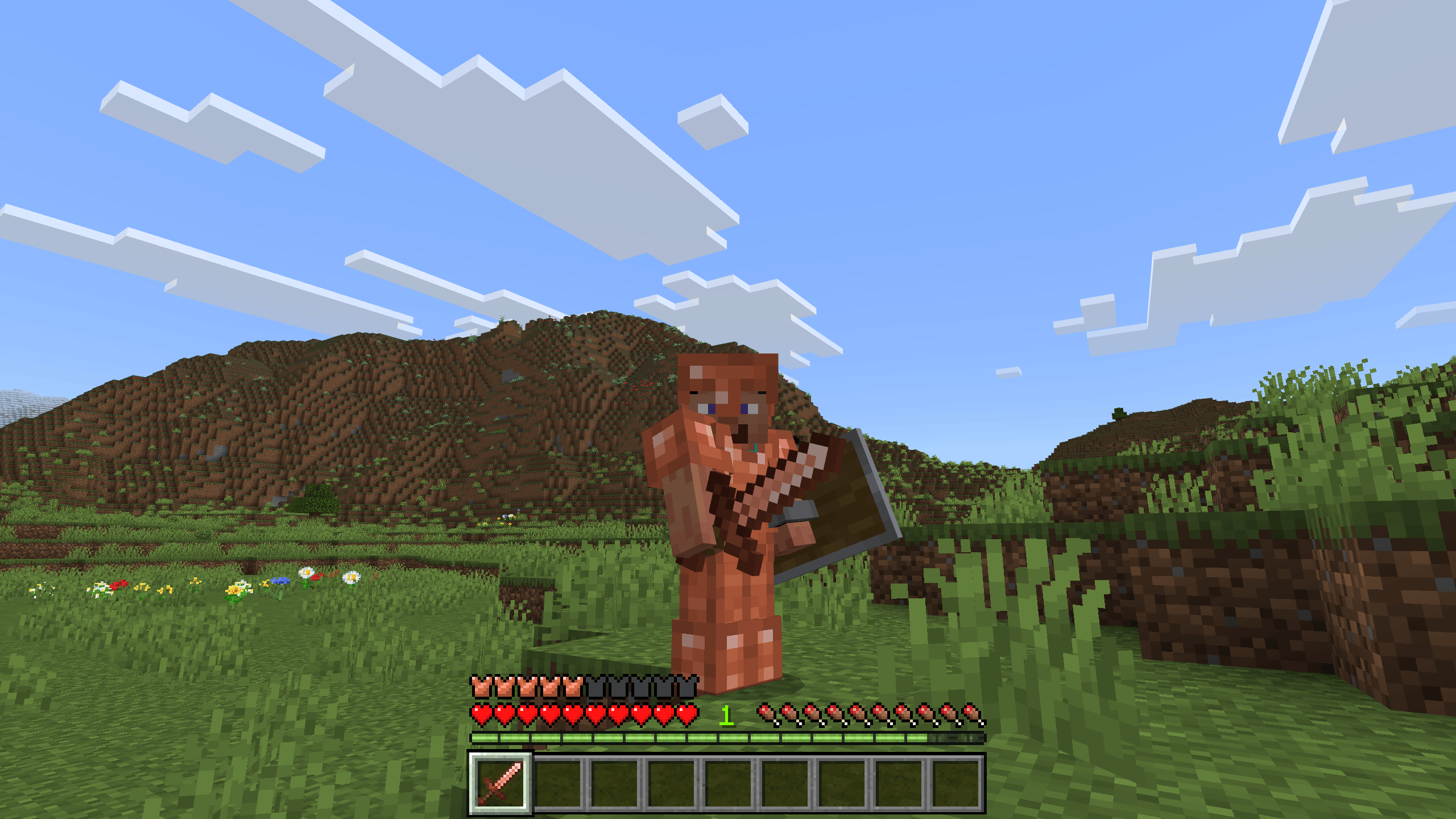
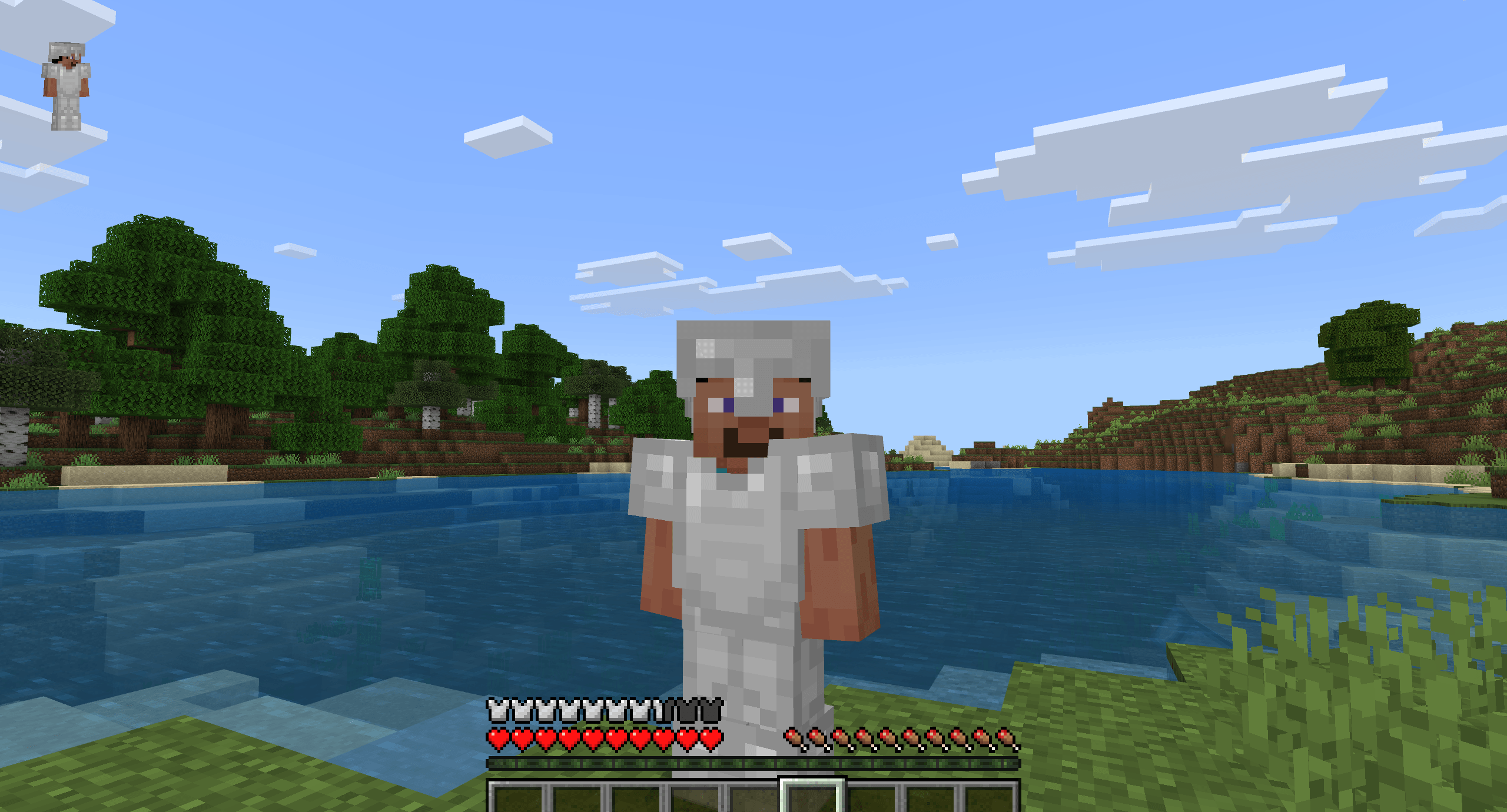
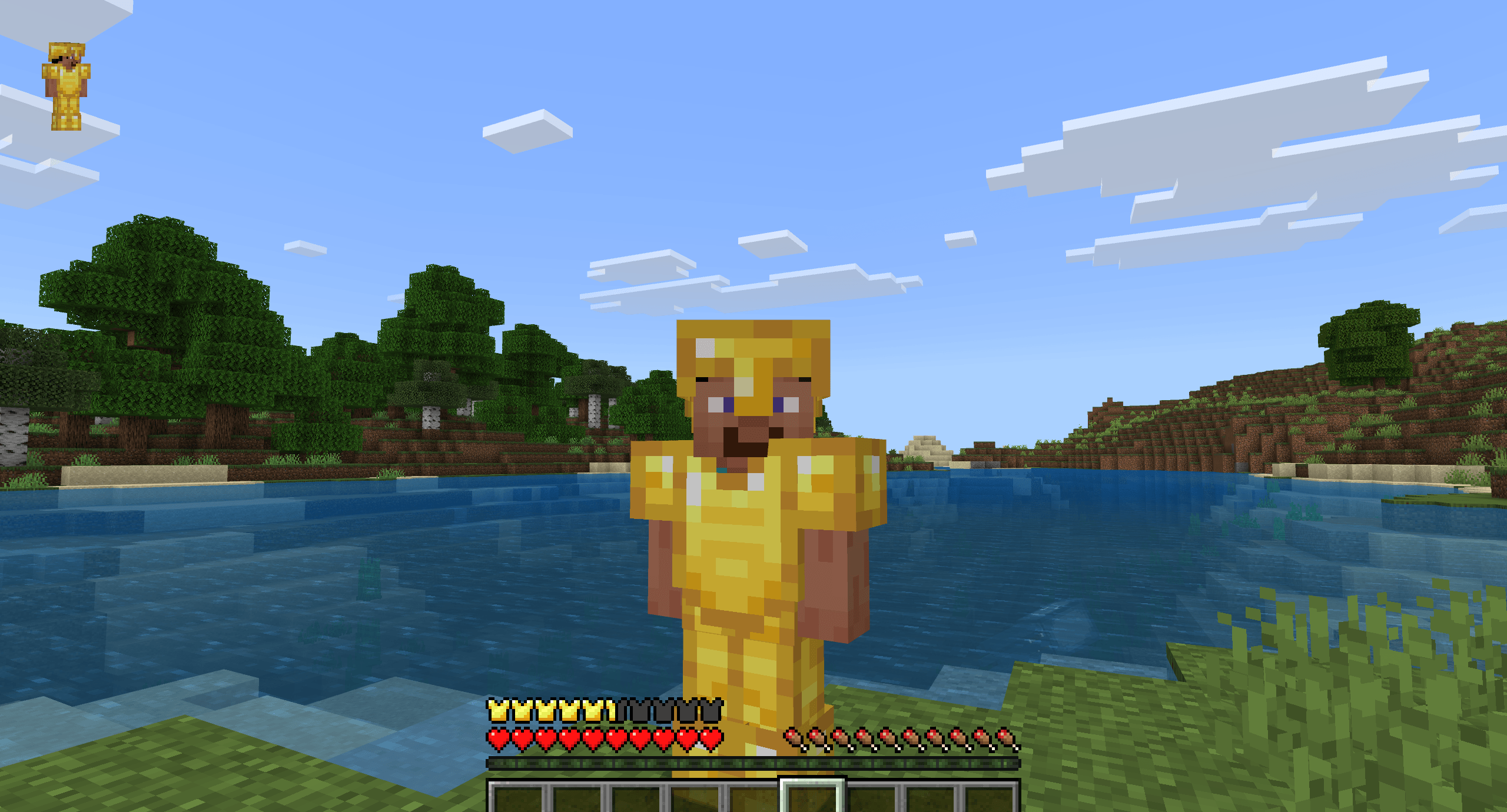
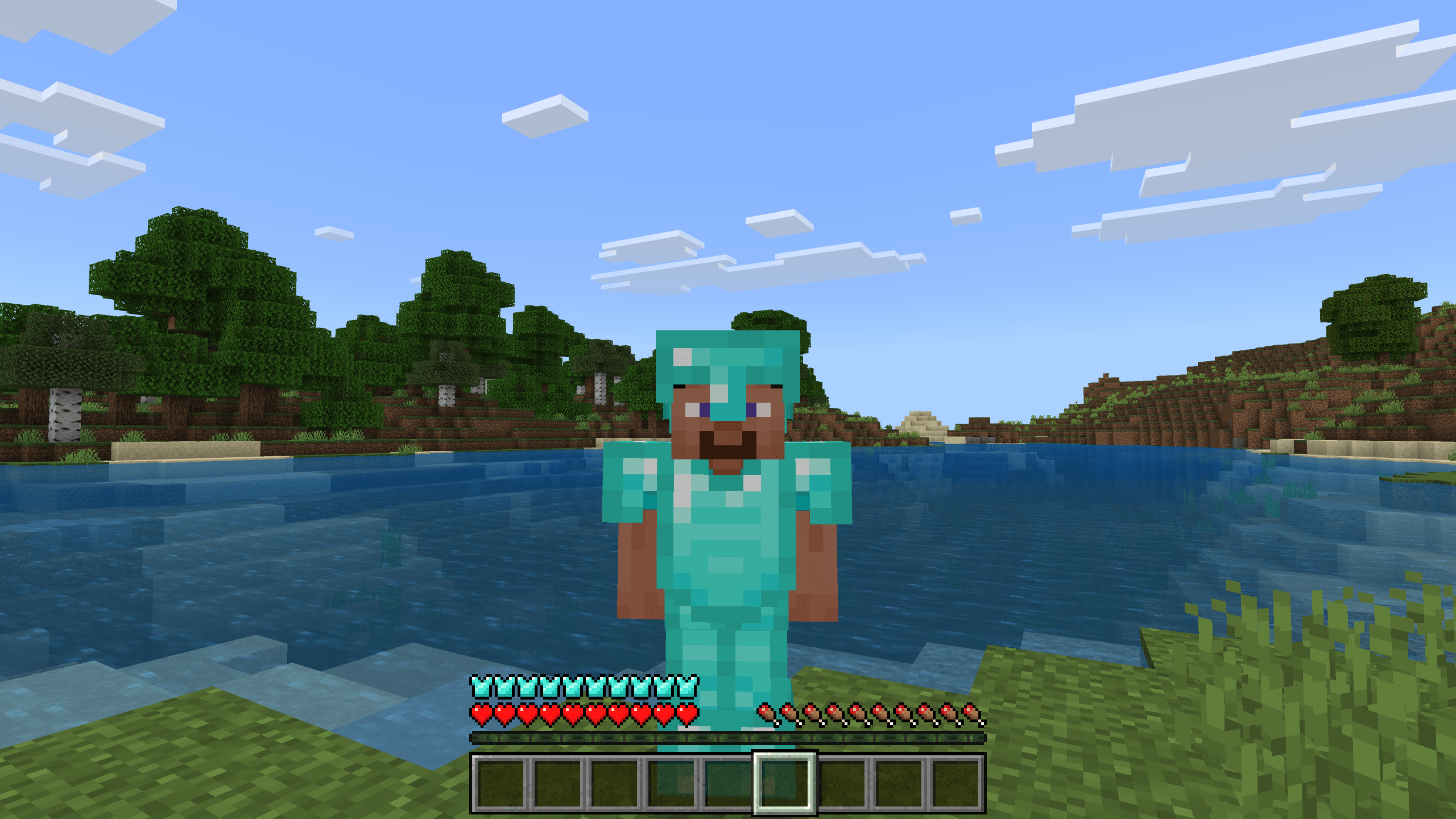
This addon allows you to see the armor you’re wearing directly on the armor bar.

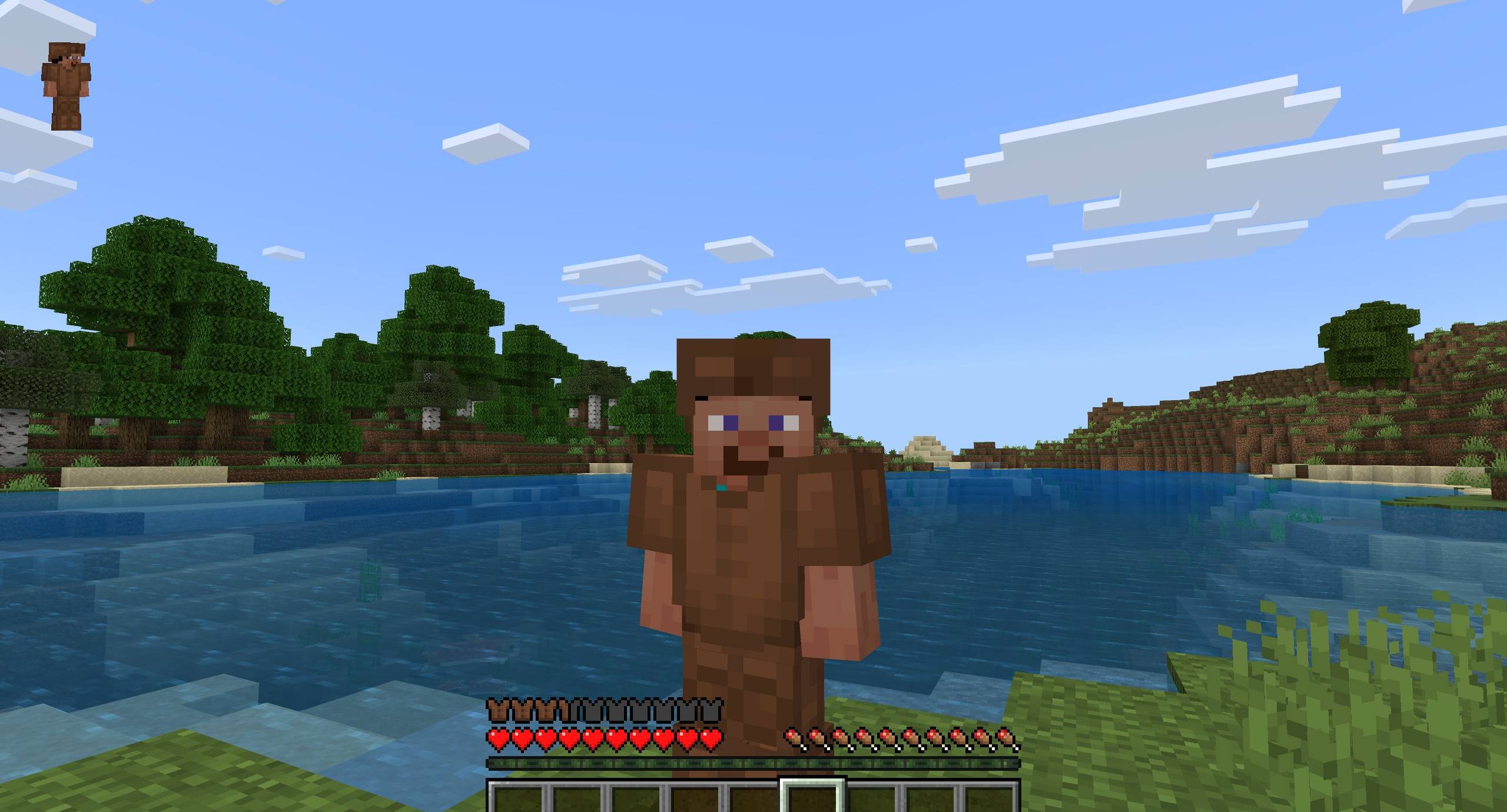
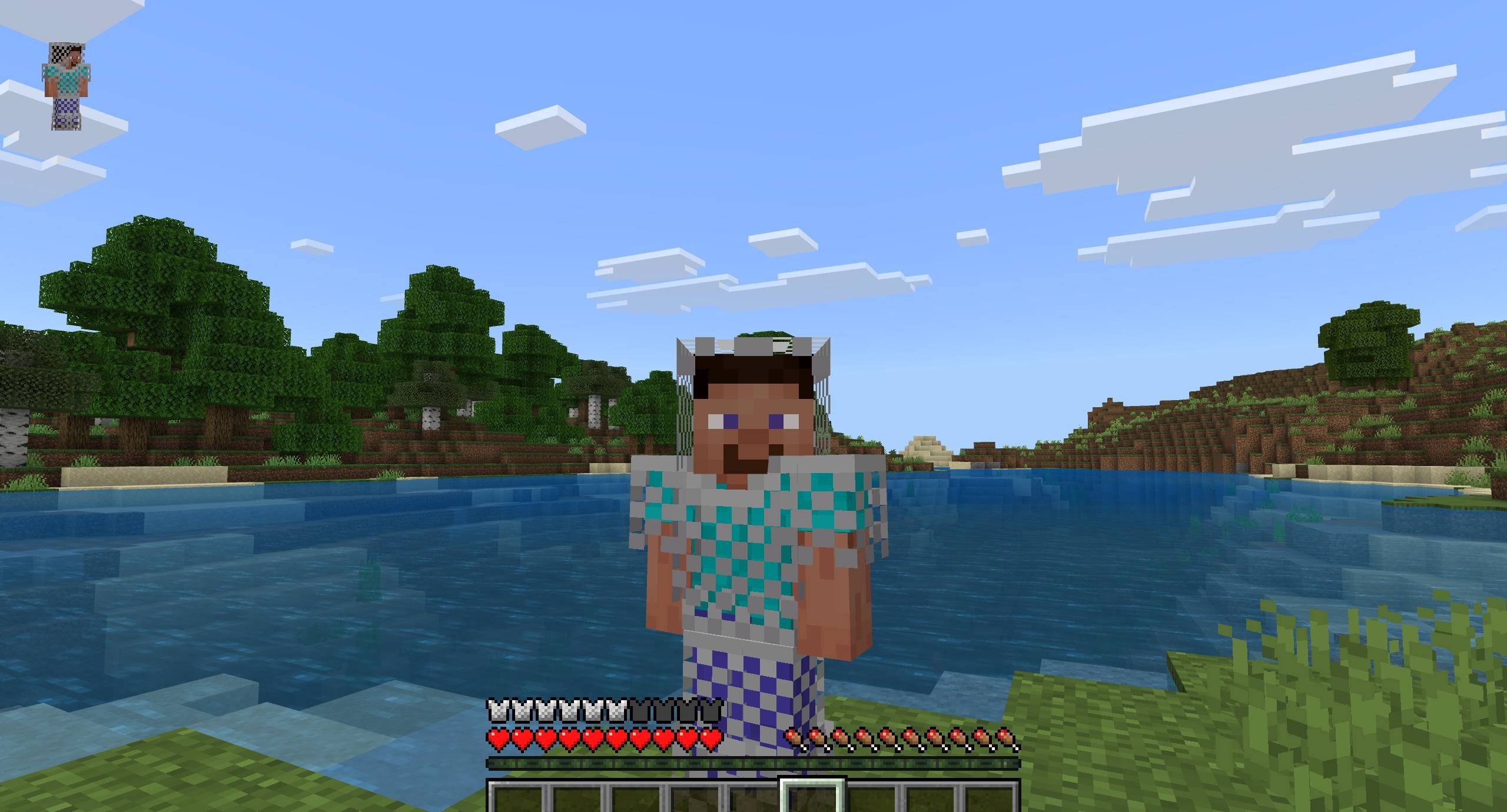
How does it work? You just need to equip any armor you have, and the armor bar will change based on the armor you’re wearing, such as leather, diamond, or even the new copper armor.

Available armor bars: leather, turtle, chain, iron, gold, diamond, netherite.

Note: This addon does not support other custom armor addons unless their paths, components, and textures have been added (read below).


So, how do you add custom armor to this addon? Easy, you just need to follow these steps.

Adding the armor bar texture:

First, create a folder in your resource pack: textures/ui/colorful_armor_bar/

Then for example, if you have a custom armor called icikiwir, you need to create two armor bar textures named icikiwir_full and icikiwir_half.

After that, place those textures into the folder above.

Adding the component to the armor item file:

This is needed so the custom armor can be defined. First, copy this code: 

"cab:armor_data": {
  "texture": "icikiwir", 
  "armor_protection": 6
}

Change the texture value to match your armor name, taken from icikiwir_full or icikiwir_half, and change the armor_protection value to match your custom armor’s protection.

Add this code into the components section of your armor item file.

Then you can test it in game.

Or if you don’t want to bother using the steps above, you can request me to make this addon compatible with other custom armor addons, just chat me on Discord.


Required Dependencies(important!)

very necessary for the addon to work

UI Neck


Showcase Video

watch if you don't understand or want to know how it works!


Join Our Community

discussions, submit suggestions, report bugs and more

Discord Server | Telegram Group | Whatsapp Group(+62 only)


Reference: Detail Armor Bar

The Colorful Armor Bar Team

profile avatar
  • 766
    Followers
  • 30
    Projects
  • 4.1M
    Downloads

what why how

Donate

More from dimzcraftView all

  • Déesse UI Pack project image

    Déesse UI Pack

    • 1.9M
    • Texture Packs

    An UI resource pack that adds new features, tweaks and UI designs to make your Minecraft gameplay better!

    • 1.9M
    • June 17, 2026
    • Texture Packs
    • +1
  • Just Zoom project image

    Just Zoom

    • 259.5K
    • Addons

    No spyglass? No problem. Just press Alt + X or double sneak (customizable) to zoom! [Achievement Friendly]

    • 259.5K
    • April 25, 2026
    • Addons
    • +4
  • Coordinates Plus project image

    Coordinates Plus

    • 33.5K
    • Texture Packs

    Adds chunk and overworld-nether coordinates to the HUD.

    • 33.5K
    • April 22, 2026
    • Texture Packs
    • +3
  • Explorer's Title project image

    Explorer's Title

    • 55.5K
    • Addons

    display title when entering biome or dimension! [Achievement Friendly]

    • 55.5K
    • April 13, 2026
    • Addons
    • +4
  • Déesse UI Pack project image

    Déesse UI Pack

    • 1.9M
    • Texture Packs

    An UI resource pack that adds new features, tweaks and UI designs to make your Minecraft gameplay better!

    • 1.9M
    • June 17, 2026
    • Texture Packs
    • +1
  • Just Zoom project image

    Just Zoom

    • 259.5K
    • Addons

    No spyglass? No problem. Just press Alt + X or double sneak (customizable) to zoom! [Achievement Friendly]

    • 259.5K
    • April 25, 2026
    • Addons
    • +4
  • Coordinates Plus project image

    Coordinates Plus

    • 33.5K
    • Texture Packs

    Adds chunk and overworld-nether coordinates to the HUD.

    • 33.5K
    • April 22, 2026
    • Texture Packs
    • +3
  • Explorer's Title project image

    Explorer's Title

    • 55.5K
    • Addons

    display title when entering biome or dimension! [Achievement Friendly]

    • 55.5K
    • April 13, 2026
    • Addons
    • +4