










Déesse UI Pack
- 3.1M
- Texture Packs
An UI resource pack that adds new features, tweaks and UI designs to make your Minecraft gameplay better!
- 3.1M
- September 18, 2026
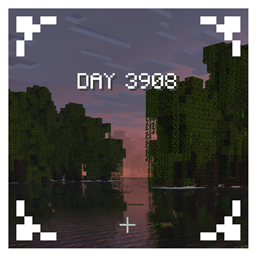
Animated Days Played
- 37.1K
- Texture Packs
Display the day of the week in the HUD when the day changes!
- 37.1K
- September 7, 2026

Quick Container
- 194.6K
- Texture Packs
One of the MOST Powerful Pack for Managing Items in Minecraft Bedrock. Light and Customizable!
- 194.6K
- August 13, 2026
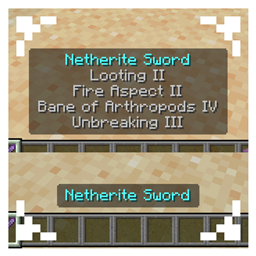
Java Item Tooltips
- 275.2K
- Texture Packs
held item tooltips display like java edition, can be set to exclude shulker!
- 275.2K
- August 8, 2026
Déesse UI Pack
- 3.1M
- Texture Packs
An UI resource pack that adds new features, tweaks and UI designs to make your Minecraft gameplay better!
- 3.1M
- September 18, 2026
Animated Days Played
- 37.1K
- Texture Packs
Display the day of the week in the HUD when the day changes!
- 37.1K
- September 7, 2026
Quick Container
- 194.6K
- Texture Packs
One of the MOST Powerful Pack for Managing Items in Minecraft Bedrock. Light and Customizable!
- 194.6K
- August 13, 2026
Java Item Tooltips
- 275.2K
- Texture Packs
held item tooltips display like java edition, can be set to exclude shulker!
- 275.2K
- August 8, 2026