Circular Minimap
- By
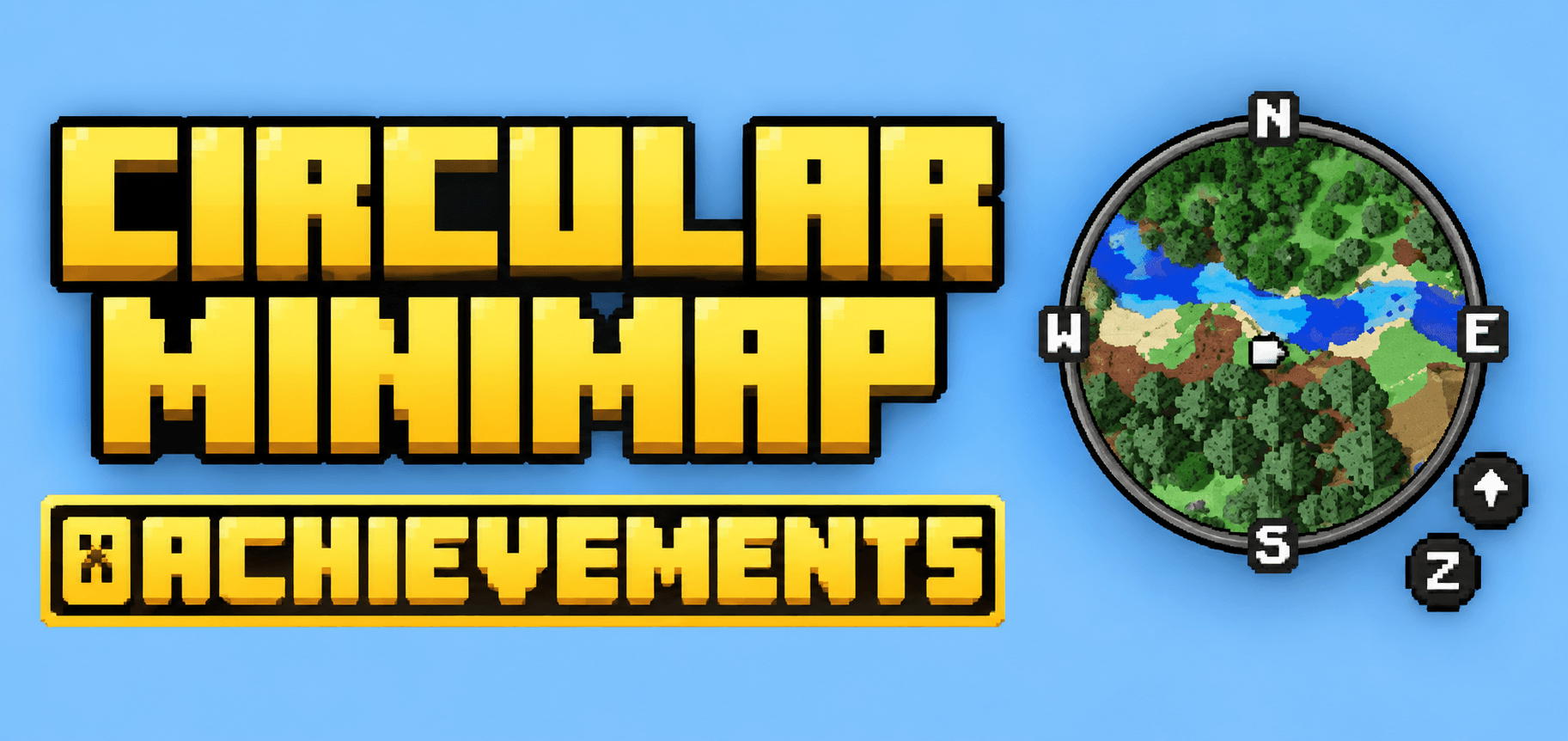
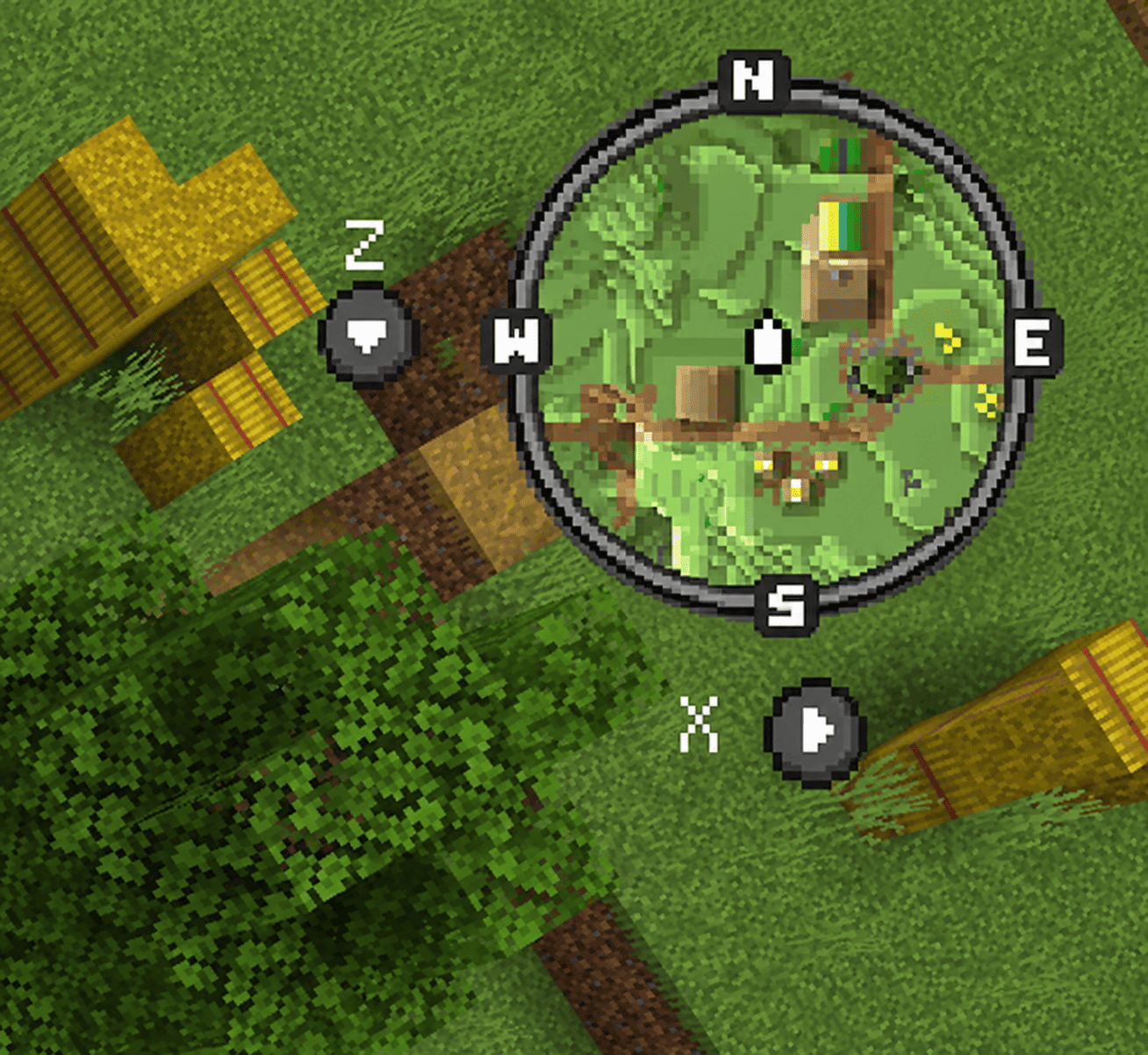
Circular Minimap transforms your Minecraft world exploration with a sleek, fully circular minimap and world map — real-time terrain rendering, waypoints, and player tracking, all wrapped in a clean round HUD design.
mcpedl
afc249f6-254a-4a51-9587-624950faa797 (1).png
Description
Explore your world like never before with Circular Minimap — a complete visual overhaul of the classic square minimap experience. This add-on renders your surroundings in real time directly on your screen, using an advanced block-scanning system that paints terrain, biomes, water, and elevation shading pixel by pixel, all displayed inside a smooth, anti-aliased circular frame instead of the usual flat square box.
What makes this different?
Most minimaps in Minecraft Bedrock are locked into a rigid square or rectangle. Circular Minimap breaks that mold with a custom-built round HUD overlay, giving your map a polished, modern look — similar to the circular minimaps you'd find in other popular open-world games. The round frame isn't just a cosmetic border; it's carefully aligned so the terrain, player locator arrow, and compass directions all sit perfectly within the circle, with a subtle rim highlight around the edge for a finished, professional feel.
Core Features:
- Real-time terrain rendering — the map updates live as you walk, mine, build, or explore, reflecting actual block colors, biome tones, and height-based shading for a true top-down view of your world.
- Circular minimap (top-right corner) — always visible during gameplay, non-intrusive, and toggleable through the in-game settings.
- Full-screen circular world map — hold the designated key/button to pull up a large, zoomed-out circular map of the surrounding area for bigger-picture navigation.
- Player direction locator — a small arrow indicator shows exactly which way you're facing relative to the map, updating smoothly as you turn.
- Waypoint system — place, name, and track custom waypoints that appear directly on your circular map, making it easy to mark bases, mines, villages, or points of interest.
- Water depth & lighting-aware shading — water bodies and elevation changes are shaded intelligently so the map actually looks like readable terrain, not just flat colored tiles.
- Zoom support — zoom in for more detail or zoom out for a wider view, both rendered correctly within the circular frame.
- Performance-optimized rendering engine — chunk data is cached and processed efficiently in the background, so the map stays smooth without tanking your FPS, even in large worlds.
- Configurable settings — players can adjust render distance, toggle the minimap on/off, enable debug/performance stats, and more, all from an in-game settings menu.
- Cross-platform compatible — built using the modern Minecraft Bedrock scripting API, works on mobile, Windows, and console versions that support add-ons.
How to use it:
Once imported into your world, the minimap appears automatically in the top-right corner of your screen. Use the designated command/button to open the full circular world map for a broader view. Waypoints can be added through the in-game menu, and settings can be tweaked to match your device's performance.
Compatibility:
This add-on requires Minecraft Bedrock Edition with add-ons and Beta APIs enabled, since it relies on the latest scripting modules for real-time world scanning and dynamic UI rendering. It's designed to work alongside most other add-ons that don't modify the core HUD.
Whether you're building a massive base, exploring uncharted terrain, or just want a more immersive way to navigate your world, Circular Minimap gives you a stylish, functional
The Circular Minimap Team