OP Tool Villager
- By
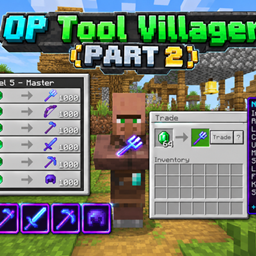
OP Tool Villager is a powerful Minecraft Bedrock behavior pack that adds an advanced NPC villager who trades extremely overpowered tools and armor with enchantment level 1000. Perfect for creative worlds, testing, and survival games.
ChatGPT Image Sep 16, 2026, 11_07_23 AM.png
mcpedl
Description
OP Tool Villager [1000] is an enhanced behavior pack for Minecraft Bedrock Edition and Pocket Edition that introduces a specialized NPC—the OP Tool Villager. This unique villager provides players with the most powerful tools and armor available in the game, enchanted to extraordinary levels.
What You Get:
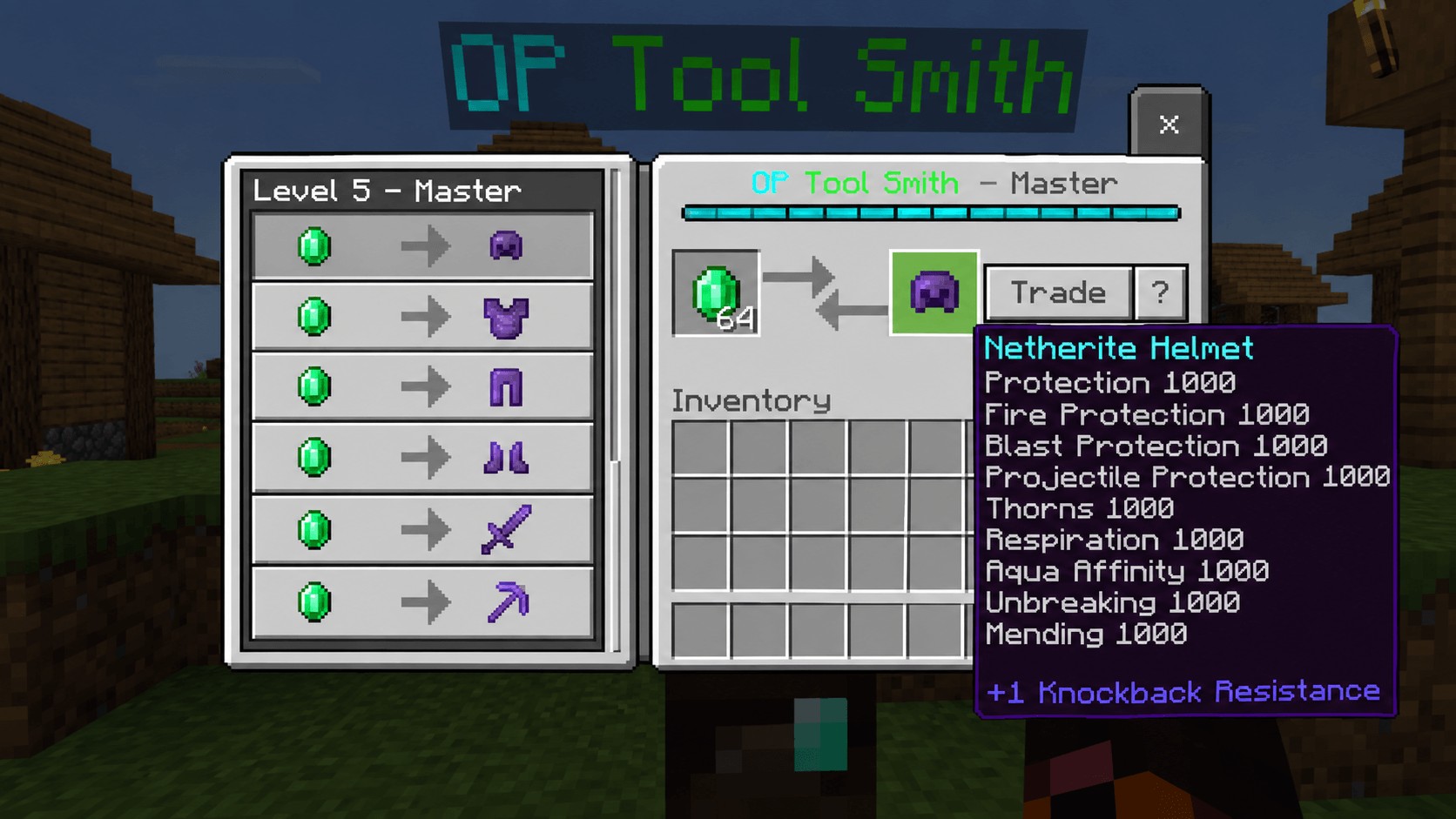
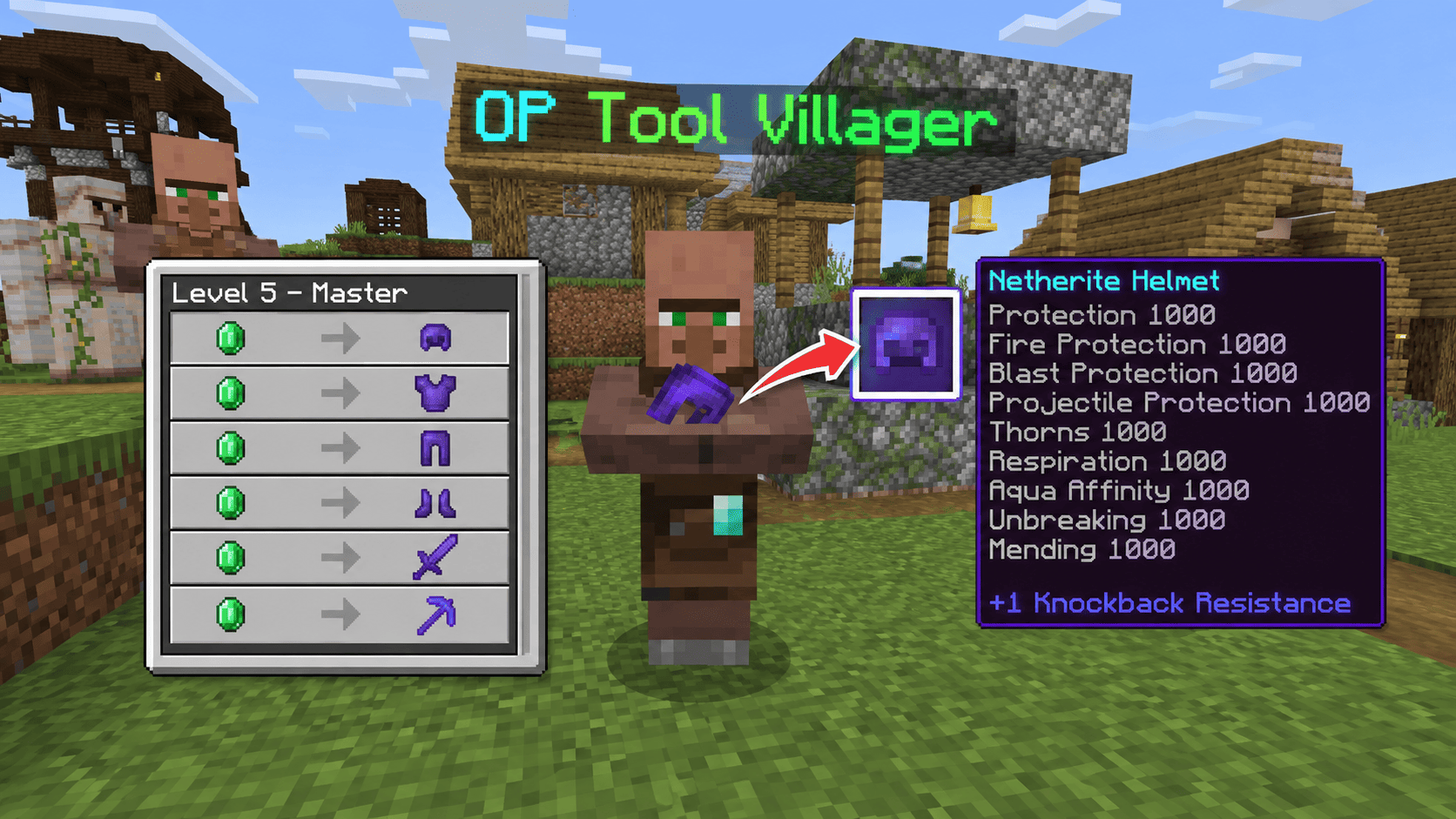
This addon spawns a Tool Smith villager with exclusive trades featuring netherite equipment enchanted at level 1000. Unlike normal villagers, this NPC offers:
- Netherite Helmet with Protection I-VI, Aqua Affinity, Respiration, Mending, and Unbreaking 1000
- Netherite Chestplate with maximum protection enchantments at level 1000
- Netherite Leggings fully optimized for combat and survival
- Netherite Boots with special mobility enchantments (Depth Strider, Frost Walker)
- Netherite Sword with Sharpness 1000, Smite 1000, Fire Aspect, and Mending
- Netherite Pickaxe with Efficiency 1000, Unbreaking 1000, and Mending
- Diamond Axe and other enchanted starter tools
Safety Features:
Certain enchantments like Frost Walker (level 6), Soul Speed (level 6), Knockback (level 6), and Fortune (level 12) are intentionally capped to prevent game crashes on lower-end devices. These enchantments have exponential effects that can cause lag or crashes at extreme levels.
Compatibility:
Works perfectly on Minecraft Bedrock 1.26.40+ and Pocket Edition. Requires Beta APIs to be enabled in experimental settings. Completely safe and does not modify vanilla game mechanics—just adds a new NPC with specialized trades.
Perfect For:
- Creative building and testing
- Speedrun preparation
- Survival world starting boost
- PvP practice worlds
- Testing custom mods and features
Simply import the addon, enable Beta APIs, activate cheats, and summon the villager using the simple command provided.
🔧 INSTALLATION & SETUP
Step 1: Enable Required Settings
- Open Minecraft Bedrock Edition or Pocket Edition
- Create or open a world in Creative or Survival mode
- Go to World Settings → Cheats → ON ✓
- Go to Experiments → Enable Beta APIs → ON ✓
- Save and reload the world
Step 2: Import the Addon
- Download the file:
OP_Tool_Villager_1000.mcaddon - On PC/Windows: Double-click the file or right-click → Open with Minecraft Launcher
- On Mobile (Android/iOS): Download the file, find it in your file manager, tap it → Open with Minecraft
- On Console (Switch/Xbox): Cannot directly install; use a PC to import first
- Minecraft will automatically detect and import the behavior pack
Step 3: Apply the Pack to Your World
- Open your world
- Go to Settings → Behavior Packs
- Find OP Tool Villager [1000] in the available packs
- Click it and move to Active (right side)
- Confirm and let the world reload
👤 HOW TO SUMMON THE VILLAGER
Using Command (Easiest):
Open the chat (press T on PC, or chat button on mobile) and type:
.villagerPress Enter. The villager will spawn at your current location.
Alternative: Using Structure Spawn
The addon includes the villager as a .mcstructure file. You can load it manually:
/structure load "4f505f546f6f6c5f536d697468" ~~~This spawns the structure 3 blocks forward in the direction you're facing.
Summon as Entity (Advanced):
/summon villager_v2 ~~~ minecraft:toolsmith {"tag":{"CustomName":"OP Tool Villager"}}(Note: This creates a regular toolsmith. The addon's custom version is more powerful.)
💰 HOW TO USE & TRADE
Accessing Trades:
- Right-click (or tap) the OP Tool Villager
- A trade menu will appear showing all available items
Available Trades:
| Item | Enchantments | Cost |
|---|---|---|
| Netherite Helmet | Protection, Aqua Affinity, Respiration, Mending, Unbreaking (all level 1000) | 1 Emerald |
| Netherite Chestplate | Protection, Fire Protection, Thorns, Mending, Unbreaking (level 1000) | 1 Emerald |
| Netherite Leggings | All armor enchantments level 1000 | 1 Emerald |
| Netherite Boots | Protection, Depth Strider, Frost Walker, Unbreaking 1000 | 1 Emerald |
| Netherite Sword | Sharpness 1000, Smite 1000, Fire Aspect 1000, Knockback 6, Mending | 1 Emerald |
| Netherite Pickaxe | Efficiency 1000, Fortune 12, Unbreaking 1000, Mending | 1 Emerald |
| Diamond Axe | Sharpness level 3 | 29 Emeralds |
Getting Emeralds:
You can trade with the villager in reverse for regular items:
- Coal (15) → 1 Emerald
- Flint (24) → 1 Emerald
- Iron Ingot (4) → 1 Emerald
- Diamond (1) → 1 Emerald
Pro Tips:
✓ Emeralds are the only currency—collect them from mining, trading, or loot chests ✓ The villager restocks trades every few minutes ✓ You can unlock better trades by increasing the villager's "profession level" ✓ Use the full netherite set for ultimate protection in PvP worlds ✓ The sword with Sharpness 1000 one-shots most mobs ✓ The pickaxe mines instant stone/ore
🎨 CUSTOMIZATION
Change Villager Name:
Use a name tag and rename the villager to whatever you want:
/give @s name_tag 1 0 {"display":{"Name":"My Custom Villager"}}Then right-click the villager with the name tag.
Move the Villager:
The villager can be moved like any other entity:
/teleport @e[name="OP Tool Villager"] x y zReplace x y z with your coordinates.
Copy to Another World:
- Use the command
/structure save "mythis" ~~~ ~~~after positioning the villager - Copy the structure file to another world
- Load it there with
/structure load "mythis" ~~~
⚠️ IMPORTANT NOTES
Limitations & Warnings:
⚠ Enchantment Level 1000 is far beyond vanilla limits. While safe for the game, some tools may behave unexpectedly:
- Frost Walker won't freeze the entire ocean (capped at level 6 for balance)
- Fortune 12 is the cap to prevent item spam
- Knockback 6 ensures you don't fall off cliffs instantly
⚠ Performance: On low-end devices (older phones, weak tablets), loading the villager may cause temporary lag. This is normal.
⚠ Multiplayer Servers: Only works on Realm worlds or locally hosted servers where you enable Beta APIs. Official servers don't support this addon.
⚠ Backup Your World: Always backup your world before adding new behavior packs.
👨💻 CREDITS & ATTRIBUTION
Created By: Mod_Master
🐛 TROUBLESHOOTING
| Problem | Solution |
|---|---|
| Villager won't spawn | Make sure Beta APIs are enabled in Experiments → Reopen world |
| Command not working | Check that Cheats are ON in World Settings |
| Addon not showing up | Manually import the .mcaddon file through file manager |
| Game crashes when summoning | Lower-end device—close background apps and try again |
| Villager disappeared | Villagers can despawn if too far away; use a name tag to make it permanent |
| Trades locked | You may need to trade with the villager first to unlock higher-tier trades |
📱 PLATFORM COMPATIBILITY
✅ Minecraft Bedrock Edition (PC/Windows) ✅ Minecraft Pocket Edition (Android/iOS) ✅ Xbox One/Series X|S (with online realm import) ✅ Nintendo Switch (limited—requires PC import first) ✅ PlayStation 5 (limited—requires PC import first)
🚀 FAQ
Q: Can I use this on a multiplayer server? A: Only on Realm worlds or LAN worlds where you control the settings and enable Beta APIs.
Q: Will this work on older Minecraft versions? A: No. Requires Minecraft 1.26.40 or newer due to script API dependencies.
Q: Can I modify the enchantments myself? A: Yes, if you understand NBT editing. The enchantments are stored in the .mcstructure file.
Q: Is this safe to use? A: Completely safe. It's a behavior pack that doesn't modify game files—just adds an NPC.
Q: Can I use this in survival mode? A: Yes! But cheats must be ON. The villager won't despawn if you name-tag it.
📞 SUPPORT
For issues or questions:
- Check this guide first
- Ensure Cheats and Beta APIs are enabled
- Try reloading your world
- Backup and reinstall the addon if problems persist
Enjoy your ultimate OP Tool Villager! 🎮✨
Last Updated: 2026-09-16 Version: 1.0 (Level 1000)
The OP Tool Villager Team