
CineCam - LVRKmc
- By

What's new
CineCam 1.2
New cameras
📏 Angles
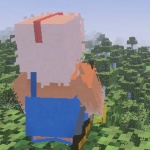
- 2 Angle Cut: hard cuts between a rear over-the-shoulder shot and a front face shot every 3.5 seconds.
- 2 Angle Glide: the same two angles, with a smooth transition between them.
🏞️ Creative
- Selfie Stick: a high front camera at arm's length, looking at your face.
- Pendulum: the camera swings side to side behind you and moves closer at the end of each swing.
🎦 Cinema
- Movie Cam 2 · Nature: a nature-documentary camera that works best on a standing player. It cuts between an establishing shot, wildlife shots of nearby animals, a moving bird's-eye view, a hidden far-away hide cam, a ground-level shot and a portrait.
- Nostalgia 1 · Standing: a retro tripod camera that stays put, pans to follow you, and re-centres only when you wander off.
- Nostalgia 2 · Running: a retro chase camera that pulls back, rises and looks ahead as you speed up.
- Push-In: a slow dolly from a wide shot to a tight one and back.
- Crane Sweep: the camera rises from ground level up and over you, then lowers again.
😜 Crazy Cam (new category)
- Crazy Cam 1: a fast whip-spin that reverses direction, swoops in and out, bobs and shakes.
✴️ Laser
- Rebuilt as a soft, continuous glowing beam instead of flat red dots.
- Added a reticle at the hit point that scales with distance.
- The laser is red on blocks and green when aimed at a mob or player.
- Uses a real raycast, so the reticle sits on the actual surface. Range is now 12 blocks.
- Refreshes every tick, so it follows head turns more smoothly.
- The laser is turned off in Crazy Cam 1 and Movie Cam 2.
🎦 Menu
- Redesigned menu with custom icons for every category.
- The top of each menu shows the camera that is currently playing.
- Each camera has a one-line hint, and the active camera is marked with a green dot.
- New Repeat button for your last camera and a Stop camera button while one is running.
- Back buttons with icons, and an updated Toggles menu.
✅ Other changes
- Added the PBR capability to the resource pack, so it shouldn't disable Vibrant Visuals.
- Whirl moved from Creative to Cinema.
- Movie Cam was renamed Movie Cam 1.
- New reset icon.
- Removed an unused laser texture.
This mod has no additional files