Chess.craft
- By
Play real chess in Minecraft Bedrock: wood vs cobblestone pieces, four bot difficulties, rated games with a leaderboard, and game reviews that spot your blunders.

Screenshot 2026-10-31 172304.png
Screenshot 2026-10-31 172324.png
Screenshot 2026-10-31 172342.png
Screenshot 2026-10-31 172821.png
Description
Chess.craft
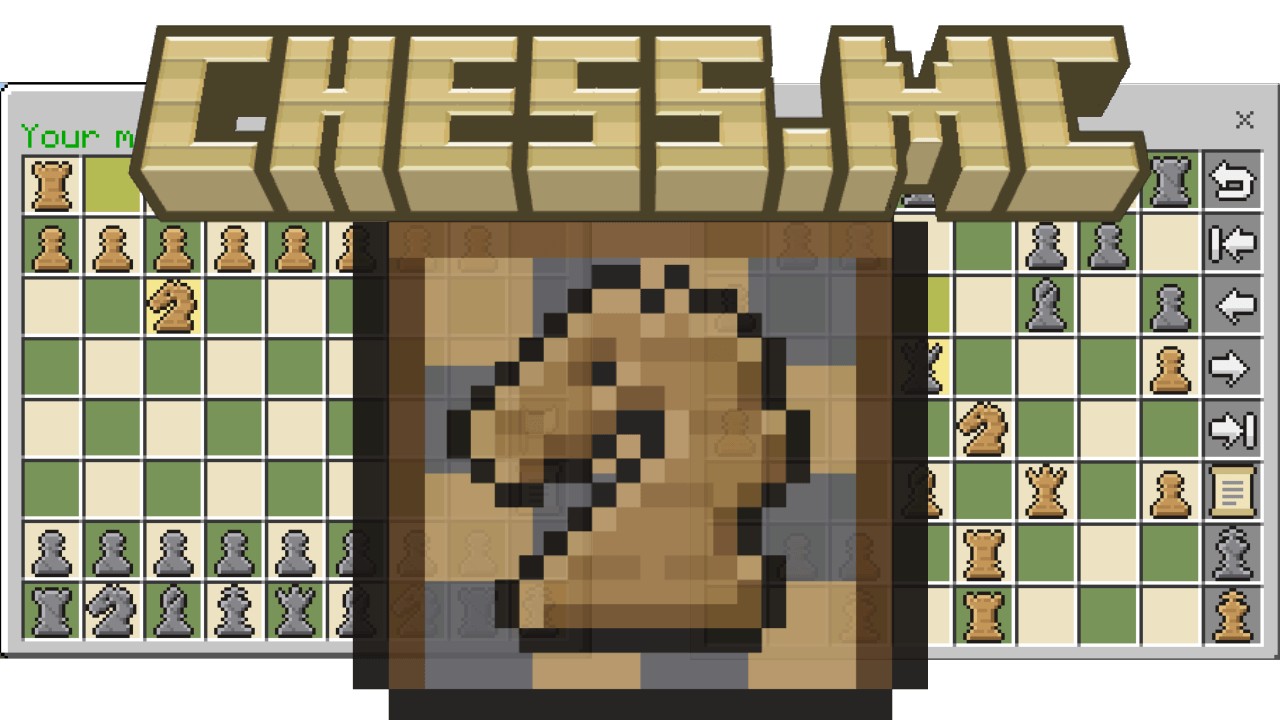
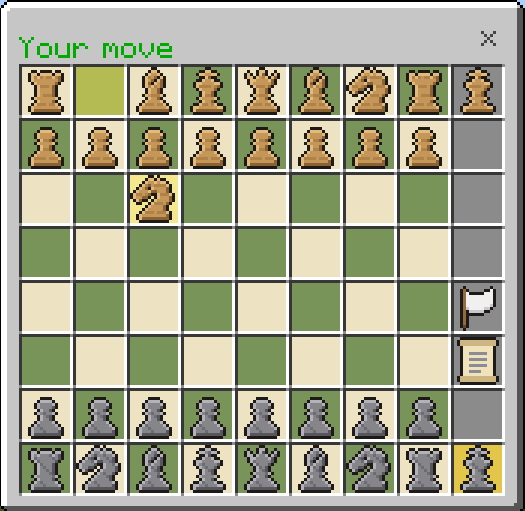
Real chess in Minecraft Bedrock. Challenge your friends, climb the leaderboard, or take on a bot that actually plays well, all from a chest-style board with hand-drawn pixel-art pieces in wood vs cobblestone.
No experimental toggles needed. Made for single player, servers and Realms.
Features
♟ Full chess, every rule Check, checkmate, stalemate, castling, en passant, promotion, the 50-move rule, threefold repetition and insufficient material. Tap a piece and its legal moves light up, with dots for empty squares and rings for captures.
⚔ Play your friends Challenge anyone online. Choose a time limit (none, 1, 3, 5, 10, 15 or 30 minutes per player), rated or casual, and which side you play. Both players' boards update live as moves are made. Offer a draw or resign any time.
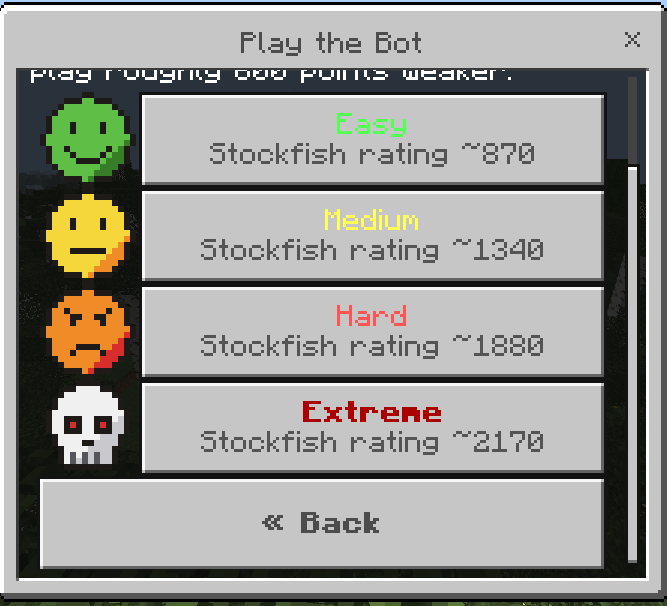
🤖 Four bot difficulties From Easy for beginners to Extreme, which looks ahead several moves and punishes mistakes. Each difficulty shows its strength in the menu. Ratings were measured in 624 games against Stockfish 16; those numbers are on an engine scale, so expect the bots to play roughly 600 points weaker against people.
🏆 Ratings and leaderboard Everyone starts at 1000. Rated games use Glicko-2, the same system lichess uses: new ratings move quickly at first (marked with a ?) and settle as you play. Check the top 20, your rank, your peak rating and your record against each bot.
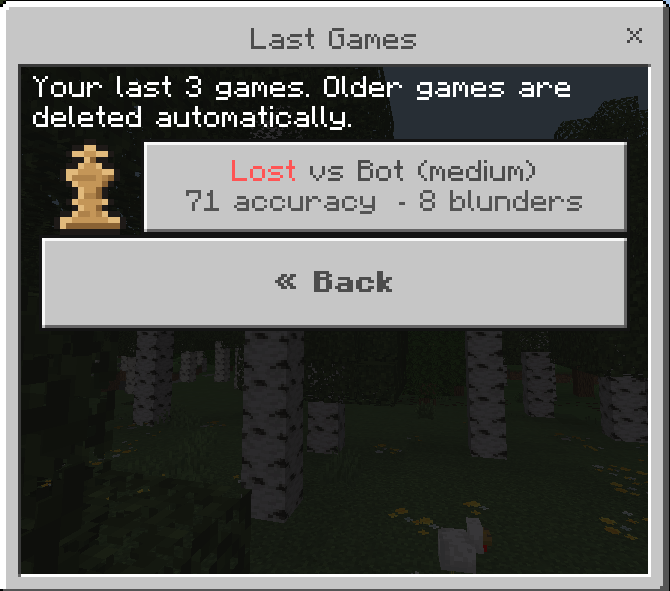
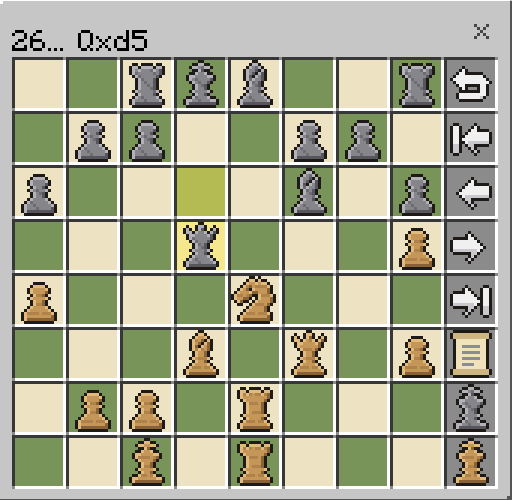
🔍 Game review: Last Games After each game, the bot reviews every move in the background, so you can see where it went wrong:
- 🟢 Best 🔵 Good 🟡 Inaccuracy ?! 🟠 Mistake ? 🔴 Blunder ??
- Your accuracy %, the move you should have played, and an evaluation for each move
- Jump straight to your key mistakes, or replay the whole game move by move
Your last 3 games are kept; older ones are deleted automatically, so world data stays small.
🎨 Custom pixel art A full set of 16×16 wood and cobblestone pieces, plus custom icons for every button, menu and board marker.
🛠 Server-friendly The bot thinks a little each tick instead of freezing the server, and live games always come before background reviews. Operators can tune how much server time it uses (see below).
Getting started
- Open the addon and turn on both packs (Behavior Pack and Resource Pack) in your world.
- Join the world. You get a Chess Board item automatically.
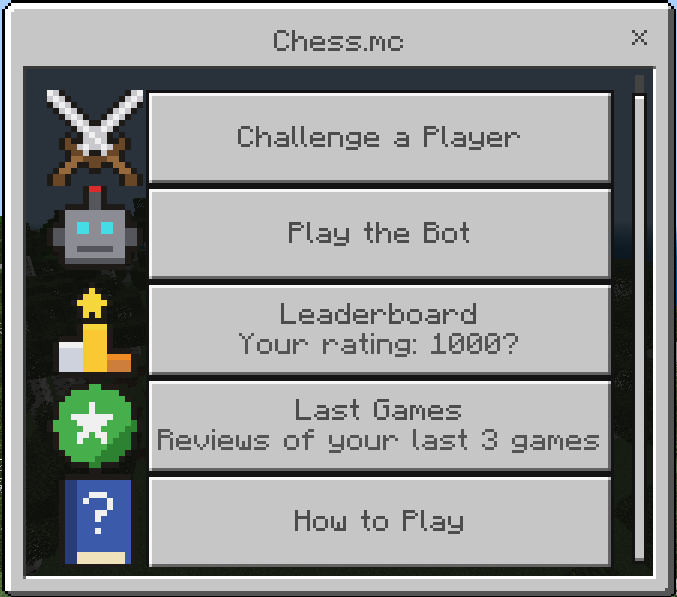
- Use the Chess Board, or type /chess, to open the menu.
Lost your board? Craft one (planks and cobblestone in a 2×2 checker pattern) or type /chess give.
Commands
Everything is also available from the menu, so you never need commands. They're handy shortcuts:
/chess— open the chess menu/chess challenge <player> [wood|cobblestone|random] [minutes] [true|false]— challenge a player.minutesis the time limit per player (0 = none); the last option is rated (true, the default) or casual (false). Example:/chess challenge Steve wood 10/chess accept [player]//chess decline [player]— answer a challenge (the newest one if you leave out the name)/chess bot [easy|medium|hard|extreme] [wood|cobblestone|random]— play the bot Example:/chess bot extreme random/chess board— reopen your current game/chess resign— resign your current game/chess leaderboard— top players and past seasons/chess stats [player]— rating, peak, wins/draws/losses and recent games/chess games— your last 3 games and their reviews/chess give— get a Chess Board
Names with spaces need quotes: /chess challenge "Big Steve"
Operator commands
These are only available to operators:
/chessconfig— list the operator commands/chessconfig botspeed [0.1-2]— how much of each server tick the bot may use. 1 is the default; 2 is the fastest replies; lower values mean less lag but slower replies. The bot plays equally well at any speed./chessconfig rating <player> [number|reset]— view, set (100–3000) or reset a player's rating. Every change is shown in the player's stats, and the player is told./chessconfig resetratings confirm— end the season: saves the final top 10 under Leaderboard → Past Seasons and resets everyone to 1000./chessconfig reviews [on|off]— turn background game reviews on or off.
Optional: instant menus
Each click reopens the board, so Minecraft's menu slide animation plays on every move. To turn it off, open the resource pack's ⚙ settings in your world's Resource Packs list and pick "Menus: instant".
Minecraft uses one shared screen for all add-on menus, so this also makes other add-ons' menus open instantly. The default setting leaves everything as normal.
Requirements
- Minecraft Bedrock 26.60 or newer
- No experimental features needed
Credits
- The chest-style menu is built on the chest UI from Essentia by Paoeni (MIT license).
- Chess.craft is a fan-made add-on and is not affiliated with or endorsed by Chess.com.
Enjoy, and good luck against Extreme. 👑
Chess.craft Team