Build Wand

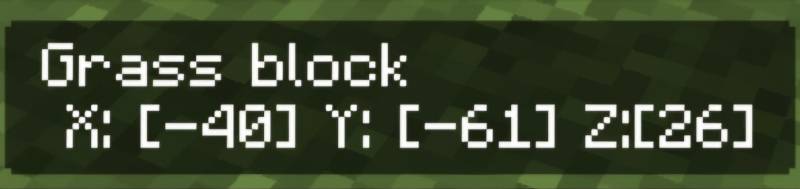
Take the Build Wand in your hand and select the first position of the block where you want to start filling. You can check this by tapping on the block in your area. Then, select the second position up to where you want to fill the blocks.

● HOW TO USE
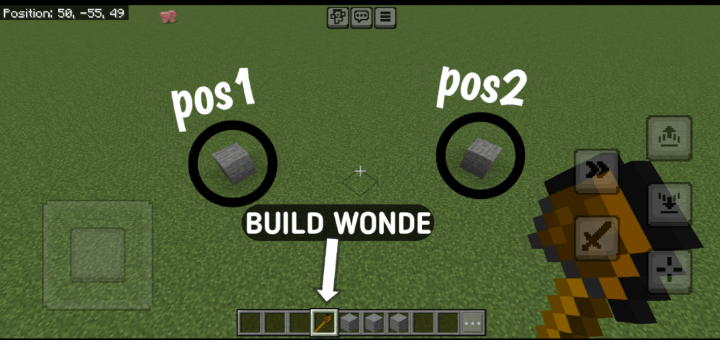
  

How to Use the Build Wand in Minecraft (3 Steps):


1. Equip and Select Positions: Equip a Build Wand (stone, iron, or diamond) and right-click to select two corner positions of your build area. Heart particles mark the first point, and an outline previews the area after the second.


2. Choose Build Mode: After selecting both points, a menu appears. Pick a mode: Fill (solid structure), Hollow (only walls), or Pattern (checkerboard, stripes, or random).


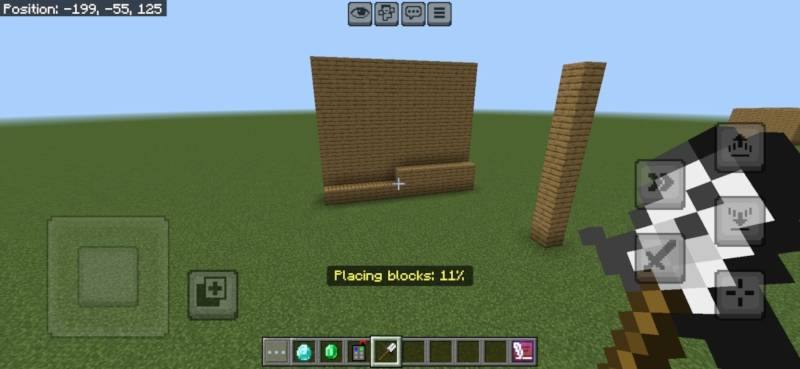
3. Select Block and Build: Choose a block from your inventory in the next menu (ensure you have enough). For Pattern mode, select a pattern. The wand places the blocks, showing a progress bar, and consumes durability based on blocks placed.


V5

Progress Bar
 

V5.5
 

V5.1.0


• Creative Mode Support: Blocks are no longer consumed and tool durability is unaffected when in Creative mode.


• Improved Inventory Handling: Survival mode still removes required blocks and reduces wand durability.


Cleaner Feedback: Enhanced messages and feedback logic based on game mode.

The Build Wand Team

profile avatar
  • 43
    Followers
  • 15
    Projects
  • 279.3K
    Downloads
Donate

More from UnknownMcpeView all

  • Bees+ project image

    Bees+

    • 9.6K
    • Addons

    Automate Minecraft Resources.

    • 9.6K
    • June 28, 2026
    • Addons
    • +3
  • Um Lucky Block project image

    Um Lucky Block

    • 782
    • Addons

    Lucky Block Addon adds a special Lucky Block that can be crafted using 8 Diamonds and 1 Amethyst Shard. Break the block to receive a random reward or surprise, including items, entities, and blocks.

    • 782
    • June 9, 2026
    • Addons
    • +2
  • UBI project image

    UBI

    • 11.9K
    • Addons

    Welcome to the Thinks Addon for Minecraft Bedrock Edition! This addon introduces powerful tools and blocks to make your gameplay more advanced and creative. Below is a detailed guide on how to use each item and block in this addon.

    • 11.9K
    • June 8, 2026
    • Addons
    • +2
  • Geode+  [Achievement Friendly] project image

    Geode+ [Achievement Friendly]

    • 9.5K
    • Addons

    More Ores Amethyst Cluster And Shard.

    • 9.5K
    • May 12, 2026
    • Addons
  • Bees+ project image

    Bees+

    • 9.6K
    • Addons

    Automate Minecraft Resources.

    • 9.6K
    • June 28, 2026
    • Addons
    • +3
  • Um Lucky Block project image

    Um Lucky Block

    • 782
    • Addons

    Lucky Block Addon adds a special Lucky Block that can be crafted using 8 Diamonds and 1 Amethyst Shard. Break the block to receive a random reward or surprise, including items, entities, and blocks.

    • 782
    • June 9, 2026
    • Addons
    • +2
  • UBI project image

    UBI

    • 11.9K
    • Addons

    Welcome to the Thinks Addon for Minecraft Bedrock Edition! This addon introduces powerful tools and blocks to make your gameplay more advanced and creative. Below is a detailed guide on how to use each item and block in this addon.

    • 11.9K
    • June 8, 2026
    • Addons
    • +2
  • Geode+  [Achievement Friendly] project image

    Geode+ [Achievement Friendly]

    • 9.5K
    • Addons

    More Ores Amethyst Cluster And Shard.

    • 9.5K
    • May 12, 2026
    • Addons