Auto Smelt Plus
- By
Mine ores and get ready-to-use ingots instantly. Iron, gold and copper ores drop smelted ingots when you break them, so you can skip the furnace and keep mining.
Auto Smelt saves you time by smelting your ores the moment you mine them. Instead of collecting raw iron, raw gold and raw copper and waiting at a furnace, you get the finished ingots right away, together with the experience you would normally earn from smelting. A small flame and a soft sizzle sound show you when an ore has been smelted.
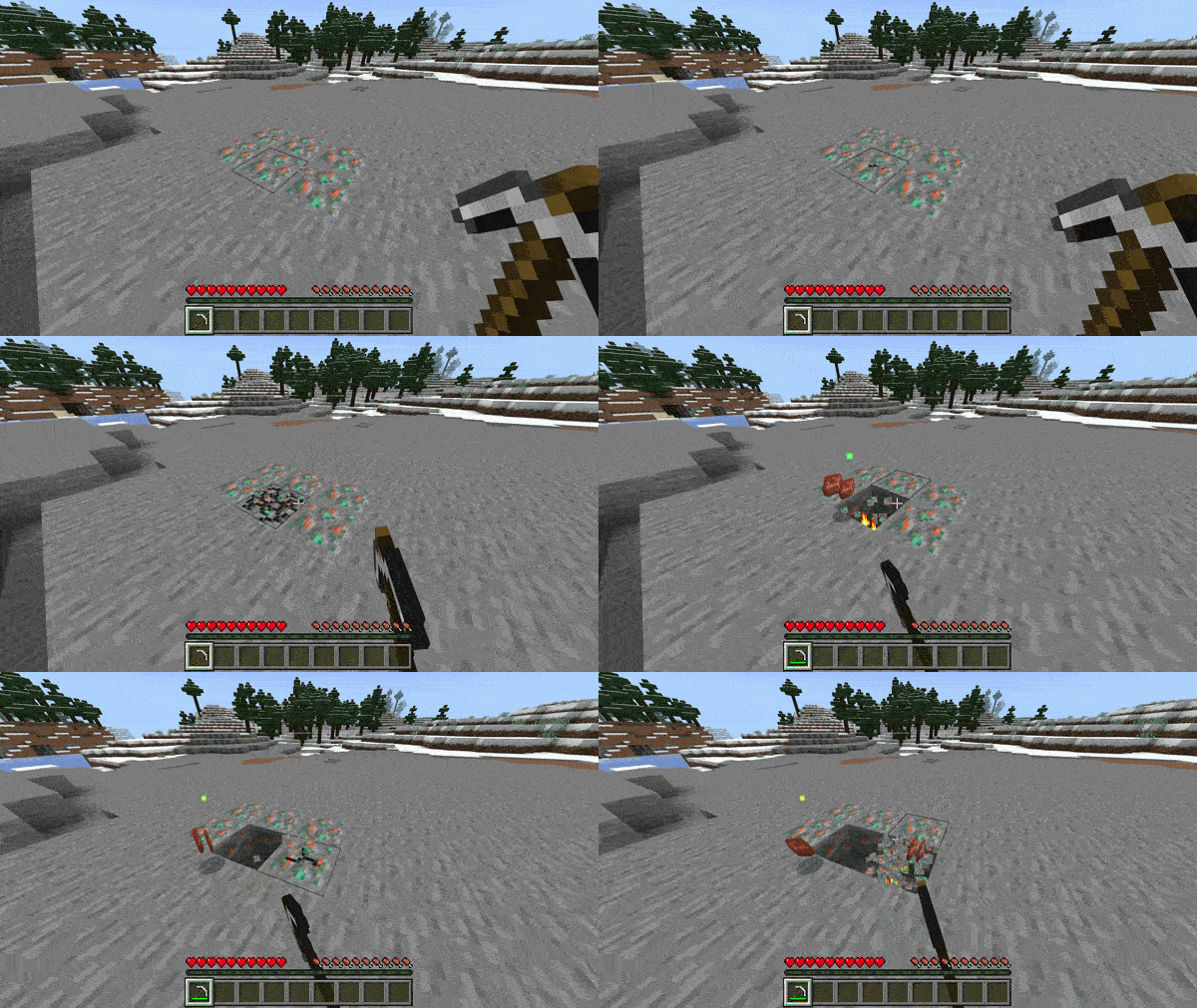

Here is what changes when you break a block:
1. Iron ore and deepslate iron ore drop iron ingots.
2. Gold ore and deepslate gold ore drop gold ingots.
3. Copper ore and deepslate copper ore drop copper ingots.
4. Nether gold ore drops gold ingots.
5. Ancient debris drops netherite scrap.
6. Blocks of raw iron, raw gold and raw copper turn into blocks of iron, gold and copper.
Ores that already drop finished items, like coal, diamond, emerald, lapis, redstone and quartz, work just like normal.
Your enchantments still matter. Fortune gives you more ingots, the same way it gives you more raw ore. Silk Touch keeps working normally, so you still get the ore block itself when you want it. You still need the right pickaxe for each ore, and Auto Smelt only works in survival and adventure mode.
World operators can turn the feature off or on at any time with the command /autosmelt off and /autosmelt on. The setting is saved for the whole world and applies to every player.
How to activate the add-on
1. Download the file and open it. The game will import both the behavior pack and the resource pack automatically.
2. Create a new world or edit an existing one.
3. Go to Behavior Packs and activate Auto Smelt. The resource pack will be added with it automatically.
4. Make sure the resource pack is active under Resource Packs.
5. Start the world and enjoy.
How to use it
1. Grab a pickaxe that can mine the ore you want.
2. Break any iron, gold, copper or nether gold ore, or ancient debris.
3. Pick up your smelted ingots and experience.
4. Use /autosmelt off if you ever want raw ores again, and /autosmelt on to turn it back on.
Auto Smelt Plus Team

Owner