Fast Hopper
- By
Hoppers move items five times faster than normal, both when they pull items in and when they push items out into a chest or other container.
Fast Hoppers speeds up every hopper in the area around you. Items travel from the container above a hopper, or from dropped items sitting on it, into the hopper much sooner than usual. The hopper then pushes those items into the chest, barrel, furnace, hopper or other container it is pointing at, just as quickly.
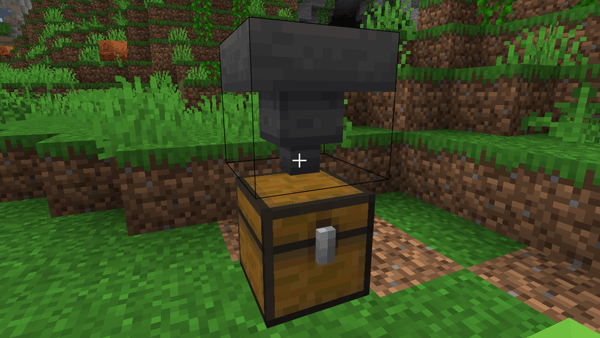
A hopper that used to move one item at a time, with a short wait between each one, now moves items five times as quickly. This helps item sorting rooms, farms and automatic storage, and you do not need to change how you build them.
Locked hoppers still work the same way. If you power a hopper with redstone it stays locked and does not move items until you turn the power off.
Furnaces keep their usual rules. A hopper above a furnace fills the cooking slot, a hopper pointing into the side fills the fuel slot, and a hopper under a furnace takes the finished items.
How to use
1. Place hoppers as you normally would, pointing into a chest, barrel, furnace, another hopper or any other container they can fill.
2. Put items in the container above the hopper, drop items on top of it, or let another hopper feed it.
3. Watch the items move into the target container five times faster than usual.
4. Power a hopper with redstone if you want to lock it and stop it from moving items.
How to activate
1. Open the file to import it into the game.
2. Create a new world or edit an existing one.
3. Go to Behavior Packs and activate Fast Hoppers.
4. The resource pack is added automatically. If it is not, activate it under Resource Packs.
5. Enter the world and place a hopper into a chest to try it.
Fast Hopper Team

Owner