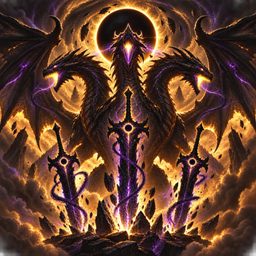
Arise
- By
Arise is a Solo Leveling-inspired Minecraft Bedrock addon with The System, ranked Gates, Magical Beasts, bosses, leveling, Job Change, corpses, and Shadow Army extraction.
Arise — Solo Leveling Addon for Minecraft Bedrock
Arise is a Solo Leveling-inspired Minecraft Bedrock addon that transforms survival gameplay into an RPG-style hunter progression experience. Start as a weak hunter, gain XP, level up, increase your stats, enter ranked Gates, defeat Magical Beasts, complete the Job Change Quest, unlock Shadow Extraction, and build your own Shadow Army.
This addon is built for Minecraft Bedrock Edition and is designed to be played in survival mode. It is not a Java mod, not a Forge mod, not a Fabric mod, and not a datapack.
IMPORTANT: Download Both Packs
You must download and activate both files for the addon to work properly:
-
Arise BP v5 — Behavior Pack
-
Arise RP v5 — Resource Pack
The Behavior Pack controls the gameplay systems, scripts, Gates, leveling, quests, entities, items, bosses, skills, corpses, and shadows.
The Resource Pack controls the textures, icons, particles, models, visuals, and the overall look of the addon.
If you only install one pack, the addon will not work correctly. You need both packs active in the same world.
Main Features
Arise adds a full Solo Leveling-style progression system to Minecraft Bedrock. The addon includes The System, ranked hunters, stat points, mana, skills, Gates, Magical Beasts, bosses, Job Change, corpse markers, Shadow Extraction, and Shadow Army gameplay.
The goal is to make Minecraft feel like a dungeon-hunter RPG where you slowly grow stronger through combat, quests, dungeon clears, and shadow progression.
The System
Players receive a System Panel item that opens the main System menu.
The System includes:
-
Status screen
-
Player level
-
XP progression
-
Hunter rank
-
Stat allocation
-
Daily Quest tracking
-
Gate Scanner
-
Skills
-
Shadow Army menu
-
Settings and help
The System shows your hunter progress and helps guide you through the addon.
Leveling and XP
Players gain XP by fighting enemies, defeating Magical Beasts, clearing Gates, completing quests, defeating bosses, and progressing through the addon.
Leveling up gives stat points that can be spent to improve your hunter.
Hunter progression starts weak and becomes stronger over time. You are not meant to start overpowered.
Hunter Ranks
The addon includes hunter ranks based on progression:
-
E-Rank
-
D-Rank
-
C-Rank
-
B-Rank
-
A-Rank
-
S-Rank
Higher ranks allow you to survive harder Gates and stronger dungeon enemies.
Stats
The addon includes multiple RPG stats:
-
Strength — improves melee damage
-
Agility — improves speed
-
Vitality — improves survival bonuses
-
Sense — improves Gate detection and combat chance
-
Intelligence — improves mana, extraction chance, and shadow-related power
-
Mana — used for skills and shadow abilities
Stats are managed through The System.
Skills
Arise includes hunter and shadow-based skills. Skills can be used through the System menu, skill items, or commands.
Current skill features include:
-
Dash
-
Power Strike
-
Mana Pulse
-
Gate Sense
-
Emergency Recovery
-
Monarch’s Pressure
-
Shadow Step
-
Shadow Summon
-
Skill: Arise
Skill: Arise
Because some Bedrock versions do not reliably expose chat detection to scripts, the addon includes a usable Skill: Arise item.
After completing Job Change, you receive Skill: Arise.
Using this item makes the player say “Arise” and directly triggers Shadow Extraction near a valid corpse.
This means Shadow Extraction works even if normal chat detection does not.
Gates
Gates are ranked dungeon portals that send players into cave-style dungeon areas.
Gate ranks include:
-
E-Rank Gate
-
D-Rank Gate
-
C-Rank Gate
-
B-Rank Gate
-
A-Rank Gate
-
S-Rank Gate
-
Red Gate
Gates are designed around cave and dungeon themes, with Magical Beasts, bosses, rewards, and return teleporting after completion.
Magical Beasts
Arise adds Magical Beasts based on Minecraft mobs with custom names, dungeon roles, and rank-based power.
Magical Beast types include enemies inspired by:
-
Goblins
-
Cave rats
-
Tunnel spiders
-
Cave archers
-
Fang wolves
-
Mana slimes
-
Orc warriors
-
Shadow stalkers
-
High orcs
-
Dungeon brutes
-
Wraiths
-
Demon knights
-
Abyss ravagers
-
Liches
-
Gate monsters
-
Cave monarch-style bosses
These enemies spawn mainly inside Gates and dungeon areas.
Bosses
Each Gate is designed to end with a boss fight. Bosses are stronger than normal Magical Beasts and are used to trigger Gate Clear rewards.
Bosses can drop stronger loot, give larger XP rewards, and create corpses that may be used for Shadow Extraction after Job Change.
Gate Clearing
After defeating a Gate boss, the player is rewarded and teleported back.
Gate clearing can reward:
-
XP
-
Hunter Coins
-
Essence Stones
-
Mana Crystals
-
Gate materials
-
Boss materials
-
Equipment
-
Potions
-
Shadow-related items
Job Change Quest
The Job Change Quest is the major turning point of the addon.
After reaching the right stage of progression, players can enter the Job Change trial. This quest teleports the player to a special trial area, spawns combat waves, and ends with a boss fight.
Completing the Job Change Quest unlocks shadow-based progression.
After completion, players gain access to:
-
Shadow Extraction
-
Shadow storage
-
Shadow commands
-
Skill: Arise
-
Shadow Army gameplay
Corpses
When certain enemies, bosses, Magical Beasts, or players die, the addon can create corpse markers.
Corpse markers remain for about one minute and can be used for Shadow Extraction after Job Change.
Corpse markers do not duplicate inventories or loot. They are used for shadow extraction gameplay.
Shadow Extraction
After completing Job Change, use Skill: Arise near a corpse to attempt Shadow Extraction.
If successful, the corpse becomes a shadow that joins your army.
Extraction depends on the corpse type, rank, player progression, Intelligence, and capacity.
Possible messages include:
-
Shadow Extraction successful
-
No valid body nearby
-
Shadow capacity full
-
Extraction failed
-
Shadow Extraction locked
Shadow Army
Extracted shadows can follow the owner, attack enemies, fight Magical Beasts, help in Gates, and support the player during combat.
Shadow Army features include:
-
Shadow storage
-
Active shadow limits
-
Shadow summon
-
Shadow dismiss
-
Shadow command modes
-
PvP shadow settings
-
Shadow cleanup
-
Owner-safe behavior
Shadow types include basic shadows, beast shadows, elite shadows, boss shadows, and Shadow Hunter-style shadows.
Shadow Command Modes
Shadows can be controlled using commands or the System.
Modes include:
-
Passive
-
Defensive
-
Aggressive
-
Focus
-
Dismiss
-
Summon
-
Clear
Daily Quests
The addon includes Daily Quest-style progression to reward survival gameplay.
Daily quest goals can include combat, dungeon clearing, training objectives, or progression tasks.
Completing Daily Quests rewards XP and useful items.
Mana System
Mana is used for skills and shadow abilities.
Intelligence improves mana-related progression. Mana regenerates over time and is shown through System messages and actionbar feedback.
Equipment and Items
Arise includes hunter gear, dungeon materials, potions, cores, and progression items.
Items include:
-
System Panel
-
Skill items
-
Skill: Arise
-
Hunter weapons
-
Hunter armor
-
Healing potions
-
Mana potions
-
Essence Stones
-
Mana Crystals
-
Gate Cores
-
Boss Cores
-
Shadow Cores
-
Shadow Capacity Rune
-
Dungeon Return Stone
-
Stat Reset Scroll
-
Skill Reset Scroll
Controls
Open The System
Use the System Panel item.
Use Skills
Use skill items, open the System skill menu, or use skill commands.
Enter Gates
Spawn or find a Gate, then step into the Gate rift/portal area.
Clear Gates
Defeat the Gate boss. The addon should reward you and return you after the Gate is cleared.
Use Shadow Extraction
Complete Job Change first, then use Skill: Arise near a corpse.
Emergency Escape
Use the emergency command if you are stuck in a dungeon or trial.
Useful Commands
These commands are mainly for testing, admin use, or fixing stuck situations.
Help
/function arise/help
Shows addon help and basic instructions.
Give System Panel
/function arise/give_system
Gives the System Panel item.
Give Arise Skill
/function arise/give_arise_skill
Gives the Skill: Arise item.
Spawn E-Rank Gate
/function arise/spawn_gate_e
Spawns an E-Rank Gate for testing.
Spawn Magical Beasts
/function arise/spawn_magical_beasts
Spawns test Magical Beasts.
Start Job Change
/function arise/start_job_change
Starts the Job Change Quest.
Complete Job Change
/function arise/complete_job_change
Completes Job Change and unlocks shadow abilities for testing.
Spawn Test Corpse
/function arise/spawn_test_corpse
Spawns a corpse marker for Shadow Extraction testing.
Use Arise Through Function
/function arise/arise
Triggers Shadow Extraction manually if needed.
Skill Commands
/function arise/skill_dash
/function arise/skill_mana_pulse
Emergency Exit
/function arise/emergency_exit
Returns the player safely if stuck.
Recommended Setup
For the best experience:
-
Download both packs.
-
Import both into Minecraft Bedrock.
-
Create a new world or open your chosen world.
-
Activate Arise RP v5 in Resource Packs.
-
Activate Arise BP v5 in Behavior Packs.
-
Enable the required experimental scripting/addon settings if your Bedrock version asks for them.
-
Start the world.
-
Run
/function arise/give_systemif the System Panel is not automatically given. -
Use the System Panel to begin progression.
Important Notes
This addon is for Minecraft Bedrock Edition.
This is not for Java Edition.
You must use both the Behavior Pack and Resource Pack together.
If visuals are missing, check that the Resource Pack is active.
If gameplay systems are missing, check that the Behavior Pack is active.
If commands do not work, make sure cheats are enabled in the world.
If scripts do not run, make sure your Bedrock version supports scripting and required addon settings are enabled.
Best Way to Play
Start in survival mode, use the System Panel, build up your hunter stats, prepare gear, enter low-rank Gates first, complete dungeon clears, level up, unlock Job Change, then begin building your Shadow Army.
The addon is meant to feel like a progression journey: weak hunter to powerful shadow commander.
Credits / Disclaimer
Arise is a fan-made Minecraft Bedrock addon inspired by dungeon hunter and shadow army anime/manhwa-style progression. It is not an official Minecraft product and is not affiliated with Mojang, Microsoft, CurseForge, or any official anime/manhwa rights holders.
The Arise Team