ALN:Pointer (Combat Helper)
- By
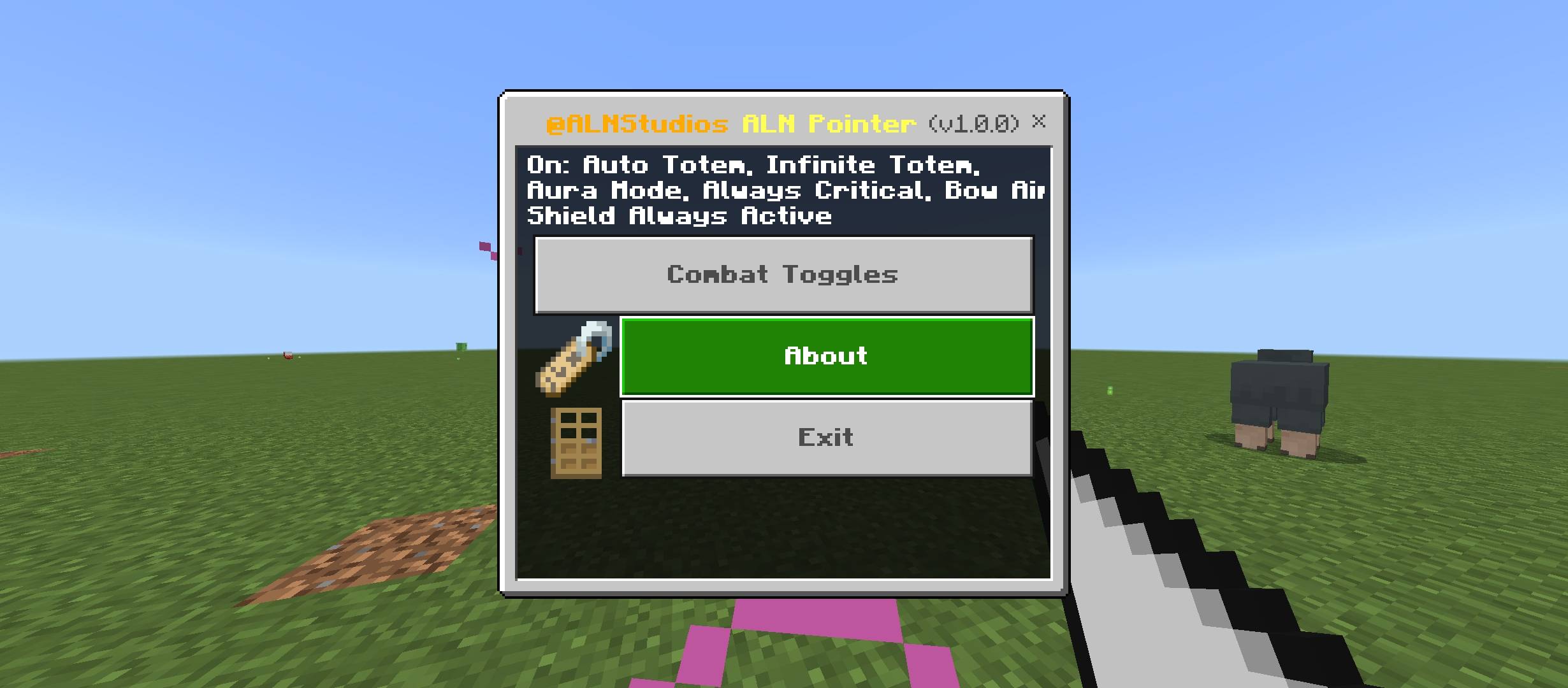
Use the ALN Pointer item to switch 7 PVP toggles on or off per player, including Auto Totem and Bow Aimbot.
Screenshot_20261118-211839_012052.jpg
Screenshot_20261118-211844_012036.jpg
Screenshot_20261118-211846_012021.jpg
Screenshot_20261118-211850_012000.jpg
Description
Combat Helper
by ALNStudios
Use the Combat Helper item to switch 13 PVP toggles on or off per player, including Auto Totem and Bow Aimbot, and set friends and slider values.
The Combat Helper is a cursor-shaped item that opens a menu with 13 toggles, a friends list and tuning sliders, each saved separately for every player. It suits friends who practice PVP in a world they own and want to pick their own settings.
Bedrock: 1.26+
Experimental: No
Achievements: Likely achievement-friendly
About
You get a Combat Helper, use it, and pick the toggles you want in the ALNStudios menu. The toggles then run by themselves whenever you fight, shoot or fall, and vanilla Minecraft has no equivalent switches. The features are cheat-style helpers, so use them only on worlds where everyone agrees.
Screenshots

HOW TO CRAFT

INSIDE THE AIMBOT

LONG RANGE AIMBOT

MENU

OUTSIDE THE AIMBOT

SNAPSHOT

TARGET LOCK 2

TARGET LOCK

TOTEM

TUNING
What You Get
Combat Helper Item
A cursor-shaped item that opens the toggle menu when you use it. You craft one from wool, take one from the Equipment tab of the Creative inventory, or turn on the Give Starter Item pack setting to receive one the first time you join a world.
How It Works: Hold the Combat Helper and use it, like right-clicking on PC or tapping on mobile. Sneak while you use it to switch all your toggles off or back on. To craft one, fill the top row of a crafting table with wool, then the left and middle squares of the middle row, then the left and right squares of the bottom row. This takes 7 wool of any color and the shape looks like a cursor.
Good To Know: With Give Starter Item on, a full inventory on first join means the Combat Helper is offered again on your next join.
Combat Toggles Menu
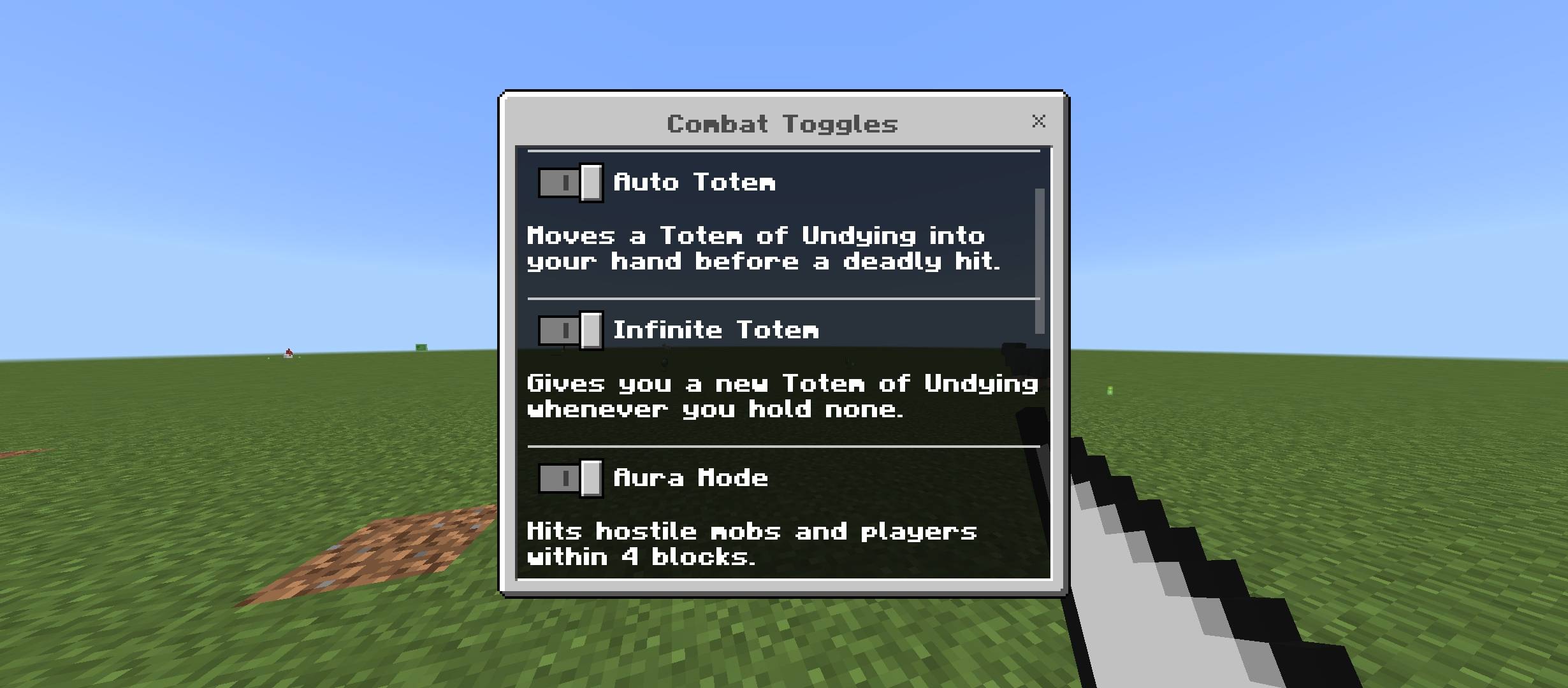
The main menu has three buttons: Combat Menu, About and Exit. Combat Menu opens a screen with Combat Toggles, Friends, Tuning and Practice Dummy. Combat Toggles lists 13 switches with a one-line explanation under each, and Apply saves them and closes the menu.
How It Works: Flip the switches you want, then tap Apply. Closing the screen without Apply brings you back one screen.
Good To Know: Toggles are saved per player, so each person in a world picks their own.
Auto Totem
When a hit would kill you and you hold no Totem of Undying, one from your inventory moves into your off hand first, so the totem saves you.
How It Works: Keep a Totem of Undying anywhere in your inventory and switch Auto Totem on.
Good To Know: It does nothing without a totem in your inventory, and it cannot help against the void or the kill command.
Infinite Totem
Works like Auto Totem, and when you have no totem at all it puts a new Totem of Undying in your off hand before a deadly hit.
How It Works: Switch it on and keep fighting. Each totem that pops is replaced before the next deadly hit.
Good To Know: An item that was in your off hand moves to your inventory, or drops at your feet if the inventory is full.
Aura Mode
Every half second, you hit up to 3 of the nearest hostile mobs and other players within 4 blocks for 5 damage (2.5 hearts), without clicking.
How It Works: Stand near enemies with Aura Mode on and they take damage automatically.
Good To Know: Players in Creative or Spectator mode are never hit, and passive mobs are left alone.
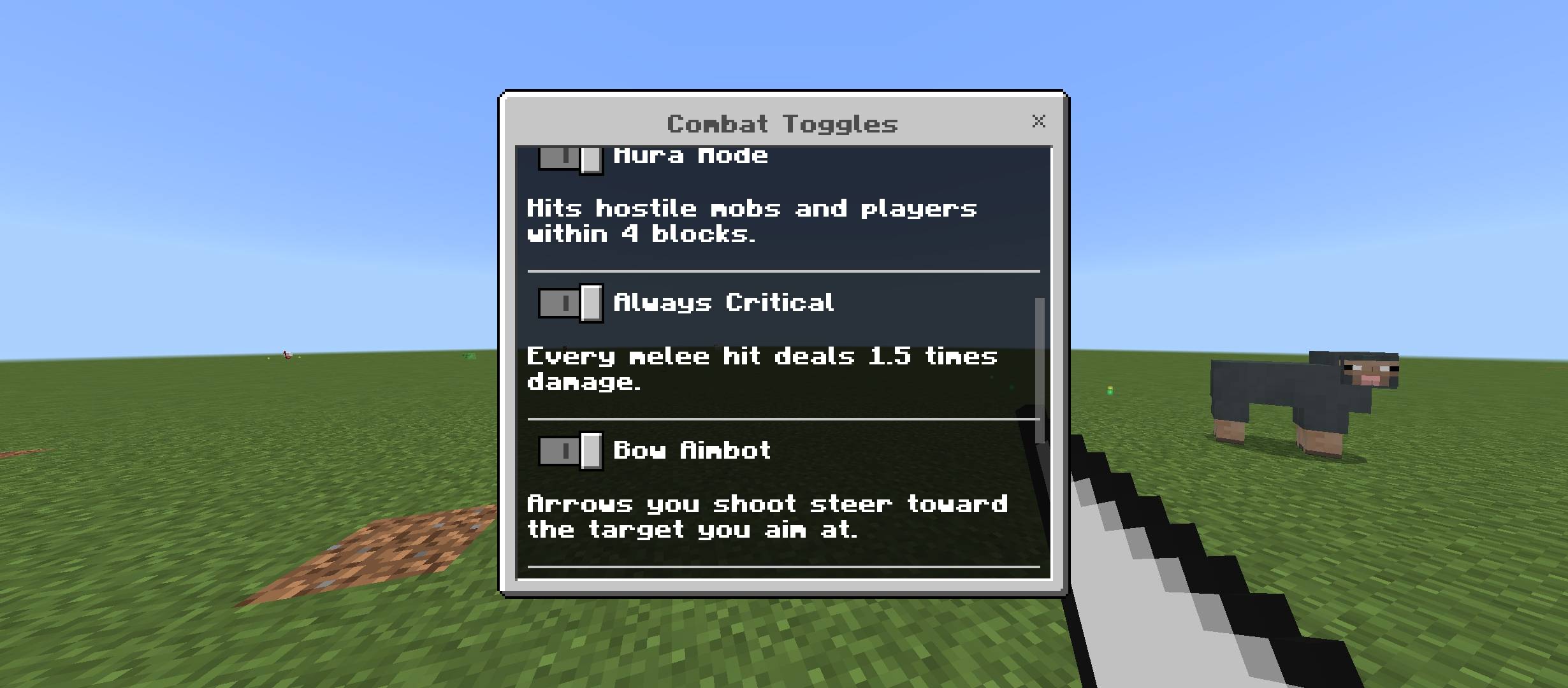
Always Critical
Every melee hit you land deals 1.5 times damage and shows the critical hit sparks, the same bonus as a vanilla critical hit, without jumping first.
How It Works: Hit a mob or player with a sword or axe while Always Critical is on.
Good To Know: A hit made while you are already falling is left as vanilla, so the bonus never stacks.
Bow Aimbot
Arrows you shoot from a bow or crossbow steer toward the hostile mob or player closest to your crosshair within 48 blocks and inside the aim circle on your screen.
Mob Types: Four On or Off choices under Bow Aimbot pick what it hits: hostile mobs, neutral mobs, passive mobs and players. Hostile mobs and players are on by default, and tamed pets are never targeted.
How It Works: Aim roughly at a target and release. The arrow leads a moving target and allows for arrow drop.
Good To Know: If nothing is near your crosshair, the arrow flies as normal. A mob or player hidden behind blocks is never chosen.
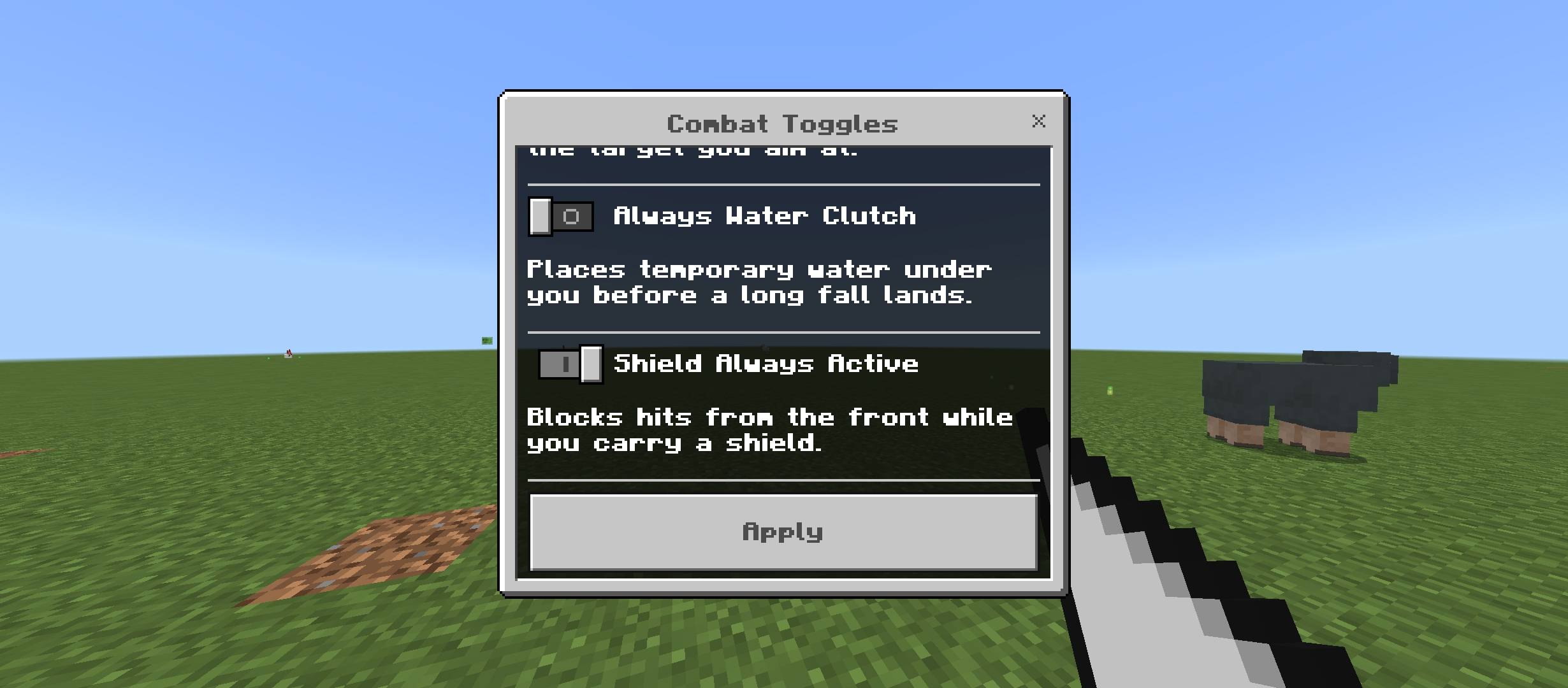
Always Water Clutch
When you fall 3 blocks or more and the ground is close, a water block appears in the space you land in, so the fall does no damage, and it is removed as soon as you stop falling, together with any water that spread from it.
How It Works: Switch it on and jump. No water bucket is needed.
Good To Know: It does not trigger in Creative or Spectator mode, while gliding or flying, or over water.
Shield Always Active
While you carry a shield in either hand, every melee hit and arrow from the front half of your view is fully blocked, even if you are not holding the block button.
How It Works: Keep a shield in your hand or off hand and switch Shield Always Active on.
Good To Know: Hits from behind and other damage, such as fire or explosions, are not blocked. Each block plays the shield sound, shows sparks in front of you, and pushes a melee attacker back.
Auto Golden Apple
When your health drops to 4 hearts or less, one golden apple from your inventory is eaten for you, giving Regeneration II for 5 seconds and Absorption for 2 minutes.
How It Works: Keep a golden apple anywhere in your inventory and switch Auto Golden Apple on.
Good To Know: It waits 20 seconds between apples, it does not restore hunger, and it does nothing in Creative or Spectator mode.
Damage Display
Each time you hurt a mob or player, the action bar shows how much damage the hit did, in points and in hearts.
How It Works: Switch it on and hit something.
Good To Know: It also counts the hits made by Aura Mode.
Immortal
You never drop below 1 heart. Any hit that would take you lower is cut down or cancelled, even a one-hit explosion.
How It Works: Switch Immortal on under Defense in Combat Settings. There is no totem sound or particle.
Good To Know: It also tries to block the void and the kill command, and if you fall into the void it moves you back to the last ground you stood on. It is used before the totem toggles, so no totem is spent while Immortal is on.
Keep Gear On Death
When you die, your items and armor are set aside and given back when you respawn, so nothing drops, and only you keep your gear.
How It Works: Switch Keep Gear On Death on. After you respawn, your inventory, armor and off hand are back as they were.
Good To Know: The items are held in memory, so they are lost if the world closes before you respawn. A totem that saves you does not trigger it.
No Knockback
Melee hits no longer push you back, or push you much less.
How It Works: Switch it on and take a hit. The script pushes you the other way by the amount a hit normally pushes you.
Good To Know: It cancels the push by about the usual amount, so a strong knockback enchantment can still move you a little.
Target Highlight
While you hold a bow or crossbow, a small target picture floats above the mob or player Bow Aimbot will pick, the action bar names it, and a circle picture sits on your crosshair on the screen to show the aim range, so it never lags behind when you turn. Only you see them.
How It Works: Switch on both Bow Aimbot and Target Highlight, hold a bow and aim near an enemy.
Good To Know: It does nothing when Bow Aimbot is off, and the target picture only shows when a target is inside the circle. The circle can be switched off in Tuning, and its size follows the Bow Aimbot angle.
Practice Dummy
A zombie called Practice Dummy appears 3 blocks in front of you. It cannot move or hurt you and it heals fast, so you can test Aura Mode, Always Critical and Damage Display.
How It Works: Open the Combat Menu and tap Practice Dummy.
Good To Know: It disappears after 2 minutes, and spawning a new one removes your old one.
Friends
You pick online players as friends, and Aura Mode and Bow Aimbot skip them.
How It Works: Open the Combat Menu, tap Friends, tick the players you want and tap Apply.
Good To Know: Friends stay on your list when they go offline. The list is yours alone, so a friend is only safe from your toggles, not the other way round.
Tuning
Seven sliders and three choices change how the toggles behave: Aura range (2 to 6 blocks), Aura damage (1 to 10), Aura targets (1 to 5), Bow Aimbot range (16 to 96 blocks), Aim circle zoom (50 to 300 percent), Your game FOV setting (30 to 110), Always Critical damage (110 to 300 percent), Knockback you deal (0 to 200 percent), Aura hits (mobs and players, mobs only or players only) whether Aura turns you to face the target, and whether Target Highlight draws the aim circle.
How It Works: Open the Combat Menu, tap Tuning, drag the sliders and tap Apply. A reset switch at the bottom puts everything back to the defaults.
Good To Know: The starting values match the old fixed numbers, so nothing changes until you move a slider.
Quick Toggle
Sneaking while you use the Combat Helper switches every toggle off at once, and doing it again brings the same toggles back.
How It Works: Crouch and use the item instead of opening the menu.
Good To Know: Your friends and tuning stay as they are.
Starter Item Pack Setting
The behavior pack has a choice between No Starter Item, which is the default, and Give Starter Item, which gives each player a Combat Helper the first time they join the world.
How It Works: Open the world settings, go to Behavior Packs, tap Combat Helper and use the subpack slider to pick Give Starter Item.
Good To Know: Each player gets one the first time they join with the setting on, and a player who already has one saved from before is not given another.
Custom Items

aln pointer
Get Started
1 | Craft a Combat Helper from 7 wool in a cursor shape, take one from the Equipment tab of the Creative inventory, or turn on Give Starter Item to receive one when you first join. |
2 | Hold the Combat Helper and use it to open the ALNStudios menu, then tap Combat Menu and Combat Toggles. |
3 | Switch on the toggles you want and tap Apply. The action bar shows how many toggles are on. |
4 | Use the Combat Helper again any time to change your toggles, or open Friends and Tuning from the Combat Menu. |
Common Questions
How do I get another Combat Helper?
Craft one from 7 wool on a crafting table, laid out like a cursor with the top row full, the left and middle squares of the middle row, and the left and right squares of the bottom row. You can also take one from the Equipment tab of the Creative inventory, or use the command /give @s allenscreations:aln_pointer, which needs cheats.
Do my toggles affect other players?
No. Each player has their own saved toggles, and a toggle only changes what that player does.
Can I use it on a server?
These features act like cheats. Many servers ban them, so use them only where the owner and the other players agree.
Install
1 | Download the file from this page and open it with Minecraft. |
2 | Create or edit a world and turn on the new pack(s) in its settings. |
3 | Play. No Experimental toggles needed. |
Found a Bug or Have a Suggestion?
Please leave a comment on this project page! All bug reports, gameplay feedback, and pack suggestions are welcome and appreciated.
Support

CurseForge | MCPEDL | Ko-fi
By ALNStudios
Permissions and credits
- Rights: All rights reserved for ALNStudios.
- Content creators: You may feature this creation in videos and streams with credit to ALNStudios.
- Redistribution: Do not re-upload this pack or provide direct monetized download bypasses. Link to this page.
- Unofficial community creation. Not an official Minecraft product and not approved by or associated with Mojang or Microsoft.
Minecraft Bedrock add-on, Combat Helper Bedrock mod, Minecraft PE PVP toggles, Auto Totem, Infinite Totem, Aura Mode, Always Critical, Bow Aimbot, Water Clutch, Immortal, Keep Gear, Practice Dummy, Auto Golden Apple, Damage Display, friends list, Minecraft PE mouse pointer item, MCPEDL add-on, CurseForge Bedrock, ALNStudios.
ALN:Pointer (Combat Helper) Team