HOW-TO: Stay still for 60 seconds
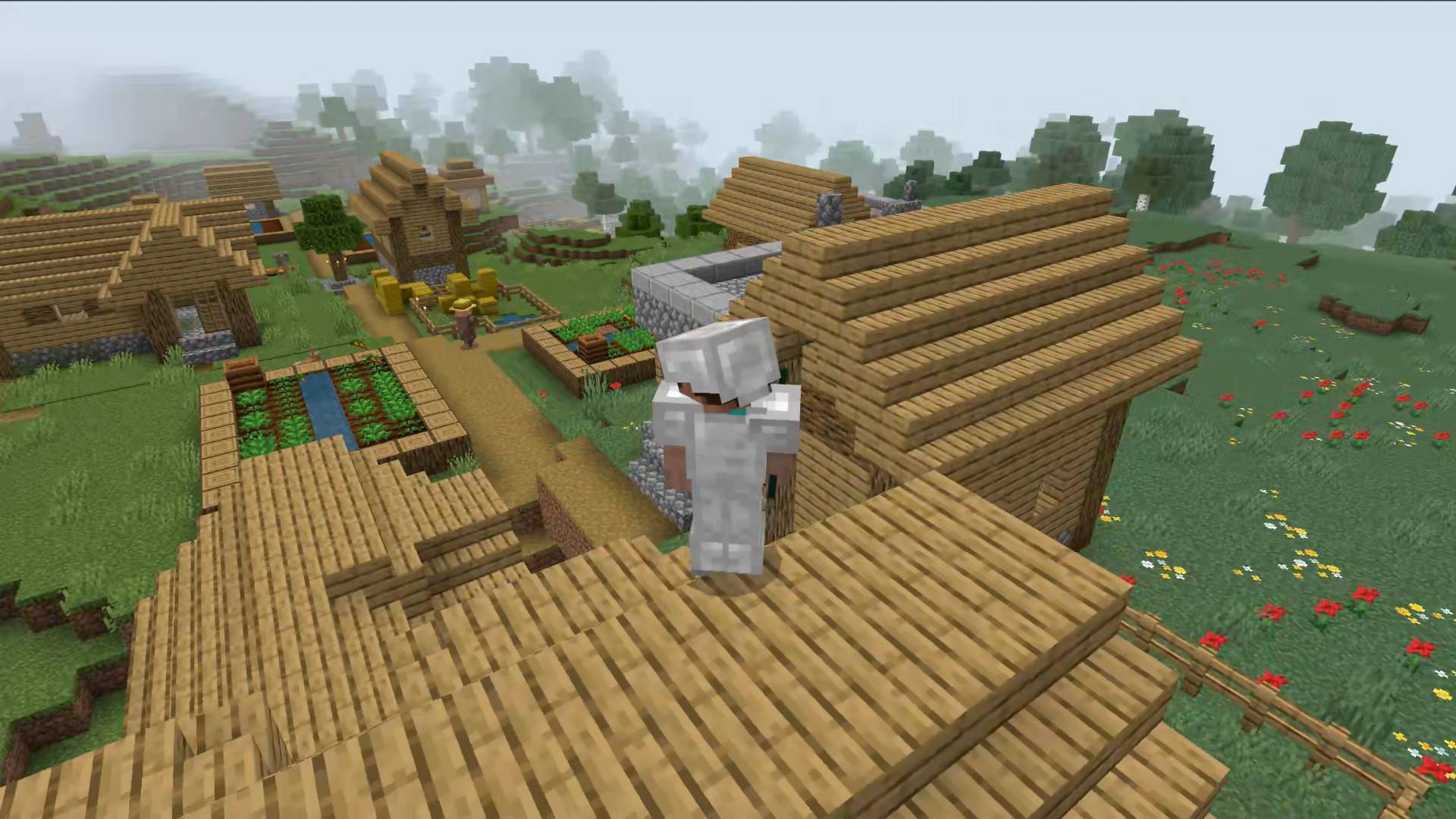
Turn idle moments into smooth cinematic views of your character and surroundings.
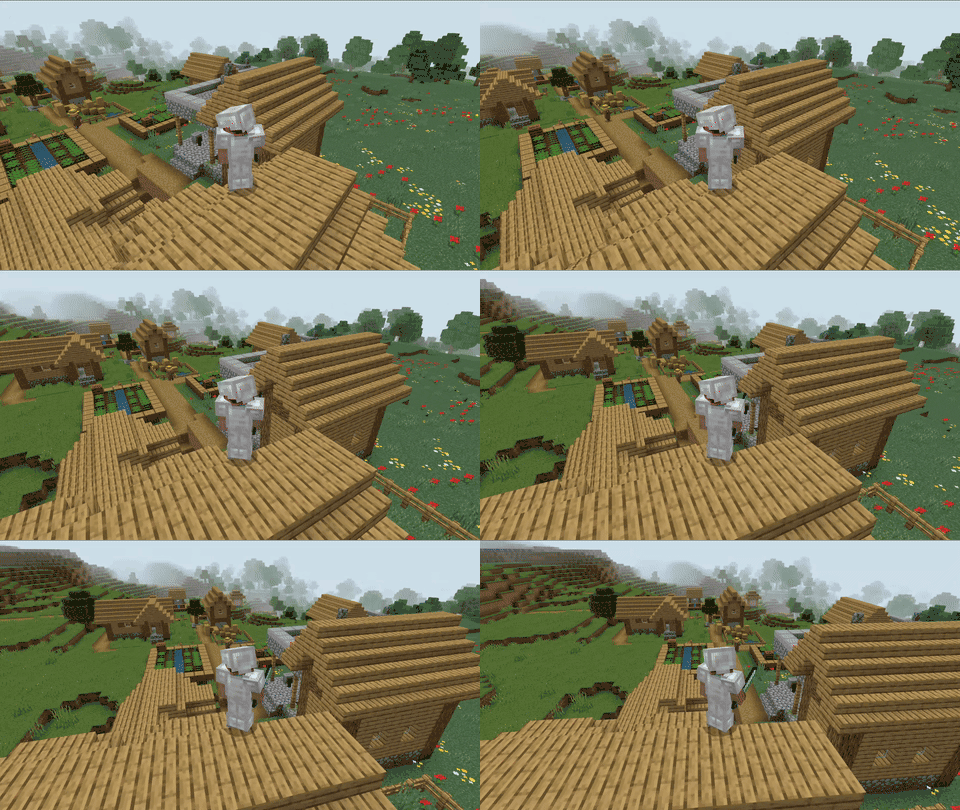
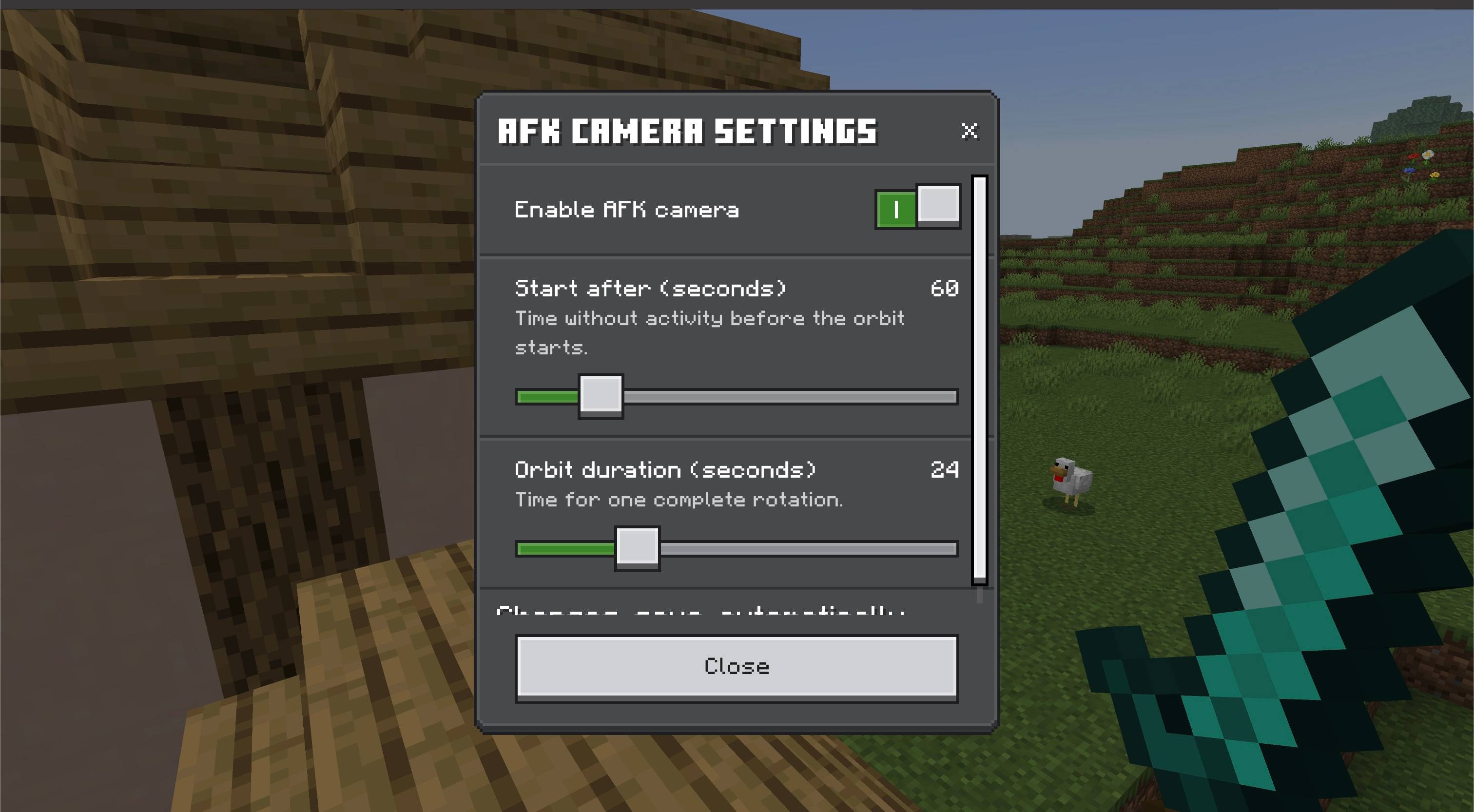
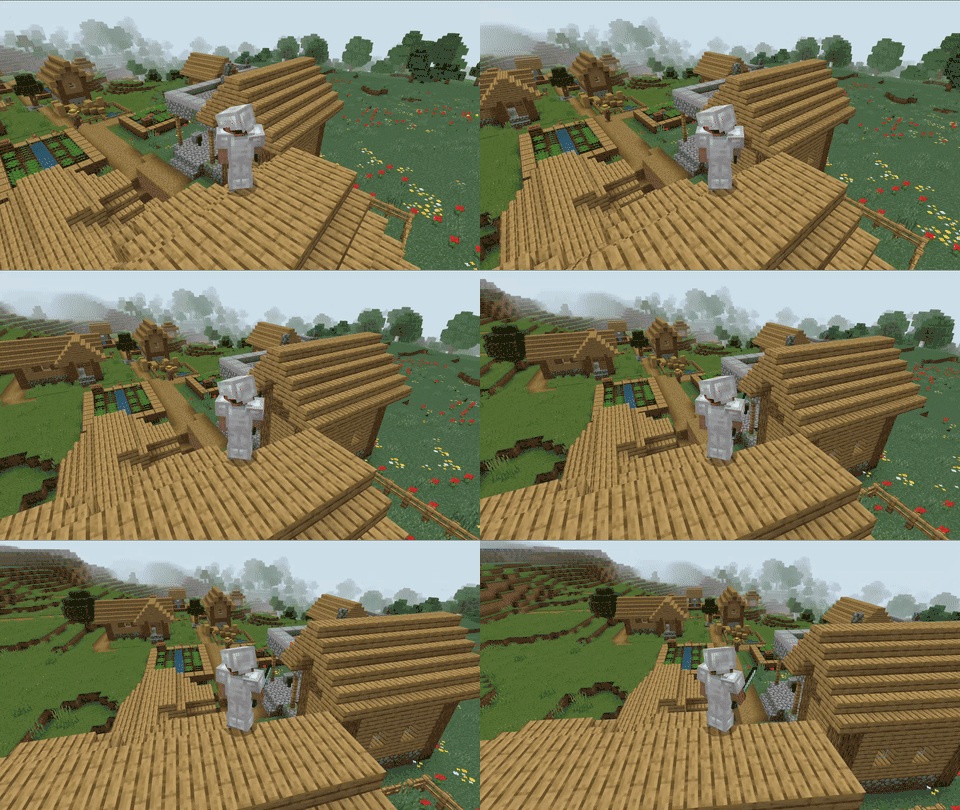
AFK Cinematic Camera automatically begins orbiting around your player after one minute without movement or camera input by default. Move, look around, jump, sneak, use an item, place or break a block, or attack to return immediately to your normal camera. Use /ztp:afk-camera to open a small settings menu; changes save as soon as you make them.
Features
- Automatic AFK detection — starts after 60 seconds without player movement or camera input by default; adjust the delay from 15 to 300 seconds.
- Smooth cinematic orbit — completes a calm rotation around your character every 24 seconds by default; adjust a full orbit from 12 to 60 seconds.
- Personal settings — each player can enable or disable the camera and change its timing in a menu that saves automatically.
- Instant activity reset — normal gameplay returns as soon as you move, look, jump, sneak, interact, or attack.
- Wall-aware camera — moves closer when an obstacle blocks the full orbit path, reducing camera clipping.
- Independent multiplayer support — each player has their own inactivity timer and camera state.
- Hands-free showcase mode — useful for screenshots, streams, Realm hubs, waiting areas, and showing off skins or builds.
- Lightweight — one Behavior Pack with no custom items, recipes, or external dependencies.
How to use
- Import the
.mcaddon file into Minecraft Bedrock.
- Activate the AFK Cinematic Camera | Automatic Orbit Behavior Pack for your world.
- Stop moving and leave the camera untouched for 60 seconds.
- The cinematic orbit starts automatically.
- Move or provide any normal gameplay input to return to your usual camera immediately.
- Optional: run
/ztp:afk-camera to change your personal settings. No cheats or Save button are needed.
Notes
- The inactivity timer resets when your position or view changes, including movement caused by the environment.
- Near walls or ceilings, the camera automatically shortens its distance to keep the player visible.
- Other add-ons that continuously control the player camera may conflict with the cinematic orbit.
- No experimental toggles are required.
Requirements
- Minecraft Bedrock Edition 26.50 or newer
- The Behavior Pack must be active in the world
- The included Resource Pack provides translated settings text; no external add-on is required