Advance Land Claim Plot Protection
- By
Claim, Customize, Conquer! 🚀 Secure your land in Minecraft Bedrock with the Advanced Land Protection System! Set timers, invite friends, and personalize settings to make your territory truly yours. Lock down your builds and take control today! 🔒🏡✨
Elevate your Minecraft experience with the Advanced Land Protection System! This essential addon empowers you to secure your plots with customizable timers and offers a wealth of configurable settings to personalize your land. Protect your creations, invite friends, and build a thriving community while keeping griefers at bay!
Core Features:
- Customizable Security Timers: Set timers to automatically protect your plots from unauthorized access.
- Member Management: Easily invite and manage trusted players on your land.
- Configurable Settings: Personalize enter/exit messages, sounds, and action bar displays for a unique experience.
- Plot Market: Buy, sell, and manage your plots with ease.
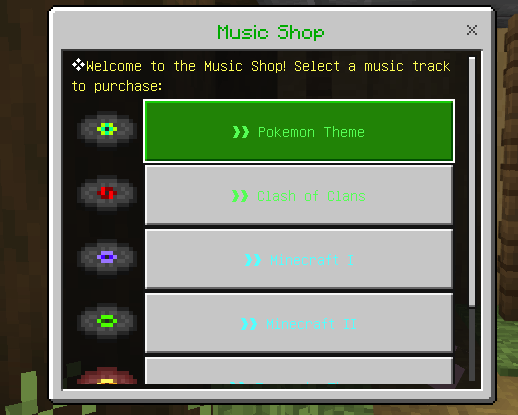
- Music Integration: Add background music to enhance the atmosphere of your plots.
- Visual Plot Borders: Clearly see your plot boundaries with particle effects.
Join the revolution in land management and secure your legacy today!
<mark class="marker-yellow">How to use the Advance Land Claim Plot Protection Add-on?</mark>
1. Purchasing a Plot
- Step 1: Go to the first coordinate and open the land menu.
- Step 2: Click on 'Start Position' and move to the second position.
- Step 3: Click on 'End Position'.
- Step 4: Click on 'Buy' to purchase the plot.
- Optional: Set a spawn point for easy access later.
2. Listing Your Land
- Step 1: Click on 'List Lands' in the menu.
- Step 2: Select the plot you want to view.
- Step 3: The plot information will be displayed.
3. Inviting Players
- Step 1: Click on 'Invite Player' in the menu.
- Step 2: Select the plot you want to invite someone to.
- Step 3: Choose an online player to invite. They will receive a request to accept.
4. Kicking Players
- Step 1: Click on 'Kick Player' in the menu.
- Step 2: Select the plot from which you want to remove a player.
- Step 3: Choose the player to kick from the list.
5. Viewing Members
- Step 1: Click on 'View Members' in the menu.
- Step 2: Select the plot you want to check.
- Step 3: You will see the list of members invited to the plot.
6. Using the Plot Shield
- Step 1: Click on 'Plot Shield' in the menu.
- Step 2: Select a plot and purchase a timer for it.
- Step 3: The timer will protect your plot from being accessed.
7. Teleporting to a Plot
- Step 1: Click on 'Teleport to Plot' in the menu.
- Step 2: Ensure you are inside the plot where you want to set the spawn point.
8. Changing Plot Code
- Step 1: Click on 'Change Plot Code' in the menu.
- Step 2: Be cautious: changing the code while a timer is active will remove the timer.
9. Music Shop
- Step 1: Click on 'Music Shop' in the menu.
- Step 2: Choose the music you want to buy and own.
- Step 3: Toggle it on by typing !playmusic in chat.
10. Configuring Settings
- Step 1: Click on 'Settings' in the menu.
- Step 2: Configure messages, sounds, and action bar displays to personalize your plot experience.
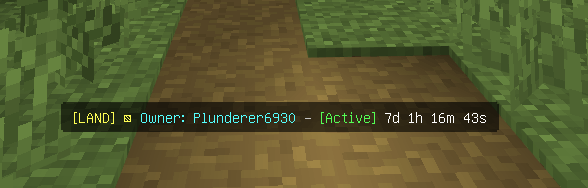
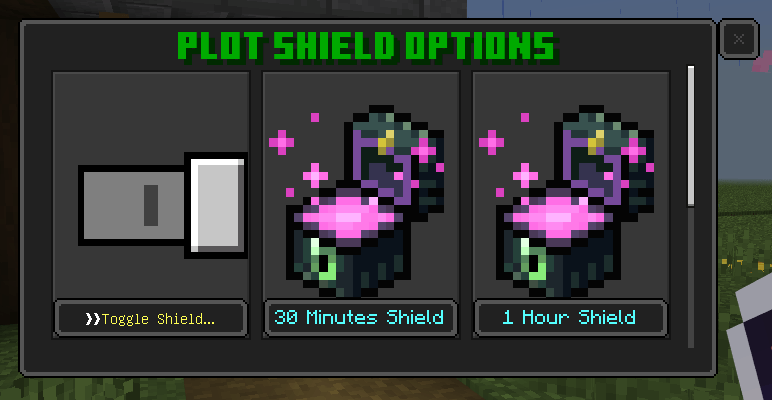
Plot Timer - The plot timer is the core feature of this addon. When the timer is active, the land cannot be destroyed or griefed, making it untouchable and safe. However, once the timer expires, your land's protection becomes vulnerable to other players. Be sure to check your timer regularly!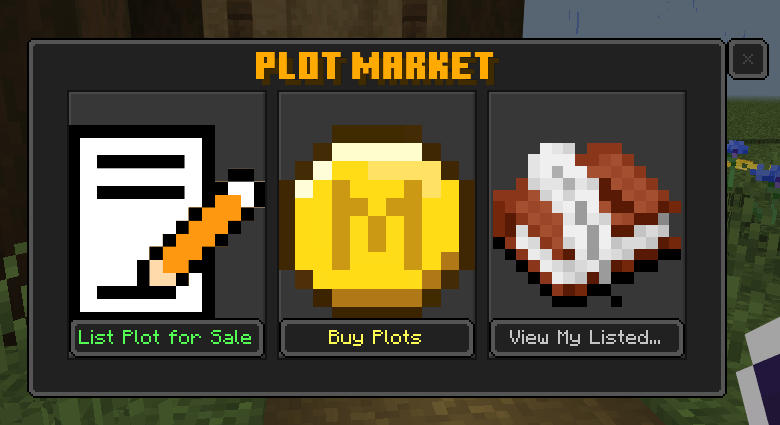
Plot Market - Buy, sell, and manage land with ease! List your plots, purchase new ones, and track your listings in one place. This support offline selling so even if the player is offline you can still claim your sale.
Plot Configuration - easily configure your plot enter message, exit message, actonbar display and the Music Background of the plot.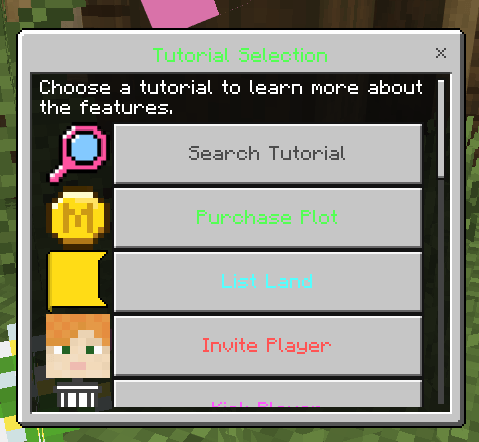
You can view the tutorial Section If you want to know something.
For the Full turtorial You can view my video here
NOTE: PLEASE TAG ME IF YOU WANT TO POST THIS ADDON
YouTube: JMAFK BEDROCK
Discord: jm_afk
Discord Server: https://discord.com/invite/K9QkfYTpJd
Advance Land Claim Plot Protection Team