Chest Shop Advance rework
- By
A full player-driven economy addon. Create chest shops, set prices, sell items, and explore a global marketplace — all with a custom UI. Includes co-owners, broadcasts, admin tools, sales analytics, chest protection, and offline sale reports.
Screenshot 2026-02-12 205519.png
Screenshot 2026-01-15 082400.png
Screenshot 2026-01-15 082421.png
MCPEDL
Description
🏪 Chest Shop V3 – Player-Driven Economy System
Turn your Minecraft Bedrock world into a living, breathing economy. Chest Shop allows players to open their own shops using chests, sell items to others, track sales, and explore a global marketplace — all wrapped in a clean, modern custom UI built for smooth and immersive gameplay.
Developed by JMAFK BEDROCK
✨ Features at a Glance
🛒 Player Shops
- Create a shop instantly by looking at an empty block and running
/j:shop create - Any chest can be a shop – stock items, set prices, and start selling
- Full inventory management – add items, update prices, and retrieve unsold stock
- Chest protection – shop chests are safe from breaking, explosions, and griefing
- Co-Owner System – invite players to help manage your shop as staff members
- Online Player Selection – add co-owners from a dropdown of currently online players
- Role-Based Permissions – primary owners retain full control; co-owners have limited access with clear visual indicators on restricted actions
🌍 Global Marketplace
- Browse every shop in one searchable menu using
/j:shop market - Search for specific items across all player shops
- Filter by category – Blocks, Tools, Food, Ores, and more
- Filter by shop owner to find items from a specific seller
- Pagination support for large and active server markets
💰 Economy System
- Real-time transactions powered by a scoreboard-based currency
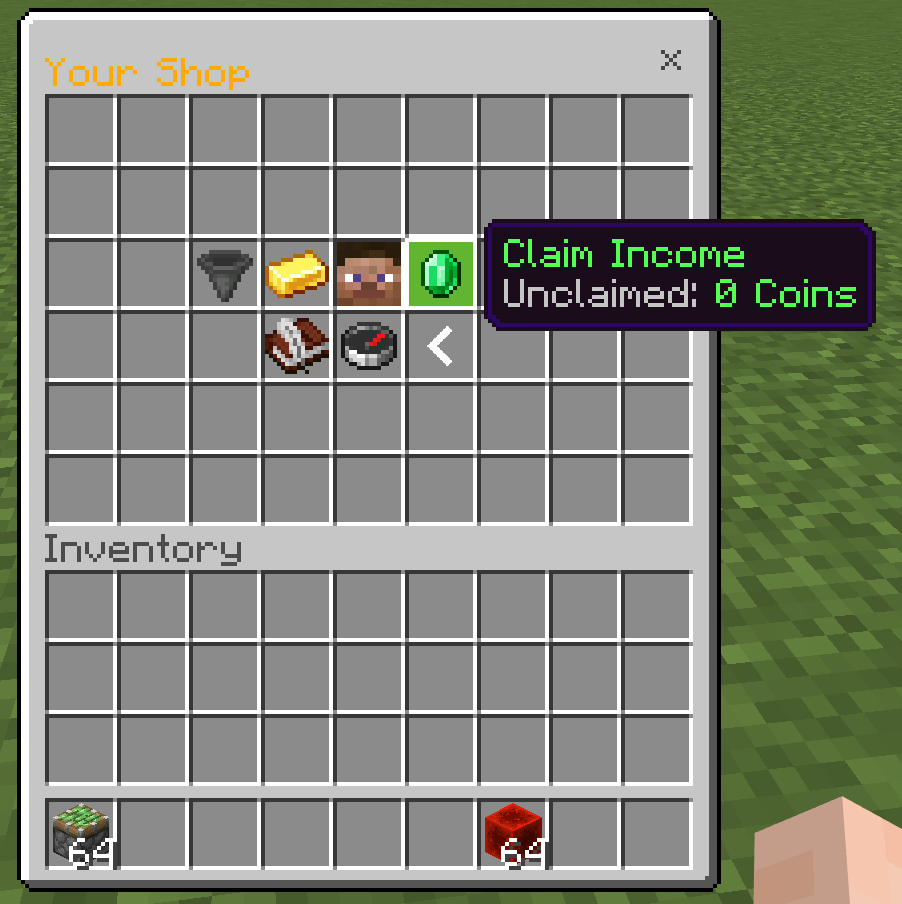
- Claim earnings anytime from completed sales
- Configurable global sales tax on all transactions
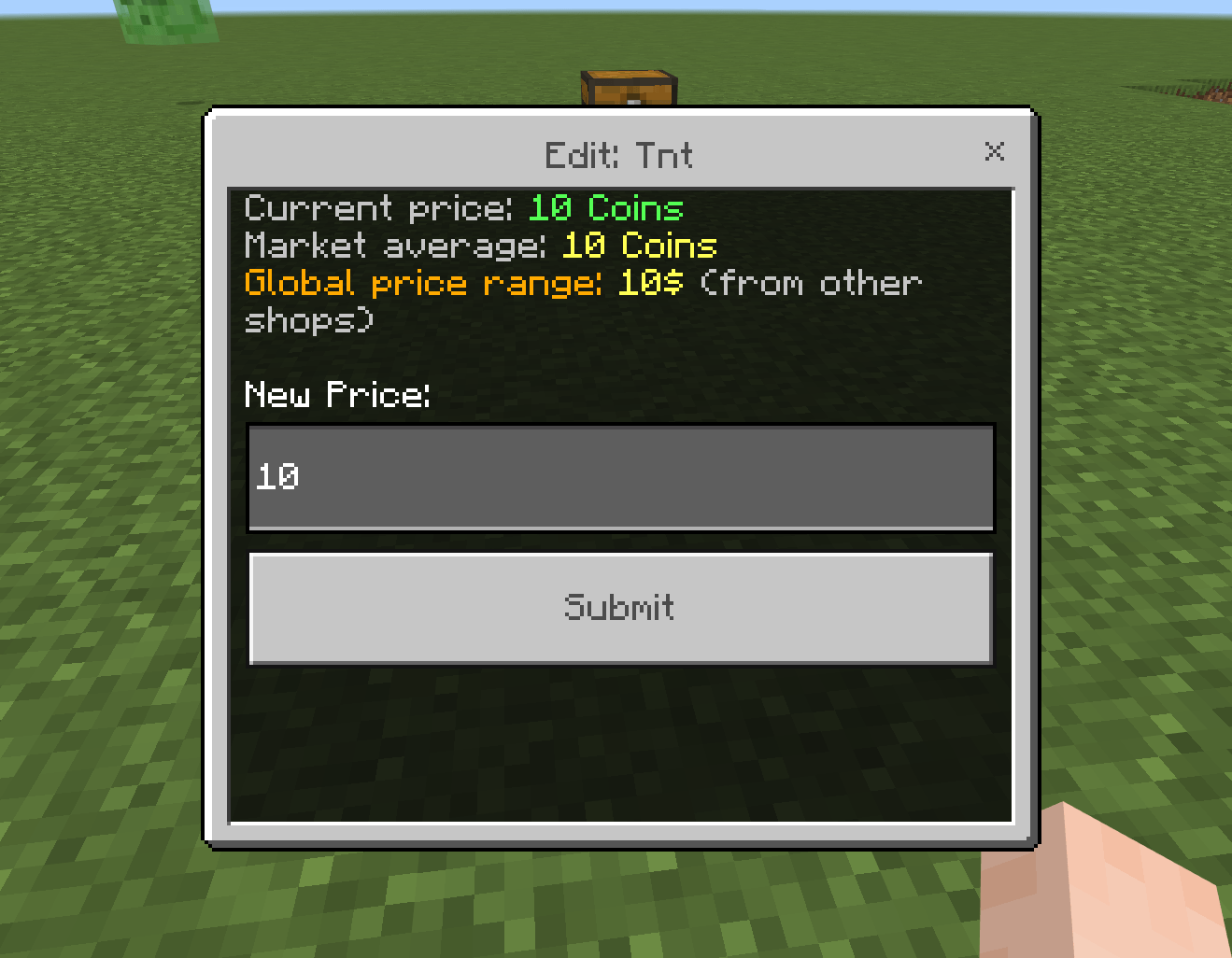
- Smart price suggestions based on market activity and trends
- Creation fees – admins can set a cost to open new shops
📢 Dual-Loop Broadcast System
- Featured Shop Broadcasts – boost your shop with timed broadcasts visible to all players
- Grouped Alerts – up to 3 featured shops are displayed in a single clean message to reduce chat clutter
- Featured Item & Price Display – showcase a specific item and its price in broadcast messages
- Basic Market Updates – random shop promotions cycle through all participating sellers
- Broadcast Management Hub – pause, resume, or cancel active broadcasts at any time
- Fully Configurable – admins control broadcast intervals, pricing, and toggle the system on/off
🔔 Notifications & Reports
- Sellers are notified when an item is sold
- Buyers receive confirmation after every purchase
- Offline Sales Report – sellers see a summary of what sold while they were away
- Admins get alerts when new seller applications or shop reports are submitted
👑 Admin Controls
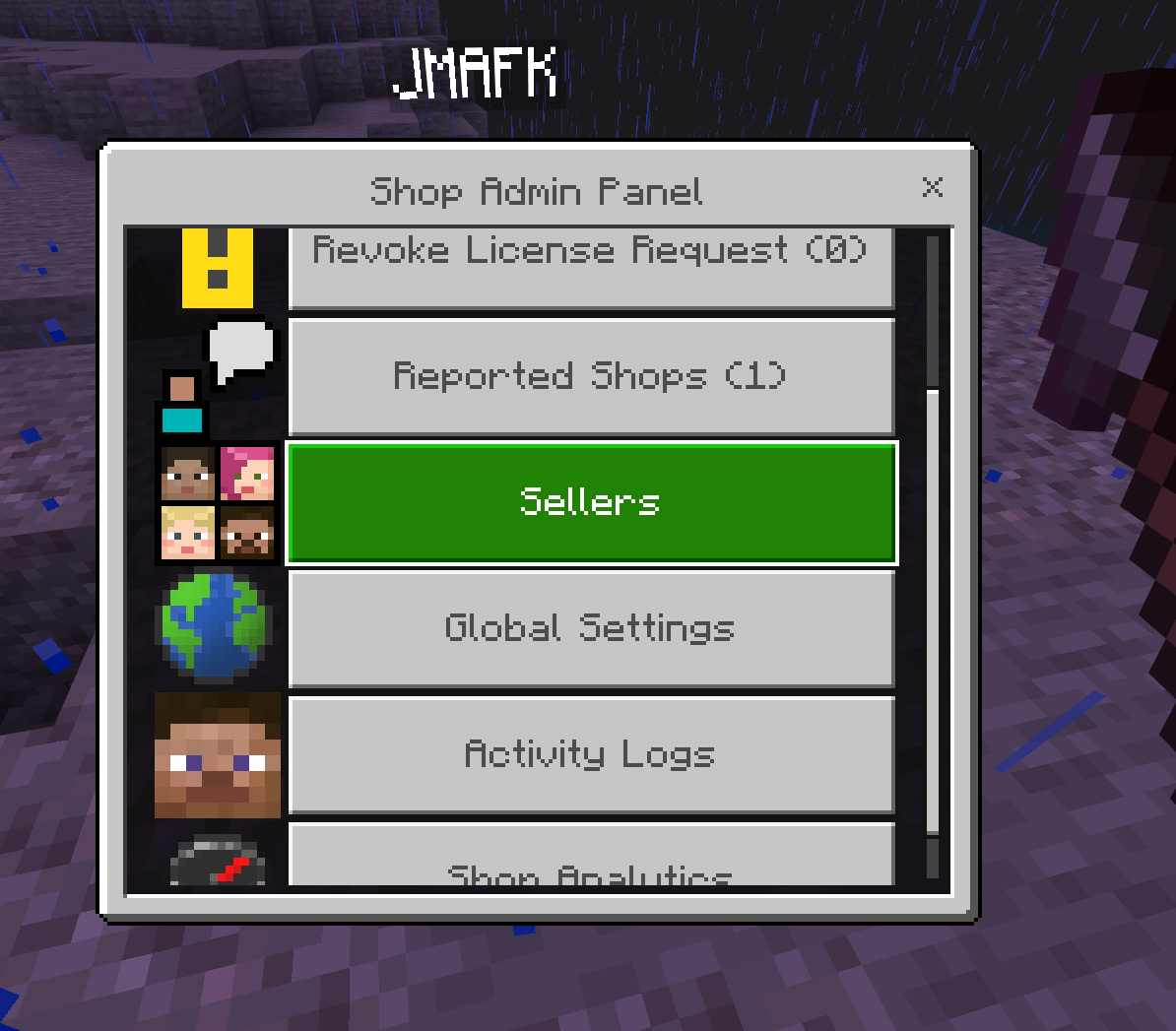
- Seller Application System – approve or reject who can sell on the server
- License Appeals – revoked sellers can submit appeals for admin review
- Shop Report System – players can report shops; admins review and take action
- Seller Directory – view all active sellers, their shop count, and online status
- Revoke & Restore seller permissions with detailed reasoning
- Teleport to any shop directly from the admin panel
- Global Configuration – shop limits, taxes, broadcast settings, economy rules, and more
📊 Analytics & Logs
- Per-shop sales history with timestamps
- Player activity tracking – items sold, income claimed, shop performance
- Player statistics – join date, average income, total earnings
- Server-wide market data for admins
🎨 Polished UI & UX
- Custom Chest UI – a beautifully formatted grid layout for the owner menu
- Visual Slot Indicators – unused slots are styled with a clean disabled texture
- Restricted Action Indicators – co-owners see clear visual cues on actions only the primary owner can perform
- Informative Tooltips – hover over any button for context on what it does
- Sound Feedback – confirmation sounds for purchases, errors, and UI interactions
- Shop Relocation – move your shop to a new chest without losing inventory or settings
📥 Installation
Step 1: Enable Beta APIs
- Create a new world or edit an existing one
- Open the Experiments tab
- Enable Beta APIs (required for Script API)
Step 2: Apply Packs
- Download the addon (
.mcaddonor.mcpack) - Import it into Minecraft
- Apply both the Behavior Pack and Resource Pack to your world
Step 3: Set Up Currency (Scoreboard)
Run this command in-game to create the currency scoreboard:
/scoreboard objectives add money dummy
To give money to a player:
/scoreboard players add "PlayerName" money 100000
🎮 Commands
Player Commands
| Command | Description |
|---|---|
/j:shop create |
Create a new shop (look at an empty block) |
/j:shop market |
Open the global marketplace |
/j:shop apply |
Apply to become a seller |
/j:shop list |
View all shops you own |
/j:shop info |
View shop info (look at the shop chest) |
/j:shop delete |
Delete a shop (look at the shop chest) |
/j:shop activate |
Open addon activation panel |
/j:shop help |
Display command help |
Admin Commands
| Command | Description |
|---|---|
/j:shopadmin |
Open the admin dashboard |
⚠️ Admin Access Requirements
- Must be an Operator (OP) or have the
admintag- Grant access with:
/tag "PlayerName" add admin
🛠️ How to Use
For Buyers
- Find a shop chest in the world or open
/j:shop market - Browse available items and select what you want
- Choose the quantity and confirm the purchase
- The item is delivered to your inventory instantly
For Sellers
- Apply to become a seller using
/j:shop apply - Wait for admin approval
- Create a shop with
/j:shop createwhile looking at a block - Open the shop chest and place items to sell
- Set prices through the owner menu
- Manage broadcasts, co-owners, and settings from the shop panel
- Claim your earnings anytime
For Admins
- Add the admin tag:
/tag @s add admin - Open the admin panel using
/j:shopadmin - Review seller applications and license appeals
- Monitor transaction logs and player activity
- Configure economy settings, broadcast rules, and shop limits
- Teleport to reported shops for investigation
⚙️ Configuration
The addon uses a scoreboard named money as its default currency. Admins can customize:
| Setting | Description |
|---|---|
| Currency Name | Display name for the currency (default: Coins) |
| Global Sales Tax | Percentage tax on all transactions (0–100%) |
| Max Shops per Player | Limit how many shops each player can create |
| Shop Creation Fee | Cost to create a new shop |
| Require Application | Toggle whether players must apply to sell |
| Broadcast Enabled | Turn global shop broadcasts on/off |
| Broadcast Intervals | Control timing for featured and basic broadcasts |
| Broadcast Price | Set the cost for featured shop promotions |
📋 Requirements
- Minecraft Bedrock Edition 1.21.50 or newer
- Beta APIs enabled in world settings
- Operator permissions for admin features
📝 Changelog — v3.3.0
- ✅ Added Dual-Loop Broadcast System (Featured + Basic broadcasts)
- ✅ Added Broadcast Management Hub – pause, resume, and delete active boosts
- ✅ Added Featured Item Price Display in broadcast messages
- ✅ Added Online Player Selection for adding co-owners
- ✅ Added Visual UI Restrictions – restricted buttons show clear indicators for co-owners
- ✅ Improved Grouped Premium Alerts – up to 3 shops per broadcast message
- ✅ Improved Owner Menu UX – formatted grid layout with disabled slot styling
- ✅ Added License Appeal System for revoked sellers
- ✅ Added Shop Relocation – move shops without losing data
🔗 Links
Need help or want updates? Reach out anytime!
- Discord: https://discord.com/invite/CtKukG3Jeu
- YouTube: https://www.youtube.com/@JMAFKBedrock
🐛 Support
Found a bug or have a feature suggestion? Join the Discord server or leave a comment — feedback is always welcome and appreciated.
Build your economy. Grow your server. Enjoy the experience! 🏪✨
The Chest Shop Advance rework Team