


Advance Command block Addon
- By
A custom interactive command block for Bedrock multiplayer — store up to 10 commands, run on press, with repeat mode, run count, and operator-only protection.
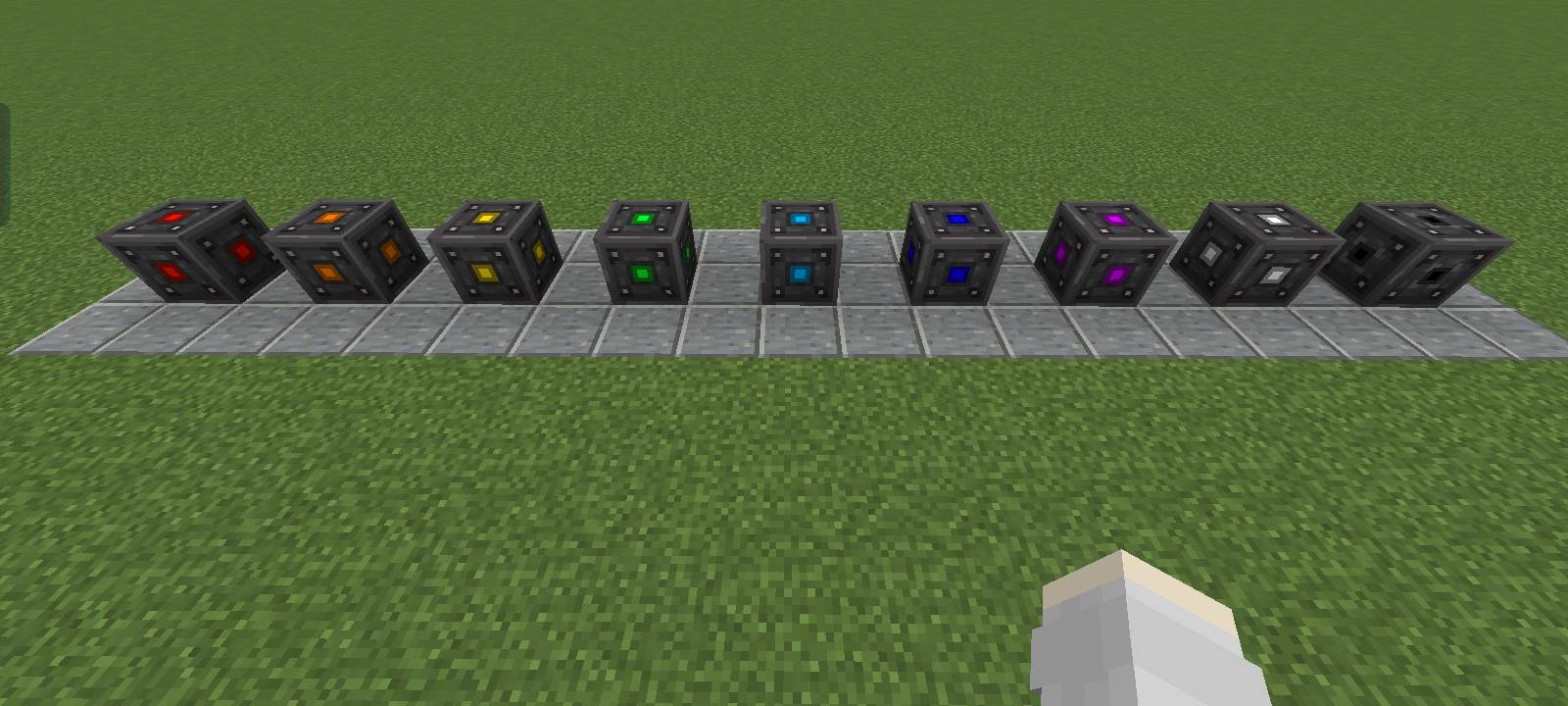
image1.jpg
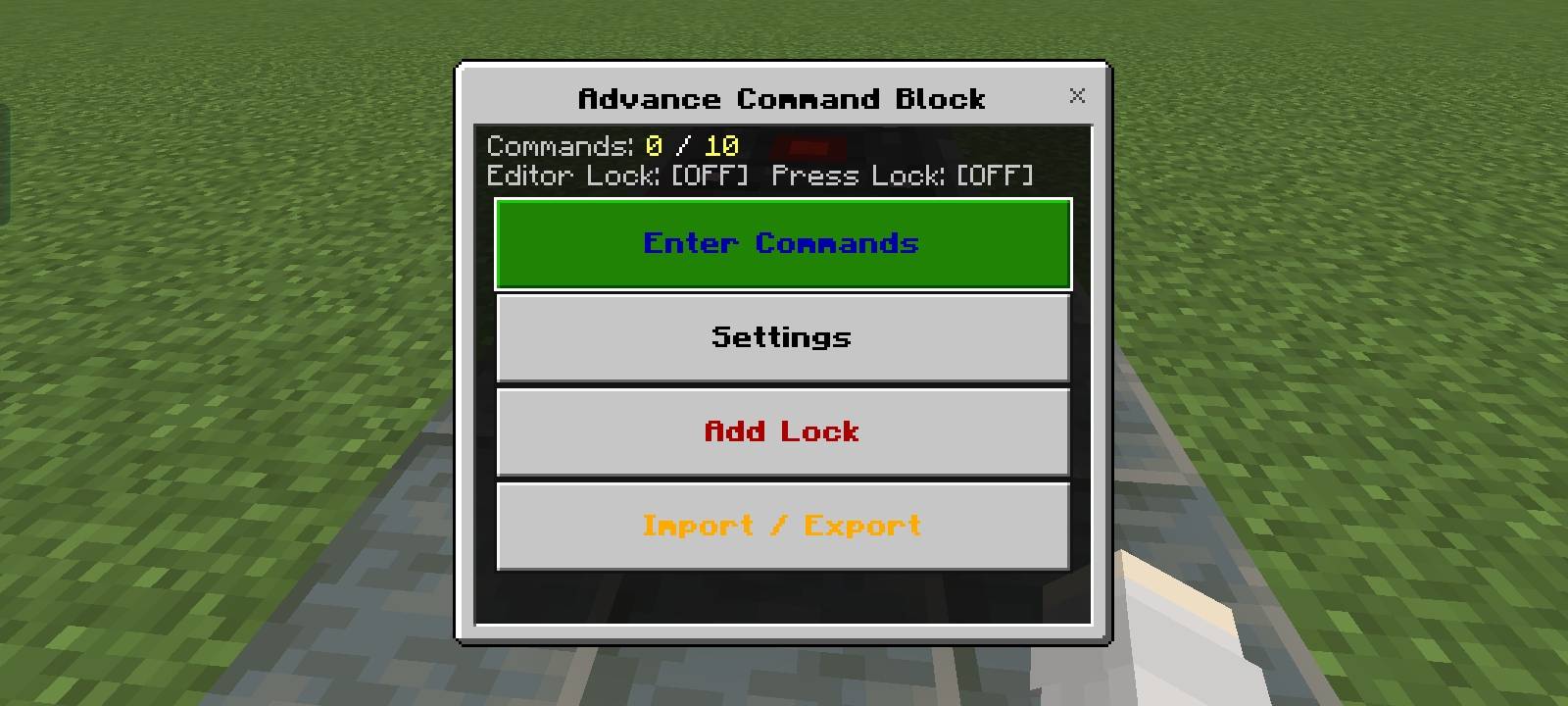
image2.jpg
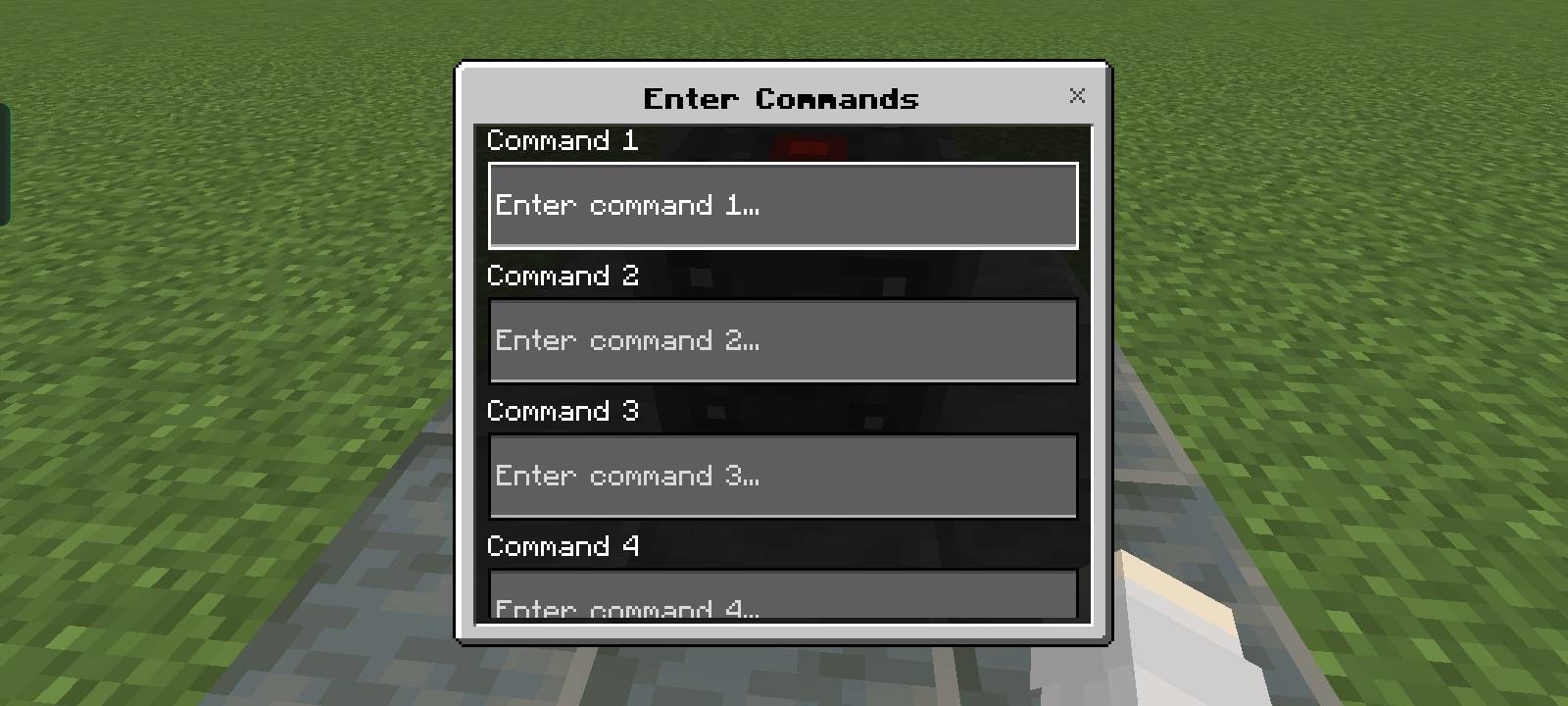
image3.jpg
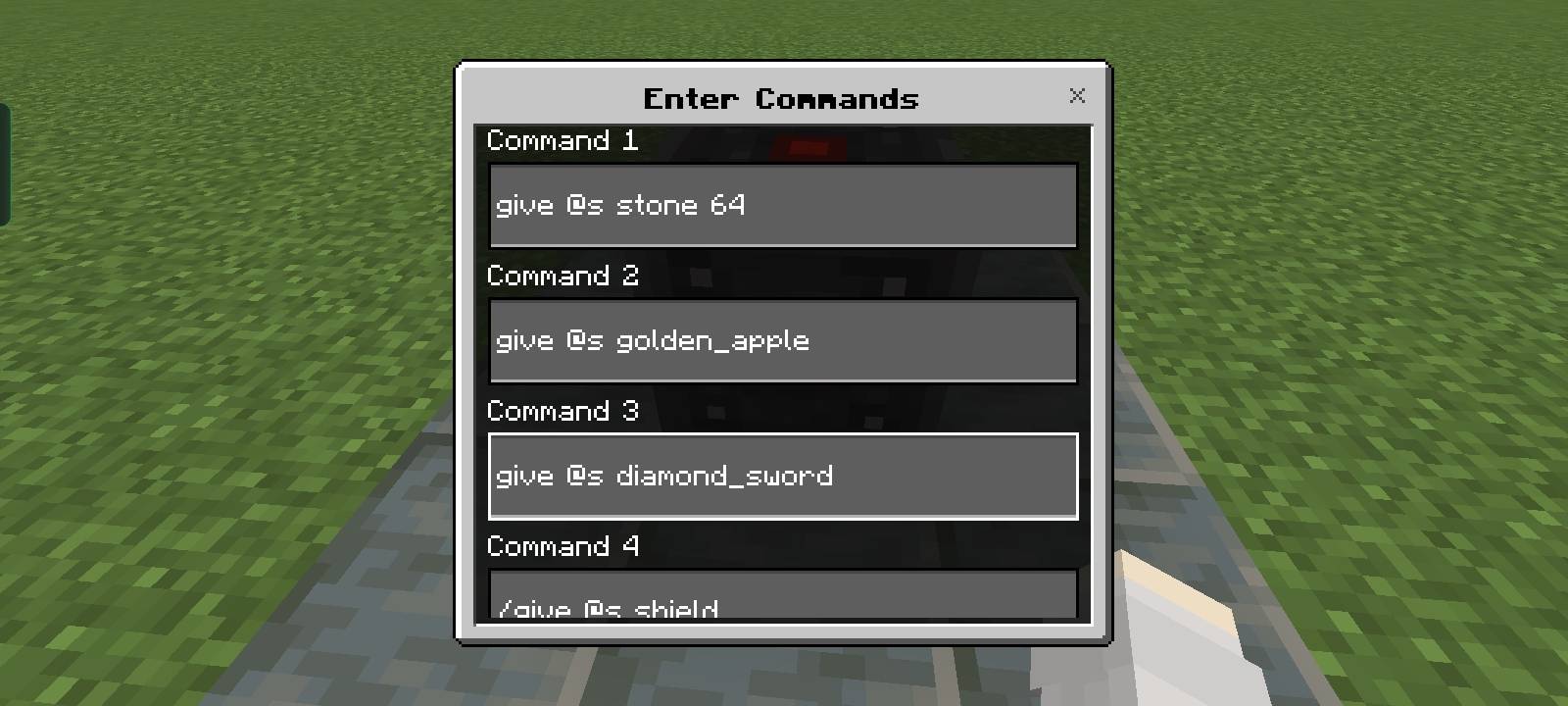
image4.jpg
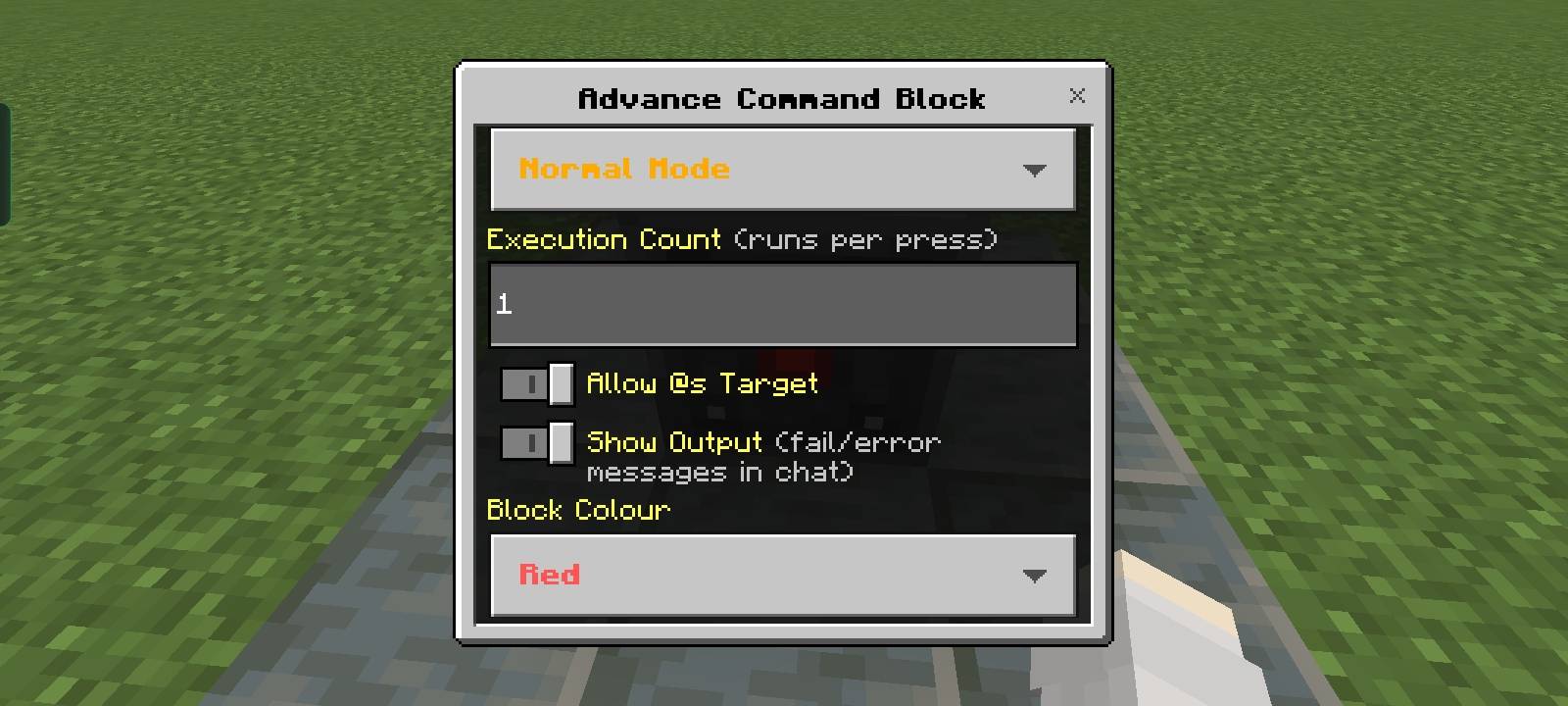
image5.jpg
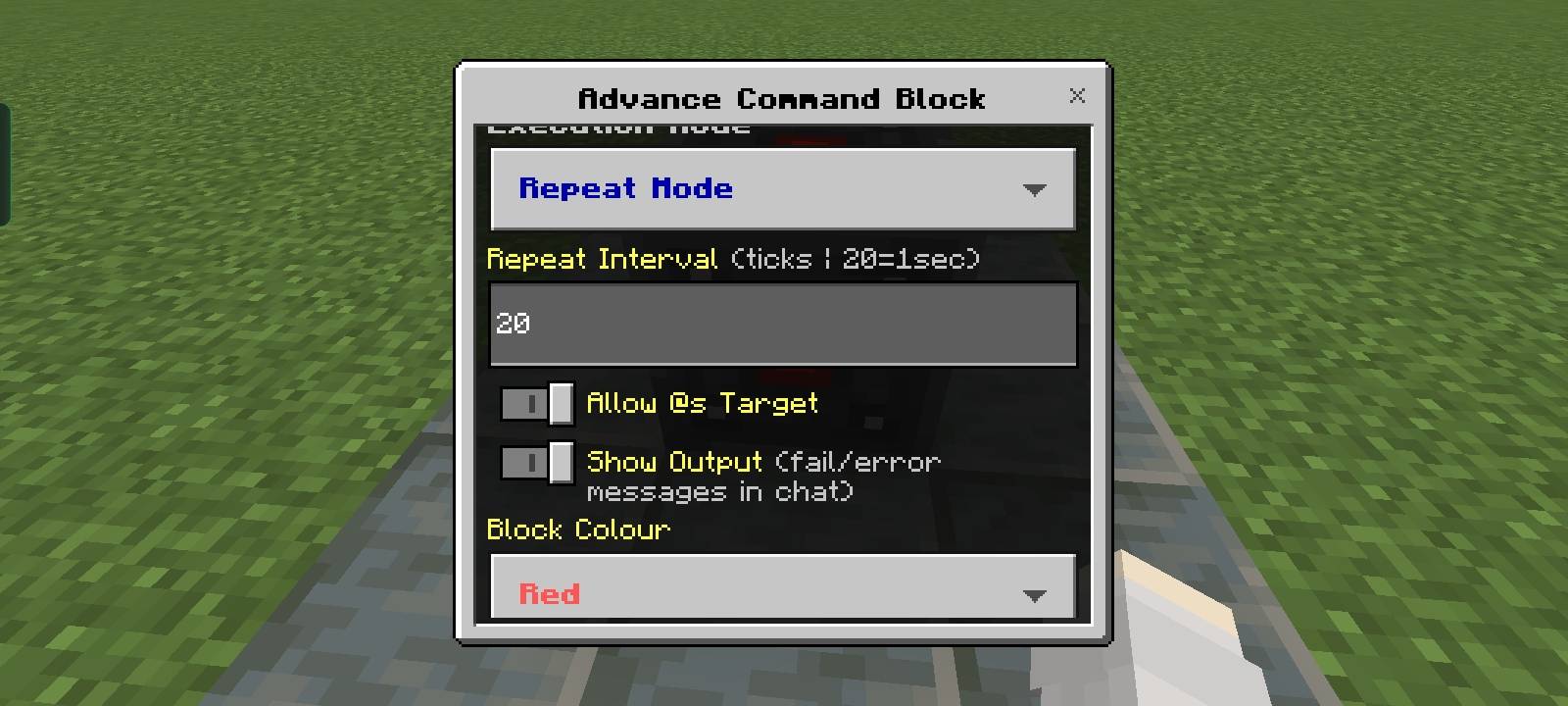
image6.jpg
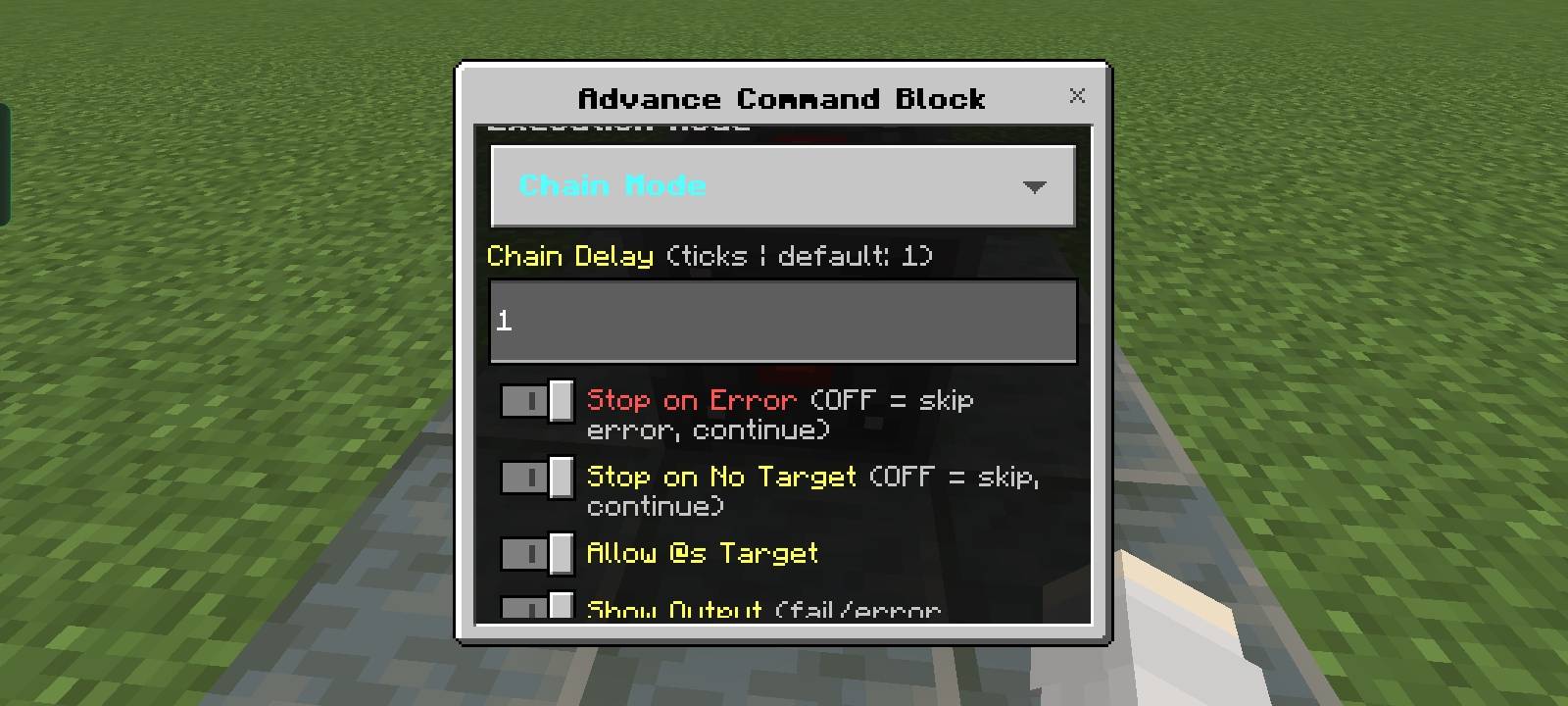
image7.jpg
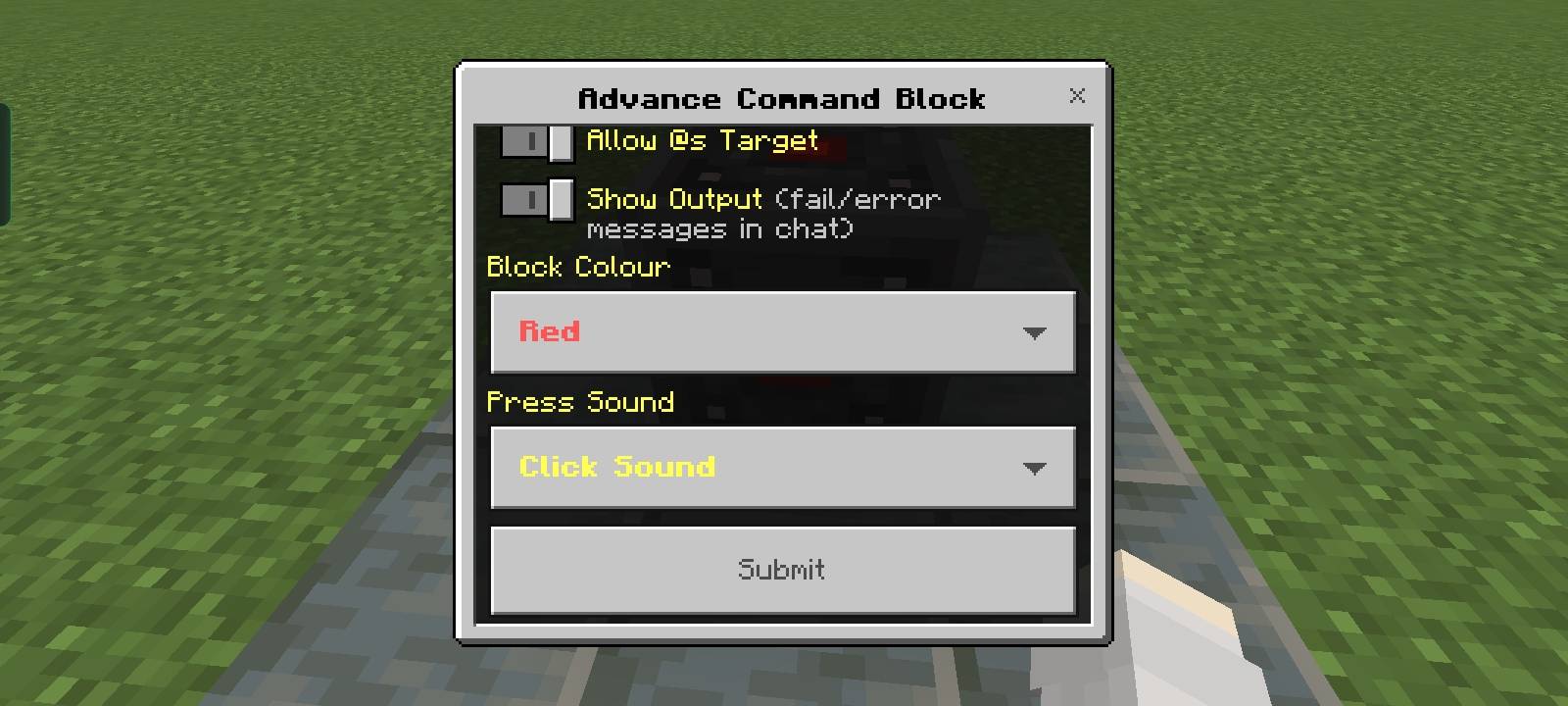
image8.jpg
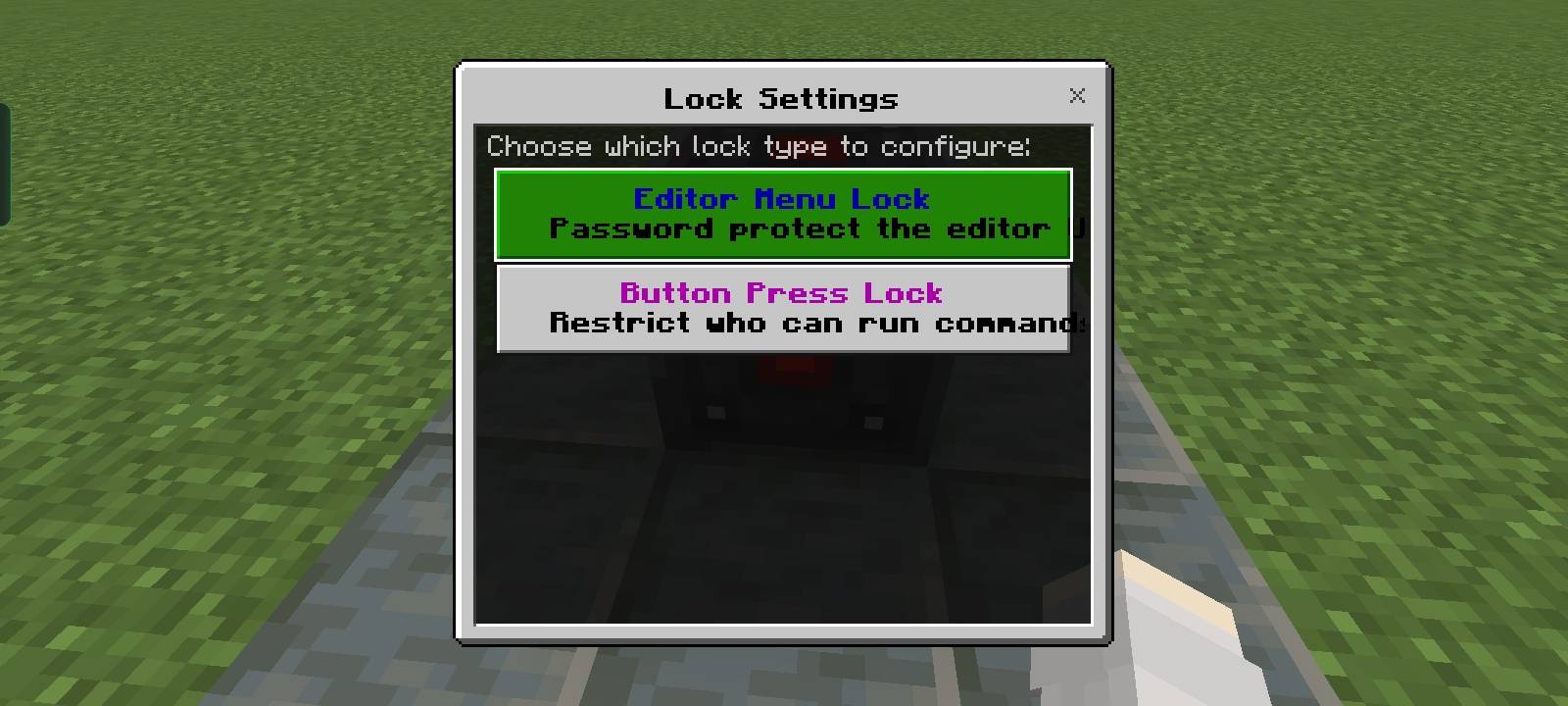
image9.jpg
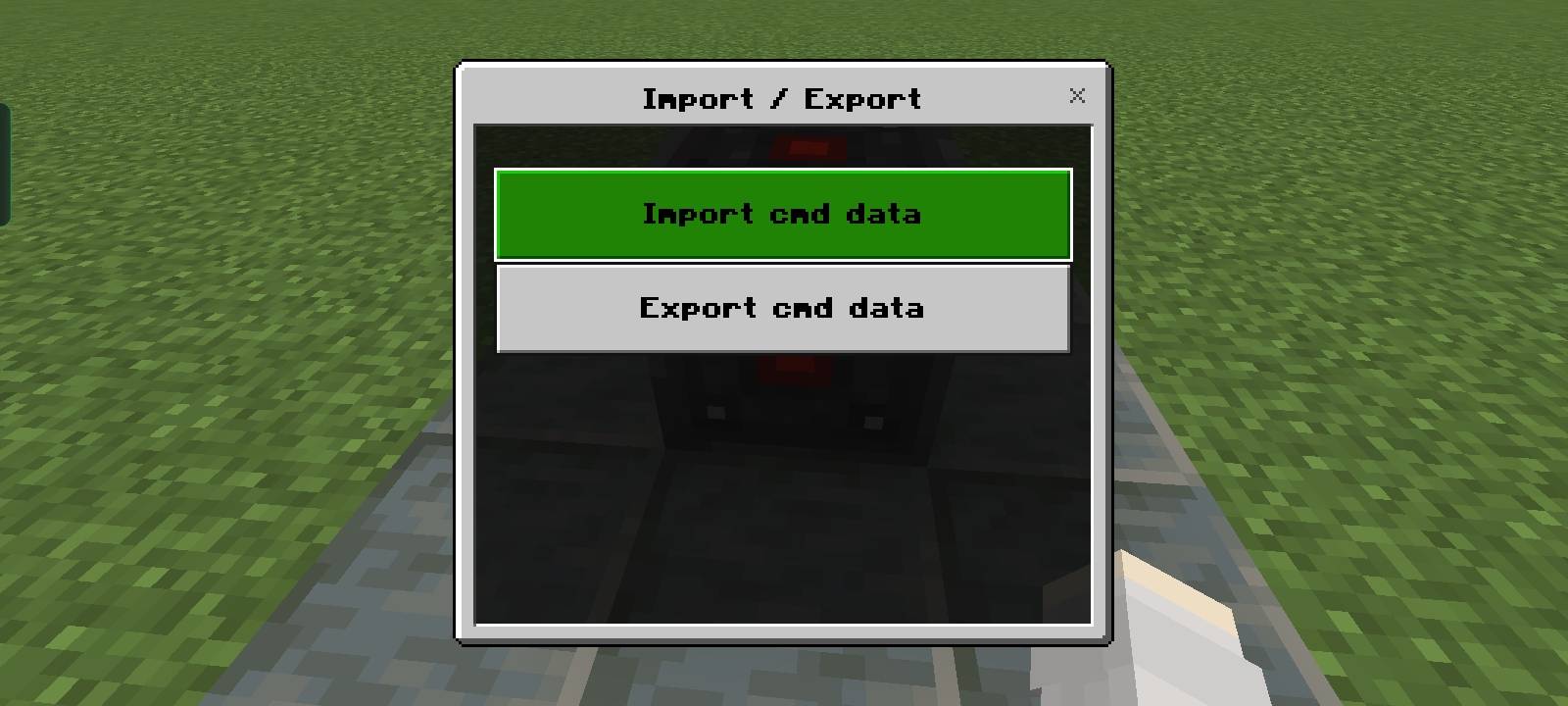
image10.jpg
Description
Advance Command block — Custom Command block addon
Description:
Advance Command Block is a fully custom command block addon for Minecraft Bedrock Edition. Unlike the vanilla command block, this block is player-interactive — any player can press it to run pre-set commands, while only Operators in Creative mode can configure or place it. Perfect for multiplayer servers, minigames, and interactive maps
★ Bring a new level of power and flexibility to your Minecraft Bedrock worlds with Advance Command Block. This addon is designed for map makers, server owners, and command creators who want more control than the vanilla Command Block can provide.
• Unlike a normal Command Block, Advance Command Block comes with advanced execution systems, security features, player controls, customizable settings, and multiple command slots, allowing you to create complex mechanics without building large command block chains.
• Whether you're creating mini-games, adventure maps, Skygen,sell,shop, server utilities, automated events, or custom gameplay mechanics, this addon gives you the tools to build smarter and more efficient command systems.
🎯 Execute Commands As The Activating Player
One of the most powerful features of Advance Command Block is its ability to run commands as the player who activated it.
When a player presses the block, commands can automatically use that player as the command source. This allows creators to make personal menus, teleport systems, kits, rewards, quests, and many other player-specific mechanics without additional setup.
👤 Allow @s Target Switch
Control how the @s selector behaves with a simple toggle.
Enabled
When Allow @s Target is enabled, the player who activates the block becomes the command source. This means selectors such as @s will target the activating player.
Example:
give @s diamond 1
The player who pressed the block receives the diamond.
Disabled
When disabled, commands run normally without assigning the activating player as the command source.
This provides additional flexibility depending on the type of system you want to create.
⚡ Up To 10 Commands In A Single Block
No need to place large chains of command blocks for simple systems.
Each Advance Command Block can store and execute up to 10 different commands, helping you keep your worlds cleaner, more organized, and easier to manage.
🔄 Multiple Execution Modes
Choose how your commands run:
🟠 Normal Mode
Runs commands once when activated.
🔵 Repeat Mode
Automatically repeats commands with a customizable tick speed.
Perfect for timers, score systems, automatic effects, and background mechanics.
🔷 Chain Mode
Execute multiple commands one after another with adjustable delays between each command.
Great for cutscenes, events, quests, and complex command sequences.
⏱ Adjustable Timing Controls
Fine-tune your command systems with:
✔ Repeat Tick speed
✔ Chain Delay
✔ Execution Count
This gives you precise control over how and when commands execute.
🎨 9 Built-In Color Variants
Organize your projects using multiple Command Block colors:
🟥 Red
🟧 Orange
🟨 Yellow
🟩 Green
🔘 Sky Blue
🟦 Blue
🟪 Pink
⬜ White
⬛ Black
Perfect for separating systems and making large projects easier to understand.
🔒 Editor Lock Protection
Protect your command setups from unwanted changes.
Enable an Editor Password to prevent other players from opening and modifying your Command Block settings.
🛡 Break Lock System
Important systems shouldn't be destroyed by accident.
The built-in Break Lock feature helps protect your Advance Command Blocks from unauthorized removal.
🔑 Secure Activation Options
Control who can use your Command Blocks.
Password Verification
Require players to enter a password before activation.
Player Tag Verification
Allow only players with specific tags to use the block.
Perfect for server admins, adventure maps, and secure systems.
📢 Command Output Control
Choose whether command results should be displayed or hidden.
Keep chat clean while your systems run in the background.
💾 Preset Support
Save your command configurations and load them later.
This makes testing, sharing, and reusing command setups much faster and more convenient.
🔊 Custom Press Sounds
Customize the activation experience with multiple sound effects, including:
✔ Click Sound
✔ Pling Sound
✔ Bell Sound
✔ Orb Sound
✔ Level Up Sound
✔ Bass Attack Sound
Or disable sounds completely.
⚙ Advanced Chain Controls
Chain Mode includes additional safety options such as:
✔ Stop Chain On Error
✔ Stop Chain When No Target Is Found
Giving creators more control over how command sequences behave.
🔐 Operator & Non-Operator Modes
Choose who is allowed to configure and manage your Advance Command Blocks.
Operator Mode
Only players with operator permissions can access advanced settings and make modifications.
Ideal for multiplayer servers and protected worlds.
Non-Operator Mode
Allows normal players to interact with permitted features without giving them full administrative access.
This makes it possible to create secure public systems while keeping important settings protected.
🧱 Creative Sneak Activation
Need to test commands quickly while building?
Players in Creative Mode can simply sneak and interact with the block to execute commands directly without going in survival.
This makes testing systems much faster during development.
💎 Additional Features
✔ Explosion Resistant
✔ Mining Resistant
✔ Light Emitting Block
✔ Easy-to-Use Interface
✔ Operator & Owner Management System
✔ Supports Complex Command Projects
🐞 Bug Reports & Suggestions
If you encounter any problems, bugs, glitches, or unexpected behavior while using this addon, please report them on our Discord server [Discord Server link]•. Your feedback helps us identify issues faster and improve the addon. We will do our best to investigate the problem and provide a solution as soon as possible.
👨💻 Created By
RJ Studio Do not republish without credit.
Discord: https://discord.gg/yzHGpdKCAD
Support Minecraft version 1.26.30
This all feacture are only available in addon version 1.3.1
Thank you for downloading and supporting Advance Command Block. We hope this addon helps you create smarter, cleaner, and more powerful command systems in Minecraft Bedrock Edition. 🔥⚡
Advance Command block Addon Team


![Vertical Slabs addon [ Achivement friendly ] project image](https://media.forgecdn.net/avatars/thumbnails/1992/32/256/256/639226568092421242.png)
![Information Debug Ui Addon Mcpe [ Achivement friendly ] project image](https://media.forgecdn.net/avatars/thumbnails/2030/38/256/256/639242658371454968.png)
