promotional bannermobile promotional banner

VCC - Vehicle Control Center - functional Garages, improved Spawning and Parking, multiple Vehicles per Zoi

Various improvements regarding vehicles, incl.: allowing multiple vehicles per Zoi, functional Garages with control panel, Anti-Auto-Despawn, multiple parking and spawning improvements, and settings.
item image
item image
Dragable/Movable VCC-Button for opening the VCC window and the Garage/Gate Control window

Dragable/Movable VCC-Button for opening the VCC window and the Garage/Gate Control window

item image
item image
item image
item image
item image
item image
item image

Description

If you encounter any problems/bugs (or have any suggestions), please let me know!

General hint, especially when using mods where vehicles are not automatically despawning: if a Zoi gets stuck in a vehicle or in traffic, try switching Zoi, reloading the save, or use the „Emergency Rescue“ button in the Psycat window.


Features

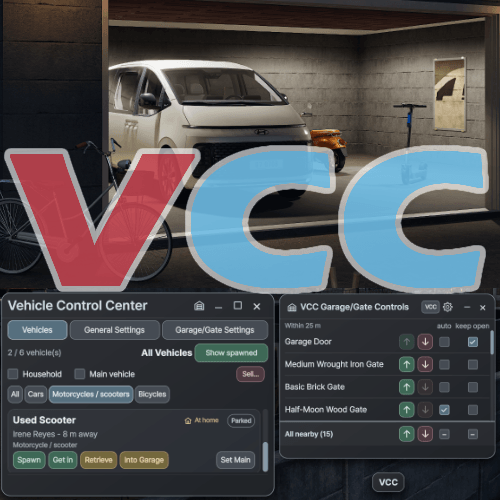
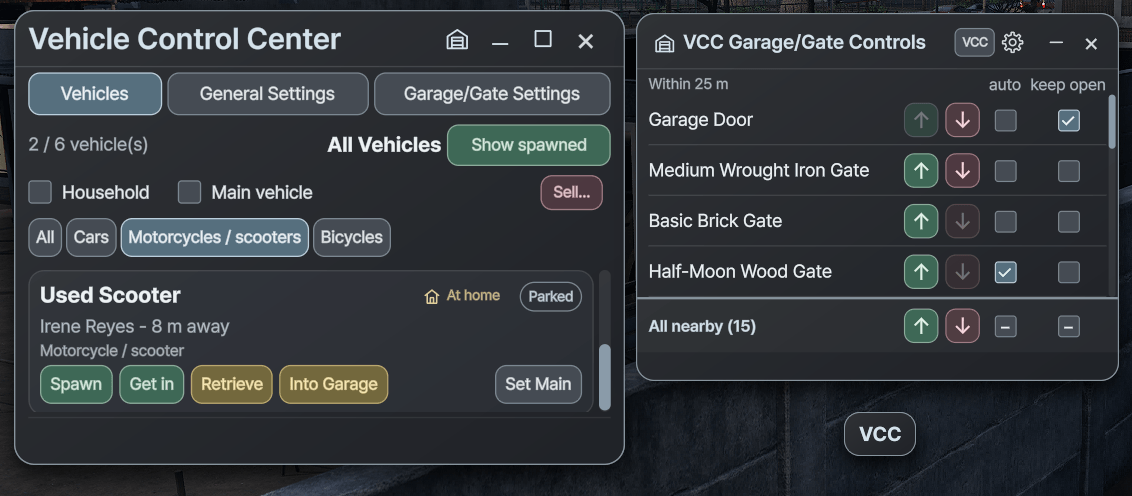
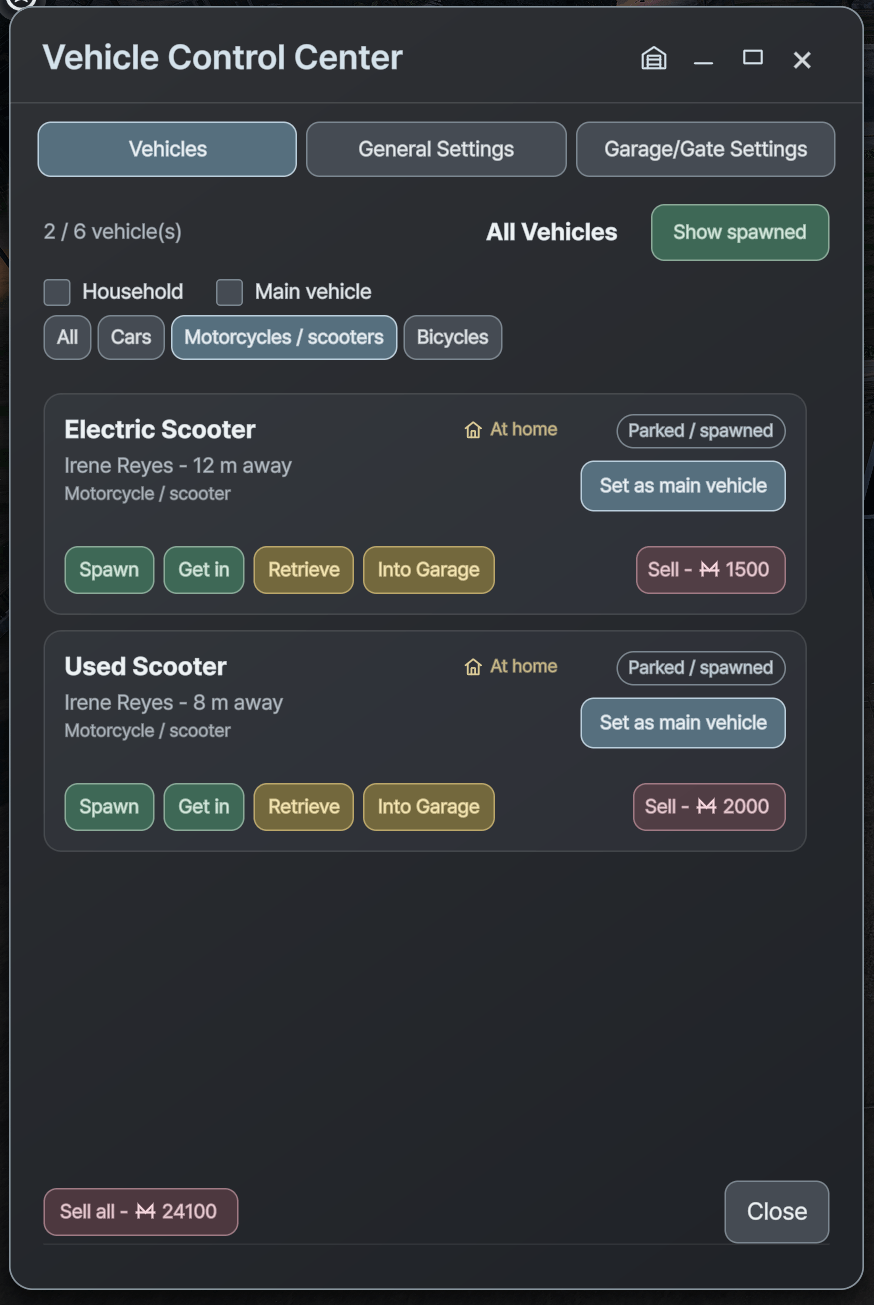
  • Adds a VCC button and window with an overview of all household vehicles, various vehicle controls and settings.
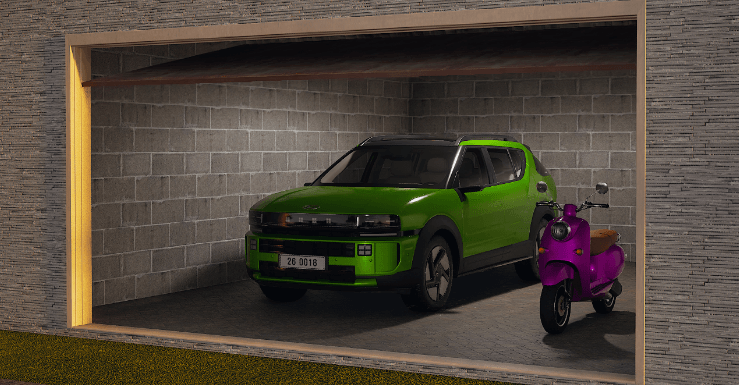
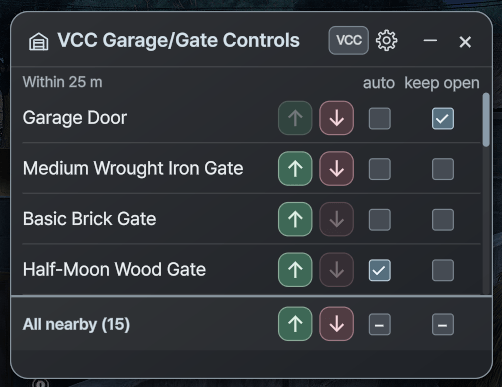
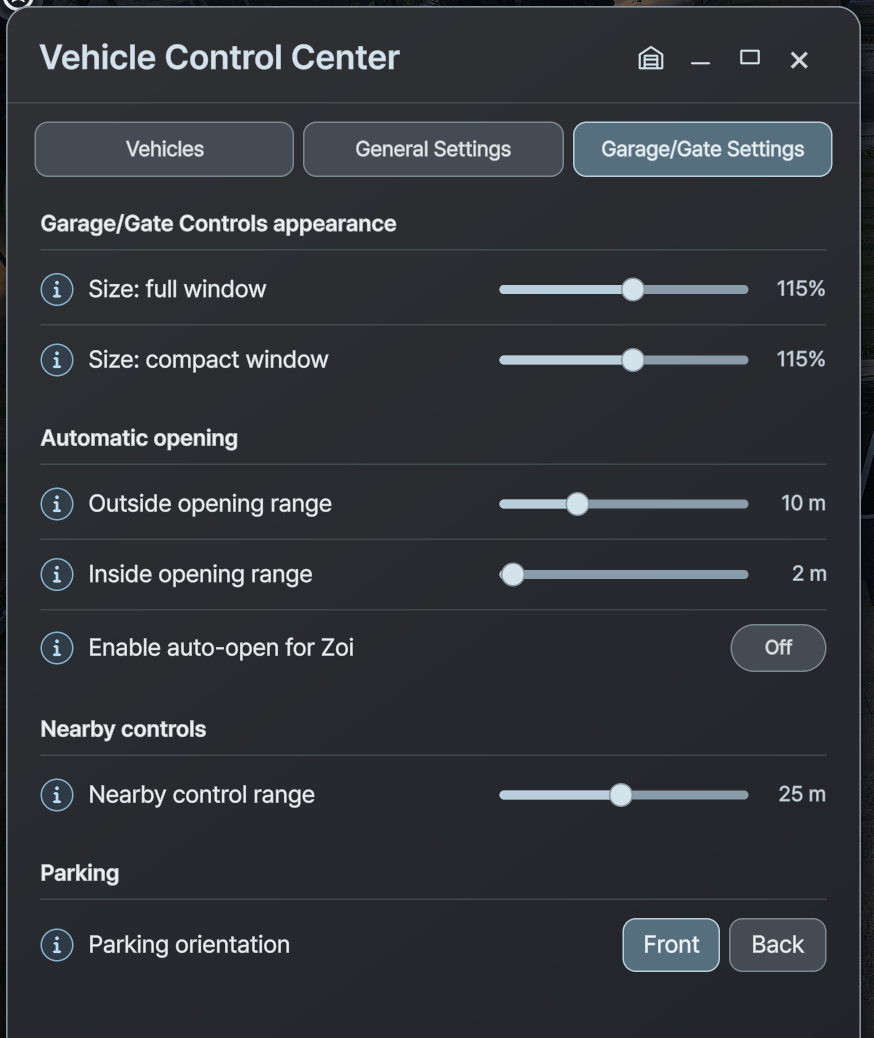
  • Functional garages with a Garage/Gate Control Panel and settings.
    (+ Zois can now also walk through garage doors with manual controls)
    In order for the automatic "Park in Garage" action to work properly, you need a room/building with a Garage Door and enough space for the vehicle(s).
    Also the native "Auto-Despawn" must be disabled in VCC General Settings, otherwise the vehicles in the garage will despawn after a short while.
  • Possibility to buy and own up to 6 vehicles per Zoi.
    In order for that to work properly, there must always be a "Main Vehicle". In the VCC you can choose which one is the main one (or let it set automatically).
    This will determine which vehicle will be used for the native "Get in Vehicle" Zoi-Interaction and button (underneath the Bag button), and which vehicle will stay, when the mod gets deactivated
  • Auto-parking functionality - for the garage and in front of the lot (can be disabled).
  • Anti-Auto-Despawn - Enable or disable automatic retrieval. Owned vehicles can stay parked without being automatically despawned, even when switching households.
  • Multiple parking improvements - For example, vehicles get spawned and parked near the sidewalk instead of in the middle of the street, if space is available (can be disabled).
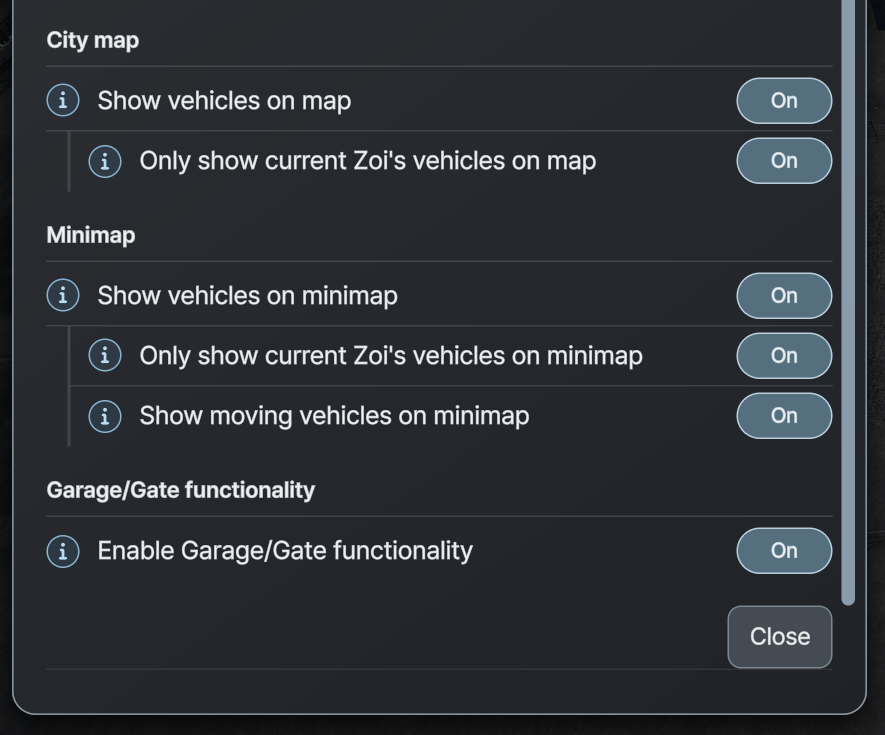
  • Option to display Zoi and household vehicles on the map and/or minimap incl. map filter and context menu when clicking the vehicle icons on the city map

Visuals / UI

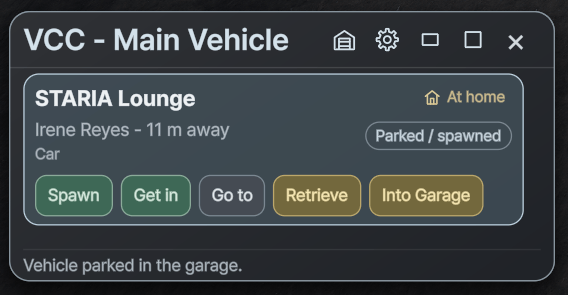
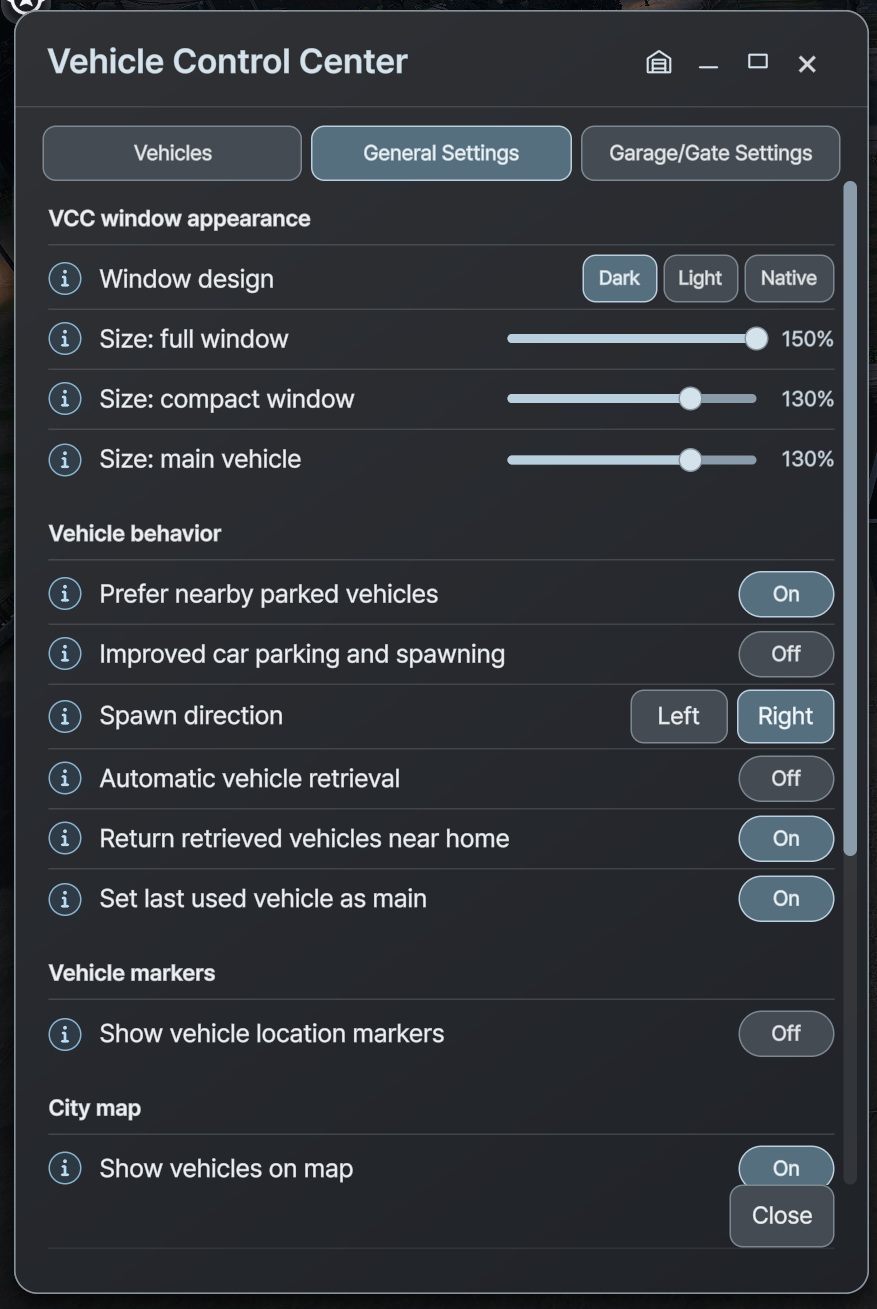
  • The VCC window has 3 versions:
    • The normal "big" version, that shows all the vehicles of the Zoi and household (with filters), General Settings and Garage/Gate Settings
    • A compact, smaller version of the normal one
    • A "Main Vehicle" window, the smallest one, that only shows the current main vehicle of the Zoi
  • The GGC window has 2 versions:
    • The normal one, which shows all the different, nearby Garage Doors and gates (max. 4 at a time),
    • A small compact version, that controls all nearby garage doors and gates at once
  • The mod has 3 window/UI designs: Dark, Light, Native. Native means it has a more similar style to the native inZOI UI
  • The Mod's default language is English, and is fully translated into German and Spanish

Notes

  • Keep your PC specs in mind. Do not buy and spawn too many vehicles if your PC can’t handle it.
    I have a high-end PC, but I also tested on a 6-year-old low-end laptop that could handle it pretty well. That does not mean it works for every PC/Laptop.
  • When changing/placing something in Build Mode, Vehicles on the lot are getting automatically retrieved. That is a base game behaviour and I did not want to change that to avoid possible problems when letting them stay there
  • Deactivating the mod should not cause any lasting problems. Spawned “extra vehicles” are automatically despawned by the game after a while, unless another mod prevents that, of course.
    The “main vehicle” will still be owned by the Zoi. Access to the extra vehicle list requires this mod.
  • If you get stuck standing inside your vehicle, first try to retrieve the vehicle if possible. If that does not work, or you are sitting in/on it, try to use the Teleport cheat, or the "Emergency Rescue" in the Psycat-Window.
    (Note: the "Zoi walking through stuff/vehicles" also happens without the mod, so it must not always be the mod's fault)
  • Please let me know if something is not working correctly so I can take a look at it and hopefully fix the issue. I tested thoroughly, but I cannot test everything and every possible scenario.
    If you are using other mods, first try to find out if there are some interferences with this mod and let me know, so I can try to provide a compatibility fix.

VCC - Vehicle Control Center - functional Garages, improved Spawning and Parking, multiple Vehicles per Zoi Team

profile avatar
  • 33
    Followers
  • 14
    Projects
  • 408.3K
    Downloads
Donate

More from ManuAzuelaView all