Photo Mode Unlocked
Take the leash off inZOI's photo camera, and direct your Zois like a film set.
inZOI's photo mode is gorgeous, but it keeps the camera on a short leash. It cannot look up, it cannot come closer than 80 cm, and it cannot leave a small zone around your Zoi. And your Zois stand wherever the game left them.
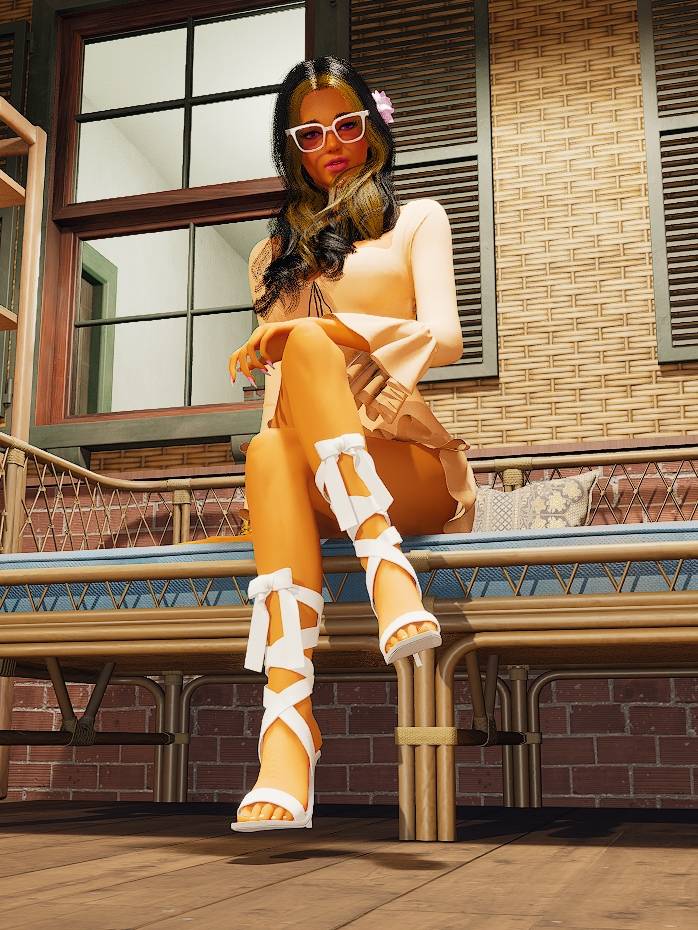
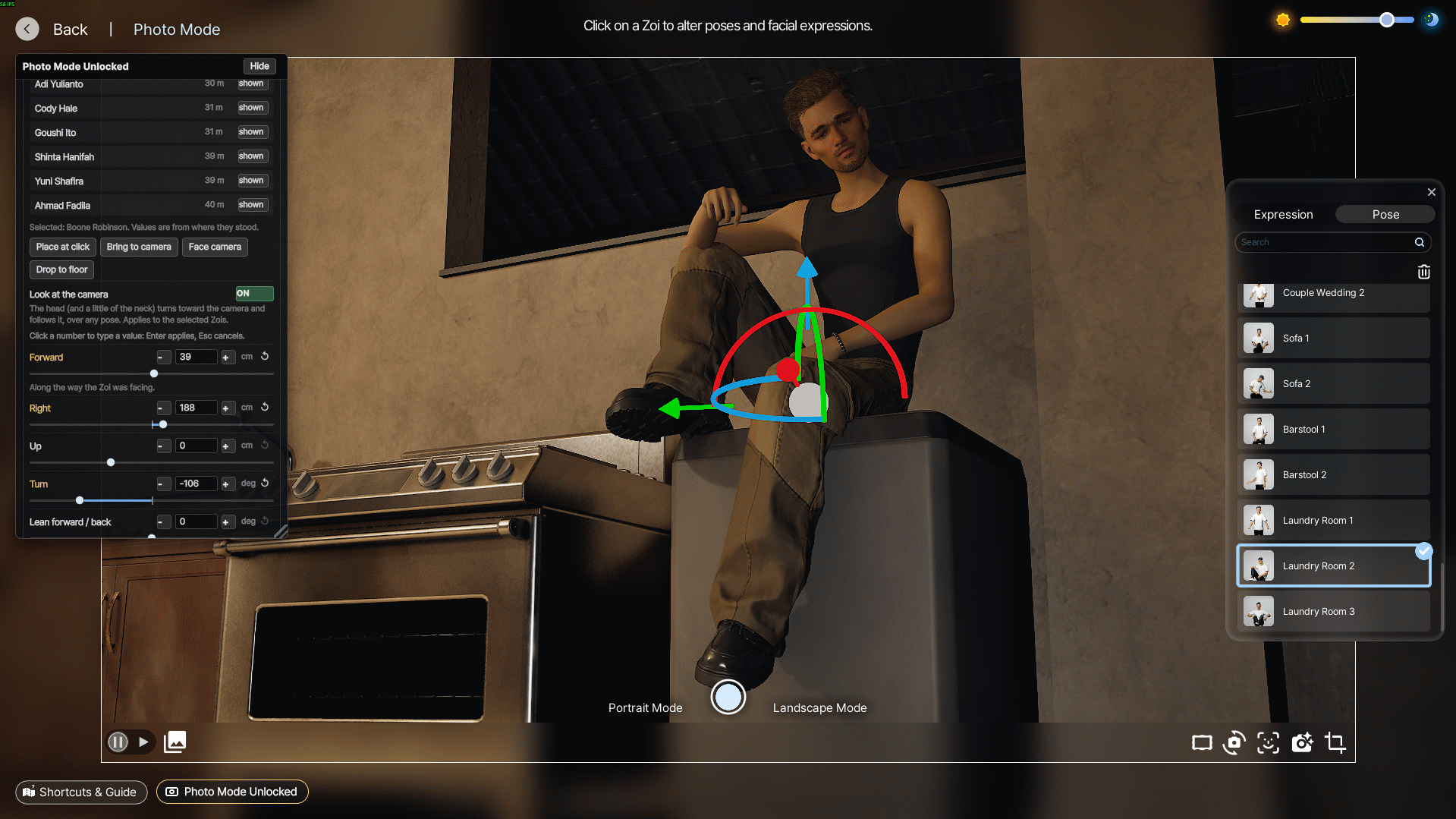
Photo Mode Unlocked removes those limits and hands you a director's toolkit. Grab any Zoi with the game's own red/green/blue gizmo, slide it, spin it, tilt it, resize it, hide the passer-by who wandered into your shot, and make your Zoi - or just its eyes - look straight into the lens.
Open photo mode and it is on. Close photo mode and everything is back exactly as it was,
as if the mod had never touched a thing.
Highlights
- A camera with no leash - get 1 cm from a face or 10 km away, look up at the sky, slip under the floor or fly over the roofs.
- Field of view from 5 to 150 (the game stops at 30 and 90), camera roll for tilted, dramatic shots, and a camera speed dial.
- Move any Zoi with the game's own gizmo - the same red/green/blue arrows and rings as Create a Zoi.
- Exact values - sliders you can type into, to the centimetre and the degree.
- Look at the camera - your Zoi's head follows the lens, over any pose, hair and glasses included - or just the eyes. Lock either on the spot it looks at, and it stays there through expression changes.
- Hide anyone - clear a Zoi out of the frame with one click.
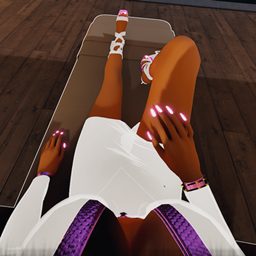
- Works with poses - place a posed Zoi before or after picking the pose, and keep the props it was using, like the pillow under its head.
- Full hands welcome - open photo mode while your Zoi holds an umbrella, a drink from the bar or a watering can - the game normally refuses.
- Clean pictures - the gizmo and the panel never end up in your photos.
- Nothing stays - everything is undone the moment you leave photo mode. Nothing is saved, no game option is changed.
The free camera: the vanilla limits it breaks
- Zoom (distance to the Zoi): 80 to 3000 cm (200 cm minimum around babies) -> 1 cm to 10 km
- Camera height: 50 to 2000 cm (20 cm around babies) -> anywhere, below the floor included
- Looking up and down: 70 degrees down and 0 up - the vanilla camera cannot look above the horizon at all -> 89 down, 89 up
- How far the camera may wander: 300 to 3000 cm from the Zoi, 70 to 2000 cm high -> no limit
- The camera chasing your Zoi: while time plays, vanilla drags the camera after the Zoi as soon as it walks out of a small zone -> the camera stays exactly where you put it (switch Camera follows Zois back on whenever you like)
- Field of view: 30 to 90 -> 5 to 150
- Roll (tilted picture): none -> -180 to 180 degrees
- Camera speed: a 0.1x to 10x multiplier on the game's own camera keys and drags, for slow precise framing or fast travel
You still fly the camera with the game's own photo controls (WASD, Q/E, mouse drags, the wheel); the mod simply takes the walls away. Switch Free camera off in the panel and the vanilla limits are back at once.
Direct your Zois
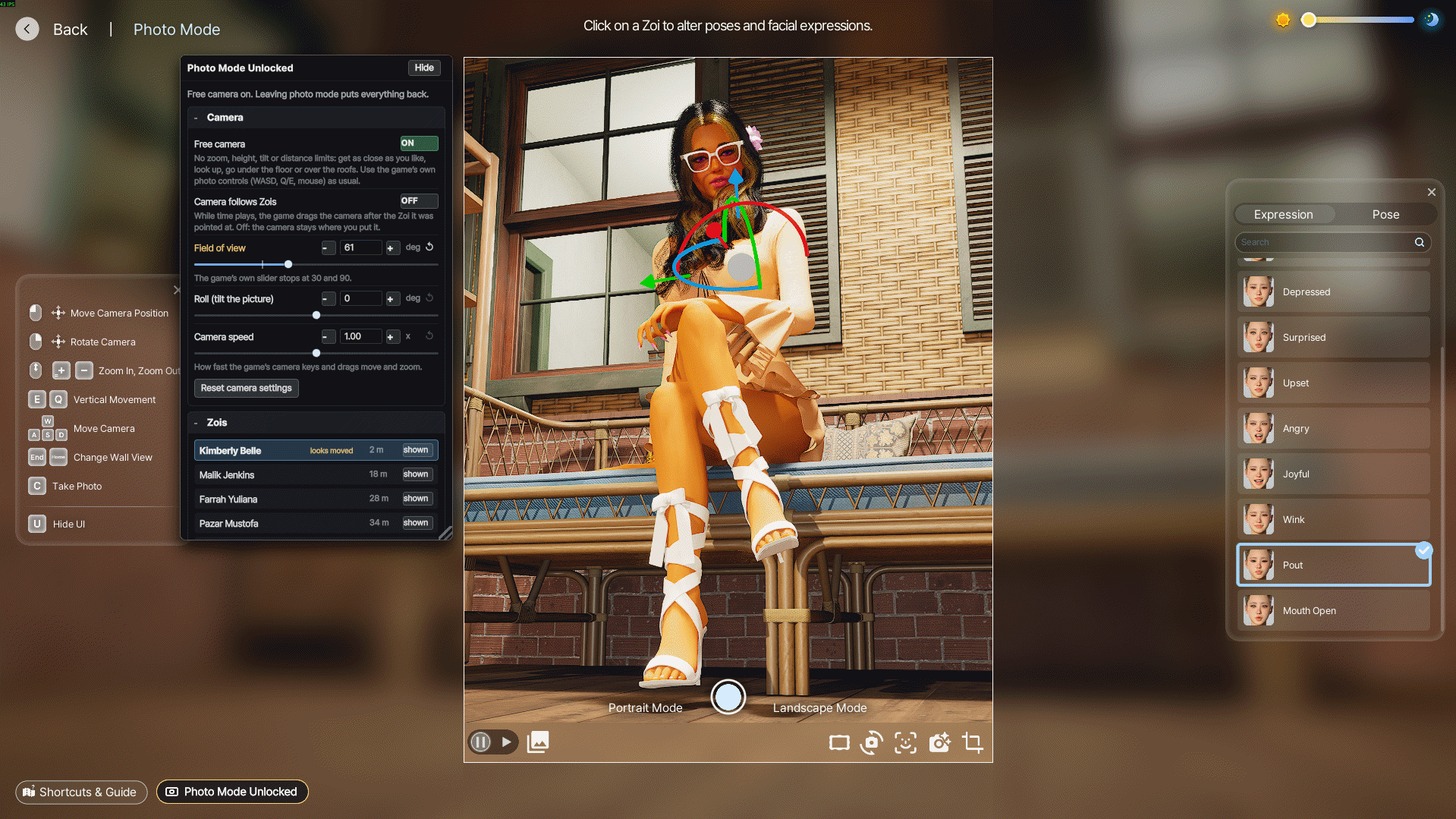
Click a Zoi in the picture, or its name in the panel, to select it. Ctrl + click adds or removes Zois; a click on empty ground unselects.
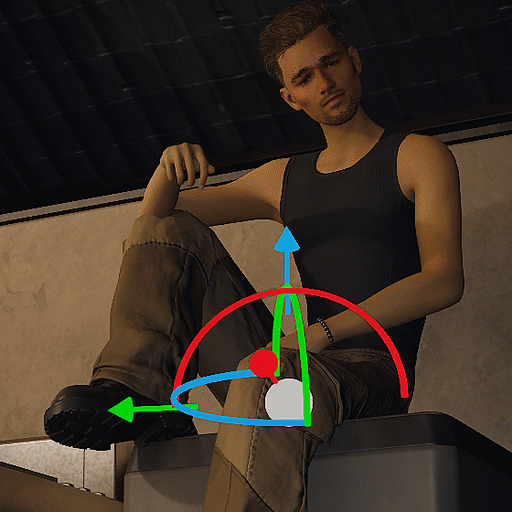
The gizmo. A selected Zoi gets the game's own move/rotate gizmo, the one Create a Zoi and build mode use, right on the middle of its body:
- the red, green and blue arrows slide it forward, sideways or up, along its own axes
- the rings of the same colours turn it (blue), lean it sideways (red) or lean it forward and back (green), around the middle of its body
- the grey ball slides it freely across the floor
- the handle under your cursor lights up yellow, and the camera holds still while you use it, so your drag moves the Zoi and not the view
- it keeps the same size on screen however far you zoom
The panel. It opens by itself in photo mode and lists the Zois around the camera, nearest first. For the selected Zois:
- Sliders: Forward, Right, Up (cm), Turn, Lean forward / back, Lean sideways (degrees) and Size (%).
- Click any number to type an exact value - Enter applies, Esc cancels. Typed values can go past the slider ends: up to 1 km away, sizes from 1 to 1000 %.
- Place at click - then click the spot in the picture where the Zoi should stand.
- Bring to camera - puts the Zoi where the middle of your view meets the floor, facing you.
- Face camera, Drop to floor, Reset selected and Reset all Zois.
- shown / hidden on every row - take a Zoi, and whatever it holds, out of the picture.
The panel can be moved and resized. To put it away, click its Hide button or the Photo Mode Unlocked button next to the game's Shortcuts & Guide (bottom left); that same button brings it back, and the panel remembers whether you left it open. Both hide along with the game's own UI when you press U. The panel has its own Hide button instead of the game's usual one, which would send it to the Hidden UI list, and photo mode does not show that list. It is styled like the game's own photo screen, with switches, pill buttons and white sliders.
Keyboard and mouse, for the selected Zois. None of these keys does anything in vanilla photo mode, so nothing is taken from the game:
- Arrow keys - move along the floor, relative to where the camera looks
- Page Up / Page Down - raise / lower
- Insert / Delete - turn left / right
- hold Shift for 4x faster, Ctrl for 5x slower
- Middle click on a Zoi - select it (Ctrl + middle click adds or removes it)
- Middle drag - move the selection under the cursor; Shift + middle drag raises or lowers it, Ctrl + middle drag turns it
Several Zois at once. Select a group and every change moves them all the same way - same move, same turn, same size ratio - each one turning about its own middle. Resizing keeps their feet on the floor.
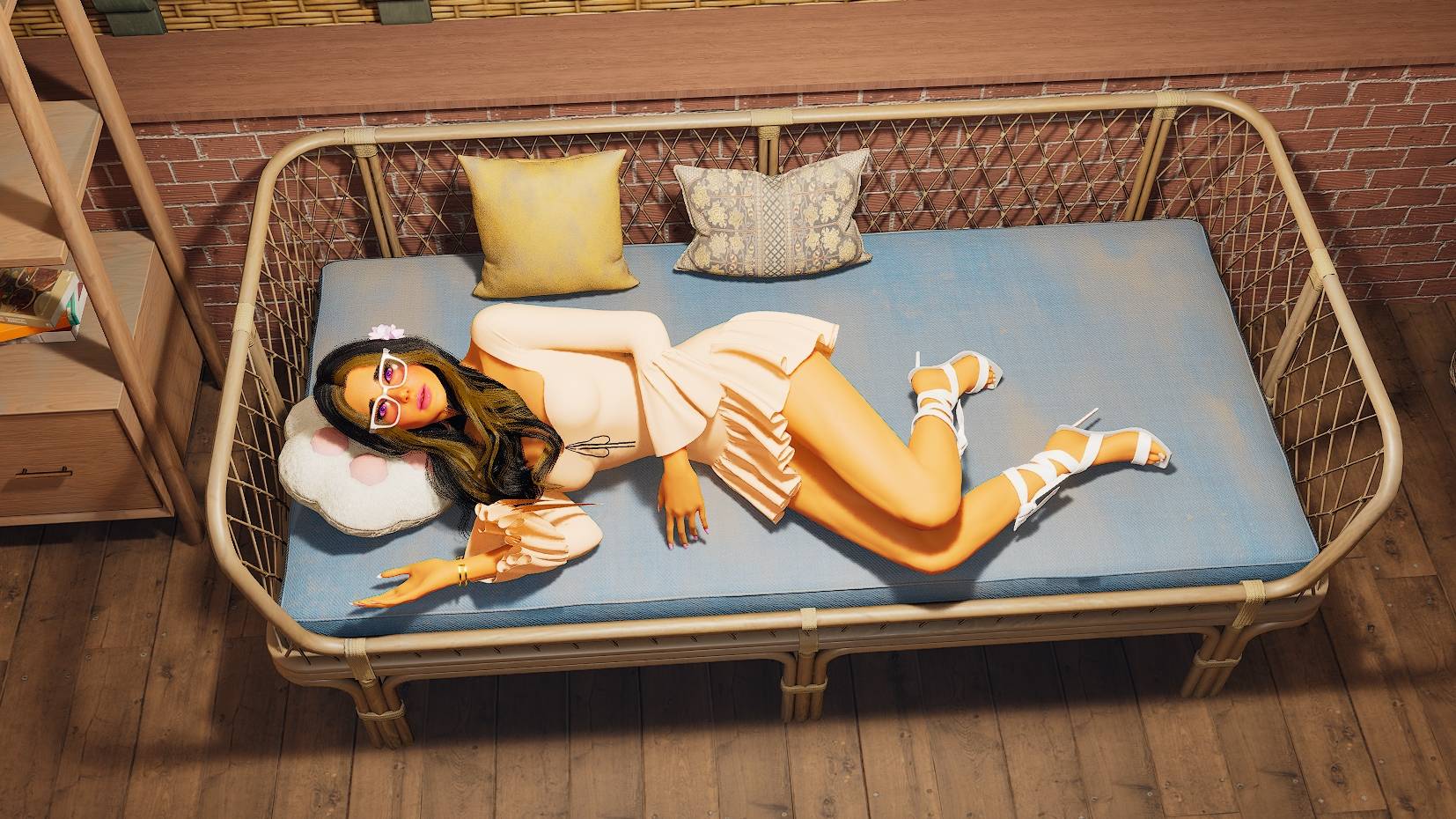
Posed Zois too. Behind the scenes, inZOI swaps a posed Zoi for a stand-in copy. The mod finds that copy and moves it with your Zoi, so you can place a Zoi before or after choosing its pose, and the placement holds through pose changes. The stand-in also keeps the props your Zoi was using: in vanilla, a Zoi lying on a sofa loses the pillow under its head the moment you pick an expression or a pose. With the mod, the pillow stays.
Only what you see moves. A Zoi's real place in the simulation, its route and what it is doing are never touched, so nothing in your game can break. A Zoi you placed stays put even if you press Play and it walks off.
Full hands. In vanilla, photo mode refuses to open while your Zoi carries something: "Photo Mode can only be used with empty hands." With the mod, just click the photo mode button: the umbrella, the drink or the watering can stays in your Zoi's hand, in the picture. Behind the scenes the object leaves the hand for the instant of the click and is back on the same spot two frames later; for the game, your Zoi held it all along.
Look at the camera
Switch it on for the selected Zois and their head turns toward the lens and keeps following it as you move the camera, on top of any pose or animation. How far is yours to choose with three sliders: up to 180 degrees to each side (150 to start) and 90 up or down (70 to start). The neck twists along with the head, and the mod remembers your choice.
- The hair follows the head, on posed Zois too. In Pause, inZOI freezes the cloth simulation that long hair often uses. After every head turn, the mod lets it run for 2 seconds so the hair falls naturally into place, then freezes it again. Hair strands keep their own physics and hang where gravity puts them.
- Glasses, earrings and hair accessories turn with the head too.
Lock the head. Happy with where your Zoi is looking? Lock it: the head keeps looking at that spot while you move the camera to frame the shot, even if you then pick another expression. Switch Look at the camera off and the locked head still stays put, until you unlock it.
Eyes look at the camera. Only the eyes follow the lens; the head keeps its pose. They turn up to 35 degrees to each side, 25 up and 30 down, like real eyes, and wait at the edge beyond that. Each eye aims on its own, so close-ups get a natural focus. Use it alone for a sideways glance at the camera, or together with Look at the camera: the head turns and the eyes do the rest. Lock the eyes works like the head's lock.
Made for clean shots
- The gizmo hides itself whenever it could end up in a picture: while the shutter button is under your cursor, for 1.5 seconds after you press C, during the photo preview, in the video tab, and when you hide the UI with U.
- The panel never appears in saved photos - only your framing, your roll and your Zois, exactly where you put them.
Nothing stays behind
Everything is applied when photo mode opens and undone the moment it closes:
- the photo camera's limits, follow zone and speeds go back to the exact values they had when photo mode opened
- the field of view and the roll go back
- every moved, turned, tilted, resized or hidden Zoi goes back to exactly where it was - and only the parts the mod hid are shown again, so hair the game hides under a hat stays hidden
- every head and every pair of eyes turned toward the camera is let go, locked or not, and any hair the mod let move is handed back to the game as it was
- the gizmo is removed and the game's camera controls are all back
An object your Zoi carries is only off its hand for the instant of the click, and is back on the same spot two frames later.
Nothing is written to your save and no game option is ever changed. Changes are also marked on the objects they touch, so even if the game's scripts reload without warning, the next load finds those marks and puts everything back.
Compatibility
Photo Mode Unlocked is built to sit quietly next to other mods, camera and photo mods included. It should not create any incompatibility:
- It only works inside photo mode. Outside it, the mod only checks every few frames whether photo mode has opened and, while your Zoi carries something, watches the photo mode button. Its panel stays loaded but hidden and takes no clicks. Your normal camera, your Zois and your game are left alone.
- It gives back exactly what it found, not the game's defaults. The photo camera's settings return to the values they had when photo mode opened, so whatever another mod set there survives.
- It brings its own gizmo. The game's gizmos (Create a Zoi, build mode) are never touched.
- No key is stolen. The mod's own keys (arrows, Page Up / Down, Insert / Delete, middle mouse) do nothing in vanilla photo mode, and your clicks still reach the game. The game's photo controls only rest while your cursor is on a gizmo handle or while you type a value in the panel, and they are back the moment you stop - never touched after photo mode has closed.
- Your household always gets it. Some mods attach their scripts to the household you play, which can keep scripts meant for every Zoi from reaching it. This mod attaches both ways, so it runs whatever else is installed.
- Works next to Realistic First Person View, my first-person camera mod.
Found a conflict anyway? Please report it! Leave a comment on this page with the name of the other mod, what you did and what happened, and I will look into it.
Requirements
- inZOI with script mod support (the 15 October 2026 update or later), and mod support switched on in Settings -> Mods.
- Keyboard and mouse.
Installation
- Turn mod support on first. In inZOI, open Settings -> Mods and switch mod support on. Nothing installed will load while it is off.
- Install it from the game. From the main menu, click Mods, find Photo Mode Unlocked under Browse, open it and click Install.
- Check that it is enabled under Installed Mods. You may see Photo Mode Unlocked listed twice: one entry is the mod, the other its panel. Both belong to this one mod.
- Load a save and open photo mode: the panel appears on its own and the camera is already free.
Installed it by hand before? Delete the PhotoModeUnlocked_V9YA0B folder from Documents\inZOI\Mods\InGame first, so only one copy is installed.
Updating. New versions arrive through the game's Mods menu. The mod keeps its few settings (the head-turn sliders, whether the panel is open) in its own folder, so an update may bring back the defaults; set yours again in the panel.
Uninstalling. Open Installed Mods, click the mod and click Uninstall. Nothing is left behind: the mod only ever changes things while photo mode is open, and undoes them when it closes.
Panel not showing?
- It only appears in photo mode.
- Pressed U? That hides the game's UI and the panel with it; press U again.
- Closed it? Click the Photo Mode Unlocked button at the bottom left.
- Still nothing: open Settings -> Mods -> Installed Mods and check that Photo Mode Unlocked is enabled. inZOI switches a script mod off when its startup check reports an error, and it stays off until you switch it back on. If it keeps switching off, please report it in the comments with the message the game showed.
Known limits
- The mod's own controls are keyboard and mouse only, no gamepad.
- While your cursor rests on a gizmo handle, the game's photo keys rest too (that is what keeps the camera still): move off the handle before pressing C or U.
- The game hides any Zoi the camera gets within about 20 cm of, props included. The free camera can get that close: if a Zoi vanishes, back off a little.
- With a body pose, the props a Zoi was using stay where its real body holds them: a pillow stays on the sofa even if the pose sits your Zoi up. The same goes for what it carries: the umbrella stays where its real hand is.
- Full hands works with the photo mode button at the top of the screen (mouse), not with a controller's radial menu.
- Look at the camera and Eyes look at the camera use the game's own
pose.set_bone command, which inZOI lists as a script cheat. It works in testing; if the game ever refuses it, the panel tells you.
- The eyelids don't follow the eyes: looking far up or down shows a little more white than a real eye would.
- In Pause, inZOI freezes cloth (long hair, dresses). The mod lets the hair settle after every head turn; after tilting a whole Zoi, press Play for a moment if hair or clothes should fall again.
- Not tried yet: whether the game's own click-a-Zoi pose picker still finds a Zoi you moved far from where it really stands. If it does not, choose the pose first and move the Zoi afterwards.
- If the game's scripts reload while photo mode is open, the placements made so far are put back; the free camera comes back by itself.
Changelog
0.5.2 - first release on CurseForge
- Fixed: the hair did not follow the head - on a Zoi with an expression or a pose, Look at the camera turned the head but the hair stayed where it was. The hair now turns with the head, and goes back to the game's own when you switch Look off.
0.5.1
- Fixed: a new expression threw off Look at the camera and the eyes - on a posed Zoi, picking another expression moved the head and the eyes away from where you had them, locked or not. They now stay on target through expression changes.
- Changed: a lock holds a spot, not an angle - Lock the head and Lock the eyes now keep looking at the spot where the camera was when you locked them, wherever you move the camera next, and even when an expression moves the head by itself.
- Fixed: no panel on the first photo session after loading a save - the panel and its button sometimes only appeared when photo mode was opened a second time. The panel now shows itself as soon as photo mode opens, every time.
- Improved: the panel could stop responding to clicks - until photo mode was opened again, most likely because another mod's page lay over it. It now brings itself to the front when photo mode opens and whenever the cursor moves onto it.
0.5
- New: Eyes look at the camera - only the eyes follow the lens while the head keeps its pose (up to 35 degrees to each side, 25 up, 30 down; both eyes converge on close-ups). Works alone or together with Look at the camera.
- New: Lock the head and Lock the eyes - freeze where they look while you move the camera to frame the shot. A lock holds even with the look switched off, until you unlock it.
- New: Full hands - photo mode now opens while your Zoi holds an umbrella, a drink from the bar or a watering can (the game normally refuses), and the object stays in hand.
- New: head-turn sliders - choose how far heads may turn to look at the camera: up to 180 degrees to each side and 90 up or down. The mod remembers your choice.
- New: posed Zois keep their props - the pillow under a lying Zoi's head no longer vanishes when you pick an expression or a pose.
- New look - the panel now matches the game's own photo screen: switches, pill buttons, rounded tiles and white sliders.
- Fixed: Look at the camera - the head stopped turning at about 40 degrees whatever the limit, and could tip sideways or nod the wrong way when turned far. It now turns as far as the sliders allow and stays level.
- Fixed: the panel could stop answering - until photo mode was opened again. It now repairs its click area by itself, sends again anything the mod missed, and a click on the panel can no longer unselect the Zoi behind it.
0.3