Hytale2026-01-21_13-..._imresizer.jpg
Description
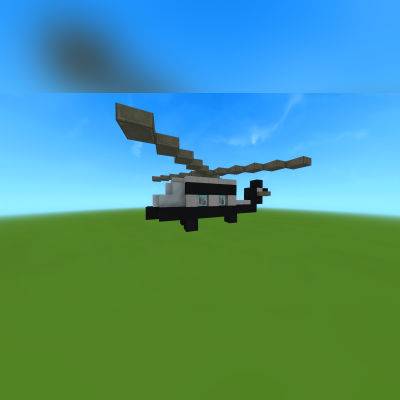
This prefab is a simplistic police helicopter designed for modern or near-future city environments. It works well as a prop for police stations, helipads, emergency response scenes, or roleplay and cinematic builds. You are easily able to recolour it to suit your needs. Perhaps green for an air ambulance?
The model focuses on a simple, recognizable law-enforcement look, making it suitable for urban themed worlds, creative projects, or storytelling scenarios where air support and patrol presence add atmosphere and realism.
Usage & Permissions:
You may use this prefab in exploration worlds or creative worlds for private use only.
You are not permitted to use this build in any commercial projects.
You are not permitted to re-upload this build or claim it as your own.
Please respect these terms and enjoy using the Small Medieval Tower in your worlds.
Instructions:
Copy the file to this file location: C:\Users\[USERNAME]\AppData\Roaming\Hytale\UserData\Saves\[SAVE FILE NAME]\prefabs - this will be different depending on where the game is installed to. For example, I have my game installed to my F: drive which would make my file path F:\Hytale\UserData\Saves\[SAVE FILE NAME]\prefabs
If you do not have have a file named "prefabs" then you will need to create a new prefabs file in your save file. A prefabs file will only generate in your save file if you have already made a prefab in that world. If you have never made a prefab before then you will not see this file hence the need to create it manually.
Afterwards, place the helicopter.prefab.json file into the prefabs file.
Once you load into the world enter creative mode and select the 'paste' tool. With the paste tool in your hand, press 'E' and click the drop down box which by default is set to "assets" and select "server" then select the relevant prefab. You will see a ghost/outline of the prefab to know where it will be placed and then tap right click to paste it into the world and enjoy.
Helicopter Team