Important Beta Dependency Notice
This beta line now requires CoreZZ.
Older public KitsZZ files on CurseForge did not require CoreZZ. That is no longer true for this beta branch.
If you upload or install this beta file, you must install ZZCore.jar first.
What KitsZZ Does
- Stores multiple kits as JSON files organized by kit name.
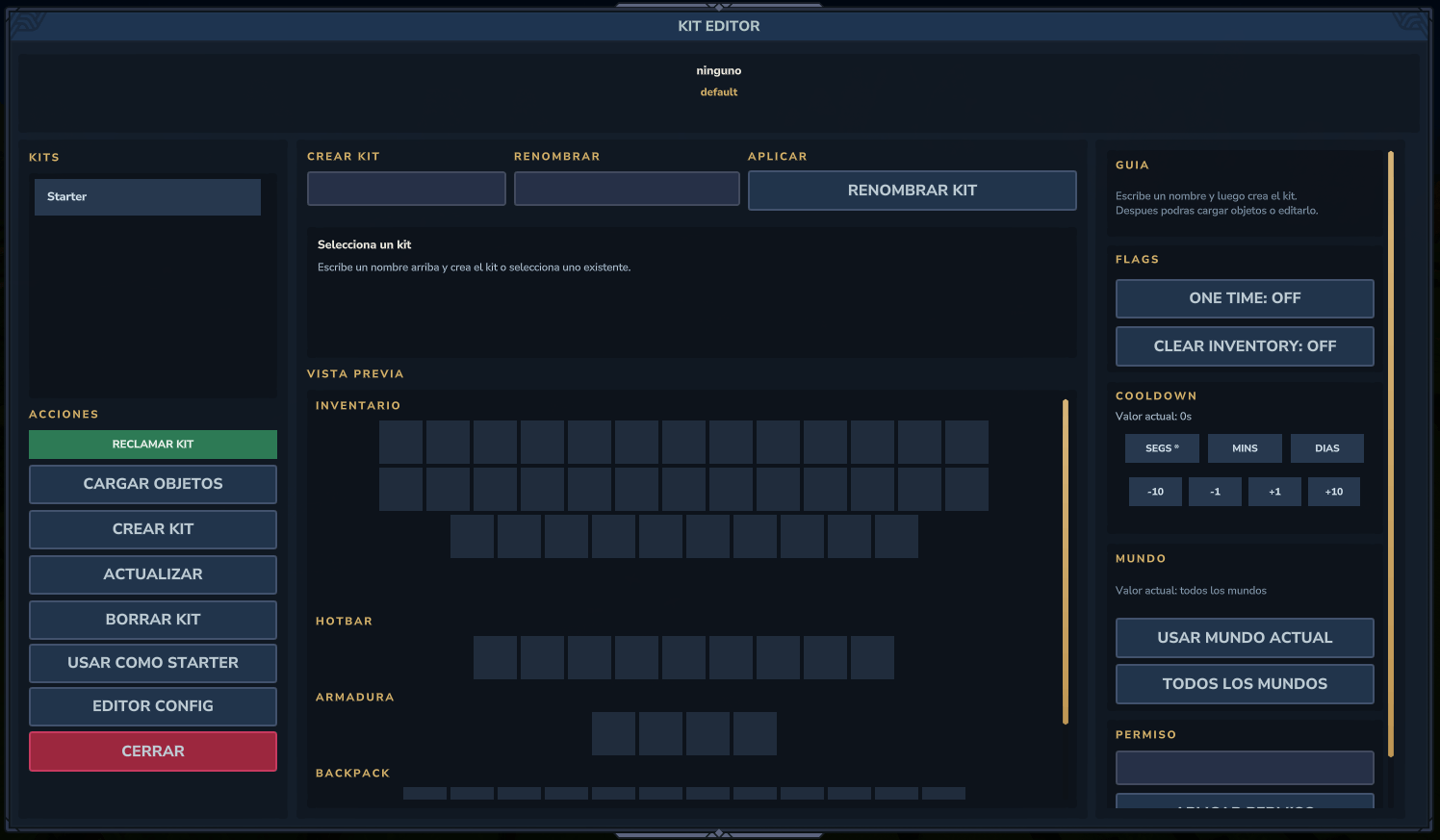
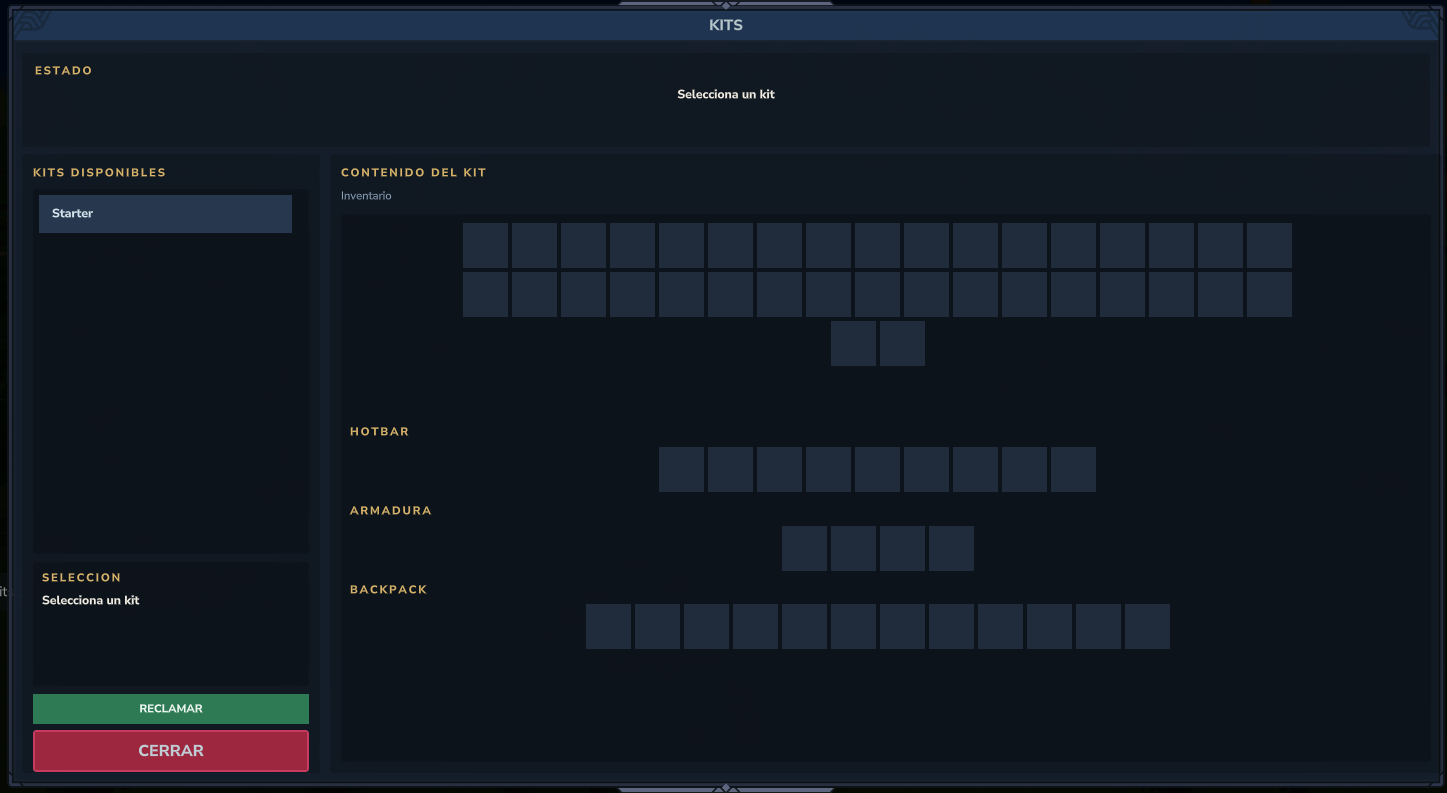
- Provides a player GUI and a visual admin editor.
- Supports a starter kit on first join.
- Supports cooldowns, one-time usage, anti-combat rules, and world restrictions.
- Can charge or refund through the ZZCore economy provider.
Commands And Workflow
/kit and /kits are the main player entry points to claim or list kits.- Edit and admin flows include
/kit create, /kit delete, /kit get, /kit reload, /kit rename, /kit editor, /kit gui, /kit world, and /kit cooldown.
/kitsetstarter and setkitstarter set the starter kit.- The module also registers a hub entry inside the ZZ ecosystem.
Runtime Files And Data
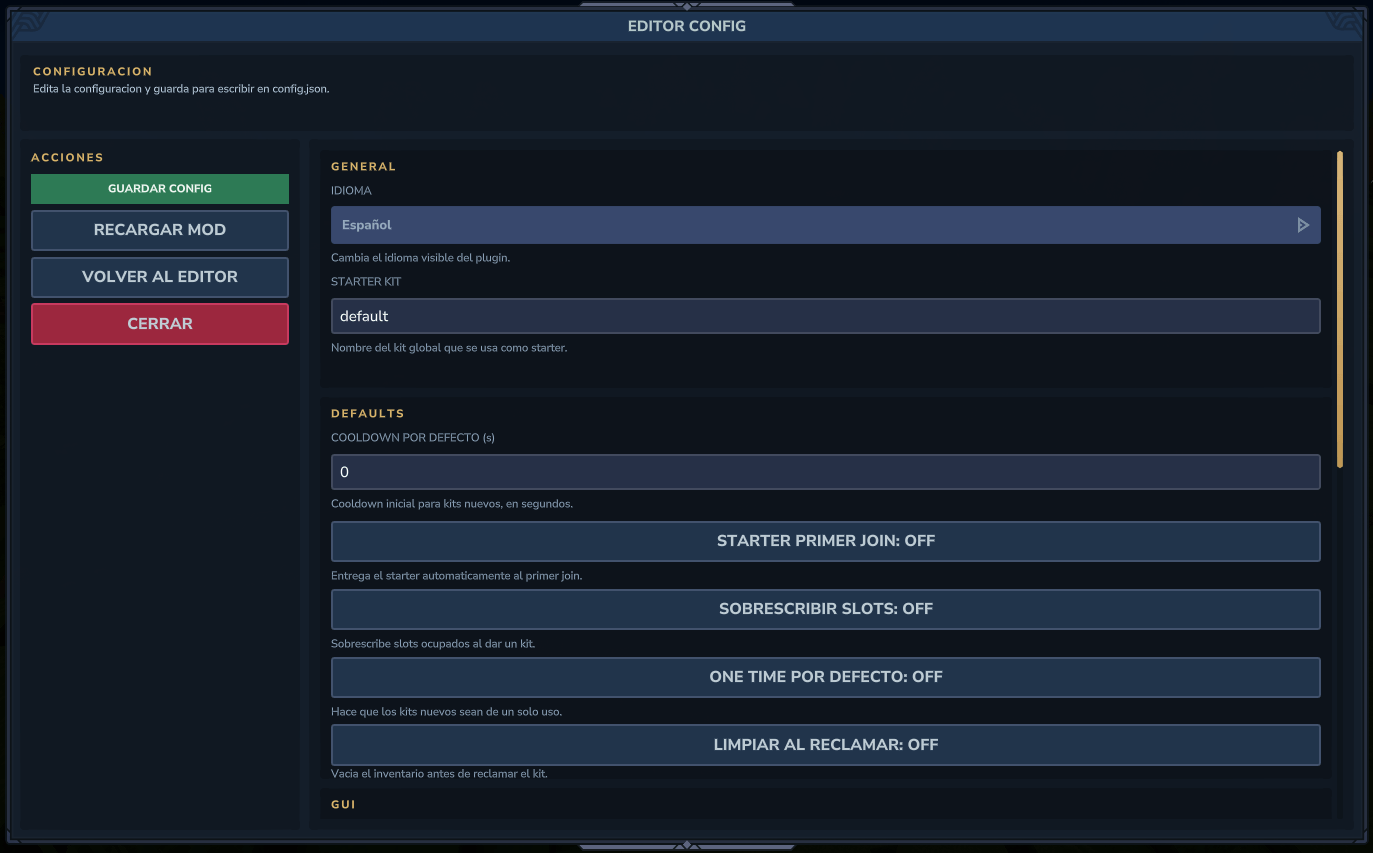
config.json stores starter kit, GUI, anti-combat, cost, and delivery policy settings.mensajes.json stores the localizable message set for the module.- The module stores its runtime data under
ZonaZeroMc/ZZKits.
kits/ stores one JSON definition per kit.usage.json stores cooldown and one-time usage state.- Legacy JSON data is migrated when old module folders are found.
Visible Config Example
{
  "version": 4,
  "language": "es-ES",
  "starterKit": "default",
  "giveStarterOnFirstJoin": false,
  "overwriteSlotsOnGive": false,
  "defaultCooldownSeconds": 0,
  "defaultOneTime": false,
  "clearInventoryBeforeClaim": false,
  "inventoryFullMode": "DROP",
  "allowConsoleCommands": true,
  "enableGui": true,
  "guiClickAction": "SELECT",
  "guiShowLockedKits": false,
  "claimRateLimitSeconds": 2,
  "claimRateLimitBypassAdmin": true,
  "enableDeliveryAudit": true,
  "consumeUsageOnAdminGive": false
}
This shows the current default config structure used by the module.
Configuration Reference
Main Settings In config.json
version (number): internal schema version.language (text): language code for messages and GUI, such as es-ES or en-US.starterKit (text): kit name used as the starter kit.giveStarterOnFirstJoin (true/false): gives the starter kit automatically on first join when enabled.overwriteSlotsOnGive (true/false): overwrites target slots on kit delivery when enabled.defaultCooldownSeconds (number): default cooldown applied to newly created kits.defaultOneTime (true/false): makes newly created kits one-time by default when enabled.clearInventoryBeforeClaim (true/false): clears inventory before claiming a kit when enabled.inventoryFullMode (text): delivery behavior when inventory is full. Current documented modes are DROP and CANCEL.allowConsoleCommands (true/false): allows console command flows when enabled.
GUI And Claim Flow
enableGui (true/false): enables the visual kit GUI.guiClickAction (text): click behavior used by the GUI.guiShowLockedKits (true/false): shows locked kits in the GUI when enabled.claimRateLimitSeconds (number): anti-spam window between claims.claimRateLimitBypassAdmin (true/false): lets admins bypass the claim rate limit when enabled.
Audit And Admin Delivery
enableDeliveryAudit (true/false): logs kit deliveries when enabled.consumeUsageOnAdminGive (true/false): consumes cooldown or one-time usage when an admin gives a kit if enabled.
Permissions
kit.adminkit.{nombreKit}kit.world.{world}zz.admin works as the global override.
Installation
- Copy
ZZCore.jar into the server mods folder first.
- Copy
ZZKits.jar into the same server mods folder after that.
- Start Hytale.
- Configure kits, permissions, starter-kit behavior, and optional economy rules.
License
All Rights Reserved.
Redistribution, reposting, resale edits, or reuploading forks is not allowed without written permission from the author.