EssentialsZZ
- By
EssentialsZZ is the base utility suite of the ZZ ecosystem for Hytale. It combines admin teleport, TPA requests, personal and clan homes, and basic moderation inside a UI-first flow.

multilanguage_support_banner.png
Essentials2.png
Essentials3.png
Description
What EssentialsZZ Does
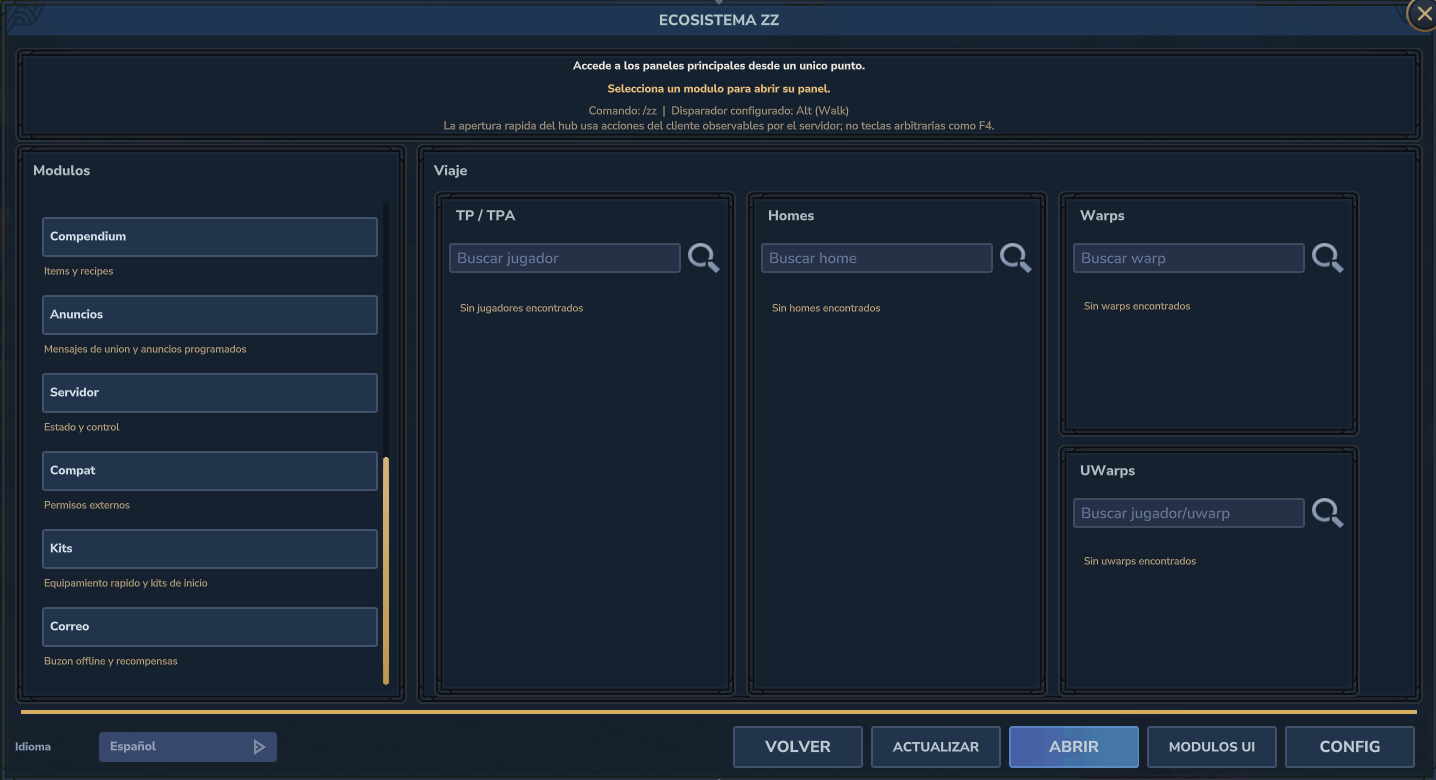
- Provides instant admin teleport and a player-selection teleport UI.
- Provides a full TPA flow with expiration, warmup, cooldown, and chat support.
- Provides personal homes and clan homes with UI, rename, delete, and configurable limits.
- Supports warmup and cooldown bypass permissions.
- Adds an
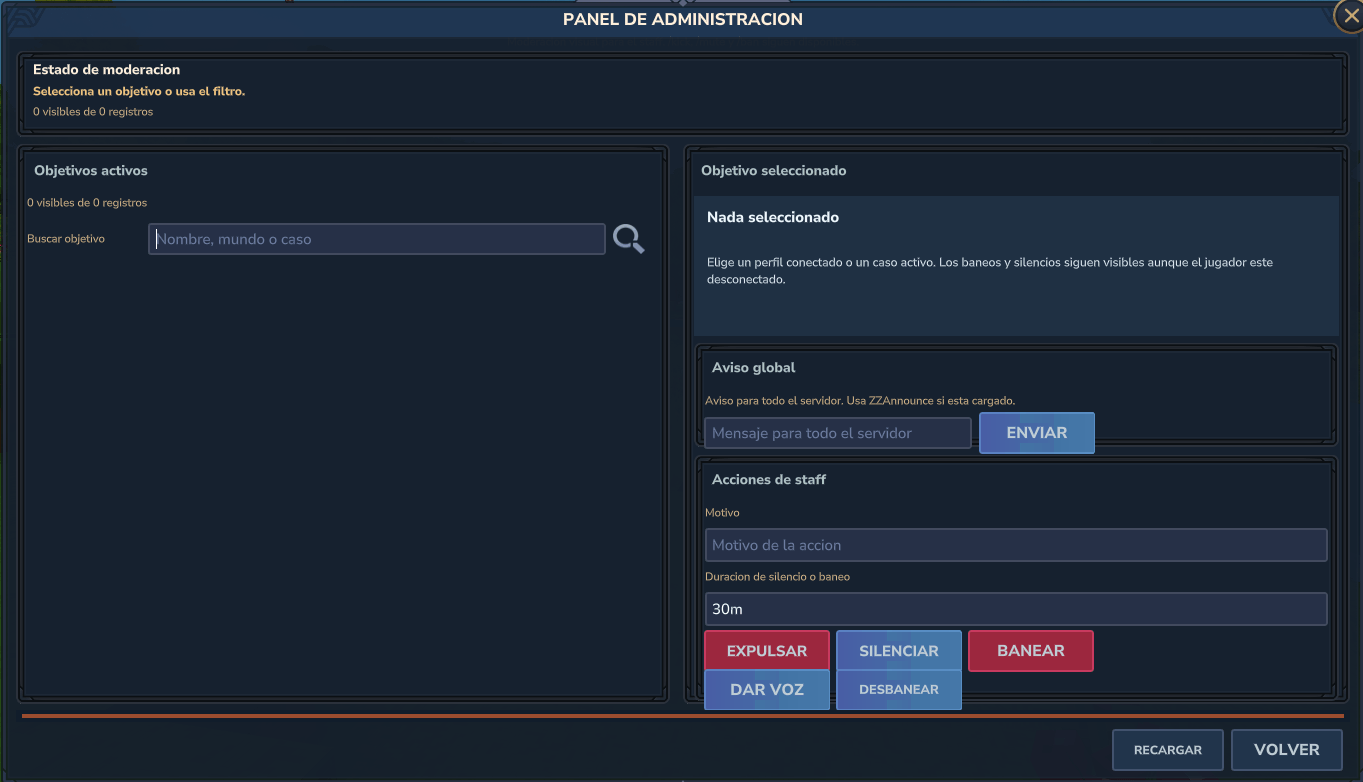
/adminmoderation panel for kick, mute, unmute, ban, and unban flows.
Commands And Workflow
/tphandles admin teleport and the teleport UI./tpa,/tpaccept, and/tpdenyhandle teleport requests./home,/sethome, and/delhomemanage homes./admin,/kick,/mute,/unmute,/ban, and/unbanhandle moderation.- The hub can open teleport, request, or home flows automatically according to player permissions.
Runtime Files And Data
config.jsonstores warmups, cooldowns, home limits, clan-home settings, and admin-panel settings.messages.jsonstores the registered text catalog used through ZZCore.- The module stores its runtime data under
ZonaZeroMc/ZZEssentials. homes/stores home collections by owner or scope.moderation/moderation.jsonstores bans, mutes, and moderation state.
Visible Config Example
This is the kind of config.json file you will see when the module generates its settings:
{
  "version": 5,
  "teleportEnabled": true,
  "teleportOpenMenuWithoutArgs": true,
  "teleportAllowCrossWorld": true,
  "teleportMenuMaxPlayers": 48,
  "teleportMenuHideSelf": true,
  "teleportMenuShowWorld": true,
  "teleportArrivalYOffset": 0.0,
  "tpaEnabled": true,
  "tpaRequestExpirySeconds": 60,
  "tpaTeleportWarmupSeconds": 3,
  "tpaTeleportCooldownSeconds": 3,
  "homesEnabled": true,
  "clanHomesEnabled": true,
  "maxPlayerHomes": 6,
  "maxClanHomes": 12,
  "homeDefaultName": "main",
  "homeTeleportWarmupSeconds": 3,
  "homeTeleportCooldownSeconds": 3,
  "moderationEnabled": true,
  "adminMenuMaxEntries": 80,
  "moderationDefaultMuteMinutes": 30,
  "moderationDefaultBanHours": 24
}
The section below explains what each line changes in normal language.
Configuration Reference
Teleport Settings
teleportEnabled(true/false): enables or disables teleport features.teleportOpenMenuWithoutArgs(true/false): opens the teleport menu when/tpis used without arguments.teleportAllowCrossWorld(true/false): allows teleport across worlds when enabled.teleportMenuMaxPlayers(number): max players shown in teleport selection UI.teleportMenuHideSelf(true/false): hides the executing player from the list when enabled.teleportMenuShowWorld(true/false): shows world info in the teleport UI.teleportArrivalYOffset(number): vertical offset applied on teleport arrival.
TPA Settings
tpaEnabled(true/false): enables or disables the TPA flow.tpaRequestExpirySeconds(number): time before a request expires.tpaTeleportWarmupSeconds(number): warmup before the teleport completes.tpaTeleportCooldownSeconds(number): cooldown before another teleport request flow can run.
Home Settings
homesEnabled(true/false): enables or disables personal homes.clanHomesEnabled(true/false): enables or disables clan homes.maxPlayerHomes(number): max saved homes per player.maxClanHomes(number): max saved homes per clan.homeDefaultName(text): default home name used by the module.homeTeleportWarmupSeconds(number): warmup before teleporting to a home.homeTeleportCooldownSeconds(number): cooldown between home teleports.
Moderation Settings
moderationEnabled(true/false): enables or disables the moderation suite.adminMenuMaxEntries(number): max entries shown in the admin menu.moderationDefaultMuteMinutes(number): default mute duration.moderationDefaultBanHours(number): default ban duration.
Permissions
- Base visibility:
zzessentials.use - Teleport flow:
zzessentials.command.teleport.* - Home flow:
zzessentials.command.home.* - Moderation flow:
zzessentials.command.admin.*
Installation
- Copy
ZZCore.jarinto the servermodsfolder first. - Copy
ZZEssentials.jarinto the same servermodsfolder after that. - If you want clan homes through the ecosystem organization provider, also install
ZZClan.jar. - Start Hytale.
- Configure warmups, cooldowns, home limits, and staff permissions.
License
All Rights Reserved.
Redistribution, reposting, resale edits, or reuploading forks is not allowed without written permission from the author.
The EssentialsZZ Team