Zeto AdminMapMarkers
- By
AdminMapMarkers lets server administrators place custom text labels and images directly on the map to highlight important locations, events, and points of interest.
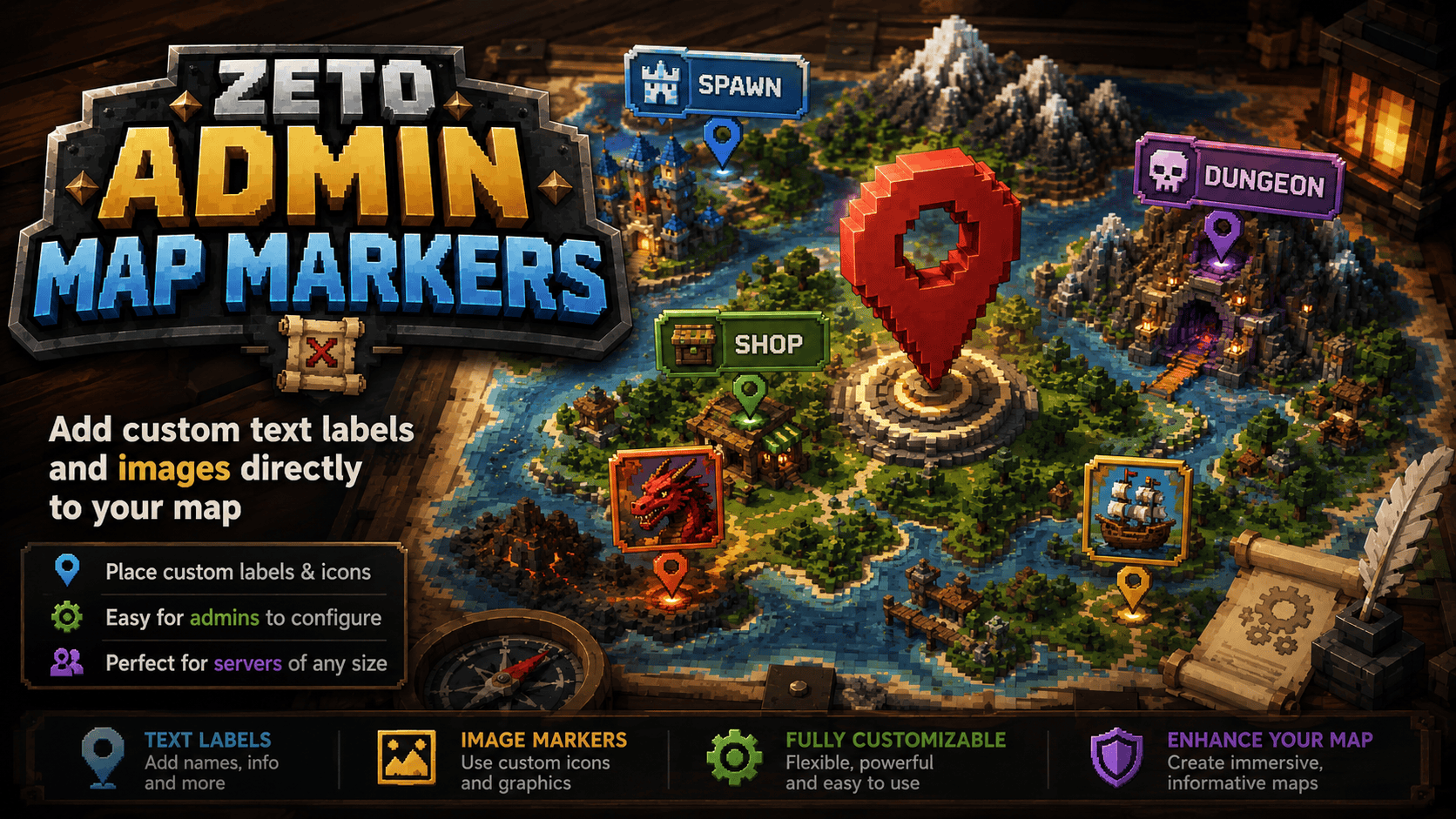
AdminMapMarkers.png
Description
Zeto Admin Map Markers
Zeto Admin Map Markers is a server-side Hytale mod that allows administrators to place persistent, scalable text labels and custom graphics directly onto the world map opened with the M key.

Unlike traditional map pins, waypoints, or player markers, elements created with this mod are rendered directly into the map tiles on the server. Players receive a fully composed version of the map without needing to download external images, install additional client-side mods, or configure anything themselves.
The mod is designed for server owners who want to clearly mark important locations such as cities, shops, banks, portals, dungeons, event areas, temples, player marketplaces, spawn zones, and other points of interest.
Main Features
- Add permanent text labels directly to the world map.
- Display custom PNG images and icons on map tiles.
- Combine text and graphics into a single map element.
- Create text-only or image-only markers.
- Scale markers according to world-block size.
- Edit markers through an in-game graphical interface.
- Use the administrator’s current position automatically.
- Enter marker coordinates manually.
- Organize markers separately for every world.
- Display markers regardless of the player’s distance from them.
- Load images from URLs, local files, mod data folders, or bundled resources.
- Manage markers through commands or the in-game GUI.
- Store marker data persistently between server restarts.
- Reload marker data without restarting the server.
Direct Map Rendering
Admin Map Markers does not create standard pins that float above the map interface. Every element is composited directly into the image of the map tile.
This makes markers feel like a natural part of the world map and allows administrators to create much more detailed map layouts than simple waypoint systems.
You can use the mod to display:
- Location names
- Server districts
- Kingdom borders
- City labels
- Custom logos
- Shop icons
- Dungeon symbols
- Event graphics
- Decorative map illustrations
- Administrative information
- Any custom PNG image supported by the server
Because the final map tiles are generated by the server, players receive ready-to-display map images. Remote files and local graphics are never downloaded directly by the player.
Marker Types
Every map element can contain:
- A text label
- A graphic
- Both text and a graphic
Text is optional, and the graphic is optional. The editor only requires that at least one of these fields is filled in.
This means you can create a large city name without an icon, place a decorative image without text, or combine a location name with a recognizable symbol.
Commands
The following permission is required to manage map markers:
zeto.adminmapmaker.manage
Open the graphical editor
/mapmarker gui
Opens the in-game graphical management panel.
The GUI allows administrators to create, edit, and remove map elements without manually editing configuration files.
Add or update a marker
/mapmarker add <id> <icon> <name>
Creates a new marker at the administrator’s current position.
When a marker with the same ID already exists, it is updated instead of creating a duplicate.
Examples:
/mapmarker add spawn spawn Main Spawn
/mapmarker add shop shop Player Marketplace
/mapmarker add bank bank Royal Bank
Remove a marker
/mapmarker remove <id>
Removes the selected marker from the administrator’s current world.
List markers
/mapmarker list
Displays all markers registered in the current world.
Reload marker data
/mapmarker reload
Reloads marker information from the data file without requiring a server restart.
Built-In Icon Aliases
The mod includes several convenient icon aliases that can be used when creating markers:
shop
bank
spawn
home
portal
warp
campfire
temple
For example:
/mapmarker add temple temple Ancient Temple
To create a marker containing only text, use:
none
or the configured equivalent such as:
brak
This prevents an icon from being rendered and leaves only the marker name visible on the map.
Custom Graphics
Admin Map Markers supports multiple image sources.
A marker graphic can be loaded from:
- An
httporhttpsURL - An absolute file path on the server
- A file located relative to the mod’s data directory
- A PNG image bundled inside the mod package
Example URL source:
https://example.com/images/castle.png
Example absolute server path:
/home/hytale/server/map-icons/castle.png
Example Windows path:
C:\HytaleServer\map-icons\castle.png
Example path relative to the mod data folder:
icons/castle.png
All remote and local images are processed by the server. Players do not connect to the supplied URL and do not need access to the server’s file system.
For the best result, use transparent PNG files with a clear silhouette and sufficient resolution.
In-Game Graphical Editor
The graphical editor can be opened with:
/mapmarker gui
The panel allows administrators to:
- Create new markers
- Edit existing markers
- Delete markers
- Enter a unique marker ID
- Add an optional text label
- Select an icon alias
- Enter a custom graphic source
- Set the marker’s world coordinates
- Use the administrator’s current position
- Change the marker size
- Control how much world space the marker occupies
Marker size is defined in world blocks rather than screen pixels. This allows graphics and labels to remain properly aligned with the map scale.
For example, a marker representing a large city can cover a wider area, while a shop or portal icon can remain small and precise.
World-Based Marker Separation
Markers are stored separately for every world.
A marker created in one world will not automatically appear in another. This is useful for servers containing multiple dimensions, dungeon worlds, event maps, seasonal areas, or separate gameplay regions.
The same marker ID can be used in different worlds without causing a conflict.
Commands such as:
/mapmarker list
/mapmarker remove <id>
operate on the administrator’s current world.
Persistent Data Storage
Markers are saved automatically in:
mods/Zeto_AdminMapMarkers/markers.tsv
The exact mod data directory name may differ slightly depending on the Hytale server version and server implementation.
Marker data is written atomically. This reduces the risk of data corruption if the server stops unexpectedly while the file is being saved.
The data file contains marker information separated by world, including marker identifiers, coordinates, text, image sources, and scale settings.
Manual editing is possible, but using the in-game GUI is recommended to prevent invalid entries.
After manually changing the file, run:
/mapmarker reload
to load the updated data.
Installation
Requirements
- A compatible Hytale dedicated server
- JDK 25
- Permission-management support for administrator commands
- A local Hytale installation when compiling the project from source
Building from Source
Open a terminal in the project directory and run:
./gradlew.bat clean build
After a successful build, the compiled mod will be available in:
build/libs/AdminMapMarkers-1.2.3.jar
Server Installation
-
Stop the Hytale server.
-
Copy the generated JAR file into the server’s
modsdirectory. -
Start the server again.
-
Grant the required permission to administrators:
zeto.adminmapmaker.manage
-
Open the editor with:
/mapmarker gui
Example Configuration Workflow
To create a marker for the main server spawn:
/mapmarker add spawn spawn Main Spawn
To create a player marketplace marker:
/mapmarker add marketplace shop Player Marketplace
To create a bank marker:
/mapmarker add royal_bank bank Royal Bank
To create a text-only city label:
/mapmarker add capital none Capital City
To view all markers in the current world:
/mapmarker list
To remove the marketplace marker:
/mapmarker remove marketplace
Recommended Uses
Admin Map Markers is especially useful for:
- Survival servers
- MMORPG servers
- Roleplay servers
- Economy servers
- Adventure maps
- Faction servers
- Kingdom-based servers
- Dungeon networks
- Minigame hubs
- Seasonal worlds
- Large custom maps
Server owners can create a professionally labeled map without requiring players to memorize coordinates or rely on external websites.
Important Notes
- Markers are rendered directly into map tiles and are not regular map pins.
- At least a text label or graphic must be provided.
- Remote graphics must be accessible to the server.
- Local file paths refer to the server machine, not the player’s computer.
- Transparent PNG images usually provide the best visual results.
- Very large graphics may cover a significant portion of the map.
- Marker IDs should be unique within each world.
- Removing a marker only affects the current world.
- Players do not need the administrator permission to see markers.
- Players receive completed map tiles rather than raw image files.
Summary
Zeto Admin Map Markers gives Hytale server administrators full control over visual information displayed on the world map.
Whether you want to mark a small player shop, name an entire kingdom, display a custom server logo, or create a fully illustrated map for an MMORPG world, the mod provides a flexible server-side solution with persistent storage, custom graphics, world-based organization, and an easy-to-use in-game editor.
You can check this mod in our server: play.hytaris.pl
Check my other mods:
 Metin Reforging - Upgrade items like in Metin2
 Zeto Gambling - Casino!
 Zeto Fake Players - Fake Players with AI on Chat
Premium mods:
 Daily Streak Rewards - Rewards for daily login streak!
Zeto AdminMapMarkers Team