Yet Another Shop
- By
Native Hytale shop plugin with server shops, player shops, physical shop blocks, item and currency trades, stock/restock, quest and progression rules, categories, map markers, economy integrations, and in-game admin tools.
20260503153556_1.jpg
20260503151837_1.jpg
20260503151719_1.jpg
20260503151709_1.jpg
20260503151623_1.jpg
20260503151605_1.jpg
Description
YetAnotherShop
YetAnotherShop is a powerful native Hytale shop system for servers. It provides admin-managed server shops, player-owned shops, physical shop blocks, item and currency payments, YASCurrency digital and physical cash support, player buy orders, quest-based products, stock and restock systems, quantity selection, per-player purchase limits, progression requirements, categories, shop linking, map markers, owner notifications, player shop activity history, multilingual support, and an extensive in-game admin interface.
The plugin is designed for server owners who want more than a simple buy/sell menu. You can create classic NPC traders, spawn shops, player marketplaces, quest shops, progression-locked vendors, reward shops, item-for-item exchanges, player buy-order boards, cash-based market stalls, and fully physical shop stalls placed directly in the world.
Link to Userdocs: Click here
Main Features
- Native Hytale UI using in-game custom UI pages instead of web or HTML menus.
- Server Shops fully controlled by admins.
- Player Shops where players can create and manage their own shops.
- PlayerShop Buy Orders allowing shop owners to buy wanted items from other players.
- Physical Shop Blocks for both server shops and player shops.
- Multiple ShopBlock variants, including color, fantasy, luxury, and questboard styles depending on the installed version.
- Shop linking to blocks, containers, HyCitizens NPCs, and optional supported entity targets.
- Link-only shops, so specific shops can only be opened through their linked world object.
- World Map markers for visible shop locations using supported Hytale map marker icons.
- Quantity Chooser for buying or selling multiple items at once.
- Per-player purchase limits with max per purchase, daily, weekly, lifetime, and cooldown limits.
- YASCurrency Integration for digital account payments and physical cash-style payments where YASCurrency is installed.
- Structured transaction reasons for supported economy providers, allowing cleaner transaction history entries.
- Capture-crate and container-friendly linking through improved container detection.
- Improved shop tooltips for products, currencies, cash costs, quest actions, blocked purchases, and purchase validation feedback.
- PlayerShop owner notifications for purchases and out-of-stock events.
- PlayerShop activity history for tracking recent sales and stock events.
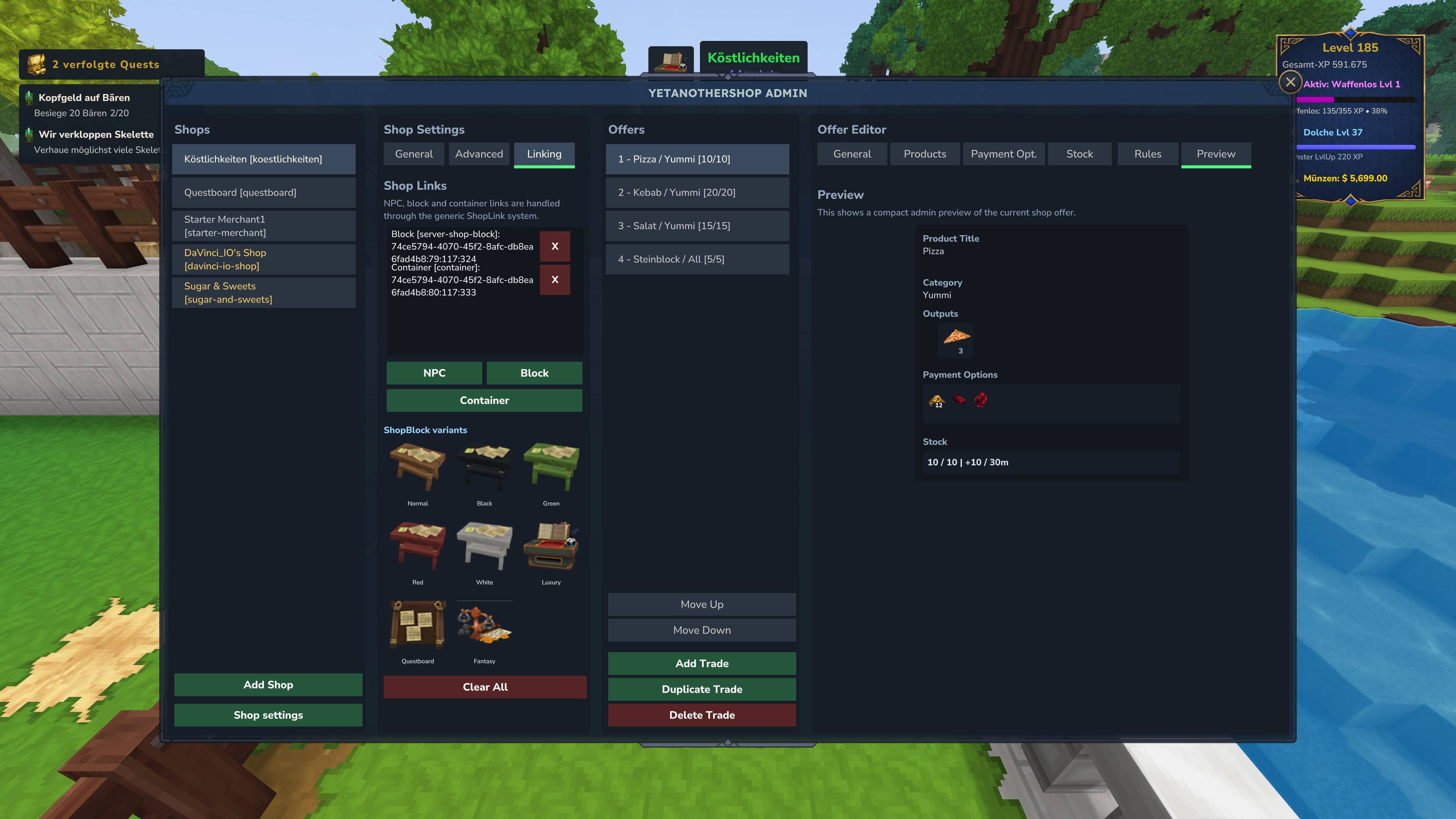
- In-game admin panel for creating, editing, duplicating, linking, and configuring shops.
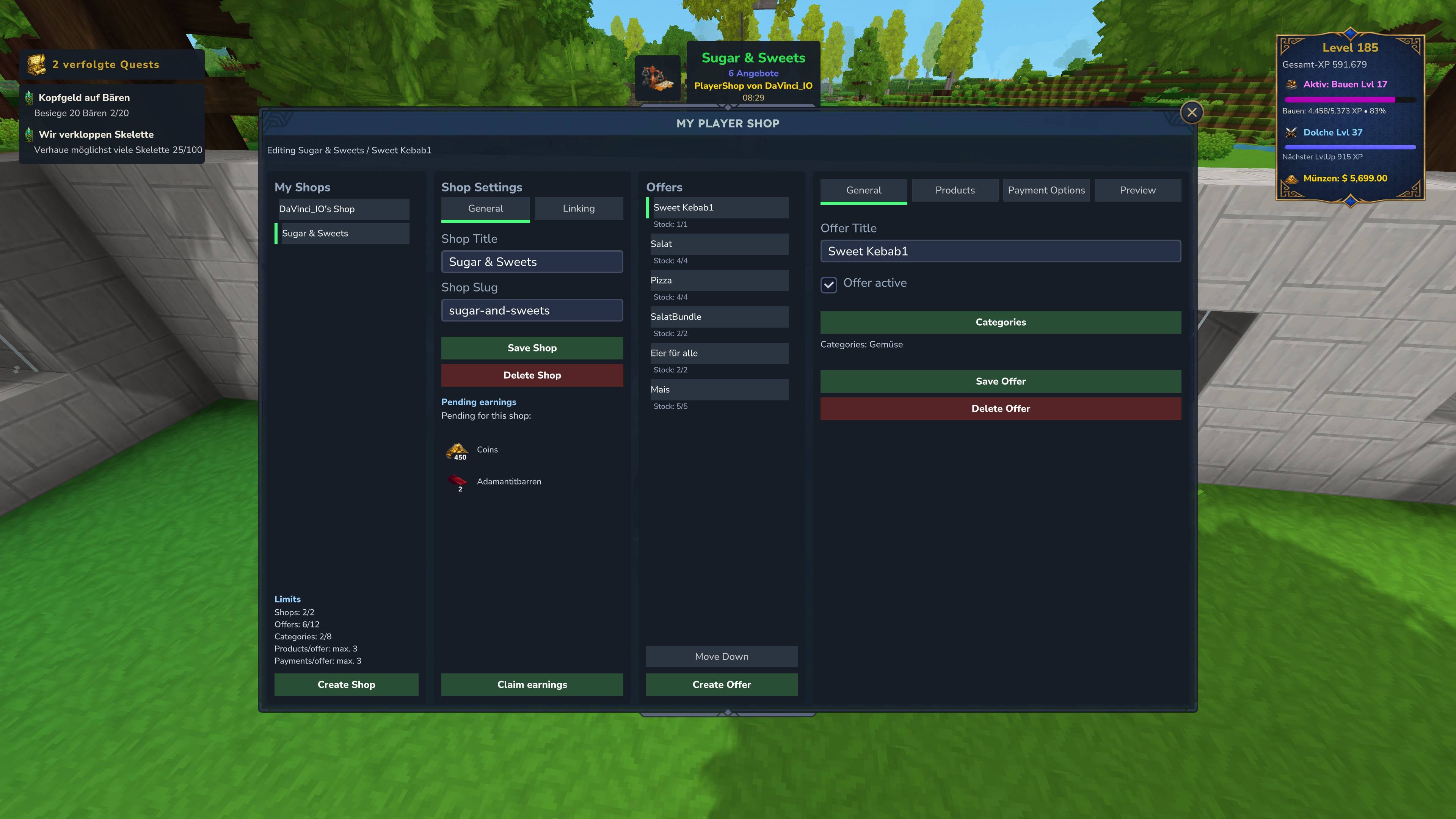
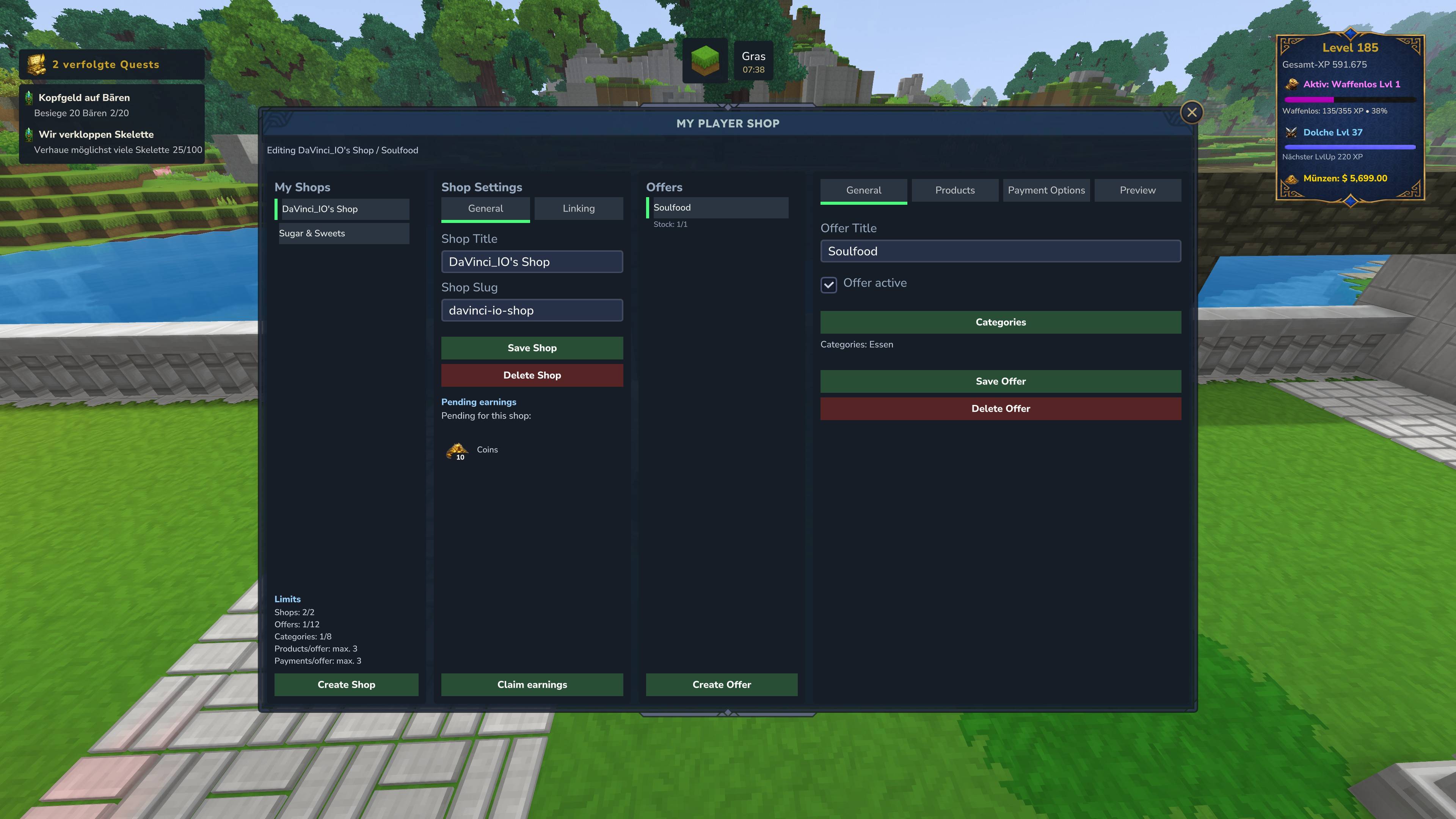
- Player shop editor for managing personal shops directly in-game.
- English and German localization included.
YASCurrency Support
- Supports YASCurrency as an optional economy provider.
- Supports YASCurrency digital account balances for normal shop purchases.
- Supports YASCurrency physical cash payments where cash items are available.
- Physical cash purchases support cash tender handling, change handling, server-side validation, and transaction history support.
- Shop purchase reasons include structured information such as shop, shop ID, offer, offer ID, and quantity where available.
- This allows YASCurrency to display clearer transaction history instead of generic technical payment notes.
- Physical cash purchases can create readable account history entries without changing the final digital account balance.
- Cash tender and change handling are validated server-side.
- Digital and physical cash payments can be used alongside item-based payments and other optional economy providers.
- If YASCurrency is not installed, the integration remains optional and does not hard-depend on it.
Player Shops
- Players can create their own shops and manage them through a dedicated in-game editor.
- Player shop products are backed by real stored inventory stock.
- Players can choose products from their inventory and configure prices.
- Supports item payments and digital currency payments depending on available economy providers.
- Supports YASCurrency account payments where YASCurrency is installed.
- Supports player buy orders where shop owners can search for items and pay other players for delivering them.
- Buy orders use deposited shop budget, wanted item amounts, and settlement storage for collected items.
- Supports categories, product descriptions, preview settings, stock display, payment options, and offer limits.
- Includes configurable limits for shops per player, offers per shop, buy orders per shop, products per offer, payment options, categories, and activity history.
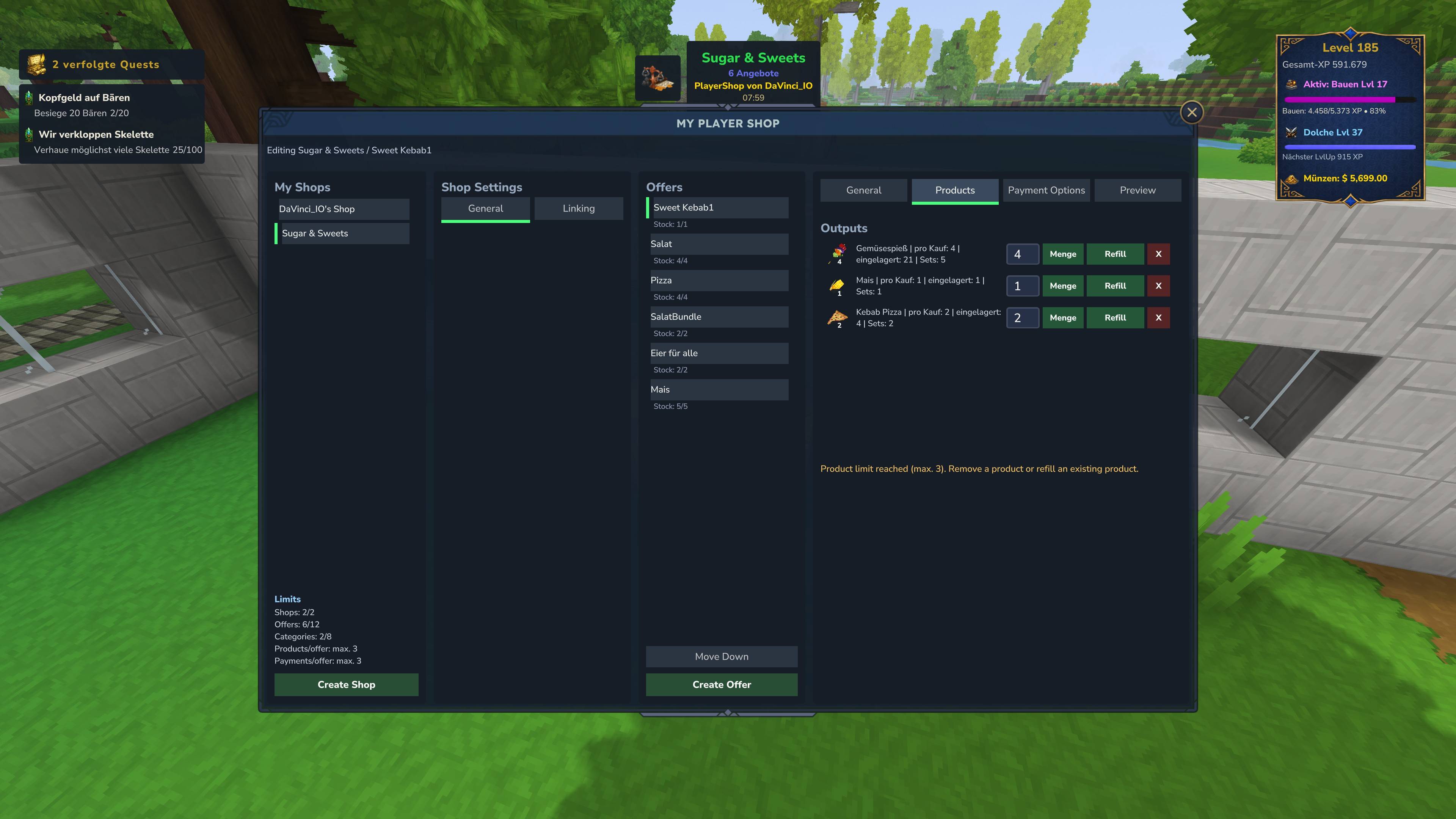
- Products per offer and payment options per offer are capped to the supported UI maximum of 3 each.
- Player shops can be linked to physical shop blocks or containers.
- Linked player shops can be restricted so they only open from the linked world object.
- Shop owners can receive live notifications when another player buys from their shop.
- Shop owners can receive live notifications when an offer becomes out of stock after a purchase.
- Owner notifications can be toggled per PlayerShop.
- PlayerShop activity history stores sales and out-of-stock events, even when the owner is offline.
- The PlayerShop editor includes tabs for general settings, products, payments, limits, preview, linking, and activity.
- The offer list clearly marks sell offers and buy orders using compact mode badges.
PlayerShop Buy Orders
- Player shop owners can create buy orders for wanted items.
- Buy orders allow visitors to sell items to the shop owner instead of buying items from the shop.
- Buy orders are limited to PlayerShops and can be enabled or disabled globally.
- Each buy order uses one wanted item and one currency payout option.
- Shop owners must deposit a buy budget before players can sell items to the buy order.
- The deposited budget limits how many items can be bought from visitors.
- When a visitor sells an item to a buy order, the item is removed from the visitor, the visitor receives the payout, and the collected item is stored for the shop owner.
- Unused buy budget is returned when a buy order is removed or changed where applicable.
- Buy orders support the same per-player offer limits as normal sales, including max per transaction, daily, weekly, lifetime, and cooldown limits.
- Buy orders are shown with clear stock/wanted amount information such as how many items are still wanted.
PlayerShop Notifications & Activity
- Live Hytale notifications when a player buys from your PlayerShop.
- Live Hytale notifications when one of your offers becomes out of stock.
- Separate toggles for purchase notifications and out-of-stock notifications.
- Offline shop owners do not receive queued live notifications, but activity entries are still saved.
- Persistent activity history for sales and stock-empty events.
- Activity tab in the PlayerShop editor.
- Activity management actions such as mark as read and clear history.
- Configurable maximum activity history size per shop using
maxHistoryEntriesPerShop. - Designed with capped history storage to avoid unbounded data growth on long-running servers.
Shop Blocks & Linking
- Dedicated Server ShopBlocks and Player ShopBlocks.
- Multiple visual variants for different shop styles.
- Link shops to physical blocks in the world.
- Link shops to containers for chest-style shop setups.
- Link shops to HyCitizens NPCs where supported.
- Optional generic entity/NPC linking can be enabled through server config if needed.
- Generic entity/NPC linking is disabled by default for safer compatibility with other interaction-heavy mods.
- Safe unlink and cleanup behavior for linked shop blocks.
- ShopBlocks are protected from normal tool breaking and should be managed through the shop UI.
- Linked shops can be configured as link-only, preventing players from opening them directly by command if physical interaction is required.
Capture Crates, Containers & Linking Compatibility
- Shop linking supports physical blocks, containers, and compatible world objects.
- Container-style targets are detected more broadly, including chest, crate, barrel, locker, cabinet, stash, basket, and similar container naming patterns.
- This improves compatibility with capture crates, storage crates, and other container-like blocks from server setups or external content packs.
- Safe unlink and cleanup behavior helps prevent stale block or container links.
- Container links are handled separately from physical shop block links to avoid unwanted block deletion.
Stock, Restock, Quantity & Limits
- Unlimited or limited stock per offer.
- Configurable current stock and maximum stock.
- Restock amount and restock interval support.
- Separate stock display and restock display settings.
- Quantity chooser for normal shop purchases.
- Quantity chooser for PlayerShop purchases and PlayerShop buy orders.
- Quick quantity actions such as x1, x10, and all available.
- The all-available option is limited by stock, budget, inventory space, affordability, and active purchase limits.
- Maximum amount per purchase.
- Daily, weekly, lifetime, and cooldown-based purchase limits.
- Purchase limits are counted per player and per offer.
- Limits work for ServerShops, PlayerShop sales, and PlayerShop buy orders.
- Limit history is cleaned up when offers or entire shops are deleted.
- Server-side validation for stock, payment, inventory space, purchase limits, buy order budget, and requirements.
- Player shops always validate current stock and escrow before final purchase.
- PlayerShop owners can be notified when a limited-stock offer becomes empty after a purchase.
Admin Interface
- Create, edit, duplicate, and delete server shops.
- Create, edit, duplicate, move, and delete offers.
- Configure products, outputs, payment options, stock, restock, categories, rules, quest settings, purchase limits, and links.
- Manage shop settings, visibility, access, map markers, and integration behavior.
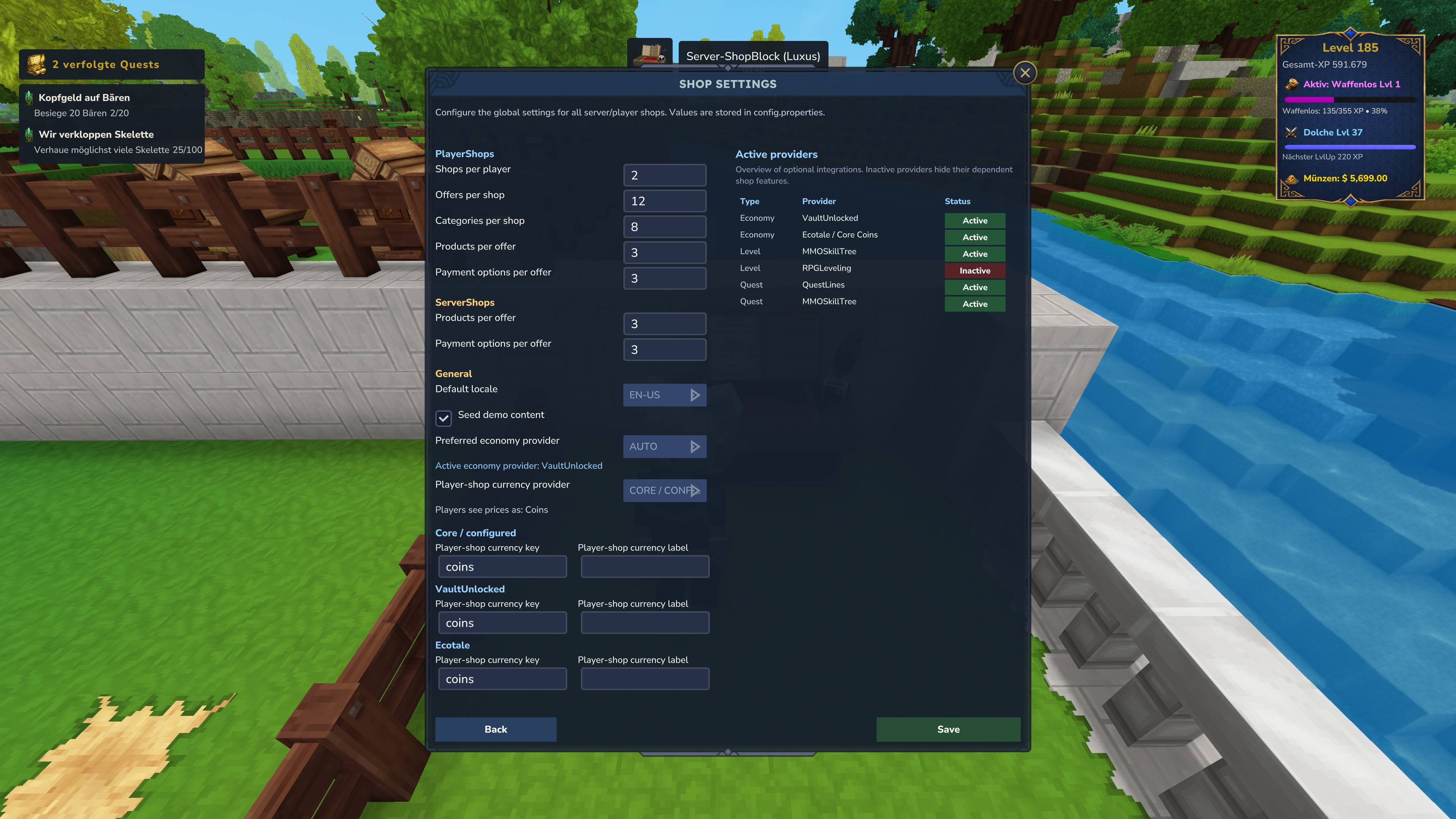
- Configure PlayerShop limits, buy order limits, product/payment limits, and activity history limits.
- Configure whether PlayerShop buy orders are enabled.
- Configure whether PlayerShop sales of Books & Papers items with metadata are allowed.
- Preview products directly in the admin UI.
- Clear limit-related data automatically when shops or offers are deleted.
- Display clear limit messages when product, output, payment option, or cost limits are reached.
- Manage optional integrations and provider-specific behavior.
- Seed demo content for testing or setup.
Server Shops
- Create unlimited admin-managed shops.
- Configure shop names, descriptions, icons, categories, sorting, visibility, and access behavior.
- Create and manage offers with multiple products and payment options.
- Use finite stock, unlimited stock, restock timers, and purchase limits.
- Show or hide stock and restock information independently.
- Restrict shops through rules, progression requirements, quests, custom providers, regions, or reputation systems.
- Open shops by command, link them to blocks/NPCs, or restrict them to physical access only.
- ServerShop admin pages show clear feedback when configured product/output or payment option limits are reached.
Products & Offers
- Standard item products.
- Currency products.
- Quest products.
- Multiple output products per offer.
- Multiple payment options per offer.
- Item-for-item trades.
- Currency-based purchases.
- YASCurrency account-based purchases.
- YASCurrency physical cash purchases where available.
- PlayerShop buy orders for item-to-currency selling.
- Mixed shop layouts with categories, titles, subtitles, descriptions, tags, icons, and sorting.
- Offer activation toggles, visibility controls, requirement checks, and per-offer purchase limits.
Tooltips & User Feedback
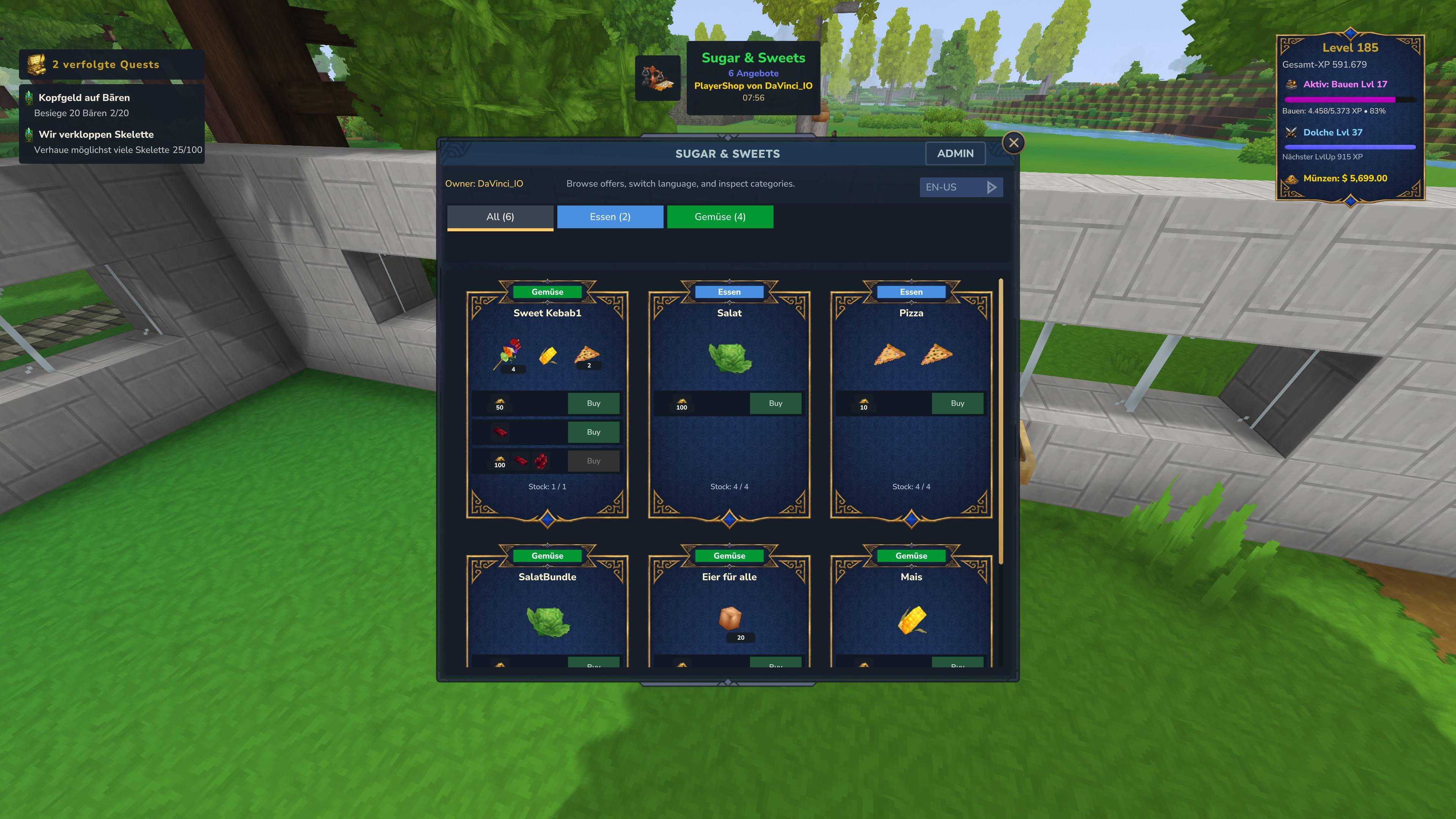
- Product cards can display detailed purchase tooltips for item outputs, currency outputs, item costs, currency costs, and cash costs.
- Quest offers show contextual tooltips for available, blocked, completed, active, reward-ready, and provider-specific quest states.
- Blocked purchase buttons explain why an offer cannot currently be bought, such as missing requirements, insufficient currency, stock limits, inventory space, or purchase limits.
- Compact tooltip behavior keeps large shop pages usable while still showing detailed information in important interaction areas.
- Currency and cash costs use compact labels and tooltips to avoid overcrowding shop cards.
- Validation feedback is shown for stale offers, missing products, invalid payments, insufficient stock, insufficient funds, full inventories, and active purchase limits.
Books & Papers Protection
- PlayerShop sales of Books & Papers items with metadata can be allowed or blocked through configuration.
- This helps protect server economies from copyable or metadata-heavy written items where external mods may allow duplication-like workflows.
- If disabled, affected PlayerShop items are blocked during listing and during purchase validation.
- The item picker shows a clear message when a Books & Papers item cannot be added because the feature is disabled.
- ServerShop templates remain available for admin-managed rewards and are not affected by this PlayerShop safety setting.
Quest Products
- Create quest-based shop products directly from the admin UI.
- Select available quest providers such as QuestLines or MMOSkillTree where installed.
- Provider-specific quest selection is supported, so choosing a quest provider can show the available quests for that provider.
- Supports quest actions such as accepting, starting, opening, tracking, completing, rewarding, and custom quest action flows.
- Quest products can display different states such as available, active, completed, locked, on cooldown, reward-ready, or already claimed.
- Useful for quest boards, daily contracts, progression shops, and reward vendors.
- Quest offers use quest flow behavior instead of normal product/payment/limit configuration where appropriate.
Rules & Requirements
- Shop visibility rules.
- Shop access and purchase requirements.
- Offer visibility rules.
- Offer purchase requirements.
- Requirement operators such as equals, not equals, greater than, greater or equal, less than, less or equal, and contains.
- Quest state requirements.
- Quest progress requirements.
- Quest tag and quest variable checks.
- MMOSkillTree skill and progress checks.
- RPGLeveling progression checks.
- Region and reputation provider support where available.
- Custom provider rule support for advanced server integrations.
Payments & Economy
- Item-based payments.
- Digital currency payments.
- YASCurrency digital account payments.
- YASCurrency physical cash payments where available.
- Multiple payment options per offer.
- Optional VaultUnlocked integration.
- Optional Ecotale integration.
- Optional YASCurrency integration.
- Automatic or manual economy provider configuration.
- Provider-specific currency keys and labels.
- Fallback support for item-only shops when no economy provider is installed.
- PlayerShop buy orders require a supported currency provider and deposited buy budget.
- Server-side validation prevents stale, empty, unaffordable, or invalid payment options from being used.
- Structured transaction reasons are passed to supported providers for cleaner transaction history and better external economy display.
Categories & UI
- Shop-local category system.
- Custom category names, colors, icons, sorting, and visibility.
- Category tabs in the shop UI.
- Multi-row category layout for shops with many categories.
- Long category names are shortened to keep the UI readable.
- Products can belong to one or more categories.
- The shop UI can display product output, payment cost, stock, wanted amount, restock status, quest state, and access state.
- PlayerShop admin lists use compact badges to distinguish sales from buy orders without hiding the product name.
Commands
/yetanothershopor/yasopens the default shop page./yetanothershop <shop>or/yas <shop>opens a specific shop by slug, unless that shop is link-only./yas myshopopens the player shop editor./yetanothershopadmin,/yasadmin, or/yasaopens the admin interface for users with permission.
Optional Integrations
- YASCurrency - digital currency support, physical cash payments, readable transaction reasons, and cash purchase history support.
- VaultUnlocked - economy and currency support.
- Ecotale - economy and currency support.
- QuestLines - quest products, quest board behavior, quest actions, and quest state checks.
- MMOSkillTree - skill, progression, and quest-related rules.
- RPGLeveling - level and progression requirements.
- HyCitizens - optional legacy NPC shop linking support.
Public API
- Read server shops and player shops from other plugins.
- Query offers, categories, links, owners, stock states, and player shop limits.
- Find shops by slug, owner, block reference, container reference, or linked target.
- Open shops for players through the API.
- Useful for server networks, custom systems, quest plugins, economy plugins, and external integrations.
Use Cases
- Spawn shops.
- NPC traders.
- Quest boards.
- Reward vendors.
- Player marketplaces.
- Player buy-order boards.
- Physical market stalls.
- Cash-based market stalls.
- Progression-locked shops.
- Skill-based shops.
- Daily or weekly limited shops.
- Item-for-item exchange systems.
- Currency-based server economies.
- Player-run trading districts with owner activity tracking.
Compatibility Notes
- YASCurrency integration is optional and requires YASCurrency to be installed on the server.
- Physical cash payments require YASCurrency cash items to be available.
- VaultUnlocked and Ecotale remain optional economy providers.
- Quest and progression integrations only become active when the supported provider plugins are installed.
- Generic entity/NPC linking is disabled by default for safer compatibility with other interaction-heavy mods.
- PlayerShop settlement payouts may be summarized when multiple sales are claimed together, because the payout can represent aggregated shop earnings rather than one single item transaction.
Why YetAnotherShop?
YetAnotherShop is built to be flexible, immersive, and server-friendly. It combines classic admin shops with real player-owned shops, physical world interaction, buy orders, quest integration, progression requirements, economy support, YASCurrency cash and account payments, quantity selection, per-player limits, owner notifications, and persistent PlayerShop activity tracking. Whether you want a simple spawn vendor, a player-run marketplace, a buy-order board, a cash-based trading stall, or a complex quest-locked trading system, YetAnotherShop gives you the tools to build it directly in-game.
Yet Another Shop Team