XLift
- By
Elevate your builds with XLift! Connect floors using stylish elevator platforms, choose destinations from a simple menu, and protect private floors with a PIN.
lights.png
Description
🛗 XLift — Your build. Every floor. One click - Hytale 0.7.6
Skip the stairs and give your Hytale builds a proper elevator! XLift connects platforms above and below each other, letting players choose their destination from a clean elevator control panel.
🎨 Match your build
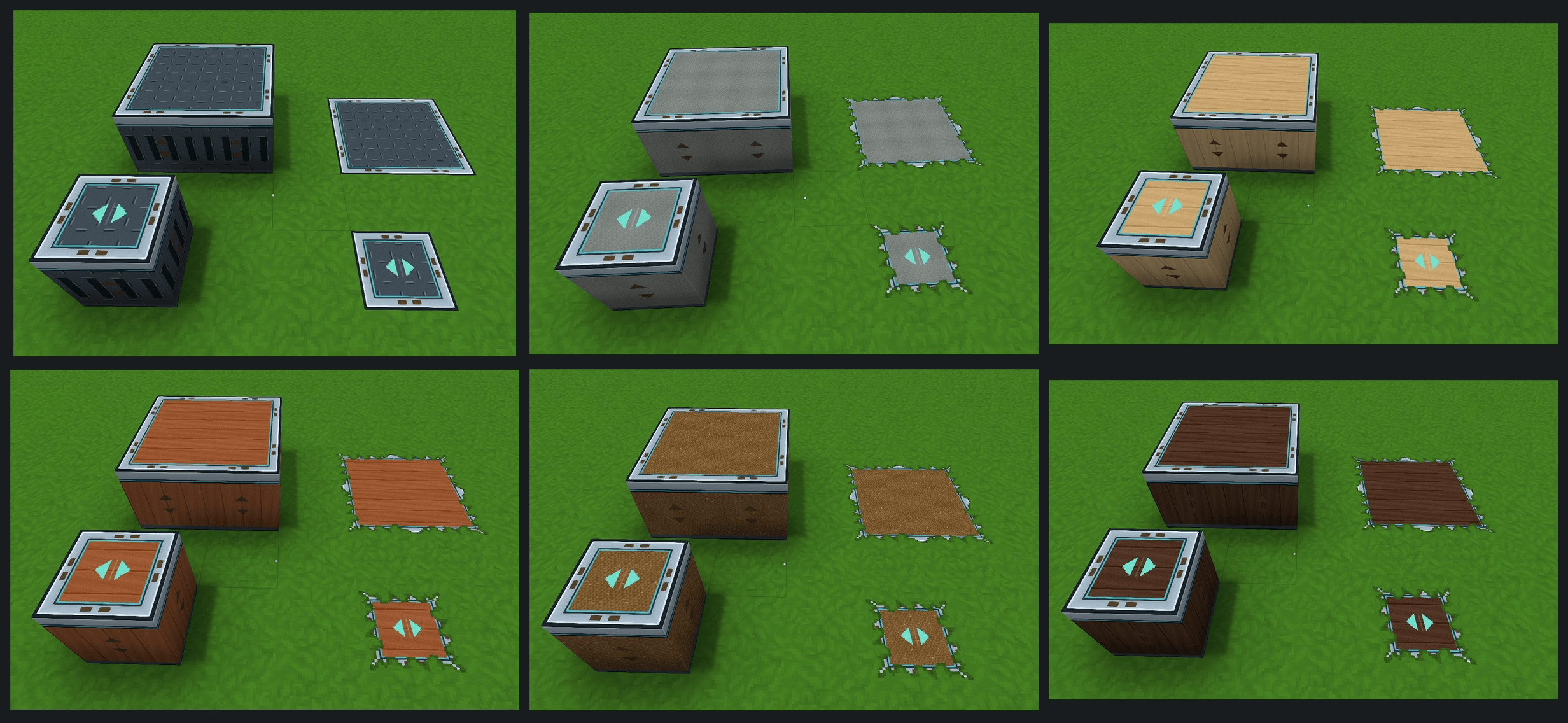
Choose from Metal, Stone, Dirt, Dark Wood, Light Wood, and Jungle Wood. Place a single block or connect up to four blocks into a platform with a continuous metal border.
🔢 Make every floor your own
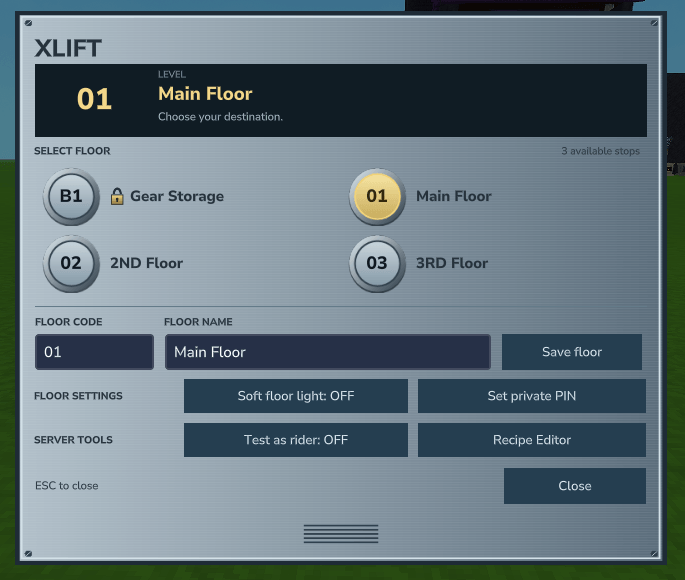
Give floors custom names and button codes such as B1, G, or 02. Floor names sit beside elevator-style numbered buttons, with the current floor highlighted in soft yellow.
Floor names, button codes, padlocks, and available destinations update automatically for everyone with the GUI open. Unused rows disappear, and the panel adjusts to keep the layout compact.
🔒 Protect private floors
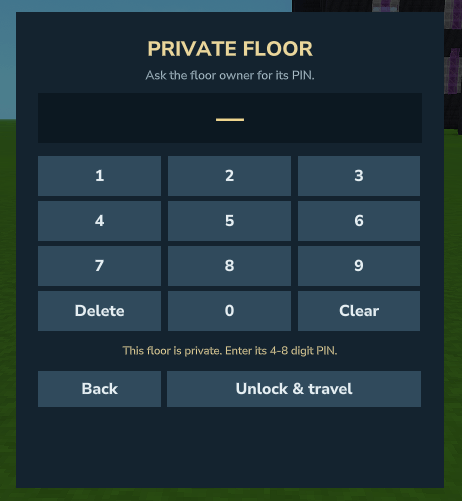
Owners and admin/OPs can set a 4–8 digit PIN for a floor and share it with guests. A padlock marks protected floors for everyone.
Owners and admin/OPs normally bypass PIN entry. Admins can enable Test as rider to try the keypad, including on their current floor.
💡 Soft lighting for dark landings
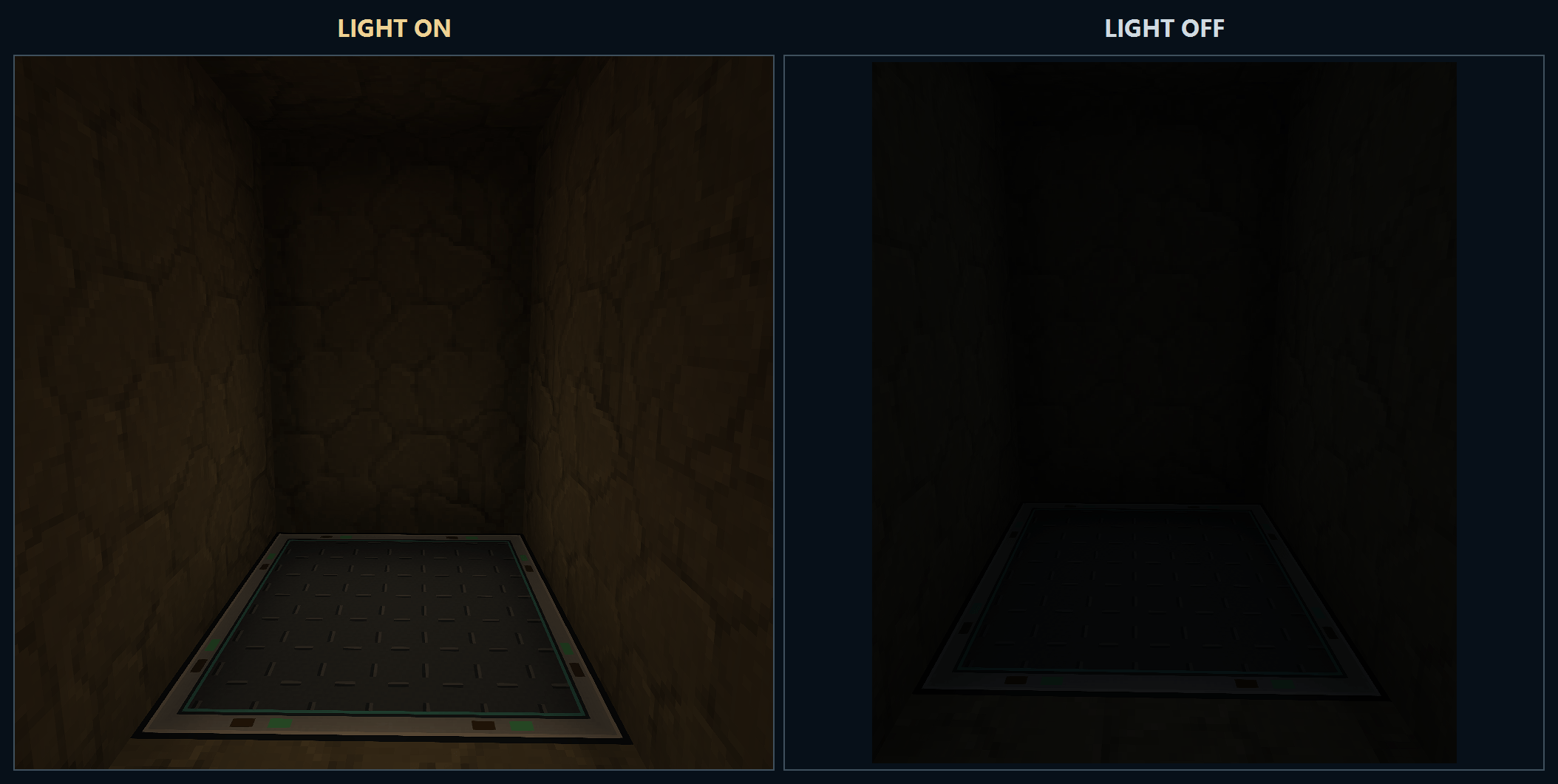
Enable a gentle, warm platform light to make underground floors easier to see. The floor’s owner or an admin/OP can turn it on or off.
🛠️ Craft at the standard Workbench
All six elevator styles are crafted at the standard Workbench → Tinkering tab, available from tier 1. No special crafting table is required.
Default recipes:
- Metal: 2 Iron Ingots → 1 elevator block.
- Other finishes: 1 Metal elevator block + 2 matching material blocks → 1 themed elevator block.
Everyone can craft and place elevators by default. Server admins can restrict building separately from riding.
⚙️ Visual recipe editor for admin/OPs
Open Recipe Editor from the elevator GUI, or use /xlift recipes.
Each elevator style has its own row with:
- An elevator icon and two clickable ingredient selectors.
- Ingredient quantity fields and an output quantity.
- A Reset button to restore that style’s default recipe.
Choose ingredients from a clickable inventory view or search the server’s item catalog—no item IDs required, and selecting an ingredient does not consume it.
Set an ingredient’s quantity to 0 to remove it from the recipe. At least one ingredient must remain. Save recipes applies the changes are live; Cancel discards unsaved edits. Reopen an already-open Workbench to refresh its recipe display.
Recipe editing is restricted to admin/OPs through xlift.admin. Owning an elevator does not grant permission to change server-wide crafting recipes.
🛡️ Server permissions
| Permission | Access |
|---|---|
xlift.build |
Craft and place elevators; allowed by default. |
xlift.use |
Open the elevator GUI and travel; requires a grant by default. |
xlift.admin |
Full management access, including recipes, floor settings, and permissions. |
Admin commands:
/xlift grant PlayerName
/xlift revoke PlayerName
/xlift grantbuild PlayerName
/xlift revokebuild PlayerName
/xlift recipes
Building and riding are independent. A player can be allowed to build elevators while their travel access remains restricted.
📌 How to use XLift
Build platforms above or below each other with at least one overlapping block column. Leave two clear air blocks above each landing and at least three blocks between floor heights.
Stand on a platform, press F / Use, and select a floor. Travel is instant and controlled entirely through the GUI.
Destinations must be loaded and unobstructed. Platforms remain stationary while players travel between floors.
⚠️ Backup Reminder: Always back up your worlds, player data, and server files before installing or updating XLift. Test the mod on a separate world or server before using it on your main setup. Use at your own risk; DevvX is not responsible for data loss, world corruption, compatibility issues, or other problems resulting from use of this mod.
💬 Join the DevvX Discord! Explore my other mods, get support, and share your feedback. Have an idea to improve an existing mod or a suggestion for something new? Drop it in the server—I’d love to hear it!
XLift Team