CrateX
- By
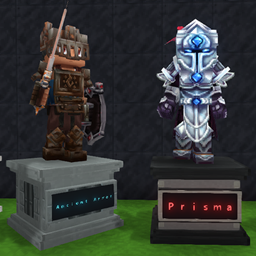
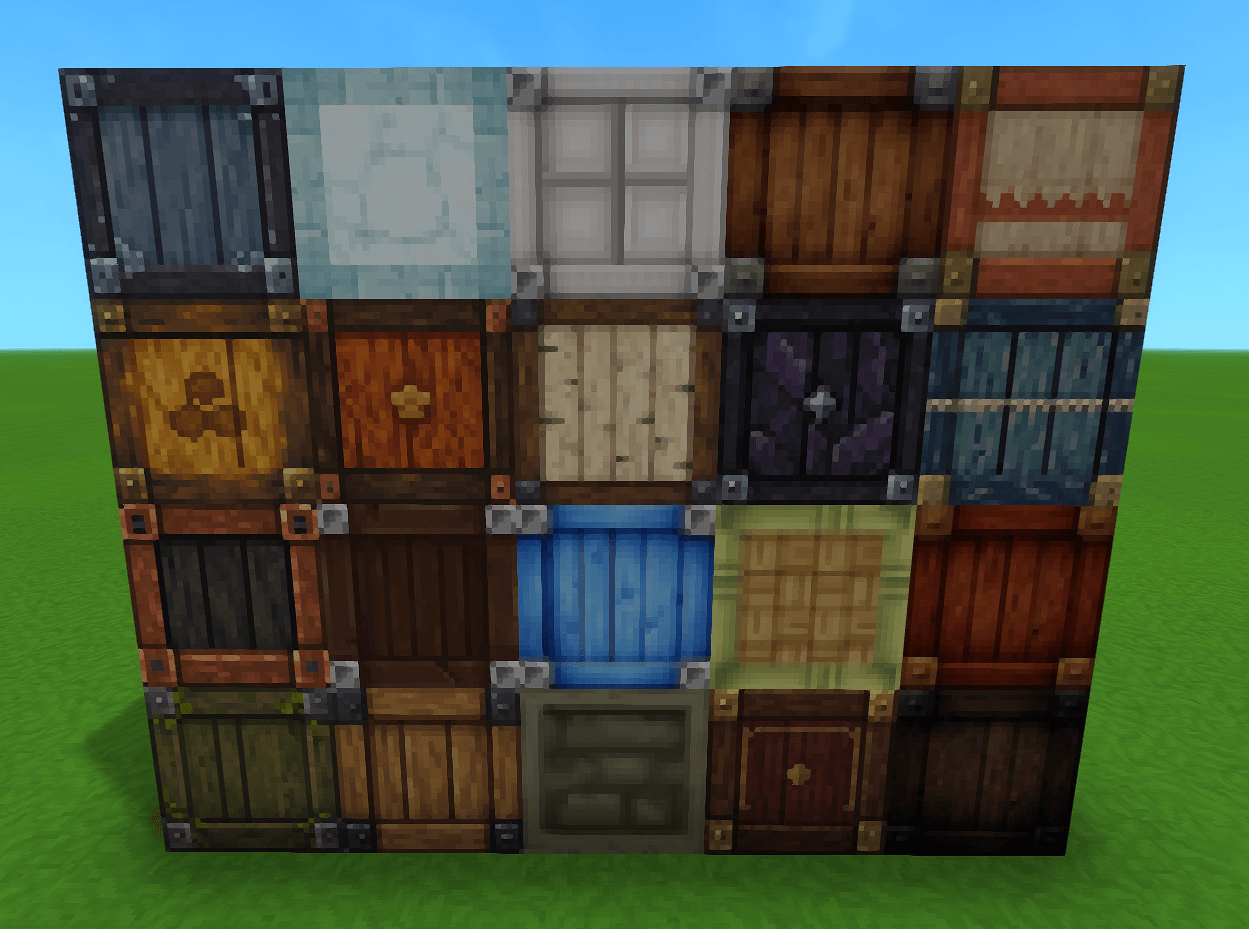
Organize your items in style with 30 unique storage blocks to choose from! Customize your crates with labels or custom icons to keep everything organized and easy to find. Make storage smarter, cleaner, and more personalized with CrateX!
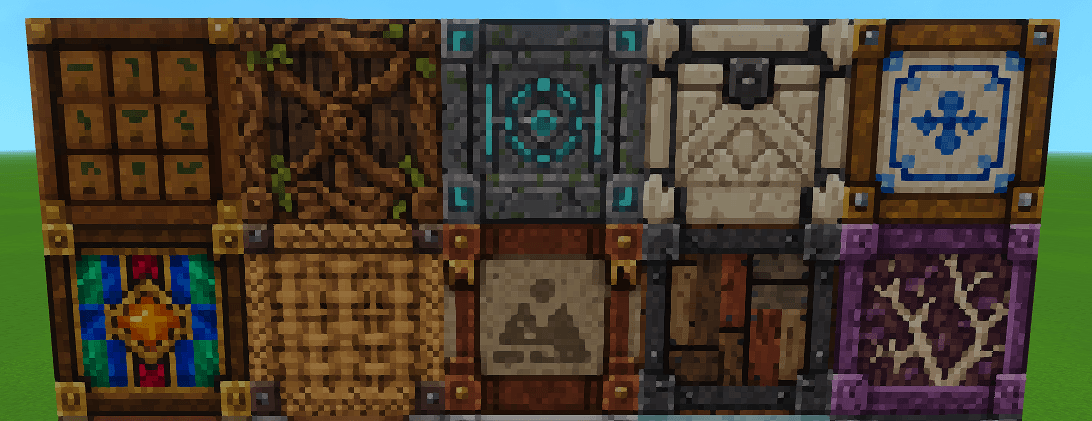
10-21-26 - 10 New crates added!

Screenshot 2026-02-22 011558.png
Screenshot 2026-10-18 204847.png
Description
1:01 PM
📦 CrateX 1.10.3
Expanded Storage. Better Organization.
💬 Join the DevvX Discord!
Have an idea for a crate design, a feature suggestion, or feedback? Join the community to share your ideas, get support, and explore my other mods!
CrateX brings 30 craftable crate designs, each with 54 storage slots, custom labels, item icons, and a live capacity display.
Updated and tested on Hytale 0.7.6.
✨ What’s New
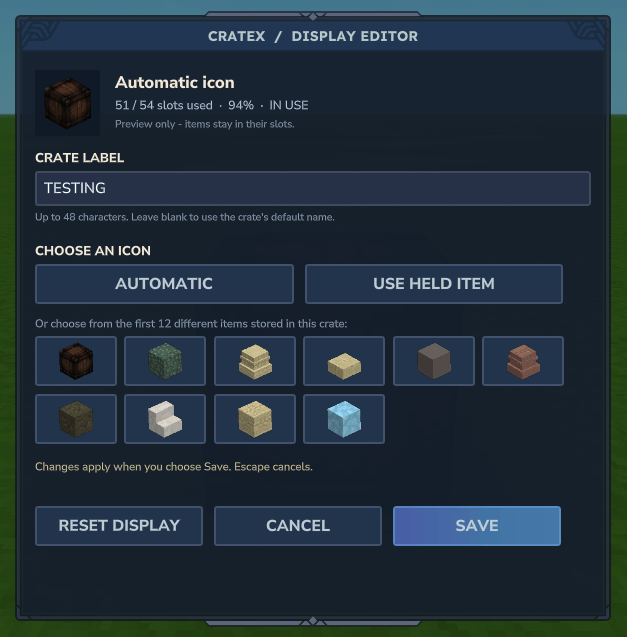
- Label and icon editor: Change your crate’s display through an in-game menu.
- Crouch + F to edit: Look at an editable crate, hold crouch, and press F to open its editor.
- F still opens storage: Normal crate access stays familiar.
- Cleaner hover hint: An additional edit prompt appears beneath the normal opening prompt when you can edit the crate.
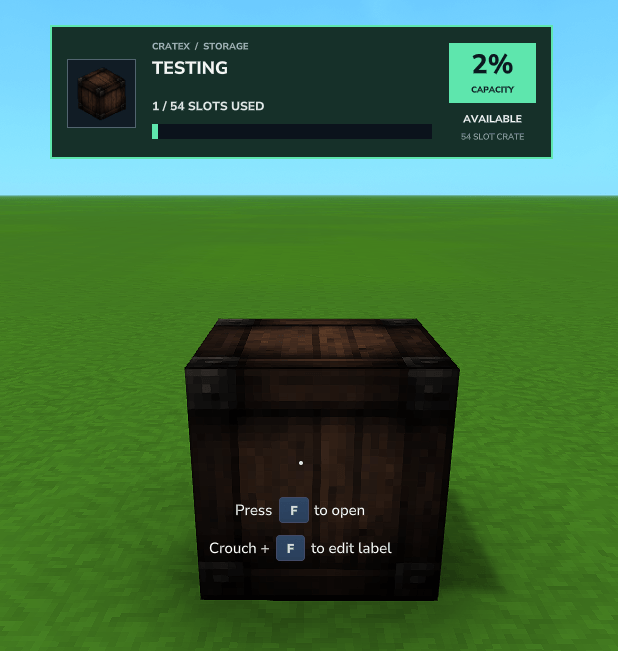
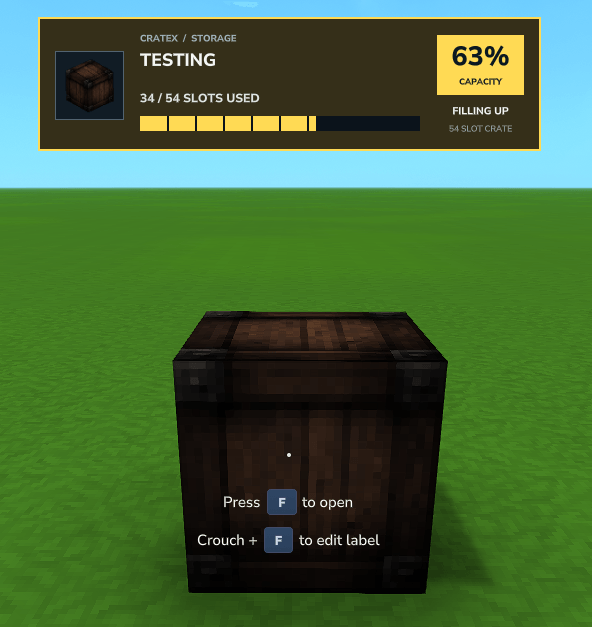
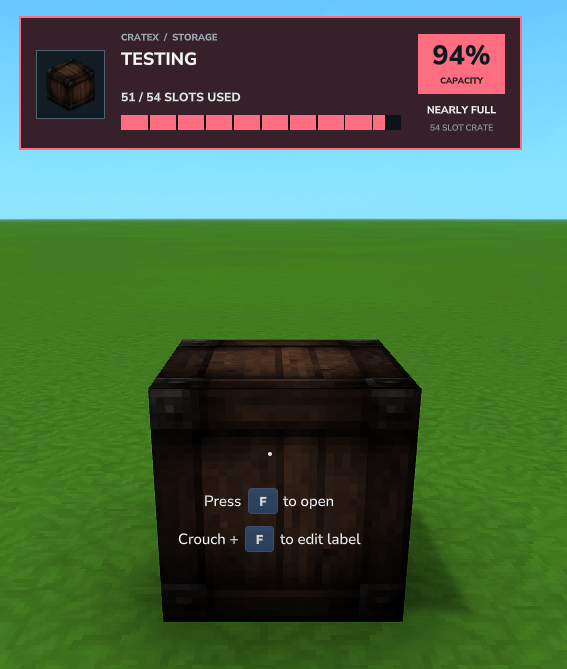
- Modern capacity display: A colored frame, percentage badge, and segmented meter make storage levels easier to read.
- Clear capacity colors: Green below 60%, yellow from 60%, and red from 90%.
- Existing-crate support: Older placed CrateX crates receive the updated display and editing controls without needing replacement.
- Display fixes: Includes the fixes for custom-label disconnects and fullness-display errors.
All 30 designs, crafting recipes, and 54-slot capacities are preserved.
🏷 Labels & Item Icons
Open the editor
- Look directly at a CrateX crate.
- Hold crouch and press F.
- Enter a label and choose an icon.
- Select Save to apply your changes.
These controls follow your configured Use/interact and Crouch bindings if you have remapped them.
Choose your display
- Custom label: Enter a name of up to 48 characters, including spaces. Leave it blank to restore the crate’s default name.
- Automatic icon: Display the first item stored inside, or the crate’s own icon when empty.
- Use Held Item: Use the icon of the item selected in your hotbar before opening the editor.
- Stored-item picker: Choose from the first 12 different item types inside the crate.
Choosing an icon does not consume the item.
Cancel or Escape discards unsaved changes. Reset Display prepares the default name and automatic icon; select Save to apply the reset.
Display ownership
Newly placed crates assign display ownership to their placer. Existing recorded owners are preserved.
Older crates without a recorded owner can be edited immediately. The first player to Save becomes their display owner; opening or canceling the editor does not claim them.
Display ownership controls labels and icons, not access to stored items. Administrators can override display access through /cratex edit with the cratex.admin permission.
📊 Live Capacity Display
Look at a crate to see its label, icon, occupied slots, percentage, and capacity meter.
- 🟢 Green: 0–32 occupied slots
- 🟡 Yellow: 33–48 occupied slots
- 🔴 Red: 49–54 occupied slots
Text indicators—including Empty, Filling Up, Nearly Full, and Full—make the state clear alongside the colors.
The meter measures occupied slots, not the number of items within each stack.
⌨ Commands
Look at a CrateX crate within 8 blocks, then use:
/cratex edit— Open the label and icon editor./cratex label Building Supplies— Set a custom label./cratex icon— Use your selected hotbar item’s icon./cratex auto— Restore automatic icon selection./cratex clear— Reset the custom label and icon./cratex hud— Toggle your crate information display and custom edit hint.
📦 Storage That Fits Your World
- 30 distinct crate designs
- 54 storage slots per crate
- Fully craftable in survival
- Custom labels and item icons
- Live capacity information
- Existing placed crates and contents preserved when updating
- Hytale’s built-in quick stack remains available
🔨 Crafting
Craft CrateX crates at the Workbench under the dedicated CrateX tab. Each design has its own recipe.
🖥 Server Installation
- Stop your server.
- Download the latest CrateX
.jar. - Remove the previous CrateX
.jaror.zipfrom the server’smodsfolder. - Place the new
.jarin that folder without extracting it. - Restart the server.
Keep only one CrateX version installed.
🎮 Single-Player Installation
- Leave your world and close Hytale.
- Remove the previous CrateX
.jaror.zipfrom your world’smodsfolder. - Place the latest CrateX
.jarin that folder without extracting it. - Reopen Hytale and load your world.
Your existing CrateX crates, contents, labels, icons, and recorded owners are preserved.
🛡 Before Updating
Back up your server or single-player world before installing an update.
💬 Join the DevvX Discord!
Share design ideas and feature suggestions, report issues, get support, and discover more DevvX mods.
CrateX Team