TheBasics: ServerRules
- By
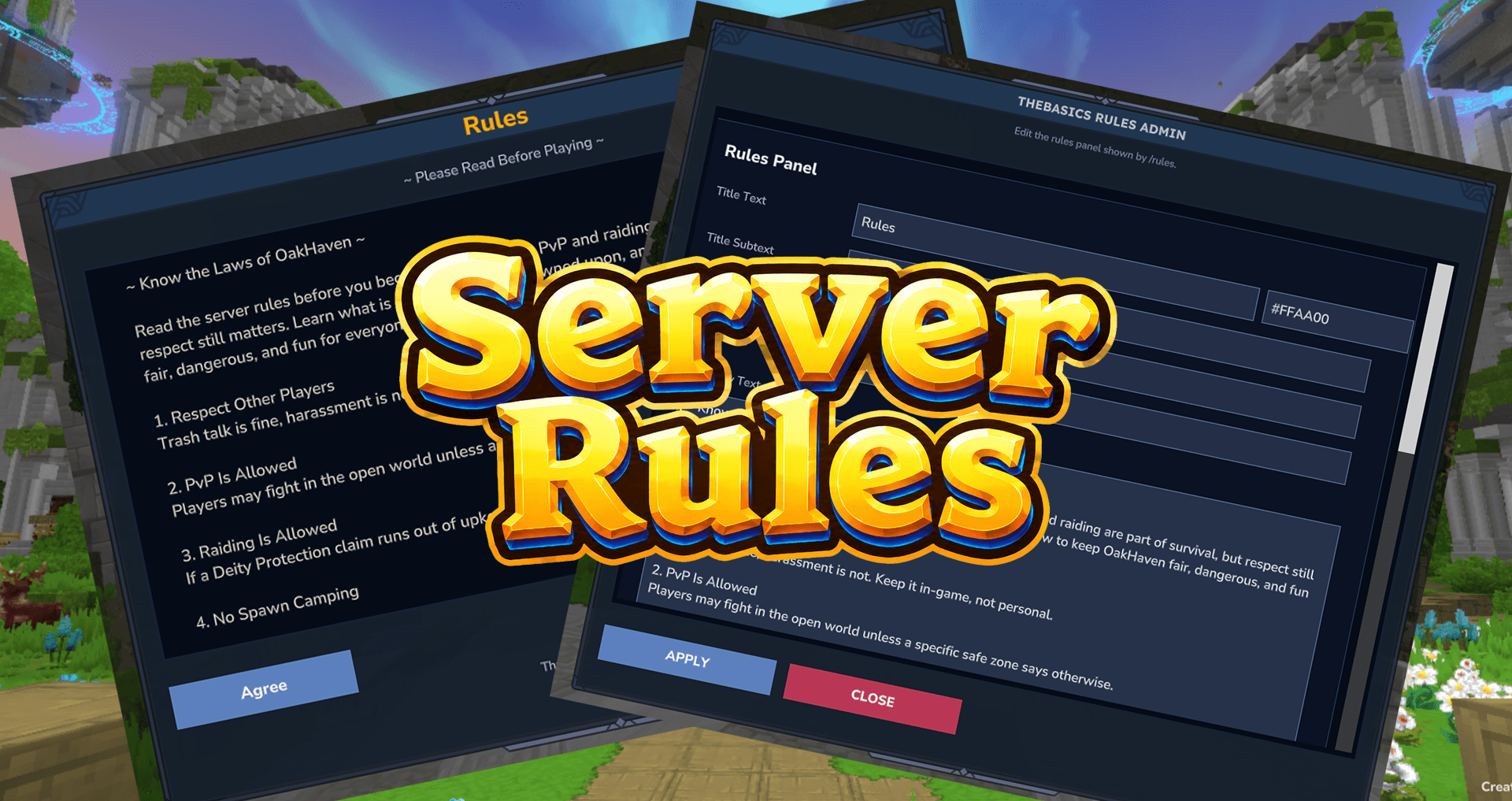
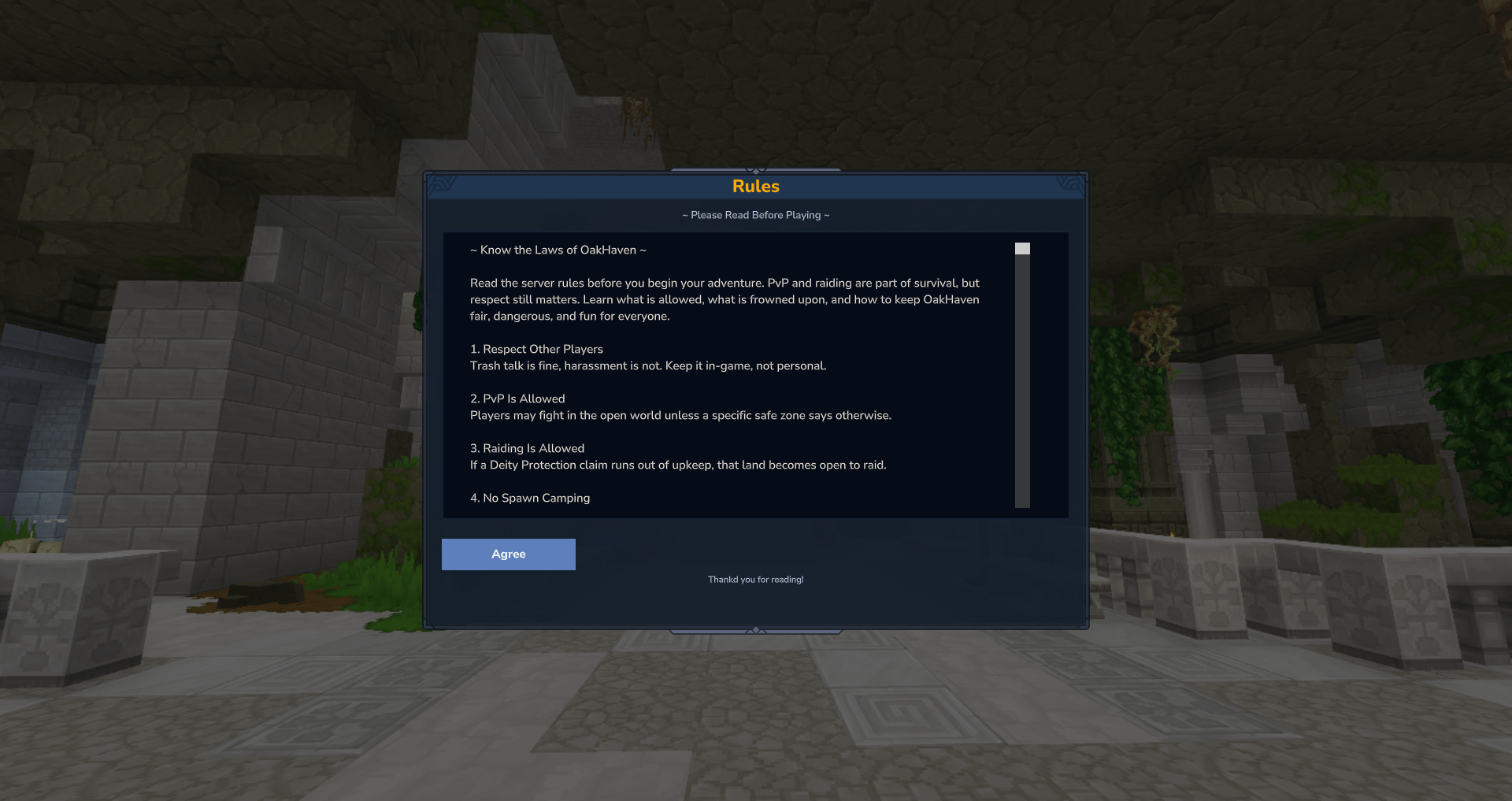
TheBasics: ServerRules adds a clean, polished /rules menu to your Hytale server. Players can open your server rules in-game, read them inside a styled panel, and close the menu with a simple Agree button.
serverrulesicon.png
Hytale2026-06-24_13-43-29.png
Hytale2026-06-24_13-43-35.png
Description
TheBasics: ServerRules
📜 Project Summary
TheBasics: ServerRules adds a clean, polished /rules menu to your Hytale server. Players can open your server rules in-game, read them inside a styled panel, and close the menu with a simple Agree button.
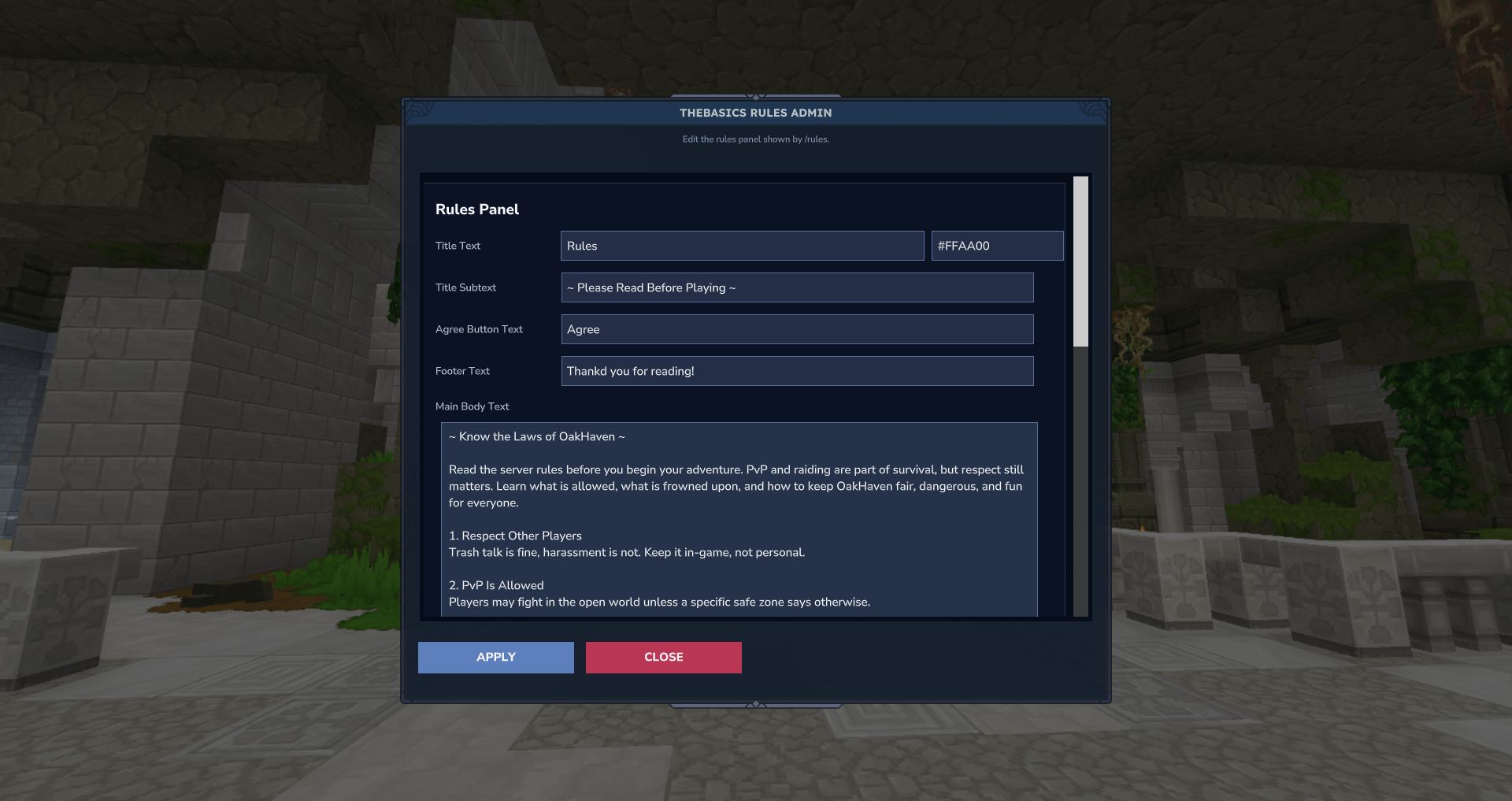
The mod also includes an easy admin editor with /rules admin, allowing server staff to update the title, title color, subtitle, Agree button text, footer, and main rules body without digging through files.
Designed to match the style of Hytale, this mod is perfect for servers that want a smooth, professional rules screen that feels built into the game.
✨ Features
📖 In-game rules menu with /rules
✅ Single Agree button for players
🛠️ Admin editor with /rules admin
🎨 Editable title color
📝 Editable title, subtitle, footer, and body text
🔘 Editable Agree button text
📜 Supports long rules text with scrolling
💾 Saves to a simple JSON file
🧩 Matches the style of Hytale
⚡ Simple, lightweight, and server-owner friendly
🎮 Player Command
/rules
Opens the server rules panel.
Players can read the rules and click Agree when they are done.
🛠️ Admin Command
/rules admin
Opens the rules editor panel.
From here, admins can edit the full rules screen directly in-game.
🔐 Permission
thebasics.rules.admin
Required to use /rules admin.
🧾 What Can Be Edited?
Admins can edit:
-
Title Text
-
Title Text Color
-
Title Subtext
-
Agree Button Text
-
Footer Text
-
Main Body Text
After making changes, click APPLY to save them.
📦 Installation
-
Download the mod jar.
-
Place the jar into your server’s
modsfolder. -
Start the server.
-
Use
/rules adminto customize your rules. -
Players can use
/rulesto view them.
🌲 Recommended For
TheBasics: Rules works great for:
⚔️ Survival servers
🏰 RPG servers
🌎 Community servers
🛡️ PvP servers
🏡 Village-building servers
📚 Roleplay servers
🧭 Adventure servers
🧱 Part of TheBasics Collection
TheBasics mods are built to give server owners clean, useful tools without unnecessary bloat. Each mod focuses on doing one job well while keeping setup simple and the player experience smooth.
TheBasics: ServerRules Team