
Social-Action-Menu
- By

File Details
SocialActionMenu V5.3- RestartAlert-Button-paused .jar
- R
- May 30, 2026
- 13.44 MB
- 48
- Early Access
File Name
SocialActionMenu V5.3.jar
Supported Versions
- Early Access

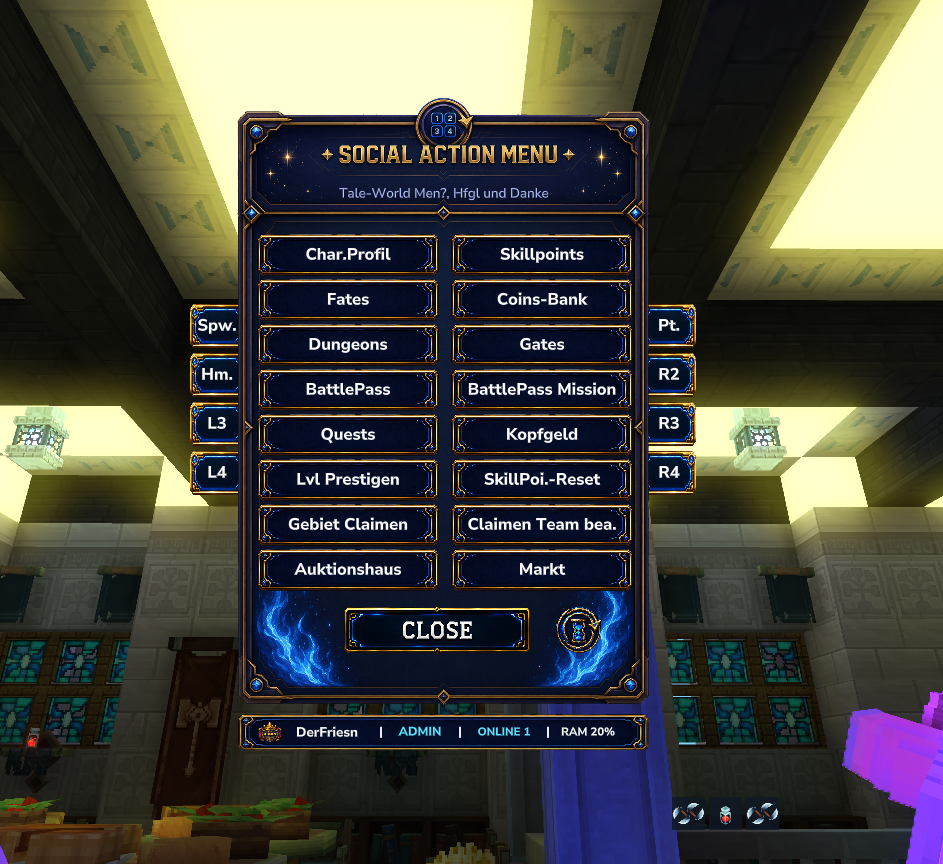
✨ Social Action Menu "V5.3- RestartAlert-Button-paused"
A modern, animated and highly customizable action menu for your adventure.
Perfect for servers, RPG systems, MMO-style gameplay, custom commands and server utilities.
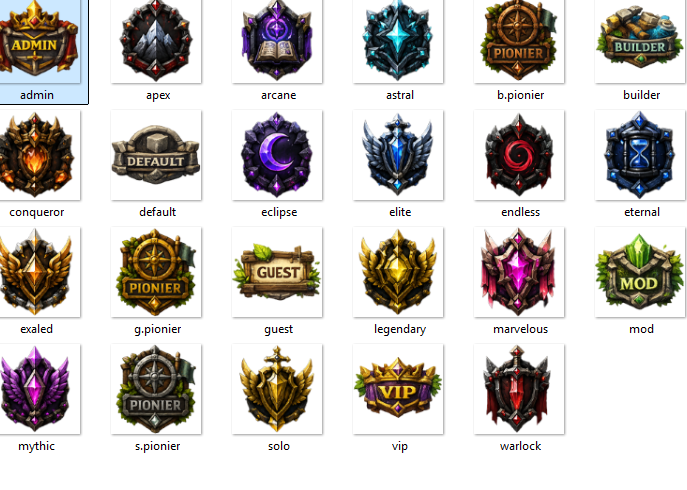
🆕 V4 Update — Endless Leveling Support & Rank Icons
V4 focuses on better server integration, cleaner visuals and automatic rank-based icons.
✅ New in V4
- ✔️ Optional visual integration with Endless Leveling
- ✔️ Automatic rank detection through LuckPerms
- ✔️ Rank icons change automatically
- ✔️ Included starter rank package for many common server ranks
- ✔️ Improved compatibility for servers and RPG systems
- ✔️ Cleaner menu structure and easier setup
Without LuckPerms, the menu will simply display Player.
🏷️ Included Starter Ranks
The following ranks are already included as a starter package for all servers:
Admin, Apex, Arcane, Astral, B.Pionier, Builder, Conqueror, Eclipse, Elite, Endless, Eternal, Exalted, G.Pionier, Guest, Legendary, Marvelous, Mod, Mythic, S.Pionier, Solo, VIP, Warlock
Ranks are detected by name, so make sure your LuckPerms groups use the matching names if you want the icons to apply automatically.
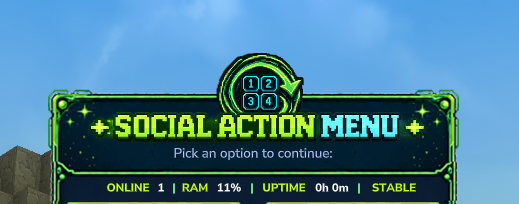
🆕 V3 Update — Server Stats
Server Stats have been integrated.
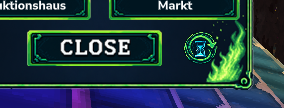
🆕 V2.2 Update — Restart Alert
Restart Alert has been integrated.
🆕 V2.1 Update — Cleaner Side Buttons
- ✔️
L1-R4have been newly adapted - ✔️ The entire UI has been redesigned to look cleaner
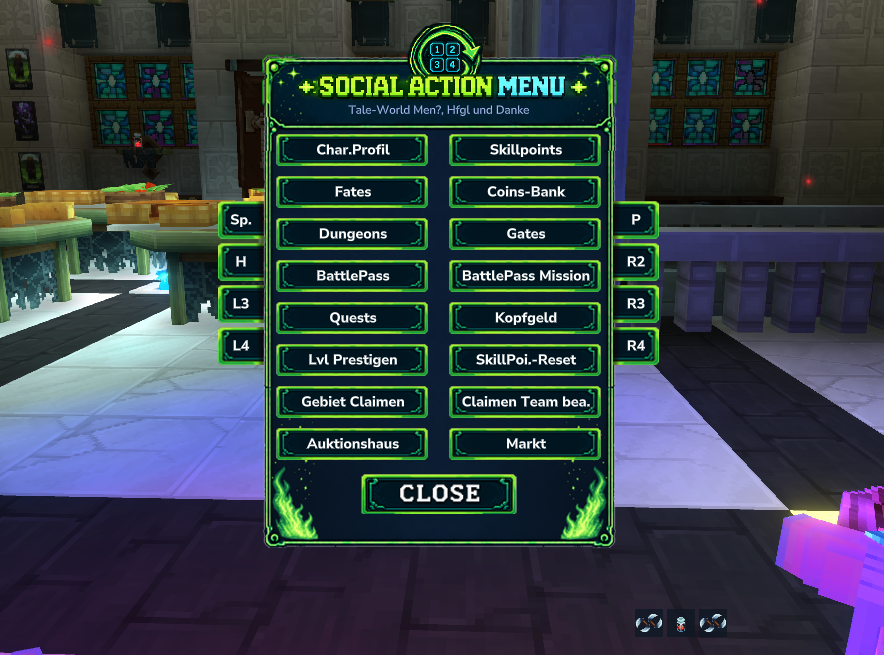
⚠️ Important Update Notice for V2+
Before updating, please copy your old config.
After updating:
- Generate a new config
- Copy your old content into the new config structure
- Use the new side button lines:
L1-L4R1-R4
⚠️ Please be careful with commas.
If the config format is incorrect, the menu will not load.
✨ Features
- 🎮 Custom command buttons
- ⌨️ Open the menu with
ALT - ⚙️ Easy configuration
- 🌟 Clean animated UI
- 🏰 Perfect for servers and RPG systems
- 🧩 Optional LuckPerms rank detection
- 🏷️ Automatic rank icon switching
- 📊 Server stats integration
- 🔔 Restart alert support
- 🔗 Designed to work with other server systems and mods
⚙️ Configuration
The menu can easily be customized:
- Add your own commands
- Rename buttons
- Choose whether commands run as player or console
- Customize the left and right side buttons
- Use placeholders like
{name}for player-based commands - Add your own server-specific commands
✅ Example Working Config
{
  "menuDescription": "Pick an option to continue:",

  "button1Label": "Spawn",
  "button1Command": "spawn {name}",
  "button1RunAs": "CONSOLE",

  "button2Label": "Partys",
  "button2Command": "p",
  "button2RunAs": "PLAYER",

  "button3Label": "Char.Profil",
  "button3Command": "lvl profile",
  "button3RunAs": "PLAYER",

  "button4Label": "Kopfgeld",
  "button4Command": "eg journal",
  "button4RunAs": "PLAYER",

  "button5Label": "Dungeons",
  "button5Command": "lvl dungeons",
  "button5RunAs": "PLAYER",

  "button6Label": "BattlePass",
  "button6Command": "battlepass",
  "button6RunAs": "PLAYER",

  "button7Label": "BattlePass Mission",
  "button7Command": "bp mission",
  "button7RunAs": "PLAYER",

  "button8Label": "Gates",
  "button8Command": "gate list",
  "button8RunAs": "PLAYER",

  "button9Label": "Quests",
  "button9Command": "el quest",
  "button9RunAs": "PLAYER",

  "button10Label": "Coins-Bank",
  "button10Command": "bank",
  "button10RunAs": "PLAYER",

  "button11Label": "Lvl Prestigen",
  "button11Command": "lvl prestige",
  "button11RunAs": "PLAYER",

  "button12Label": "SkillPoi.-Reset",
  "button12Command": "el resetskillpoints {name}",
  "button12RunAs": "CONSOLE",

  "button13Label": "Gebiet Claimen",
  "button13Command": "sc",
  "button13RunAs": "PLAYER",

  "button14Label": "Claimen Team bea.",
  "button14Command": "scp",
  "button14RunAs": "PLAYER",

  "button15Label": "Auktionshaus",
  "button15Command": "auction",
  "button15RunAs": "PLAYER",

  "button16Label": "Markt",
  "button16Command": "shop",
  "button16RunAs": "PLAYER",

  "leftButton1Label": "H",
  "leftButton1Command": "tp home",
  "leftButton1RunAs": "PLAYER",

  "rightButton1Label": "R1",
  "rightButton1Command": "",
  "rightButton1RunAs": "PLAYER",

  "leftButton2Label": "L2",
  "leftButton2Command": "",
  "leftButton2RunAs": "PLAYER",

  "rightButton2Label": "R2",
  "rightButton2Command": "",
  "rightButton2RunAs": "PLAYER",

  "leftButton3Label": "L3",
  "leftButton3Command": "",
  "leftButton3RunAs": "PLAYER",

  "rightButton3Label": "R3",
  "rightButton3Command": "",
  "rightButton3RunAs": "PLAYER",

  "leftButton4Label": "L4",
  "leftButton4Command": "",
  "leftButton4RunAs": "PLAYER",

  "rightButton4Label": "R4",
  "rightButton4Command": "",
  "rightButton4RunAs": "PLAYER"
}
📖 Config Explanation
| Option | Description |
|---|---|
buttonLabel |
Text displayed inside the button |
buttonCommand |
Command executed when clicking the button |
buttonRunAs |
Defines who runs the command |
PLAYER |
Command runs as the player |
CONSOLE |
Command runs as the server console |
|
Automatically replaces with the player name |
🚀 Usage
- Install the mod
- Start the game/server once
- Open the generated
SocialActionconfig folder - Edit the config to your liking
- Restart the server
- Open the menu with
ALT - Execute actions and commands directly from the menu
💡 Perfect For
- RPG servers
- MMO systems
- Social hubs
- Community servers
- Custom gameplay features
- Server utility menus
- Quest and leveling systems
✅ Completed
- ✔️ Animated social action menu
- ✔️ Custom command buttons
- ✔️ Clean UI design
- ✔️ Easy setup
- ✔️ ALT-key support
- ✔️ Customizable menu structure
- ✔️ Side buttons from
L1toR4 - ✔️ Server stats integration
- ✔️ Restart alert integration
- ✔️ LuckPerms rank detection
- ✔️ Automatic rank icon switching
🚧 Planned
- 🔥 Improved menu buttons and new designs
- 🔗 More integrations with my other mods and ecosystem
- ✨ More server utility features
- 🎨 More visual styles and icon sets
- 🧩 More compatibility options
🙌 Inspiration
This mod was inspired by Okey Mod and HyMenu.
❤️ Support
If you enjoy this mod, consider leaving a ⭐ on CurseForge!
🔗 Check Out My Other Hytale Projects
Take a look at my other Hytale mods and projects here:
👉 DerFriesn CurseForge Projects
🧩 Recommended: MultipleHUD
This mod is built to work together with:
I use MultipleHUD as the base system for all my mods to ensure:
- ✅ Better compatibility
- ✅ Shared UI systems
- ✅ Easier integration between my mods
- ✅ Consistent user experience
For the best experience, make sure MultipleHUD is installed on your server/client.