
Quick Waypoints
- By
A quick & easy waypoint/marker management system with a UI for players! Supports Custom Icons!
HytaleClient_0b4929f8-2a93-4a07-bc22-8a34423283fe.png
HytaleClient_46db5e0e-26bf-4eb9-808a-774628bad197.png
HytaleClient_b438ae5a-182a-4139-9eab-d322e1fd026f.png
HytaleClient_8646dd1c-b4e8-44c4-bc08-4806dbb0af52.png
Description

Waypoints
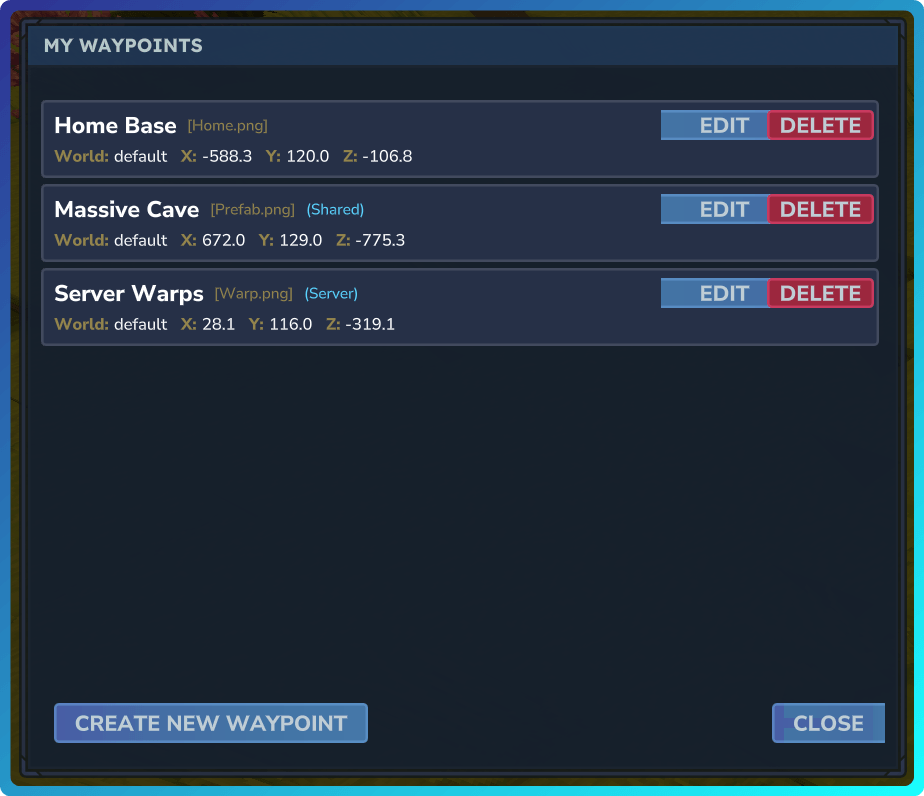
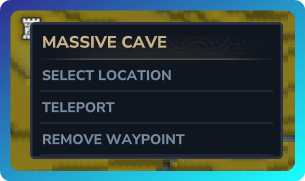
Add custom waypoint markers to your compass and world map with an intuitive UI interface! Now supports custom icons!
Showcase: https://youtu.be/WNWsY8Y6JDE
Features
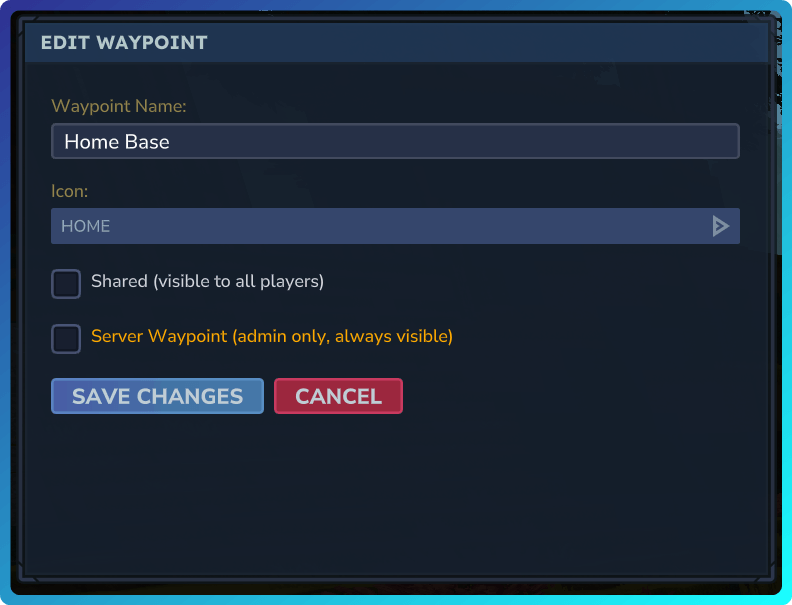
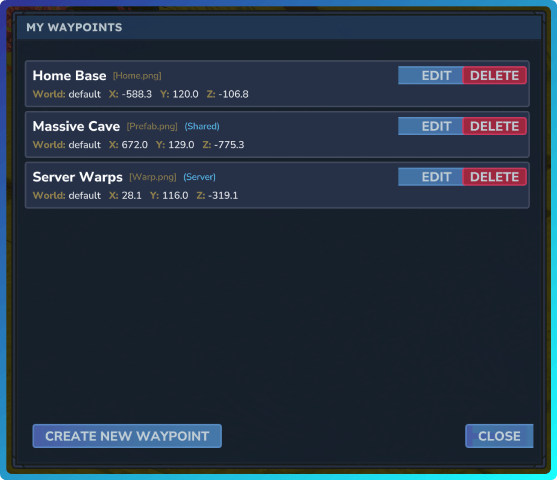
- Easy-to-use UI - Manage all waypoints with /waypoints or /wp
- Personal Waypoints - Create markers at your current location or specific coordinates
- Share with Friends - Toggle waypoints to be visible to all players
- Server Waypoints - Admins can create global waypoints visible to everyone
- Customizable Icons - Choose from 11+ marker styles (Home, Campfire, Portal, Death, etc.)
- Full Management - Create, edit, delete waypoints through the UI or commands
- Persistent Storage - All waypoints are saved per-player and persist across restarts
- Permissions - Granular permission system down to the waypoint specific level
- Custom Icons - Stream custom icons to your players to use as waypoints by simply adding it to the icons folder!
Commands
- /waypoints or /wp - Open waypoint management UI
- /waypoint add|remove|list|server - Commands to add/remove etc without using the UI.
Custom Icons
Starting with v1.2.0, custom icon support has been added. Simply start the server up with the plugin installed to let it generate the mod folder. Then navigate into x3Dev_Waypoints/icons and drop in your .png files. Assuming you have OP or x3dev.waypoints.admin permission, simply execute /waypoint reloadicons to refresh the icons, then make a new waypoint and select your new icon from the dropdown! Note: If the icons fail to load in-game, relog or restart the server. Example: https://aka.x3.dev/s/uNDnw5/raw.mp4
Permissions
IMPORTANT: YOU MUST HAVE OP or give yourself permissions:
| Permission | Description |
|---|---|
x3dev.waypoints.create |
Create personal waypoints |
x3dev.waypoints.share |
Share waypoints with other players |
x3dev.waypoints.teleport |
Teleport to own waypoints |
x3dev.waypoints.teleport.waypoint_name |
Teleport to a specific waypoint by name |
x3dev.waypoints.teleport.* |
Teleport to any waypoint |
x3dev.waypoints.server.create |
Create and edit server waypoints |
x3dev.waypoints.server.remove |
Remove server waypoints |
x3dev.waypoints.server.teleport |
Teleport to server waypoints |
x3dev.waypoints.server.* |
All server waypoint permissions |
x3dev.waypoints.admin |
Bypass all permission checks |
x3dev.waypoints.* |
All waypoint permissions |
Notes:
- OP players automatically have all permissions
- Waypoint names are sanitized for permission nodes (lowercase, special chars replaced with underscores)
- Example: "My Base!" becomes
x3dev.waypoints.teleport.my_base - Normal players will no longer have permissions to create/edit/delete waypoints by default. If you'd like this functionality back run the following commands:
/perm group add Adventure x3dev.waypoints.create
/perm group add Adventure x3dev.waypoints.share
User Interface
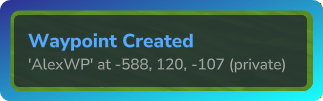
Notifications
Management Interface
Compass

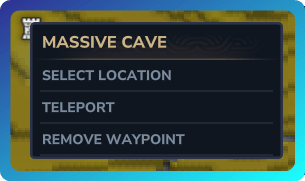
Map
Quick Waypoints Team

![Wayfinder [Minimap] project image](https://media.forgecdn.net/avatars/thumbnails/1616/732/256/256/639041352502280004.png)