Progressive Worlds
- By
Explore 100 procedurally generated worlds, defeat bosses to unlock new challenges, and team up with friends for exploration, cooperation, and progression
Progressive Worlds RPG
1. Explore, Fight, and Progress
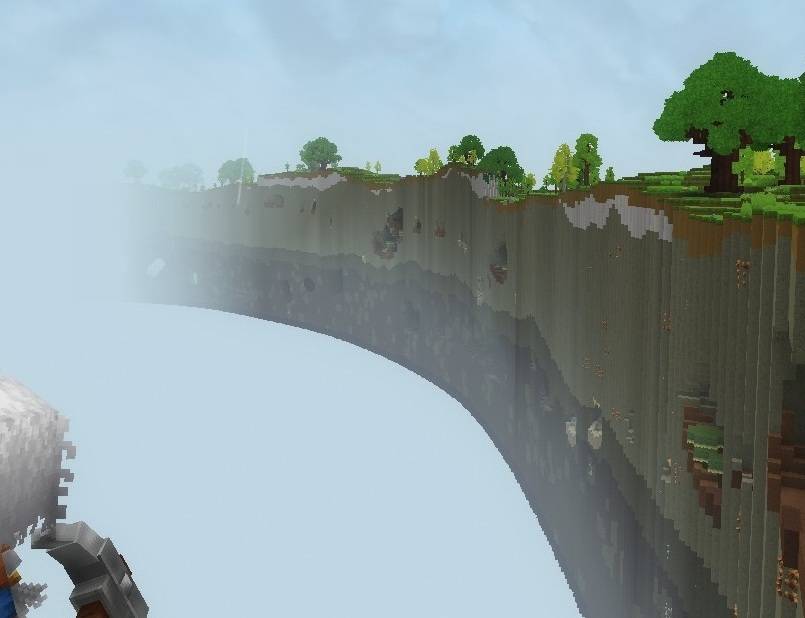
Turn Hytale exploration into a campaign across 100 progression worlds. Defeat World Bosses, earn access to new destinations, and face increasing difficulty—solo or with friends.
- Seeded worlds with 1–3 compatible biomes and native Hytale structures.
- Random world areas of 0.5, 0.75, or 1 km².
- World Bosses marked on the map with their names and skull icons.
- Groups with a HUD displaying health, stamina, and locations for up to five online members.
- Saved progression and persistent boss identities across sessions.
World unlocks depend on meeting the encounter’s contribution requirements.
2. Performance Notice
This is a resource-intensive mod. Servers with high player counts should use powerful, above-average hosting hardware, especially when players explore or generate different worlds simultaneously.
World generation, active creatures, and the number of occupied worlds increase resource usage. Automatic world unloading and gradual chunk loading help reduce overhead.
Adjust the runtime settings to match your server’s capacity.
3. Commands
Use these commands in-game:
| Command | Access | Function |
|---|---|---|
/pg |
Everyone | Opens the main menu for progression, world travel, rankings, and groups. |
/pg worlds |
Admin/OP | Opens world management: generate, reset, change seeds, or delete worlds, individually or in bulk. |
/pg setworldzerohere |
Admin/OP | Sets the current world as World 0, the campaign’s starting world. Progression worlds 1–100 are protected from this conversion. |
/pg forcewbspawn |
Admin/OP | Forces a World Boss spawn in the current progression-system world. Requires a safe location and no existing active boss. |
Administrative subcommands use Hytale’s native permissions and are assigned to hytale:Admin by default. Access to /pg does not grant administrative access.
4. Configuration and Saved Data
Configuration files are generated automatically in the mod’s data folder, typically:
mods/org.progressiveworlds.rpg_ProgressiveWorldsRPG/
Stop the server before editing JSON files and restart it to apply changes. Preserve the existing keys and JSON structure.
Editable Configuration
| File | What you can change |
|---|---|
world-runtime-config.json |
Initial and maximum managed view distances, view-distance growth, automatic unloading, idle delays, retained empty worlds, and next-world prewarming. |
world-boss-config.json |
Eligible mobs (preferredMobs), health (customHealths), damage multiplier, spawn chance, timers, lifespan, contribution requirements, and safe-spawn checks. |
world-boss-particles.json |
Enable effects, select random or fixed particles, and adjust scale, placement, and emission intervals. |
dificult-worlds-multiplier.json |
Enemy health and damage multipliers for each difficulty tier, from Basic through Mythic. |
groups-config.json |
Group capacity, naming limits, visibility defaults, leadership behavior, boss contribution rules, mentor participation, and benefit activation delays. |
eligible-biomes.json |
Enable or disable supported biomes, adjust selection weights, and customize generation profiles. Referenced assets must exist in the installed Hytale version. |
Probability fields use decimal values: for example, spawnChancePerAttempt: 0.18 means an 18% chance per attempt. Fields ending in Seconds use seconds.
Generation changes affect newly created profiles. Existing worlds retain their saved generation data until recreated through world management.
Automatically Managed Save Files
| File | Stored information |
|---|---|
player-world-progress.json |
Individual player progression and world access. |
server-world-progression.json |
Campaign data, world seeds, generation profiles, and processed boss defeats. |
groups.json |
Groups, leaders, and memberships. |
player-boss-stats.json |
Player boss-defeat statistics. |
world-boss-state.json |
Spawn schedules and encounter contribution data. |
world-boss-entities.json |
Persistent boss UUIDs and retired encounter identities. |
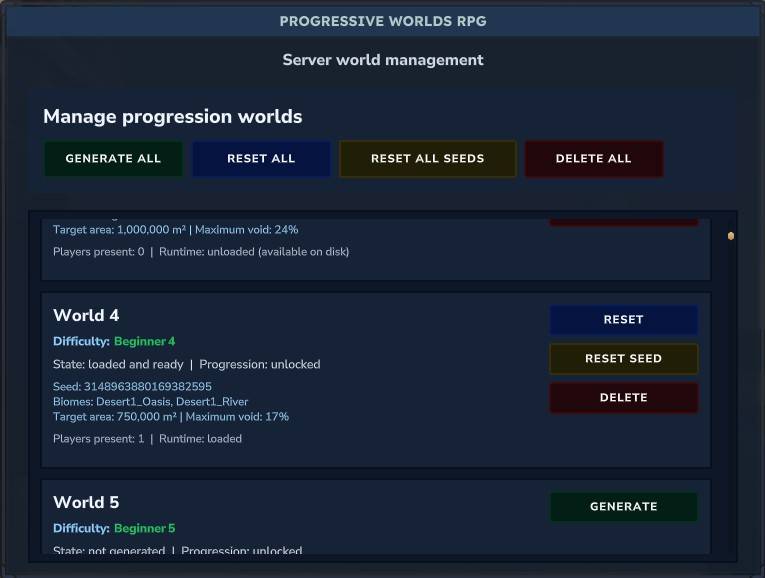
Treat these as save data rather than configuration. Avoid manually changing UUIDs, seeds, profile hashes, or encounter records.
Resetting or deleting a world removes its terrain and player-built structures. Back up your save before using these actions.
Progressive Worlds Team