


Prefab Schematic
- By
Screenshot 2026-09-30 104939.png
01-library.png
03-materials.png
04-sidebars.png
06-admin.png
02-build-sites.png
07-language.png
05-settings.png
Description
PrefabSchematic
Turn any prefab into a survival building project.
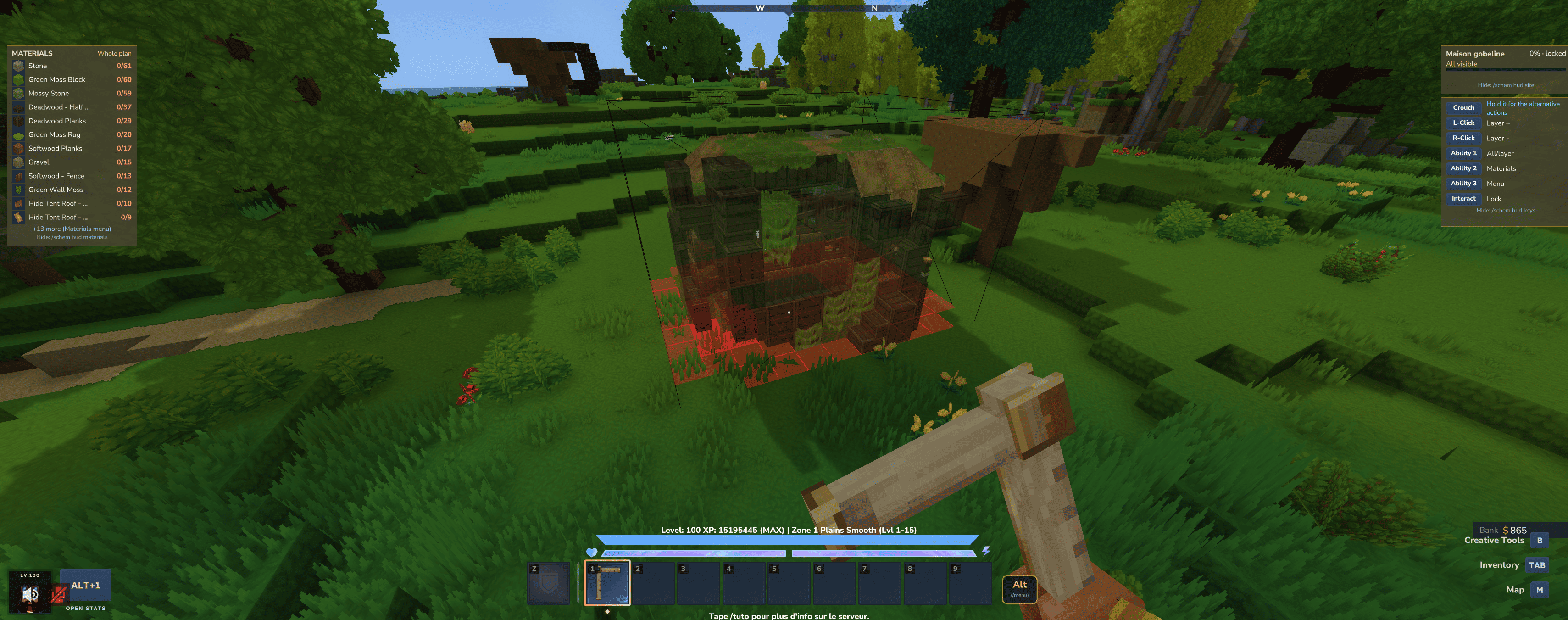
Pick a structure, drop a see-through hologram of it wherever you like, and rebuild it block by block. Blocks you place correctly melt into the plan, and blocks you get wrong light up in red. Nothing is spawned for free: you build it yourself, in survival, with your own materials.
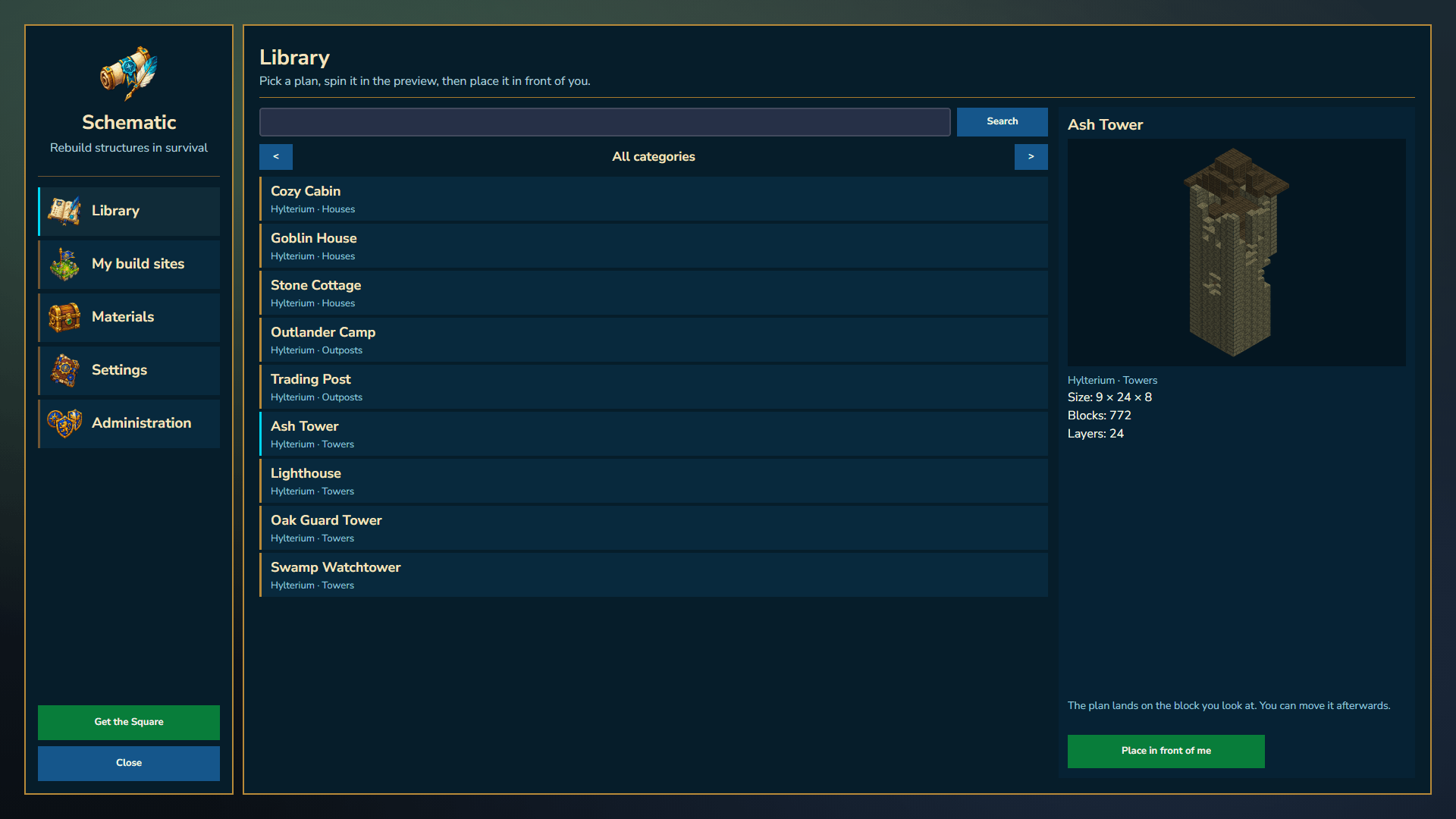
📐 Pick a blueprint
Open the schematic library and browse the structures your server offers. Each one comes with a rotating 3D preview, its size and its block count, so you know what you're getting into before you start.
Server staff decide what goes in the library: their own curated builds, shared folders, or the whole prefab collection of the server. Vanilla world-generation structures stay hidden by default to keep the list clean.
👻 Place the hologram
Place the plan in front of you. It appears as transparent, real-looking blocks, like a frozen paste preview, so you can see exactly which block goes where.
- Only you can see your hologram. Other players aren't bothered by your projects.
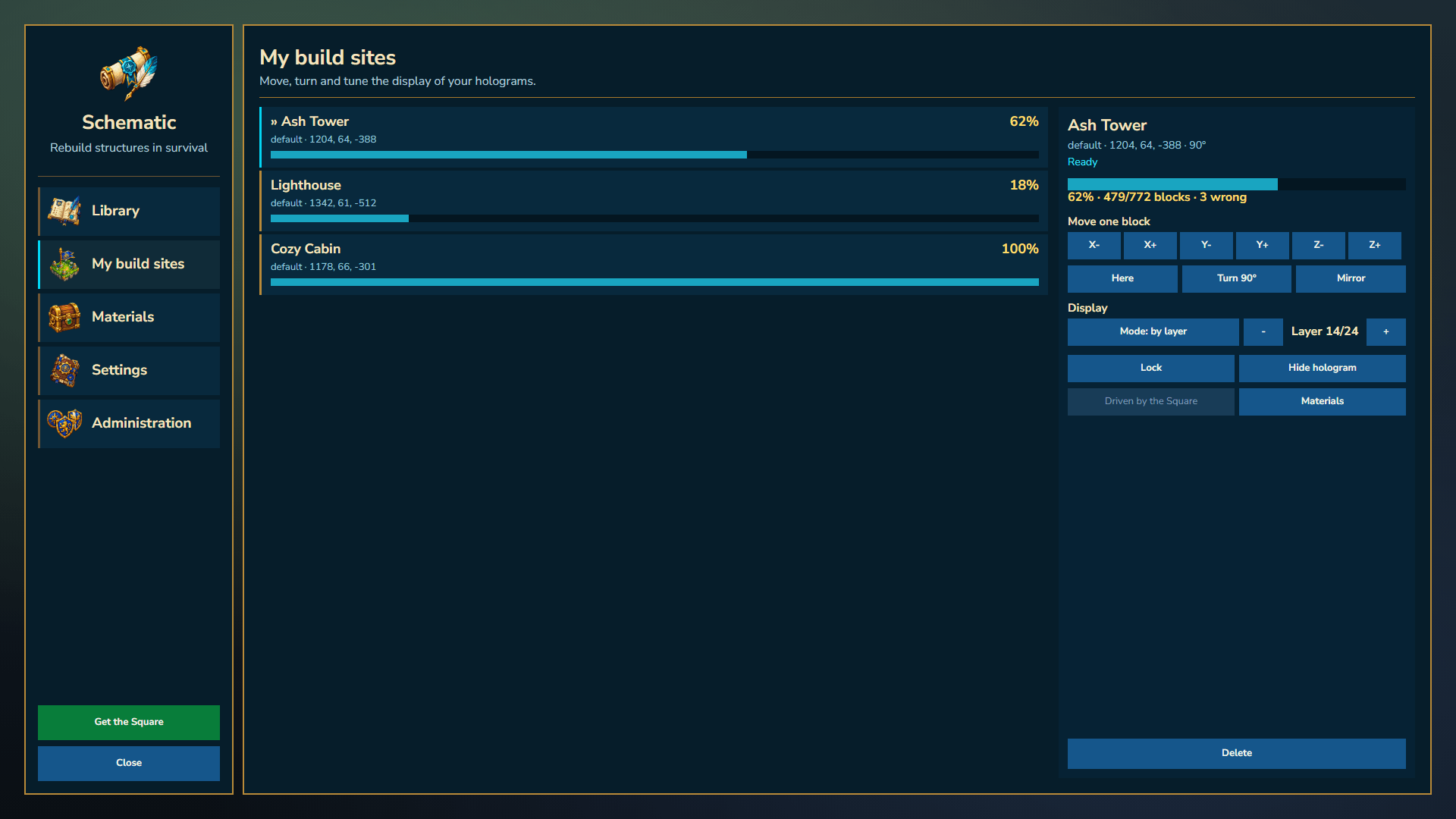
- Move, rotate and mirror it until it sits exactly where you want.
- Lock it once it's in place, so you can't move it by accident.
Every build site you own is listed in one place, with its progress and all its controls.
🧱 Build it your way
- Whole plan: see the entire structure at once.
- Floor by floor: focus on one layer at a time and move up or down as you go.
As you build:
- ✅ The right block in the right spot makes its ghost disappear.
- 🟥 A wrong block is outlined in red.
- 🟨 A block placed where the plan wants empty space is outlined in yellow.
Blocks whose facing doesn't matter are accepted in any direction, so you won't be told off for a log turned the "wrong" way when it makes no difference.
🛠️ The Builder's Square
Everything is driven by a dedicated tool, the Builder's Square, crafted at the vanilla Workbench (Tools tab) from sticks, copper bars and fibre.
Hold it and your usual keys become building shortcuts:
| Key | Action | While crouching |
|---|---|---|
| Left click | Floor up | Move the hologram where you look |
| Right click | Floor down | Rotate 90° |
| Ability 1 | Whole plan / floor by floor | Mirror |
| Ability 2 | Materials list | Auto-build |
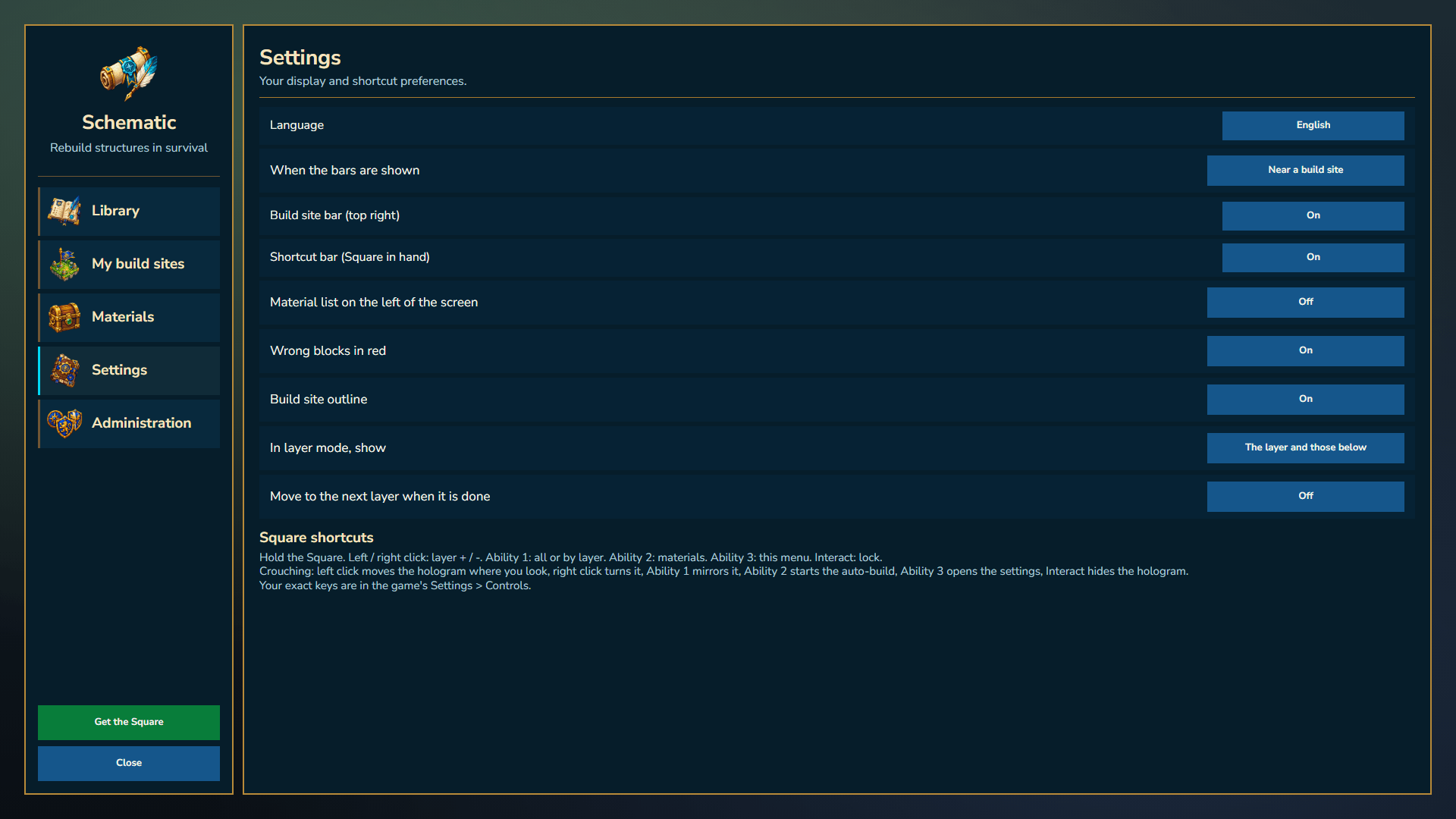
| Ability 3 | Schematic menu | Settings |
| Interact | Lock / unlock | Hide / show the hologram |
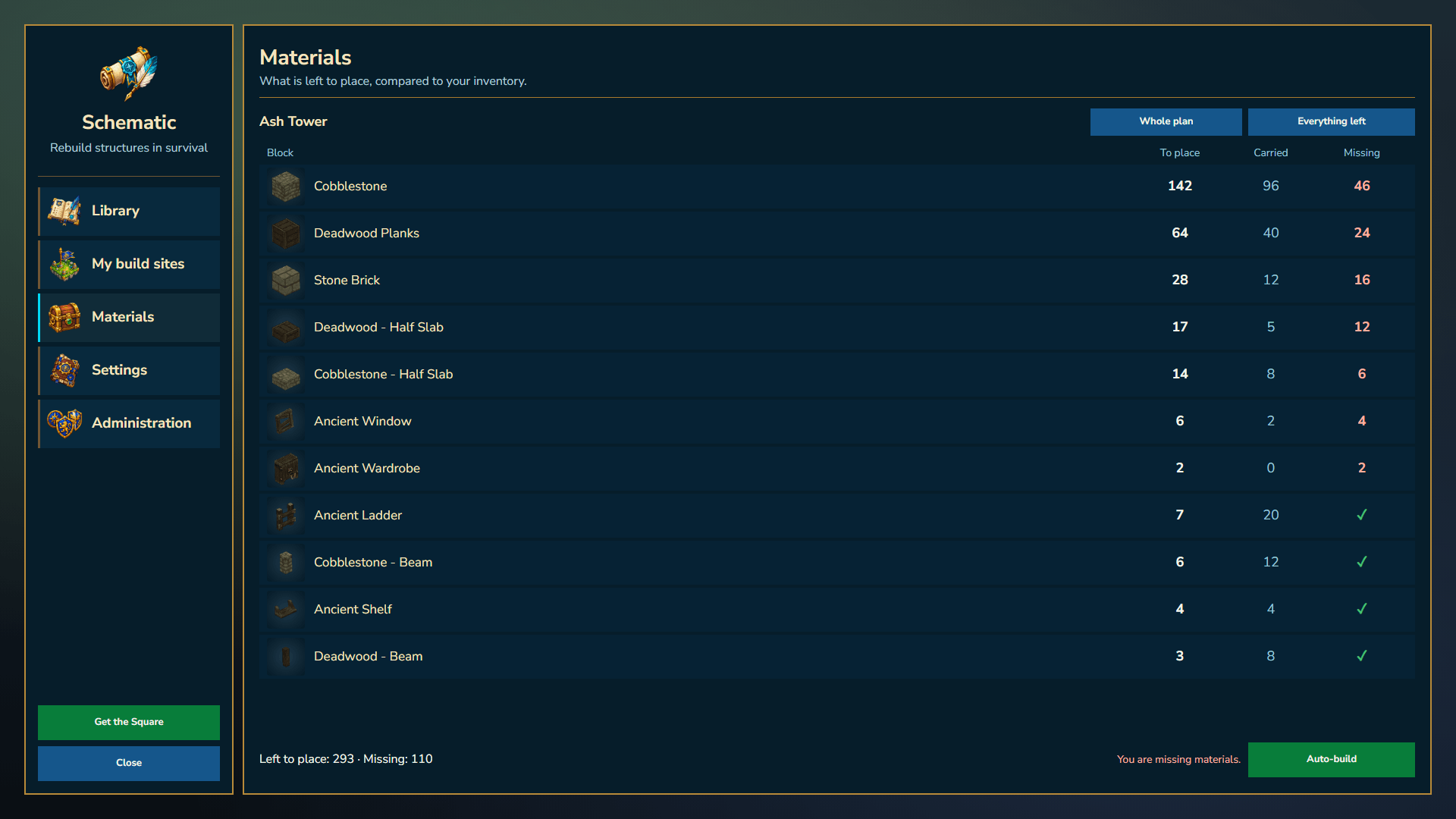
📋 Know what you need
The materials list shows every block the plan needs, how many you already carry and how many are still missing, either for the whole structure or just the current floor.
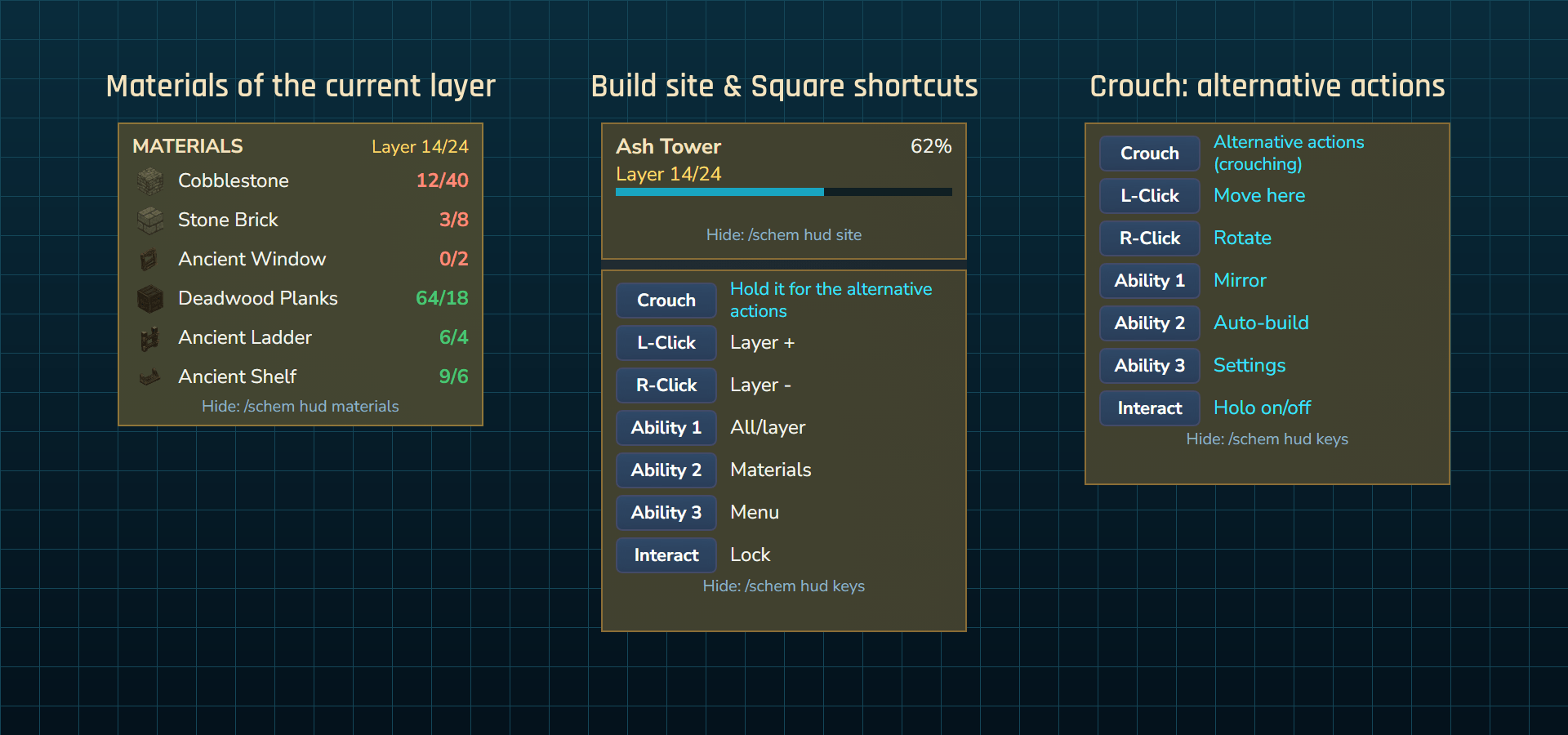
📊 Clean, optional sidebars
Small side panels keep you informed while you build:
- Build site: name, current floor and progress bar.
- Controls: a reminder of what each key does while you hold the Square.
- Materials: the blocks of the current floor with their icons and a have / need counter.
Each panel can be turned off on its own, and your choices are saved for your next session.
⚡ Auto-build (optional)
If your server allows it, the Square can place the missing blocks for you, using the materials in your inventory.
It plays fair:
- It respects protections: claims, guild land, islands, spawn and other protected areas stop it, just like they would stop you.
- It never replaces a block that's already there.
- It leaves special blocks (chests, machines…) for you to place by hand.
- It stops when you run out of materials or walk too far away.
💾 Your progress is safe
Your build sites, the floor you were on and your progress are saved automatically. After a restart or even a crash, your hologram comes back exactly where you left it, and the plan re-checks the world to catch anything that changed in the meantime.
🌍 Languages
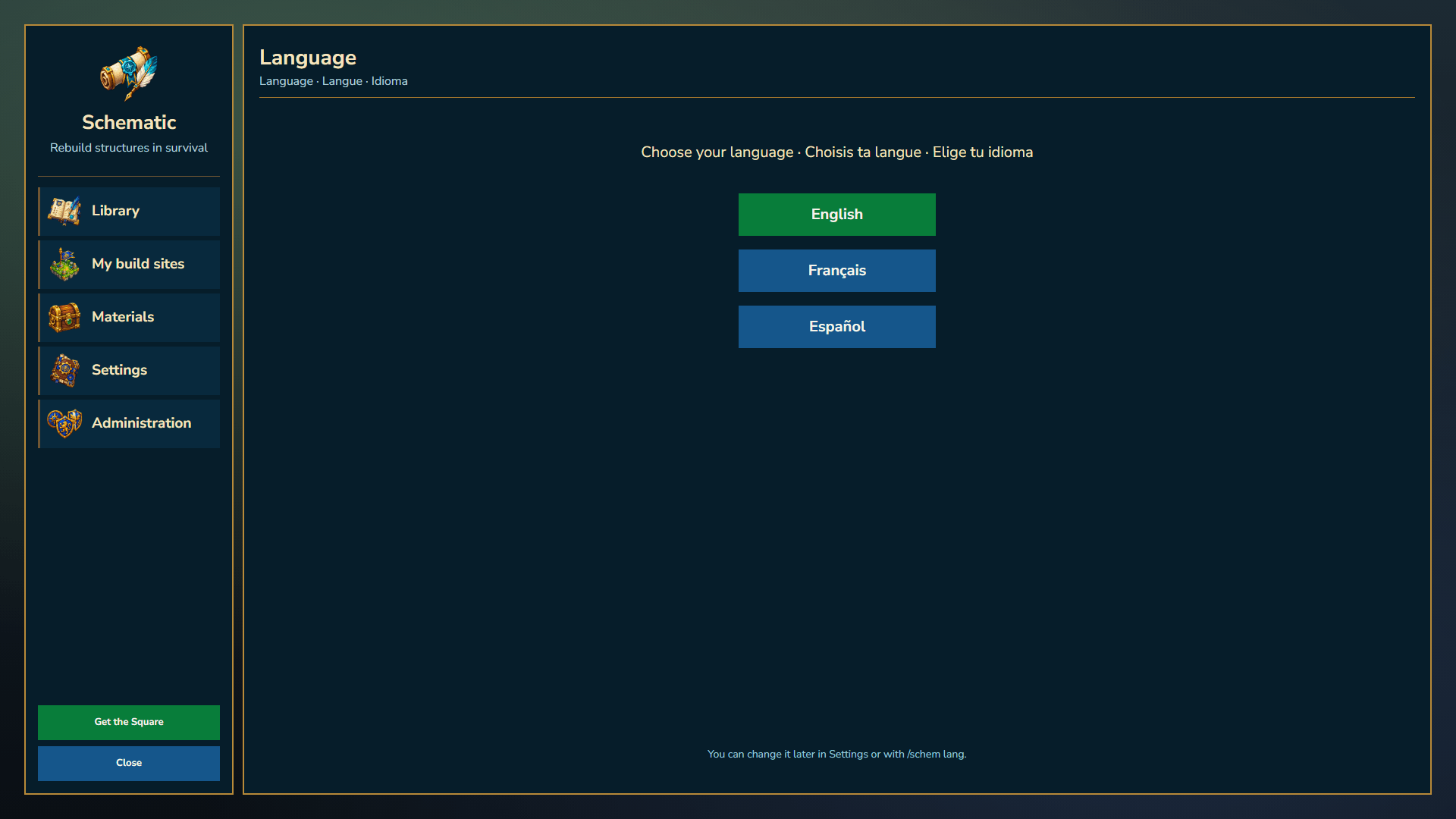
Available in English, French and Spanish. The first time you open the menu, you choose your language. Server owners can set the default language for everyone else.
🔐 For server owners
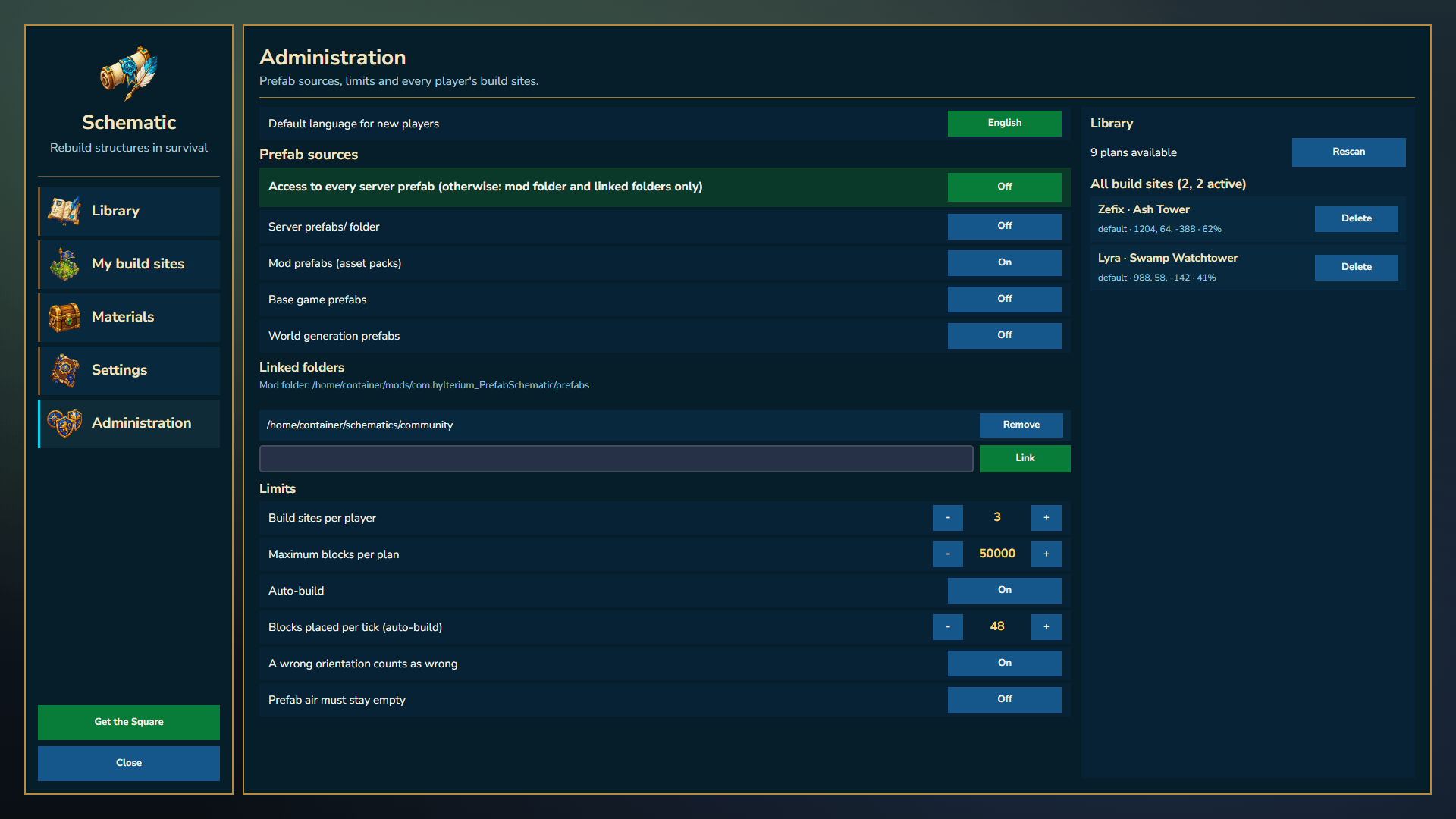
- Decide who can do what: placing plans, moving them, seeing the materials, using auto-build, accessing all server prefabs, and more.
- Set limits: build sites per player, maximum plan size, and different limits for different ranks.
- Manage everything in game: prefab sources, auto-build and the default language from the admin menu.
PrefabSchematic is made by Hylterium. All rights reserved: redistribution, resale or modification without permission is not allowed. Hytale is a trademark of Hypixel Studios. This project is not affiliated with or endorsed by Hypixel Studios.
The Prefab Schematic Team
