Mod Settings Manager
- By
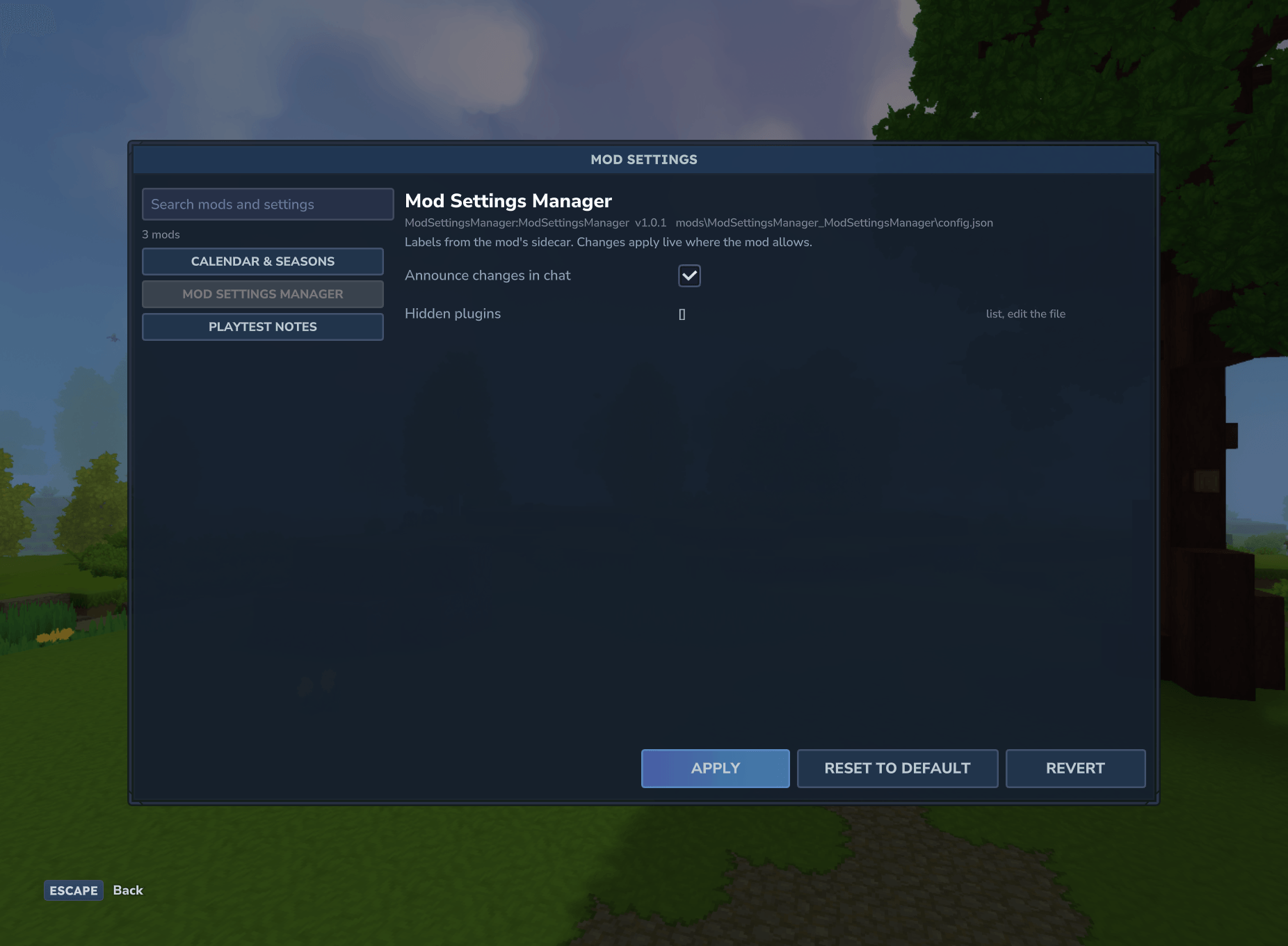
An in-game settings window for every mod's config.json: checkboxes, number fields with -/+ steppers, text fields and dropdowns, with Apply, Revert and Reset. Works with mods as they are. An optional sidecar adds labels, ranges and live apply. MIT.
msm-06-restart-banner.png
msm-07-could-not-apply.png
extra-own-settings.png
msm-01-window.png
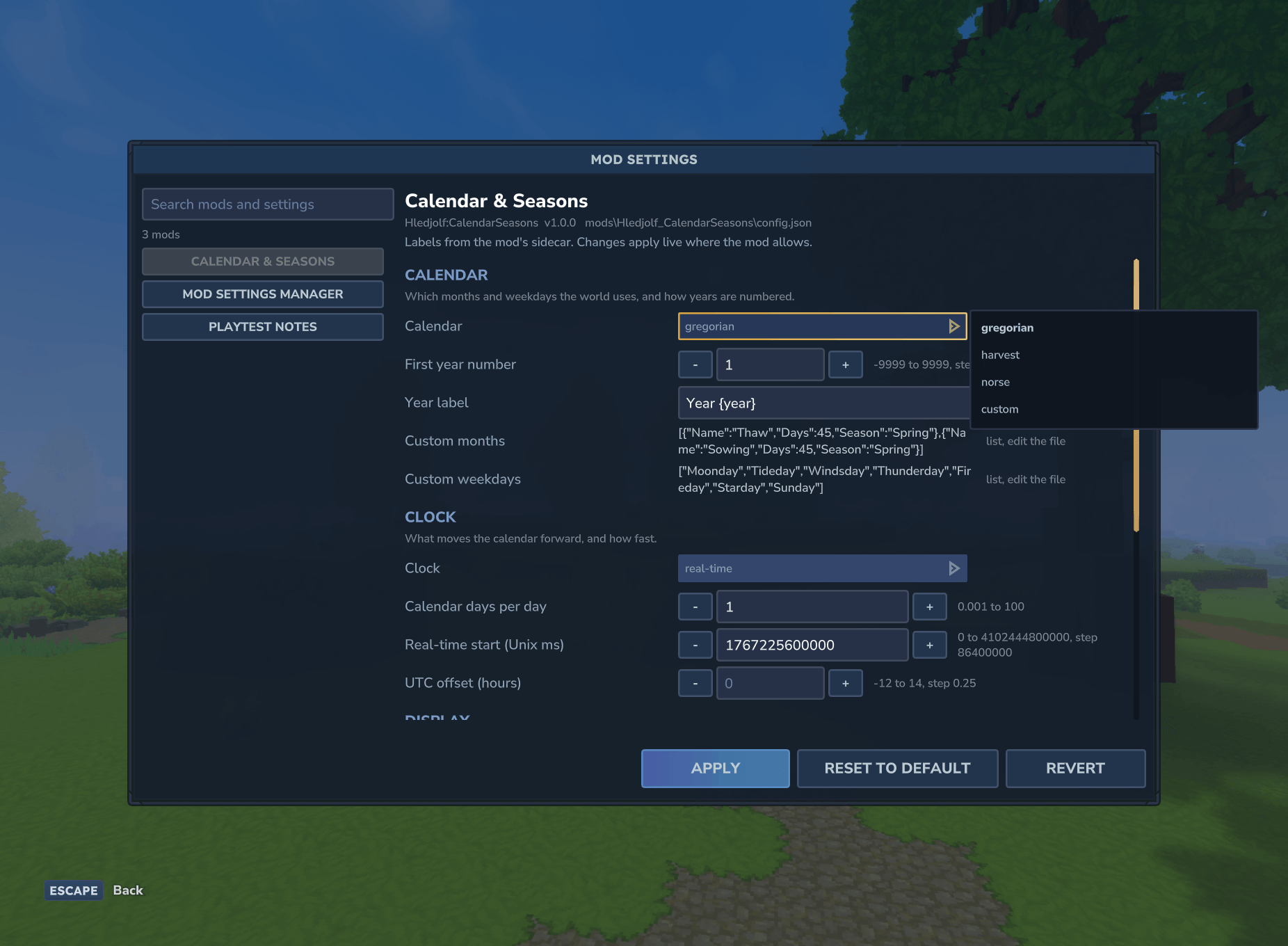
msm-03-dropdown.png
Description
Mod Settings Manager
An in-game settings window for every mod's config.json. Open it with /modsettings, pick a mod, change its settings with real controls, and press Apply. No more stopping the server to edit JSON by hand.
It works with mods as they are. Every mod that keeps a config.json in its data folder shows up on day one, with a control chosen for each value. Mods don't need any code for it, and don't depend on it.
Features
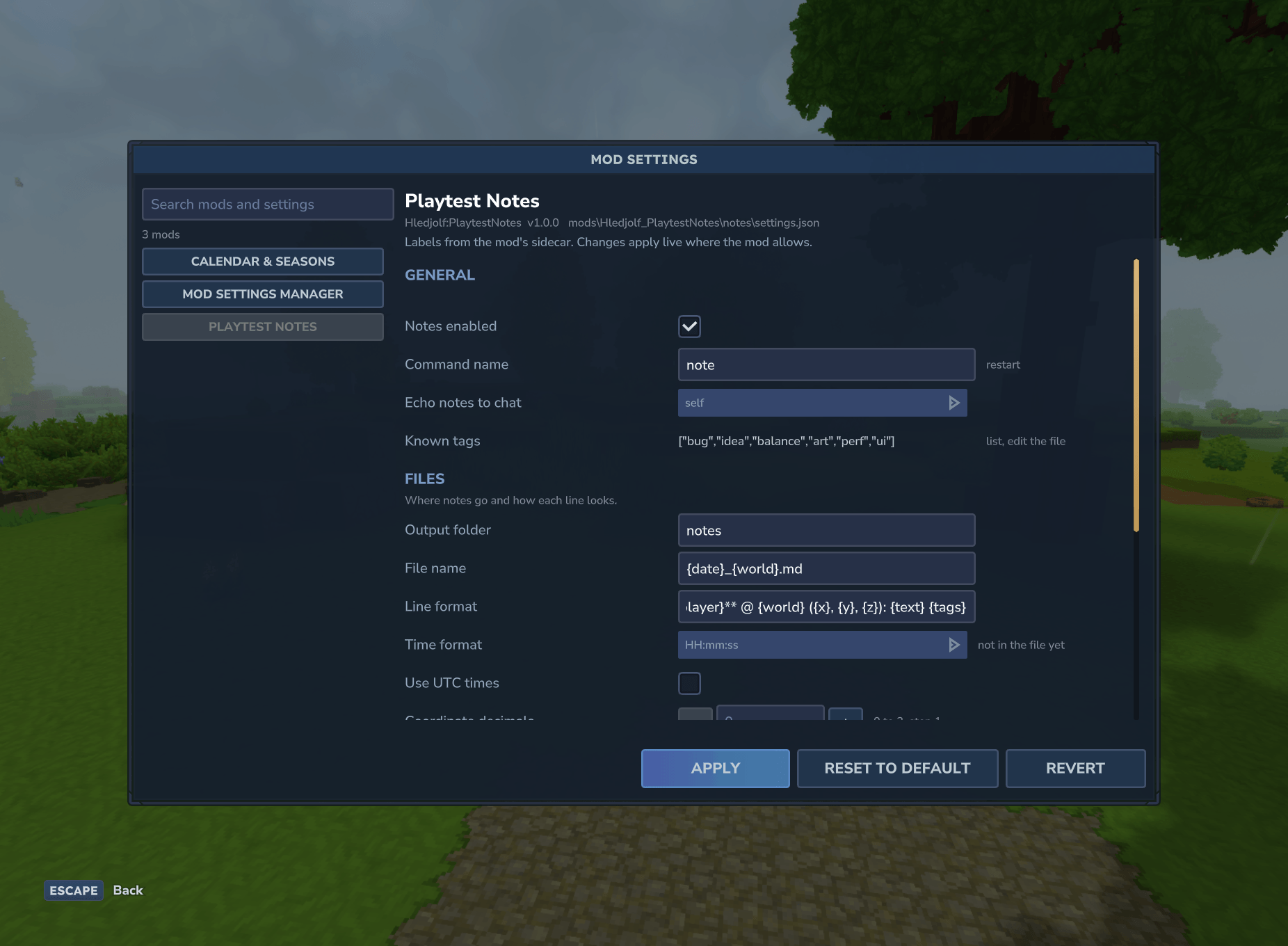
- One window for all mods. Mods are listed on the left with a search box that also finds individual settings. The selected mod's settings are on the right, in sections.
- Real controls: checkboxes, number fields with
-/+steppers that respect each setting's step and range, text fields and dropdowns. Lists and nested objects are shown read-only. - Apply, Revert, Reset to default. Unapplied changes are marked with a
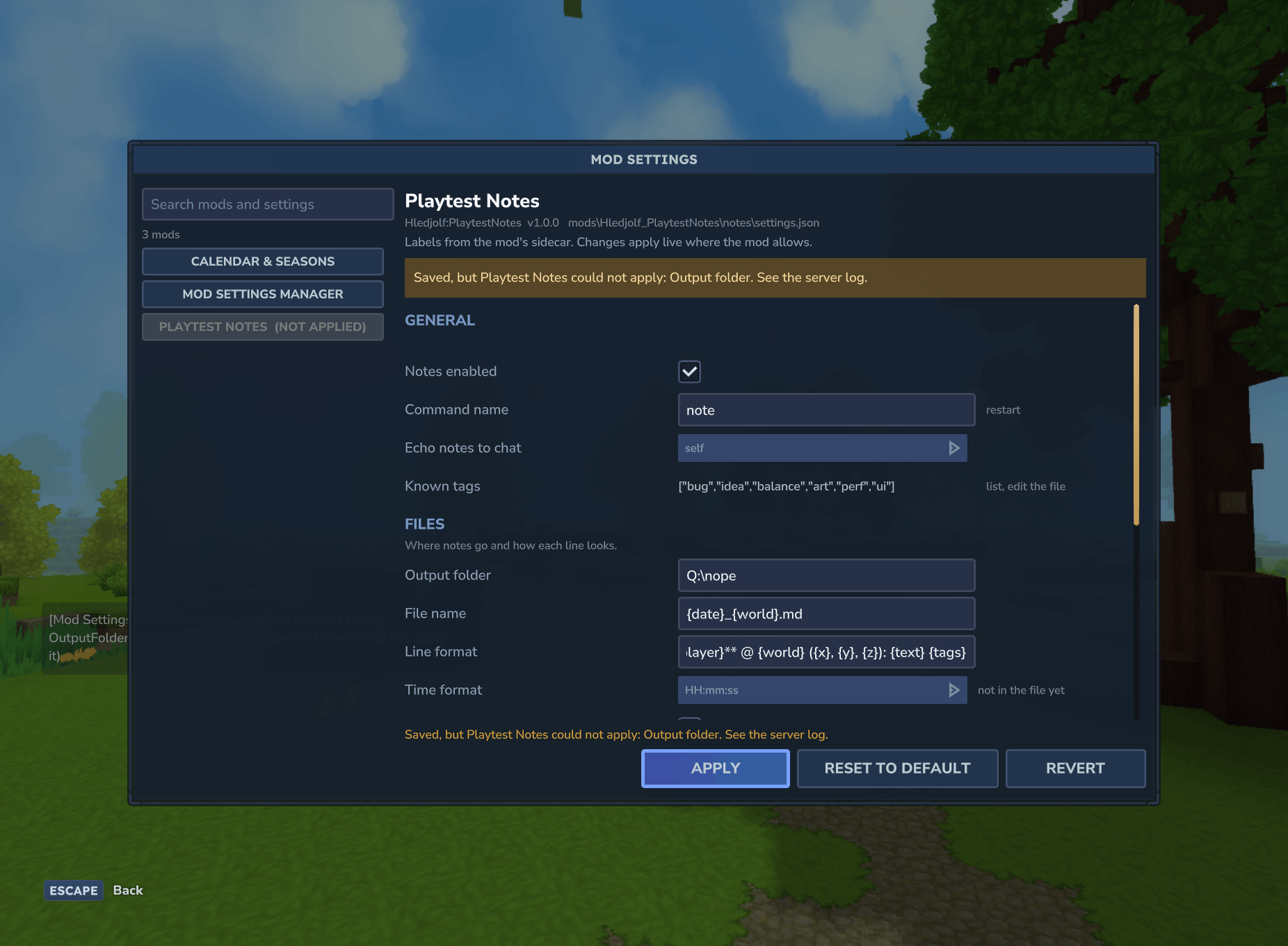
*until you apply them. - Validation first. Types, ranges and allowed options are checked before anything is written. If a value is bad, nothing is saved, and you're told why.
- Safe writes. The old file is kept as
config.json.msm-bak. The new one is written to a temporary file and renamed into place. Key order, unknown keys and the file's indentation are kept. - A record of every change.
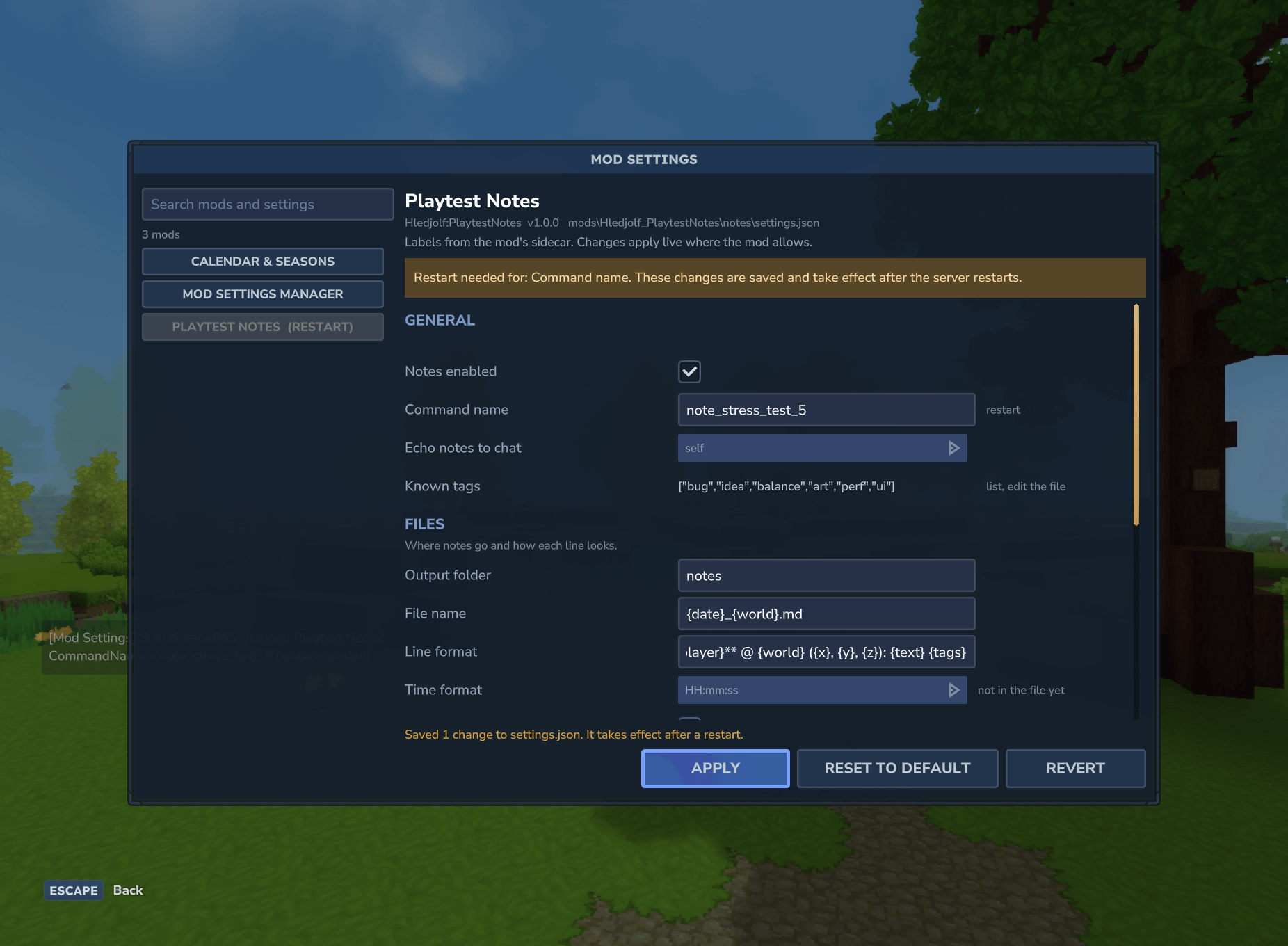
changes.loggets one line per change: time, player, mod, key, old value, new value. - Restart banner. It lists the changes that take effect only after a restart.
- The put-back check. Some mods save their settings on shutdown and undo your edit. After a restart, Mod Settings Manager notices and warns you.
- Permissions. Anyone can look. Changing settings needs operator status or the
modsettings.editpermission. - Console commands too:
list,show,setandreload.
For mod authors: better settings with no dependency
Your mod already works. To make its page nicer, ship a small sidecar file in your jar, Settings/<Group>_<Name>.settings.json:
For example, a key can say: label Day length (seconds), section Turns, a whole number from 60 to 7200 in steps of 60, default 1200, applied live. Another key can be a dropdown of enemy or any, and internal keys can be hidden.
The sidecar is plain data. When Mod Settings Manager isn't installed, nothing reads it, so it costs your mod nothing. It gives labels, tooltips, sections, ranges, dropdowns, defaults and restart flags. It is validated against a published JSON schema, and a broken sidecar is reported with one clear log line.
To apply changes without a restart, add one public method to your plugin class. It needs no import from this mod:
public boolean onSettingsChanged(Map<String, Object> changed): re-read your config and return true if the change is in effect now, or false if it needs a restart.
The full guide (every field, dotted keys for nested values, the validation rules and the hook's threading) is in SIDECAR.md on GitHub, with a complete example sidecar. It is also in the download zip, together with the JSON schema.
Install
- Put
ModSettingsManager-1.0.1.jarin your server'smodsfolder (singleplayer:%APPDATA%\Hytale\UserData\Mods\). - Start the server once so your mods write their configs.
- Type
/modsettings.
Commands and permissions
| Command | What it does |
|---|---|
/modsettings or /msm |
Opens the window |
/modsettings <mod> |
Opens it on one mod |
/modsettings list |
Lists mods with settings |
/modsettings show <mod> |
Prints a mod's settings |
/modsettings set <mod> <key> <value> |
Changes one setting (works from the console) |
/modsettings reload |
Looks for mods, configs and sidecars again |
Permissions: anyone may open the window and look. Applying changes needs operator status or the permission modsettings.edit. The server console can always change settings.
Compatibility
- Hytale server 0.7.3.
- Works on dedicated servers and in singleplayer.
- Works with any plugin that keeps a JSON config in its data folder (
mods/<Group>_<Name>/config.json, or a path a sidecar names). Mods that store settings elsewhere, or in another format, don't show up. - No dependencies. It adds no assets that replace vanilla ones; the window uses vanilla UI styles.
- Lists and nested objects are read-only in this version. Numbers use number fields with
-/+steppers (one step per click); there are no sliders yet.
License
MIT, copyright (c) 2026 Hledjolf. The sidecar format and its schema are MIT too, so any mod, open source or not, may ship a sidecar.
Source code and issue tracker: https://github.com/Hledjolf/ModSettingsManager
Mod Settings Manager Team