Description
Mystic Essentials
The modular, API-first essentials foundation for Hytale servers — homes, warps, spawn, teleport requests, mail, chat formatting, private messages, announcements, AFK, greetings/MOTD, kits, flight, inventory snapshots, nicknames, and more. Every feature is a module you can toggle in config.json, and it integrates with LuckPerms, PlaceholderAPI, VaultUnlocked, and MysticVanish.
Built and tested against Hytale Server 0.5.6.
Installation
- Drop
MysticEssentials-1.0.0.jarinto your server'smods/folder. - Start the server once — it generates
mods/MysticEssentials/config.json, the message bundle, and per-module config files. - (Optional) Install LuckPerms, PlaceholderAPI, and/or VaultUnlocked for permissions, placeholders, and economy features. They're auto-detected.
- Edit configs, then run
/mystic reload(or restart).
Storage defaults to local JSON. For production, set storage.provider to mysql or mariadb (driver + pool are bundled).
Migration support
Mystic Essentials includes an in-game, file-based migration flow for server owners moving from other Hytale essentials mods. The old mod jar does not need to be installed or loaded; only the old data files need to be present on disk.
Supported source names:
| Source | Command source |
|---|---|
| EssentialsPlus | essentialsplus |
| Hyssentials | hyssentials |
| EliteEssentials | eliteessentials |
| Essentials | essentials |
| HyEssentialsX | hyessentialsx |
| Automatic/sibling-folder scan | auto |
Recommended flow:
/mystic migrate scan <source> [path]
/mystic migrate import <source> [path]
If path is omitted, Mystic checks sibling folders under mods/, such as mods/EssentialsPlus, mods/Hyssentials, mods/EliteEssentials, mods/Essentials, and mods/HyEssentialsX. Use quotes around paths with spaces.
Current built-in imports:
| Legacy data | Mystic destination |
|---|---|
| Homes | Player profile moduleData.homes |
| Global spawn | modules/spawn/config.json |
| Per-world spawns | modules/spawn/config.json |
| Server warps | data/modules/warps/server.json |
| Player warps | data/modules/warps/playerwarps.json |
| Kits | modules/kits/config.json |
Imports merge by default and skip existing Mystic entries with the same name. Use --replace only when you intentionally want legacy data to overwrite existing Mystic data. Use --dry-run with import to preview the import path without writing.
The importer writes timestamped backups of Mystic module files before changing them and never deletes source data. Mail, nicknames, chat formats, MOTD, economy balances, and moderation data still need manual migration or dedicated source-specific import support.
For detailed planning and validation, see Migration Guide.
Commands
Optional arguments are shown in [brackets], required in <angle brackets>. Player, home, and warp names autocomplete.
Core
| Command | Description | Permission |
|---|---|---|
/mystic, /mysticessentials, /me |
Show Mystic Essentials information | None |
/mystic reload |
Reload core and module configuration | mysticessentials.reload |
/mystic migrate scan <source> [path] |
Preview file-based migration from a legacy essentials data folder | mysticessentials.migrate |
/mystic migrate import <source> [path] [--replace] [--dry-run] |
Import supported legacy data into Mystic Essentials | mysticessentials.migrate |
Teleportation
| Command | Description | Permission |
|---|---|---|
/tpa |
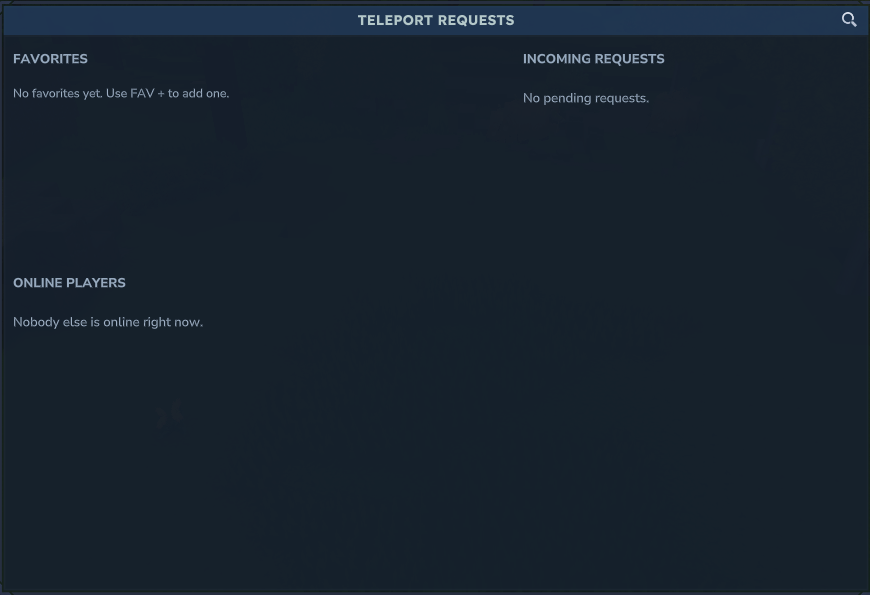
Open the Teleport Requests UI | mysticessentials.teleport.tpa |
/tpa <player> |
Request to teleport to a player | mysticessentials.teleport.tpa |
/tpahere |
Open the Teleport Requests UI | mysticessentials.teleport.tpa |
/tpahere <player> |
Request that a player teleports to you | mysticessentials.teleport.tpa |
/tpaccept [player] |
Accept the newest request or one from a specific player | mysticessentials.teleport.tpa |
/tpdeny [player] |
Deny the newest request or one from a specific player | mysticessentials.teleport.tpa |
/tpcancel |
Cancel outgoing teleport requests | mysticessentials.teleport.tpa |
/tphere <player> |
Teleport one player to you | mysticessentials.teleport.tphere |
/tpall |
Teleport every online player to you | mysticessentials.teleport.tpall |
/top |
Teleport to the highest available position above you | mysticessentials.teleport.top |
/back |
Return to your previous location | mysticessentials.teleport.back |
Random Teleport
See the Random Teleport page for full details.
| Command | Description | Permission |
|---|---|---|
/rtp |
Teleport to a random safe location (or open the RTP UI) | mysticessentials.teleport.rtp.use |
/rtp world <world> [player] |
RTP into a specific world | mysticessentials.teleport.rtp.use |
/rtp profile <profile> [player] |
RTP using a named profile | mysticessentials.teleport.rtp.use |
/rtp biome <biome> |
RTP into a biome | mysticessentials.teleport.rtp.biome |
/rtp <player> |
RTP another online player | mysticessentials.teleport.rtp.others |
/rtp cancel / status / info [profile] |
Cancel, check status, or inspect a profile | mysticessentials.teleport.rtp.use |
/rtpadmin, /rtpa |
Administer profiles, queue, and search (reload/test/preview/debug/enable/disable/setcenter/clearcache/queue/ui/cancel/spread/queue-login) | mysticessentials.teleport.rtp.admin |
Spawn and homes
| Command | Description | Permission |
|---|---|---|
/spawn |
Teleport to the global spawn, falling back to world spawn if needed | mysticessentials.spawn.use |
/setspawn |
Set the global spawn | mysticessentials.spawn.set |
/setworldspawn |
Set the current world's spawn | mysticessentials.spawn.set |
/home |
Open the Homes UI or use the default home behavior | mysticessentials.home.use |
/home <name> |
Teleport to a named home | mysticessentials.home.use |
/homes |
Open the Homes UI | mysticessentials.home.use |
/sethome [name] |
Create or update a home | mysticessentials.home.set |
/delhome [name] |
Delete a home | mysticessentials.home.set |
/renamehome <old> <new> |
Rename a home | mysticessentials.home.set |
Warps
| Command | Description | Permission |
|---|---|---|
/warp |
Open the Warps UI | mysticessentials.warp.use |
/warps |
Open the Warps UI, or list warps in console | mysticessentials.warp.use |
/warp <name> |
Teleport to a visible server warp | mysticessentials.warp.use |
/setwarp <name> |
Create or update a server warp at your position | mysticessentials.warp.set |
/delwarp <name> |
Delete a server warp | mysticessentials.warp.set |
/pwarp, /pwarps, /playerwarp, /playerwarps |
Browse player warps | mysticessentials.playerwarp.use |
/pwarp <name> |
Teleport to a player warp | mysticessentials.playerwarp.use |
/pwarp create <name> |
Create a player warp at your current position | mysticessentials.playerwarp.create |
/pwarp manage |
Open your Player Warp Manager | mysticessentials.playerwarp.use |
/pwarp delete <name> |
Delete your player warp; admins may delete any | mysticessentials.playerwarp.use, plus mysticessentials.playerwarp.admin for other owners |
| Command | Description | Permission |
|---|---|---|
/mail |
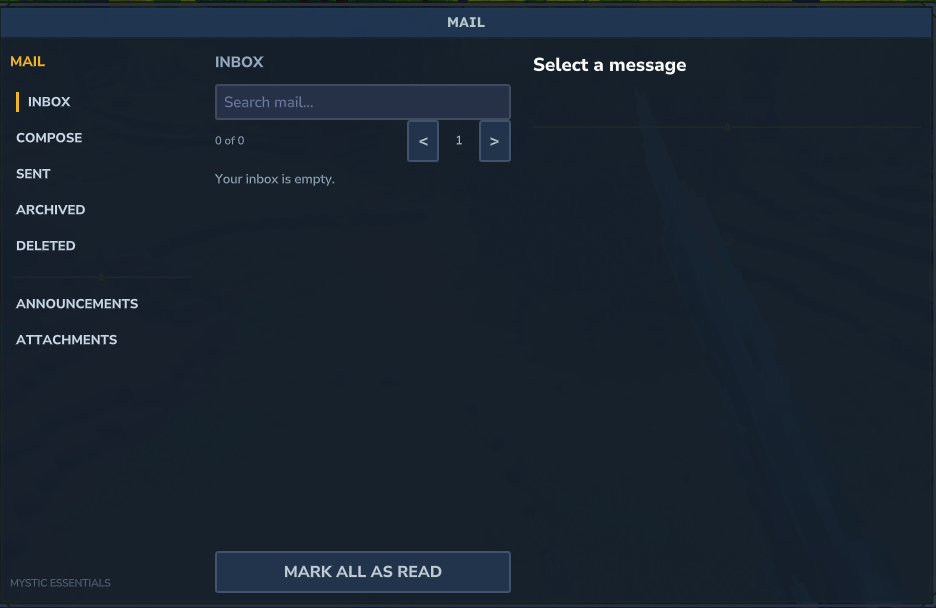
Open the Mail UI | mysticessentials.mail.use |
/mail inbox |
View inbox in chat | mysticessentials.mail.use |
/mail read <id> |
Read a mail item | mysticessentials.mail.use |
/mail send <player> <message> |
Send mail | mysticessentials.mail.send; offline targets need mysticessentials.mail.send.offline |
/mail sendall <message> |
Send mail to all known players | mysticessentials.mail.send.all |
/mail delete <id> |
Delete a mail item | mysticessentials.mail.use |
/mail clear |
Clear your inbox | mysticessentials.mail.use |
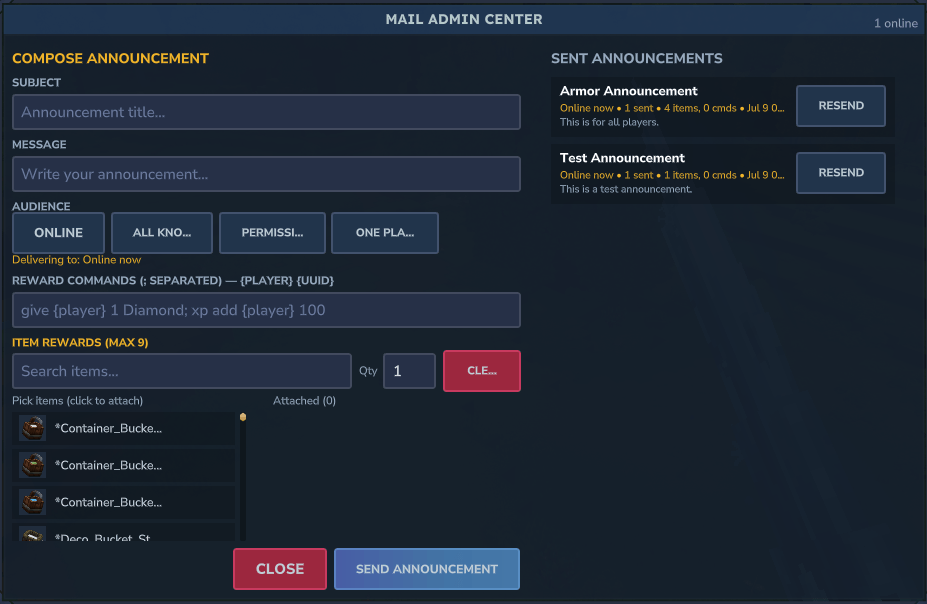
/mailadmin |
Open the mail admin center (announcements, item/command rewards) | mysticessentials.mail.announce |
Chat
| Command | Description | Permission |
|---|---|---|
/msg <player> <message> |
Send a private message | mysticessentials.chat.private.message |
/tell, /w, /whisper |
Aliases for /msg |
mysticessentials.chat.private.message |
/reply <message>, /r <message> |
Reply to the last private message | mysticessentials.chat.private.reply |
/channel, /ch |
Open the channel browser or show channel state | None by default |
/channel <name> |
Switch speaking channel | Channel permissions may apply |
/channel switch <name> [password] |
Switch speaking channel | Channel permissions may apply |
/channel join <name> [password] |
Listen to a channel | Channel permissions may apply |
/channel leave <name> |
Stop listening to a channel | None by default |
/channel temp <id> [password|-] [prefix|-] [alias1,alias2|-] [permission] |
Create a temporary channel | mysticessentials.chat.channel.create.temp |
/channel manage |
Manage your temporary channel | Owner/moderator rules apply |
Configured aliases such as /g, /global, /sc, /schat, /staffchat |
Switch channel quickly | Channel permissions may apply |
[item] (chat tag) |
Share your held item in chat as an item link | mysticessentials.chat.itemlink.use |
/itemview <code> |
Open the item viewer for a shared item link | None by default |
/iteminspect [latest|<number>|<code>] |
Inspect the latest, nth, or a specific shared item (alias /inspectitem) |
None by default |
/itemlinks, /recentitems |
Browse items recently shared in chat | None by default |
Announcements, AFK, and greetings
| Command | Description | Permission |
|---|---|---|
/broadcast <message>, /bc <message> |
Broadcast with the configured broadcast prefix | mysticessentials.announcement.broadcast |
/alert <message> |
Broadcast with the configured alert prefix | mysticessentials.announcement.alert |
/afk [reason] |
Toggle AFK | mysticessentials.afk.use |
Kits
| Command | Description | Permission |
|---|---|---|
/kit, /kits |
Open/list kits | mysticessentials.kit.use |
/kit list |
List kits you can claim | mysticessentials.kit.use |
/kit <name> |
Claim a kit | mysticessentials.kit.use; some kits also need mysticessentials.kit.<name> |
/kit give <player> <kit> |
Give a kit while ignoring player gating | mysticessentials.kit.admin |
Flight
| Command | Description | Permission |
|---|---|---|
/fly |
Toggle your flight | mysticessentials.fly.use |
/fly <player> |
Toggle flight for another player | mysticessentials.fly.others |
Inventory
| Command | Description | Permission |
|---|---|---|
/clearinventory, /clearinv |
Clear your inventory after taking a snapshot | mysticessentials.inventory.clear |
/clearinventory <player> |
Clear another player's inventory | mysticessentials.inventory.clear.others |
/clearinventory all |
Clear every online player's inventory except protected players | mysticessentials.inventory.clear.all |
/inventory clear [player/all], /inv clear [player/all] |
Inventory clear alias path | Same as above |
/inventory restore <player> |
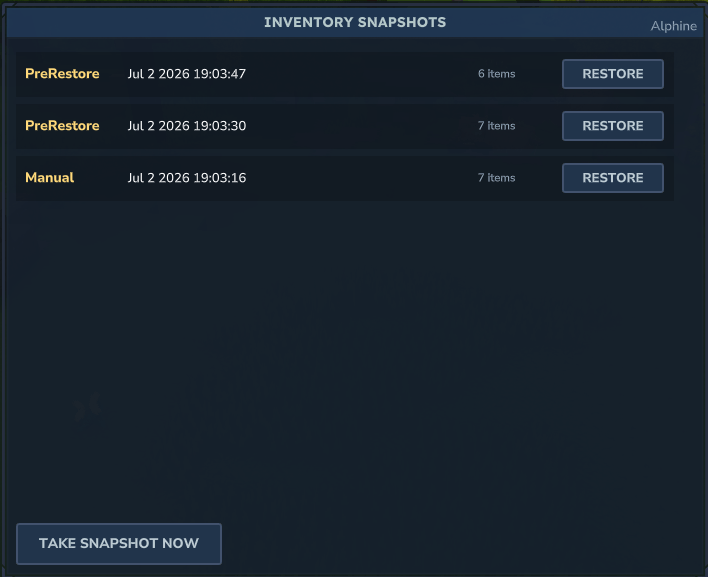
Open the Snapshot Restore UI | mysticessentials.inventory.restore |
Nicknames
| Command | Description | Permission |
|---|---|---|
/nick, /nickname |
Open the Nickname UI | mysticessentials.nick.use |
/nick <name> |
Set your nickname | mysticessentials.nick.use; color needs mysticessentials.nick.color |
/nick reset |
Remove your nickname | mysticessentials.nick.use |
/nick <player> <name> |
Set another player's nickname | mysticessentials.nick.others |
Player Vaults
See the Player Vaults page. The module is disabled by default.
| Command | Description | Permission |
|---|---|---|
/pv, /playervault, /vault, /vaults |
Open your vault list | mysticessentials.vaults.command.open |
/pv <number> |
Open a specific vault | mysticessentials.vaults.command.open |
/pv edit <number> |
Edit vault name/color/icon/description | mysticessentials.vaults.command.edit |
/pv list |
List your vaults | mysticessentials.vaults.command.list |
/pv <number> <player> |
Open another player's vault | mysticessentials.vaults.admin.open |
/pv reload |
Reload the vault config | mysticessentials.vaults.command.reload |
Patch Notes
See the Patch Notes page.
| Command | Description | Permission |
|---|---|---|
/patchnotes, /patches, /updates, /changelog |
Open the Patch Notes viewer | mysticessentials.patchnotes.view |
/patchnotes open [player] |
Open the viewer (optionally for another player) | mysticessentials.patchnotes.view (others: mysticessentials.patchnotes.open.others) |
/patchnotes list |
List patch notes in chat | mysticessentials.patchnotes.view |
/patchnotes markread |
Mark all notes read | mysticessentials.patchnotes.view (others: mysticessentials.patchnotes.markread.others) |
/patchnotes reload |
Reload patch notes from disk | mysticessentials.patchnotes.reload |
Tutorial
See the Tutorial module page for the full command tree.
| Command | Description | Permission |
|---|---|---|
/tutorial play [player] |
Start the tutorial | mysticessentials.tutorial.play (others: ...play.others) |
/tutorial stop, skip, status, page, list, info |
Control and inspect tutorial sessions | Matching mysticessentials.tutorial.* nodes |
/tutorial reload, reset, complete, debug, scene |
Admin tools | mysticessentials.tutorial.admin |
Custom Commands
See the Custom Commands module page. Operator-defined commands are also registered dynamically.
| Command | Description | Permission |
|---|---|---|
/customcommands list, info, test, validate |
Inspect and test custom commands | Matching mysticessentials.customcommands.* nodes |
/customcommands enable, disable |
Toggle a custom command | mysticessentials.customcommands.manage |
/customcommands reload |
Reload custom command definitions | mysticessentials.customcommands.reload |
Permissions reference
Every node is defined centrally in api/Permissions.java and documented in Permissions Wiki — the complete operator reference, including the dynamic nodes (home/player-warp limits, per-kit access, per-channel gates).
Numeric limits (homes, player warps) are resolved from the highest .limit.<n> node a player holds, or .limit.unlimited.
Message & colour formatting
Every message and config template supports this markup:
| Syntax | Effect |
|---|---|
&a &c … &f |
Legacy colours |
&l &o &n &r |
Bold, italic, underline, reset |
&#ff8800 or <#ff8800> |
Hex colour (also 3-digit #f80) |
<red> <gold> … |
Named colours (with closing </red>) |
<color:#ff0000> / <c:#f00> |
Hex/named colour tag |
<bold> <b>, <italic> <i>, <underlined> <u> |
Styles (with closing tags) |
<gradient:#7b2cff:#00d4ff>text</gradient> |
Multi-stop gradient |
<rainbow>text</rainbow> |
Rainbow |
<link:https://…>text</link> |
Clickable link |
<lang:some.key> |
Client-translated text |
{player_name}, {luckperms_prefix}, {group}, %papi_placeholder% |
Placeholders |
Hover text is not available — the Hytale 0.5.6 message protocol has no hover field (only links).
Configuration
Files live under mods/MysticEssentials/:
config.json Main config (storage, integrations, module toggles)
messages/en_us.json Core message strings
modules/<module>/config.json Per-module settings
data/ Player profiles, module data, cache
logs/
Main config.json toggles storage (json / mysql / mariadb + optional Redis for cross-server), integrations (LuckPerms / PlaceholderAPI / VaultUnlocked), and which modules are enabled. New modules added in updates are merged into your existing config automatically.
Notable per-module settings:
- teleportation —
requestExpirySeconds(pending /tpa lifetime),tpaWarmupSeconds,tpaCooldownSeconds,backWarmupSeconds,backCooldownSeconds. - mail —
maxInboxSize(0 = unlimited; oldest read mail dropped first when full),maxMessageLength(0 = unlimited; longer bodies truncated),notifyUnreadOnJoin. - spawn —
defaultHomeLimit,teleportOnFirstJoin,teleportOnJoin. - chat —
defaultFormat, priority-orderedformats(permission-gated), per-colour-style permissions, private messaging, channel definitions, temporary channels, configurable channel prefixes/aliases/passwords, andglyphssettings./channelopens the packaged channel browser UI (Common/UI/Custom/MysticEssentials/ChatChannels.ui). Temporary channels are session channels: without Redis they stay open until the server is empty or restarts; with Redis enabled they can be restored after restart fortemporaryChannelDefaultMinutes(default120) minutes.modules/chat/glyphs.jsonis generated from the bundled glyph catalog. - announcements —
autoBroadcastEnabled,intervalSeconds,randomOrder, andmessages. Message entries may be legacy strings or JSON objects:{"lines":["&7Line one","&fLine two"],"click":{"action":"command","value":"/spawn"}}. Useaction: "link"with anhttps://...value to open a URL. Individuallinesentries may also be objects with their owntextandclick. - afk —
autoAfkSeconds, plus arewardsblock (reward zone corners, amount, session/daily caps, combat lockout) for the AFK Rewards submodule. - greetings — MOTD lines, first-join message, and optional join/leave broadcasts.
- announcements — also
broadcastPrefixandalertPrefixfor/broadcastand/alert. - kits — kit definitions (
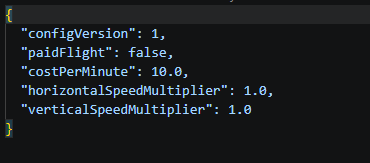
items,cooldownSecondswith-1= one-time,requiredOnlineSeconds,requirePermission,cost,description) andfirstJoinKitgranted automatically on first join. - flight —
paidFlight,costPerMinute, and fly-speed multipliers. - inventory — snapshot triggers (
snapshotOnJoin/Leave/Death),timedSnapshotMinutes, andmaxSnapshotsPerPlayer. - nick — nickname length limits,
blockedNames, and thenickMarkerprefix shown before nicknames in chat. - chat channels — each channel supports
groupFormats, a map of LuckPerms primary group → chat format, overriding the channelformatper rank.
Config files are versioned: each carries a configVersion and is migrated (plus merged with new default keys) automatically on load.
Integrations
- LuckPerms — permission checks, primary group, and
{luckperms_prefix}/{luckperms_suffix}in chat and messages. - PlaceholderAPI — resolves
%…%placeholders, and exposes Mystic's own as%mystic_<name>%(e.g.%mystic_player_name%,%mystic_group%). - VaultUnlocked — economy for paid warps, teleport costs, paid flight, kit costs, and AFK rewards. Requires an economy provider mod; without one, costs are free and payouts no-op.
- MysticVanish — vanished players are hidden from the TPA UI and player suggestions, treated as offline for
/msgand/tpa, and join/leave/AFK announcements stay silent for them. Auto-detected; dropMysticVanish-1.0.0.jarinmods/.
Cross-server (multiple servers on one network) broadcasts and private messages work when Redis is enabled in config.json.
For developers
Look for the developer api here: Developer API