Menu Info Pages
- By
Create beautiful in-game guides, tutorials and information pages with a native Hytale-style UI, JSON configuration, images, sections and interactive buttons.
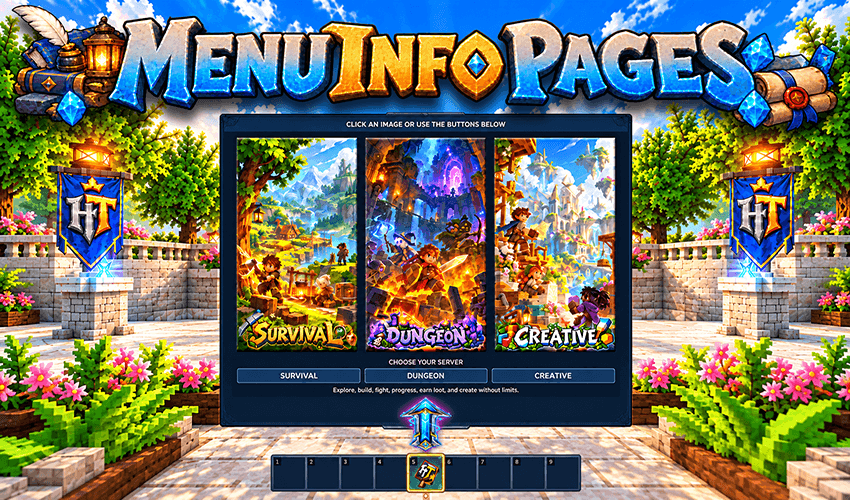
Build visual server selectors with clickable images and customizable action buttons. Give players instant access to Survival, Dungeon, Creative or any other destination, directly through your menus or interactive in-game items.
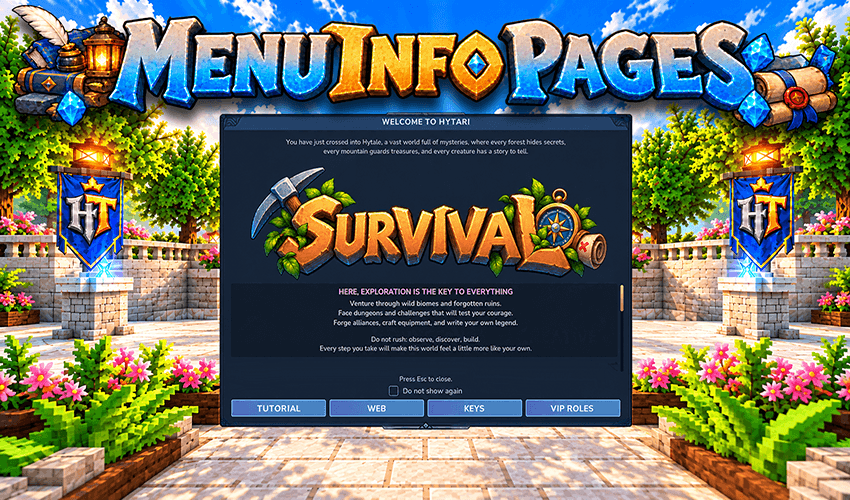
Create beautiful welcome screens with custom images, fixed headers, scrollable content and interactive buttons. Automatically greet players when they join, with a localized "Do not show again" option for a personalized experience.
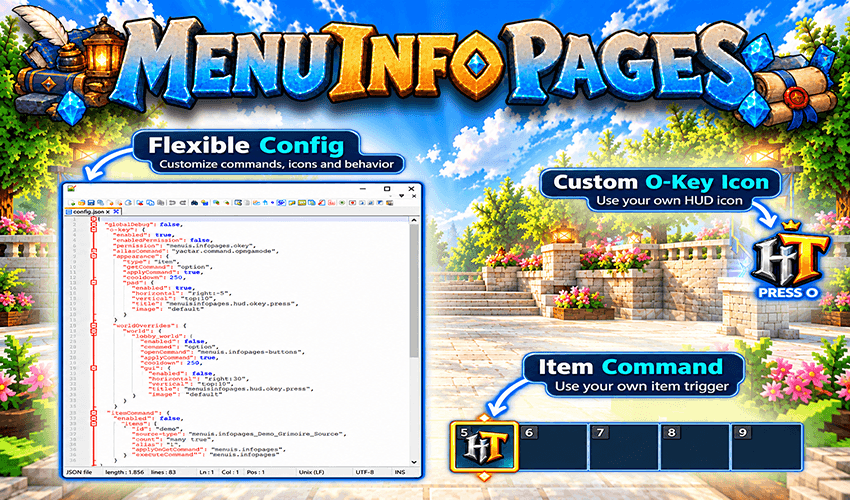
Customize commands, HUD icons and interactive items through simple JSON configuration. Create your own O-Key quick-access icon and turn Hytale items into powerful shortcuts with separate left-click and right-click actions.
Description
📖 MENU INFO PAGES FREE
Create beautiful in-game guides, rules, tutorials and interactive information pages for your Hytale server using simple JSON files.
SIMPLE • FLEXIBLE • INTERACTIVE • SERVER-SIDE
MenuInfoPages Free transforms JSON configurations into polished Hytale interfaces with formatted text, interactive images, customizable sections, action buttons, permissions, AutoOpen, ItemCommands and O-Key quick access.
Create everything from a simple welcome page to an interactive information menu using Hytale's native interface system.
No Java coding, client-side mod or external database required.
FEATURES AT A GLANCE
- JSON-Driven Pages — Create independent information pages with their own commands and configurations.
- Native Hytale Interface — Spacious menus with fixed headers, scrollable content and rich text formatting.
- Flexible Page Design — Multiple images, customizable sections, interactive actions and configurable buttons.
- Dynamic Information — Display player and server information through native placeholders.
- Player Experience — AutoOpen, page permissions and configurable O-Key shortcuts.
- Interactive Items — Assign separate left-click and right-click commands to supported items.
- Live Reload & Caching — Update pages and images without unnecessary restarts or resource regeneration.
- Built-In Tutorial — Learn the configuration system through a complete interactive
/guidepage.
PAGE DESIGN & INTERACTIVE IMAGES
Design your pages with a spacious 980 × 720 native Hytale interface, organized into three clearly separated areas.
HEADER AREA
Add introductory text and up to 6 header images.
The introduction and images remain fixed while the main page content scrolls independently, keeping important information and server branding visible.
CONTENT AREA
Organize each page into up to 10 sections, featuring:
- Custom titles and formatted text.
- Up to 6 images per section.
- Default, transparent or custom HEX background colors.
- Interactive images with configurable actions.
Multiple images are automatically distributed into equal-width horizontal cells, with each image centered individually and proportionally scaled.
ACTION AREA
Add up to 6 configurable bottom buttons that can execute player or console commands, with optional delays and page-closing behavior.
CLICKABLE IMAGES & WEBSITE LINKS
Images can be more than decoration.
Configure header or section images to:
- Execute commands as the player.
- Execute commands through the server console.
- Send clickable HTTP/HTTPS website links to the player's chat.
- Remain decorative without an associated action.
Image actions can optionally close the menu after interaction.
Traditional image paths remain supported, so existing JSON configurations continue to work.
Use local PNG files, bundled UI assets or remote PNG URLs to create server logos, graphical tutorials, navigation shortcuts and interactive information panels.
YOUR SERVER. YOUR CONTENT. YOUR STYLE.
ITEMCOMMANDS
Turn ordinary Hytale items into interactive server tools.
Create special items from vanilla or modded Hytale items, assigning independent commands to their interactions.
LEFT CLICK • Execute a configured player command
RIGHT CLICK • Execute another configured player command
Generated items can preserve their original appearance, name and quality, or use configured custom properties.
Required resources, including icons, models, textures, qualities and localization files, are handled automatically where applicable.
Use ItemCommands to provide:
- Interactive starter items.
- Server guide and help shortcuts.
- Navigation and teleportation tools.
- Custom utility commands.
- Quick access to server features.
Generated assets are managed efficiently, preserving unchanged resources and updating only what is necessary.
Structural item changes may require a server restart.
GIVE THE PLAYER AN ITEM. LET THE ITEM OPEN THE EXPERIENCE.
O-KEY QUICK ACCESS & AUTOOPEN
O-KEY QUICK ACCESS
Use Hytale's O key as a configurable shortcut to open a MenuInfoPages page or execute another command.
The O-Key system supports:
- Optional permissions and separate player/OP behavior.
- Per-world command and HUD overrides.
- Trailing wildcard matching for dynamically generated world instances.
- Custom PNG indicators and configurable HUD visibility.
- Independent horizontal and vertical positioning, including
centeralignment.
Configure different shortcuts for different worlds without requiring client-side modifications.
AUTOOPEN
Automatically display important information pages when players join the server.
Choose from three modes:
ONCE • Display the page once per player.
ALWAYS • Display it whenever the configured conditions are met.
DISMISSIBLE • Let players choose not to display it again.
Dismissible pages include a localized “Do not show again” option that follows the player's Hytale client language, with regional fallback support.
AutoOpen is ideal for welcome screens, rules, announcements and player onboarding.
PRESS O. OPEN WHAT YOUR SERVER NEEDS.
PERMISSIONS, PLACEHOLDERS & TEXT
PER-PAGE ACCESS CONTROL
Make pages public or restrict them using optional permission nodes.
For example:
"permission": "server.vip"
Create dedicated content for staff, VIP players, supporter ranks or restricted server information.
Permissions are checked when players open protected pages and are also respected by AutoOpen.
NATIVE PLACEHOLDERS
Personalize supported page text and interactive actions with dynamic information:
{player} • Player name
{uuid} • Player UUID
{world} • Current world
{online} • Online player count
{max_players} • Maximum server player capacity
RICH TEXT FORMATTING
Style your content using bold, italic, monospace and custom hexadecimal colors.
Combine formatted text and placeholders to create personalized welcomes, instructions and informative displays.
LIVE RELOAD & ASSET MANAGEMENT
Update your menus directly on the server without rebuilding the mod.
Execute:
/infopages reload
The unified reload system refreshes supported:
- JSON page content and configuration.
- Local and remote PNG images.
- Custom O-Key HUD images.
- Related runtime interface resources.
Remote images are automatically downloaded and cached, while original PNG files in your images directory remain untouched.
Frequently used interface information, including rich text and image data, is cached to reduce unnecessary processing.
Ordinary page and image updates do not require a server restart.
BUILT-IN TUTORIAL & GETTING STARTED
INTERACTIVE /GUIDE TUTORIAL
MenuInfoPages Free includes a comprehensive tutorial accessible through:
/guide
The tutorial provides 10 informative sections in one easy-to-explore page, demonstrating the available features through explanations, example configurations and working interactive elements.
It covers JSON pages, customization, images, commands, placeholders, permissions, AutoOpen, O-Key, ItemCommands and reload management.
Official tutorial content is updated automatically, preserving existing AutoOpen settings while leaving administrator-created pages untouched.
INSTALLATION
- Place the MenuInfoPages Free JAR inside your Hytale server's
modsdirectory. - Start the server to generate the configuration, documentation and example page.
- Join the server and type /guide to explore the tutorial.
- Create or edit JSON files inside
mods/MenuInfoPages/pages/. - Run /infopages reload to apply supported changes.
CREATE YOUR OWN PAGE
Generate a ready-to-edit JSON page with:
/infopages newpage <name> <command>
Customize its text, images, sections, actions, backgrounds and permissions directly in the generated configuration.
An automatically generated README.txt provides additional configuration guidance.
COMPATIBILITY & REQUIREMENTS
GAME • Hytale
INSTALLATION • Server-side
CONFIGURATION • JSON
IMAGES • PNG, local or remote
DEPENDENCIES • No required external plugins
DATABASE • Not required
CLIENT MOD • Not required
MenuInfoPages Free works through Hytale's native interface system, allowing players to access your custom menus without installing additional client-side software.
START BUILDING YOUR SERVER GUIDES
Whether you need a simple welcome screen, an interactive help menu, a server rulebook or an item-based command shortcut, MenuInfoPages Free gives you the tools to create it using straightforward JSON configurations.
Create your content. Customize your interface. Keep everything server-side.
MAKE INFORMATION PART OF YOUR HYTALE EXPERIENCE.
USING MENUINFOPAGES FREE AND NEED MORE?
The Full edition expands MenuInfoPages with the complete advanced feature set for larger, multilingual and more complex server interfaces.
Keep the same familiar JSON-driven workflow while unlocking:
- Independent left and right sidebars for advanced layouts and navigation.
- 25 supported languages, automatically adapting menu content to each player's client language.
- Up to 24 sections per page for more extensive information systems.
- Interactive images and buttons inside individual sections, offering greater control over content and actions.
- Advanced layout, navigation and background customization.
- A comprehensive multilingual interactive tutorial demonstrating the Full edition's additional capabilities.
Ideal for networks, multilingual communities and servers that need more powerful information interfaces.
START SIMPLE WITH FREE. GO FURTHER WITH FULL.
View MenuInfoPages Full on BuiltByBit
HyTari Studios — Built with care for Hytale servers.
Menu Info Pages Team